- 対象年齢4+
- カテゴリ辞書/辞典/その他
- 開発元Rahul Bulchandani
- 言語英語
- サイズ39.7 MB
App Storeの公式ページにリンクしています
Download.orgはVisionary OCR Dictionaryのファイルを一切ホストしていません。ボタンを押すと、Rahul Bulchandaniが公開しているApp Storeのアプリページが開きます。ページの最終確認:2026/11/8。
スクリーンショット

概要
開発元はこのテキストをお使いの言語で提供していません。
VisionaryDictionary: Instantly Scan & Define Words
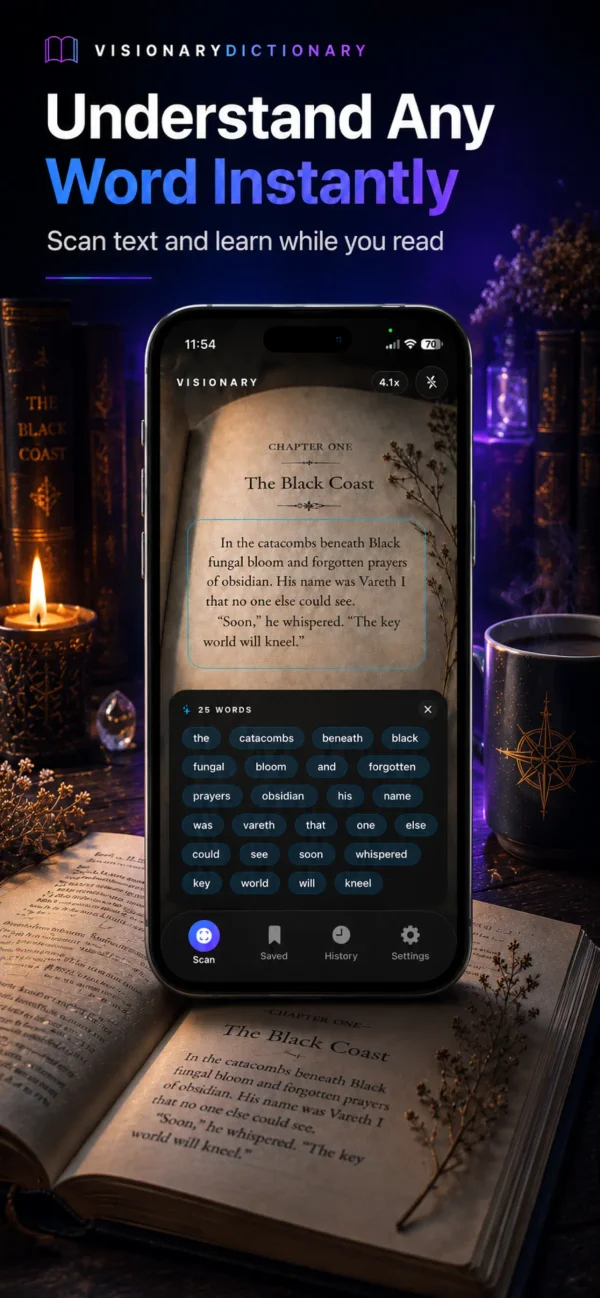
Transform your iPhone into a powerful real-time dictionary. Using Apple’s Vision framework for on-device OCR, VisionaryDictionary recognizes printed words in live camera view and displays them as tappable “word chips” on screen. Just aim your camera at any text (books, menus, signs, etc.) and tap Scan. The app crops and reads text right on your device (no internet needed), then identifies each word it sees.
Instant Camera OCR: The app uses a tap-to-scan model. OCR only runs when the user taps the screen. Pinch to zoom and use the flashlight toggle for low-light reading. When text is detected, the words appear as individual chips at the bottom.
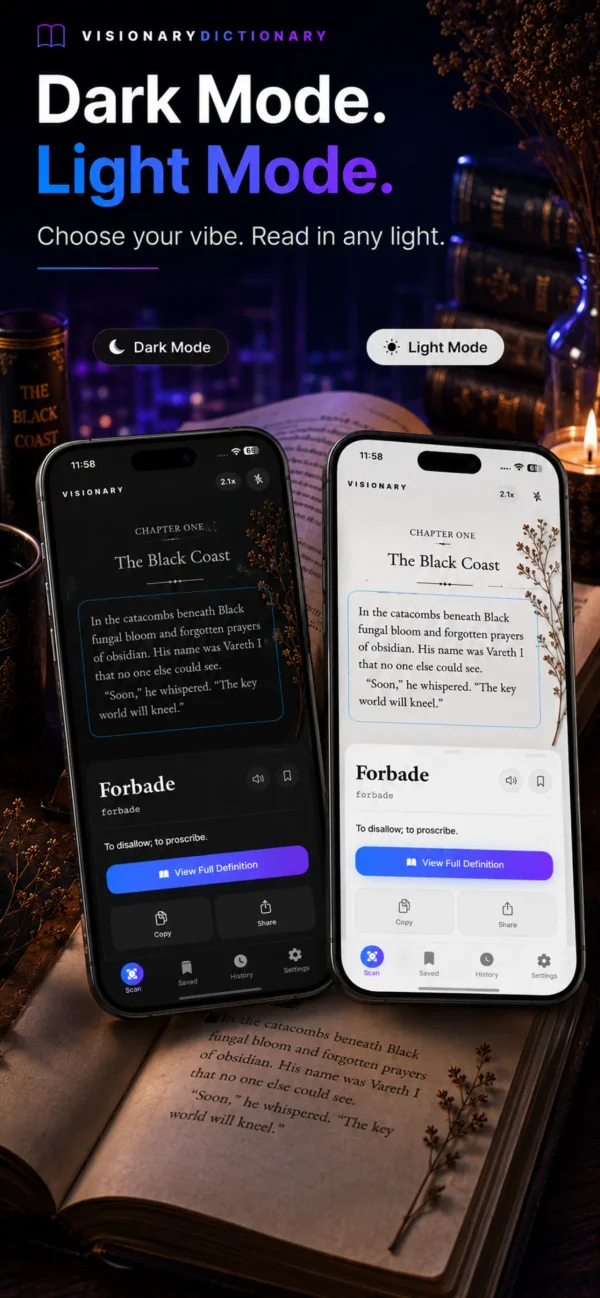
Tap-Ready Word Chips: Each detected word is a button. Tap a chip to look up that word immediately. A full definition sheet slides up, where you’ll see complete definitions, part-of-speech tags, example sentences, synonyms and antonyms.
Pronunciation Audio: Hear each word spoken aloud with high-quality text-to-speech voices. This helps with learning and makes the app a pronunciation guide as well as a lookup tool.
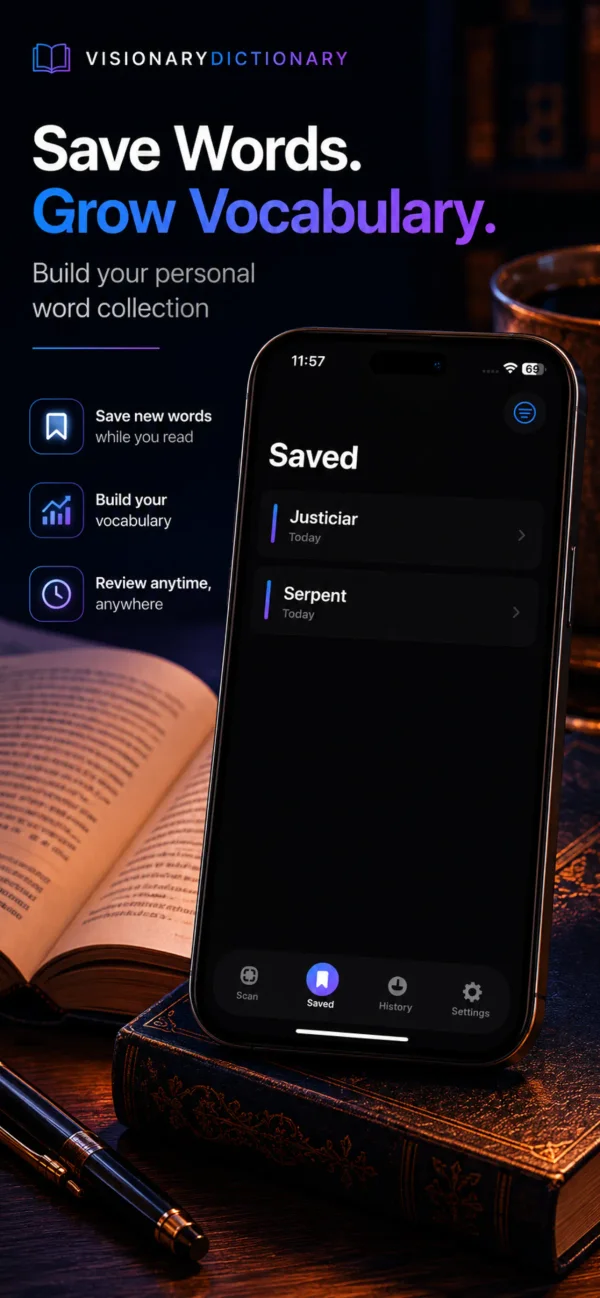
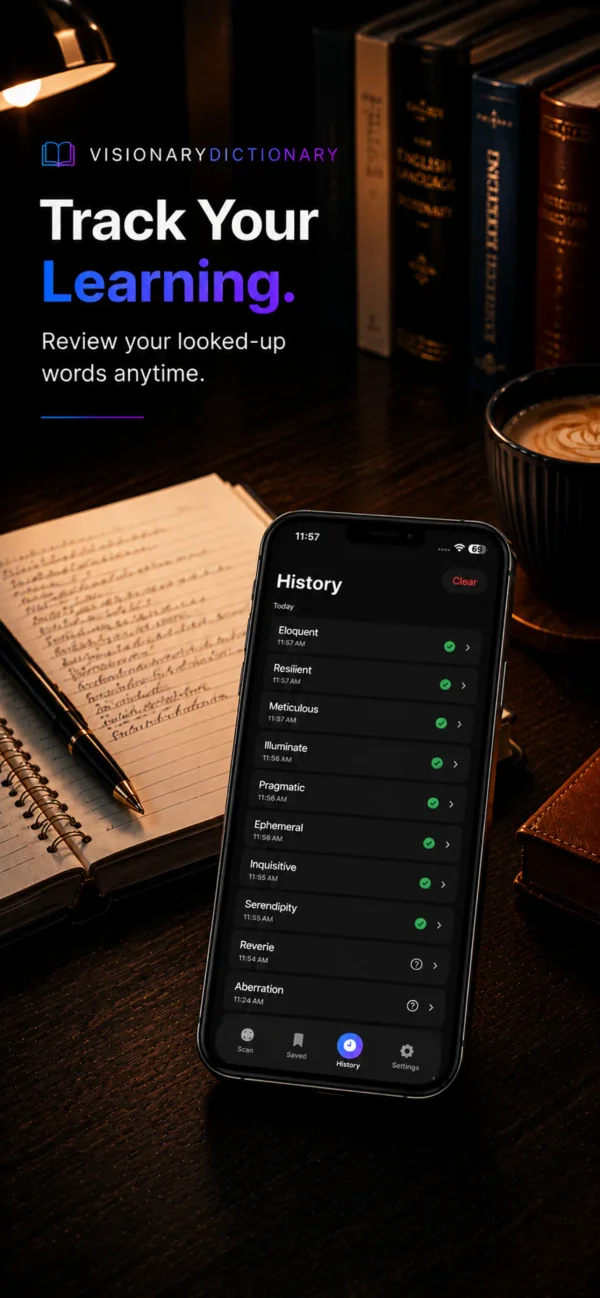
History & Favorites: Every lookup is saved automatically. Visit the History tab to see all scanned words and definitions, so you can review them later. Tag any word as a favorite to add it to your Vocabulary collection (like “word lists”).
Vocabulary Builder: Browse your saved words in the Vocabulary tab. Each entry shows definitions, example usage, and an option to hear the word again. This turns casual lookups into a personal study tool for students, travelers, and avid readers.
Intuitive UI: The interface uses a modern glass-morphism design with a floating tab bar (Scanner, Vocabulary, History, Settings). New users get an interactive tutorial on first launch. Haptic feedback confirms taps. Dark mode is fully supported for comfortable night-time reading.
Privacy & Offline Use: All processing is done on your device – the app does not send images or text to servers. You can look up words anywhere, even offline, using the built-in dictionary data. No camera images or personal data ever leave your phone.
Advertisements & In-App Purchase: VisionaryDictionary is free to download and use with occasional full-screen AdMob ads. (Ads appear between lookups.) A one-time in-app purchase lets you remove all ads forever. We also include an optional update checker to notify you when new versions are available.
Why VisionaryDictionary? Whether you’re reading a novel, menu, or foreign street sign, VisionaryDictionary keeps up with your eyes. No more typing words by hand – just point and scan. Build your vocabulary on the go with tappable definitions and bookmark words for later. Download it today and never wonder “what does this word mean” while you’re reading again!
新機能
バージョン 1.2 · 2026/7/2
Performance improvements and new logo design.
アプリのプライバシー
このアプリのデータの取り扱いについて、Rahul BulchandaniがApp Storeで申告している内容です。
-
ユーザーのトラッキングに使用されるデータ
他社のアプリやウェブサイトを横断してユーザーをトラッキングする目的で使用される場合があります。
- ID
- 使用状況データ
-
ユーザーに関連付けられないデータ
収集される場合がありますが、ユーザーの識別情報には関連付けられません。
- 購入
- ID
- 使用状況データ
プライバシーの取り扱いは、ご利用の機能やお客様の年齢などに応じて異なる場合があります。
情報
- 販売元
- Rahul Bulchandani
- カテゴリ
- 辞書/辞典/その他
- バージョン
- 1.2
- 更新日
- 2026/7/2
- リリース
- 2026/5/28
- サイズ
- 39.7 MB
- 必要条件
- iOS 17.0以降
- 対象年齢
- 4+
- 価格
- 無料
- アプリ内課金
- あり
- 言語
- 英語
- 著作権
- © Rahul Bulchandani - 2026