- 対象年齢4+
- カテゴリユーティリティ
- 開発元Pavel Semenishchev
- 言語英語
- サイズ3.0 MB
App Storeの公式ページにリンクしています
Download.orgはWiFi Proberのファイルを一切ホストしていません。ボタンを押すと、Pavel Semenishchevが公開しているApp Storeのアプリページが開きます。ページの最終確認:2026/11/12。
スクリーンショット
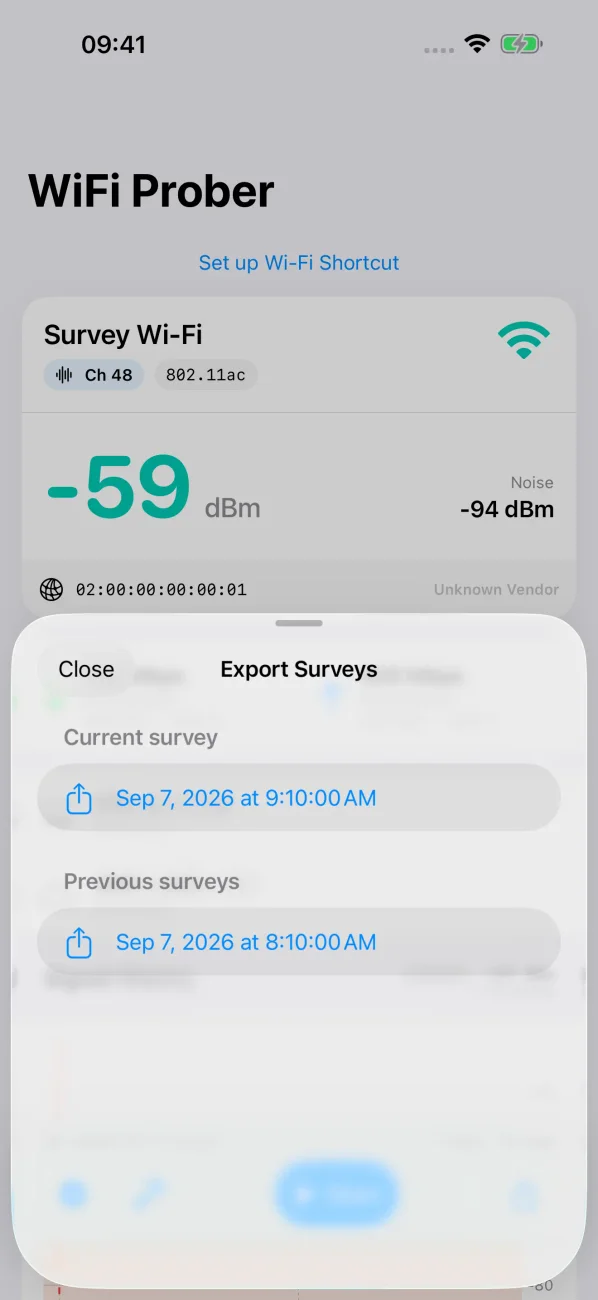

概要
開発元はこのテキストをお使いの言語で提供していません。
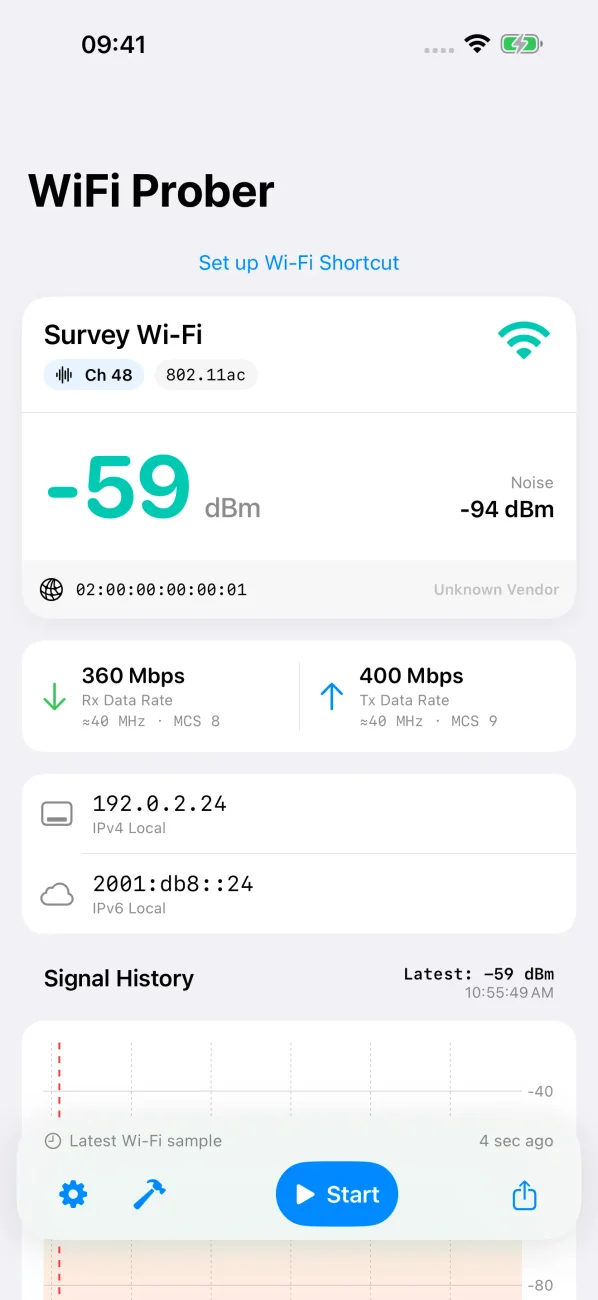
WiFi Prober is a network diagnostic utility for engineers and IT professionals performing Wi-Fi surveys on iPhone.
WI-FI SURVEYS
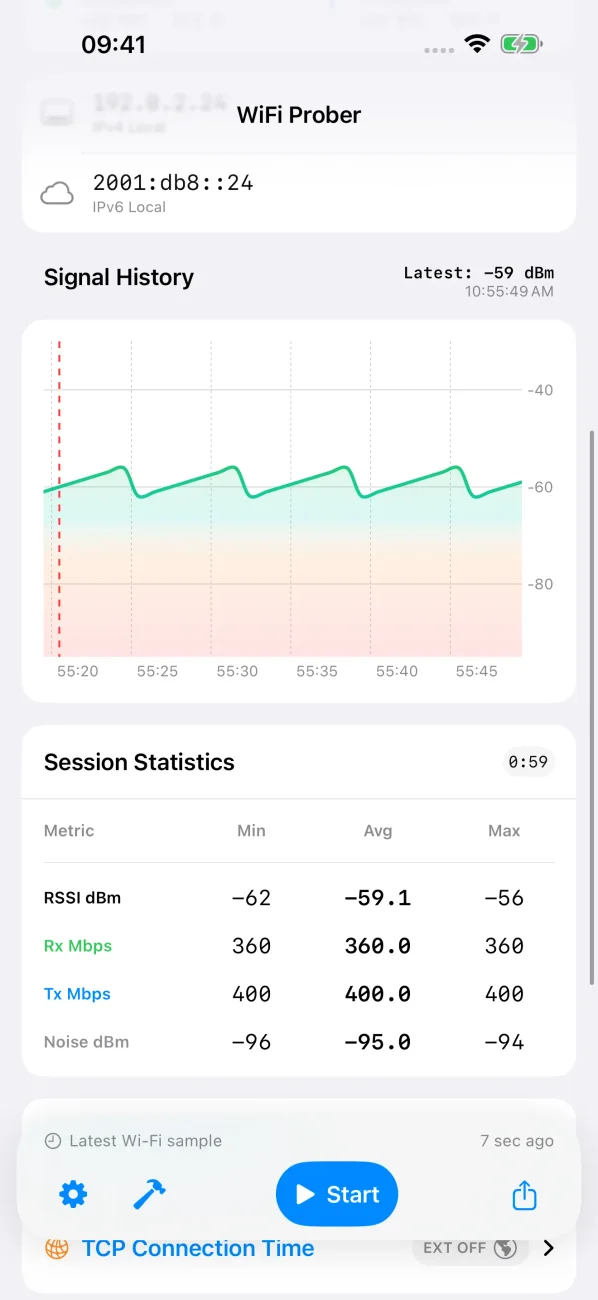
- View RSSI, noise, Rx/Tx Data Rate and connection details supplied by the companion Apple Shortcut.
- Follow BSSID roaming events and channel changes.
- View estimated channel width and MCS, with the assumptions available in the app.
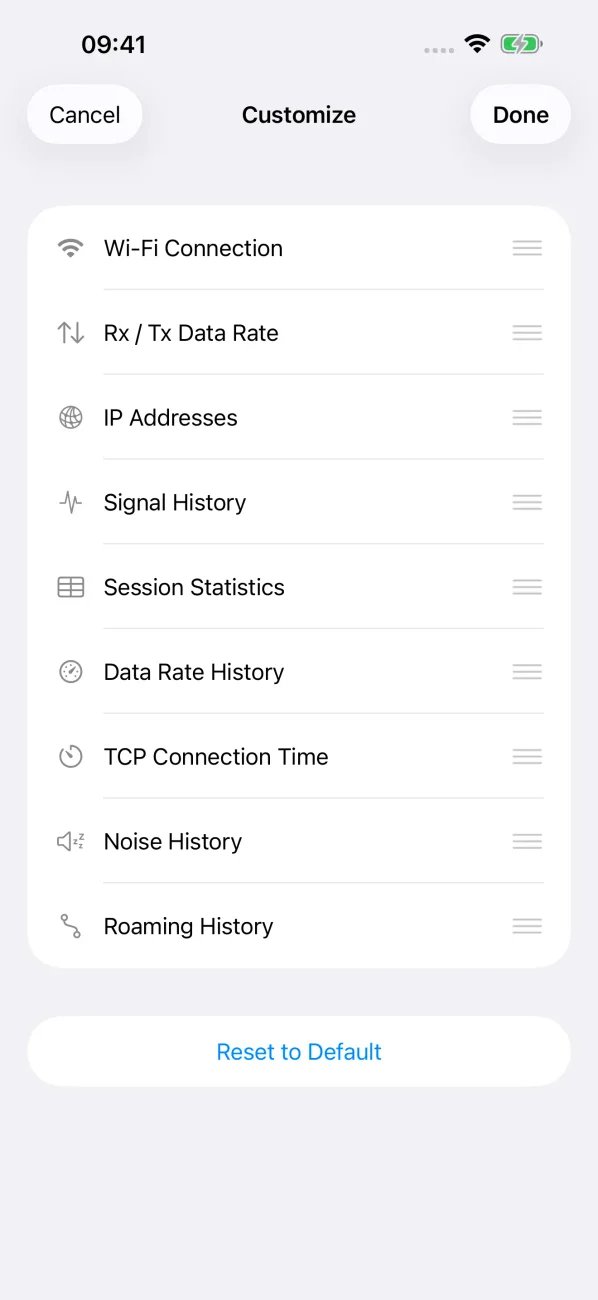
- Arrange dashboard blocks in Settings and keep your preferred order.
- Save long surveys and export the current or a previous survey as CSV.
NETWORK TOOLS
- Measure TCP connection time to your Wi-Fi gateway and external hosts, with IPv4/IPv6 support and custom targets.
- Check DNS resolution time.
- Run the embedded Yandex Internetometer speed test in a temporary web session with known advertising and analytics requests blocked.
- Identify equipment vendors using an offline OUI database.
AR SIGNAL HUD
Overlay available signal measurements and equipment information on the camera view. Record and preview video during a site survey.
SETUP AND COLLECTION
Wi-Fi signal measurements require the WiFi Monitor Agent 2 companion Shortcut. Install and verify it in Settings → Wi-Fi Shortcut. Network Tools are available without installing the Shortcut.
Collection runs while WiFi Prober is active. Leaving, locking or closing the app stops collection; press Start to begin again. A fresh launch or a return after two hours away clears old dashboard readings, while saved surveys remain available for export.
No WiFi Prober account is required.
新機能
バージョン 1.1.0 · 2026/9/15
- Arrange the main-screen blocks in Settings and keep your preferred order.
- Save long Wi-Fi surveys and export the current or a previous survey as CSV.
- Set up WiFi Monitor Agent 2 with verified installation and separate measurement runs.
- Collection stops when you leave or lock the app; return and press Start to begin again.
- A fresh launch or a return after two hours away clears old dashboard readings; saved surveys remain exportable.
- Improved TCP diagnostics, signal charts and handling of unavailable measurements.
- More reliable AR video recording, preview and camera-permission handling.
- Improved large-text layouts and saved chart interval settings.
- Embedded Speed Test uses a temporary web session with known advertising and analytics requests blocked.
アプリのプライバシー
このアプリのデータの取り扱いについて、Pavel SemenishchevがApp Storeで申告している内容です。
-
データの収集なし
開発元はこのアプリからデータを収集しません。
プライバシーの取り扱いは、ご利用の機能やお客様の年齢などに応じて異なる場合があります。
情報
- 販売元
- Pavel Semenishchev
- カテゴリ
- ユーティリティ
- バージョン
- 1.1.0
- 更新日
- 2026/9/15
- リリース
- 2026/3/4
- サイズ
- 3.0 MB
- 必要条件
- iOS 17.6以降
- 対象年齢
- 4+
- 価格
- 無料
- 言語
- 英語
- 著作権
- © 2025 htechno
こちらもおすすめ
-
 AR Wifi AnalyzerWi-Fiの電波を3Dで見える化
-
 Wifi Analyzer Analyze Networkユーティリティ
-
 Wifi Check Utilityユーティリティ
-
 NetXi: Network Analyzerユーティリティ
-
 Ruview Wifi Sensing Tools Hubユーティリティ
-
 Wifi Analyserユーティリティ
-
 WLAN Pros Toolboxユーティリティ
-
 WiFi Heatmap: Signal Coverageユーティリティ
-
 WiFi Analyzer and Heat Mapユーティリティ
-
 ネットワーク診断:Wi-Fi&5G5G 3G LTE WiFi DNS VPN 速度測定