- Age rating4+
- CategoryUtilities
- DeveloperPavel Semenishchev
- LanguagesEnglish
- Size3.0 MB
Links to the official App Store page
Download.org hosts no file of WiFi Prober. The button opens its official App Store page, published by Pavel Semenishchev. Listing last checked on Nov 12, 2026.
Screenshots

About
WiFi Prober is a network diagnostic utility for engineers and IT professionals performing Wi-Fi surveys on iPhone.
WI-FI SURVEYS
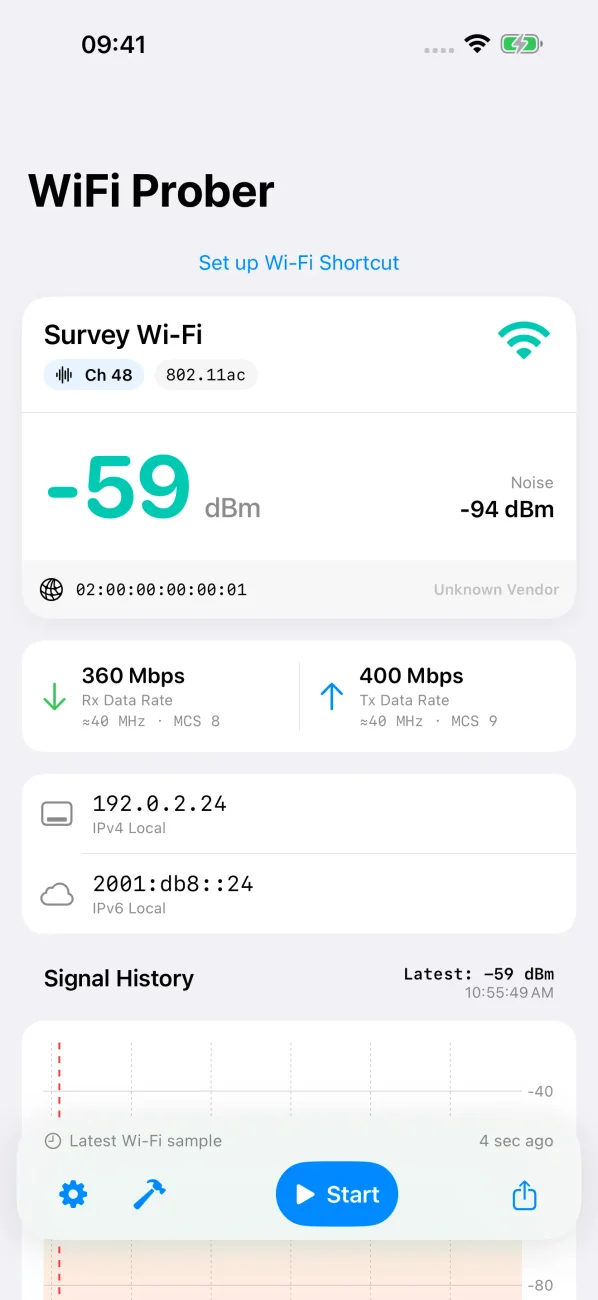
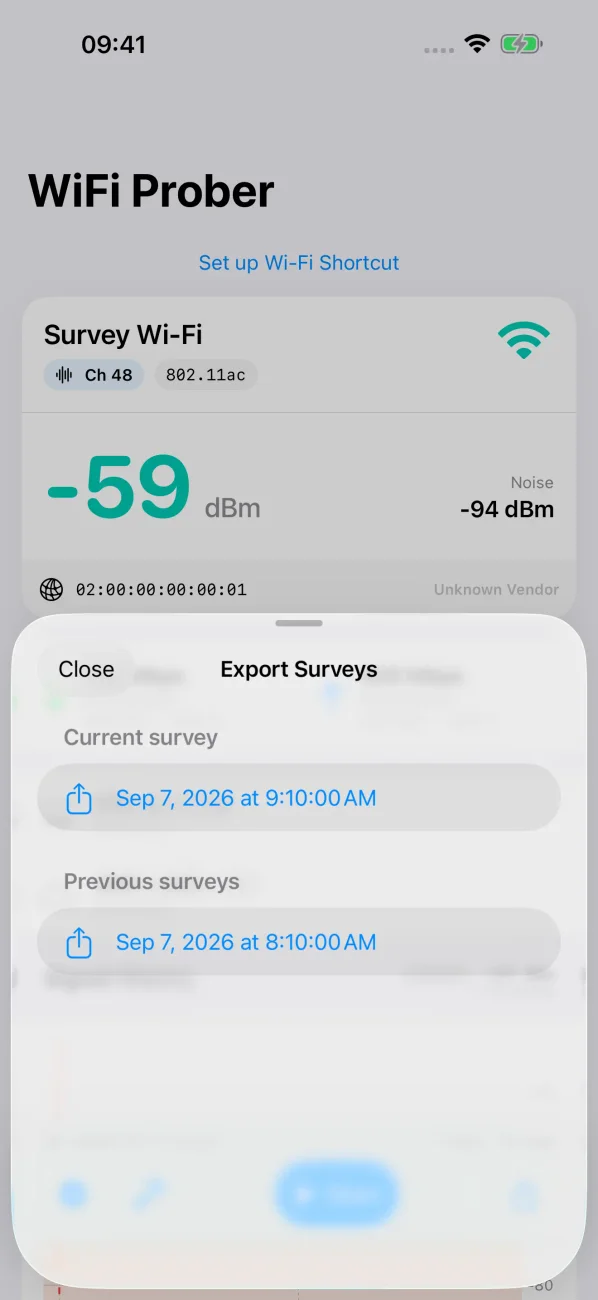
- View RSSI, noise, Rx/Tx Data Rate and connection details supplied by the companion Apple Shortcut.
- Follow BSSID roaming events and channel changes.
- View estimated channel width and MCS, with the assumptions available in the app.
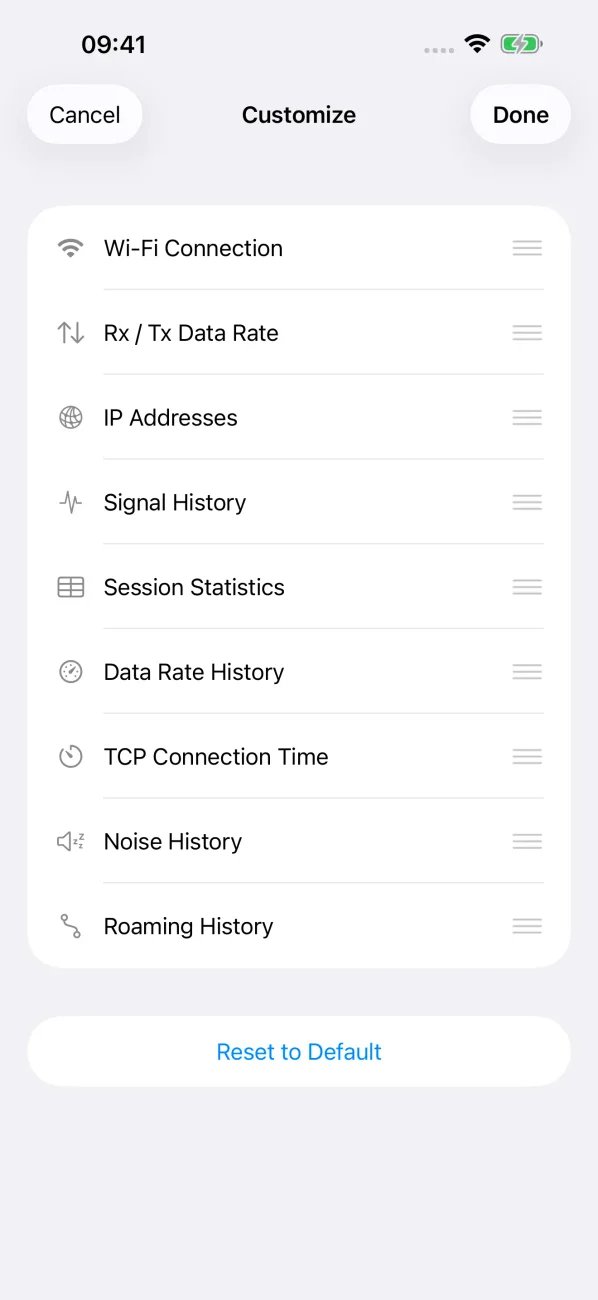
- Arrange dashboard blocks in Settings and keep your preferred order.
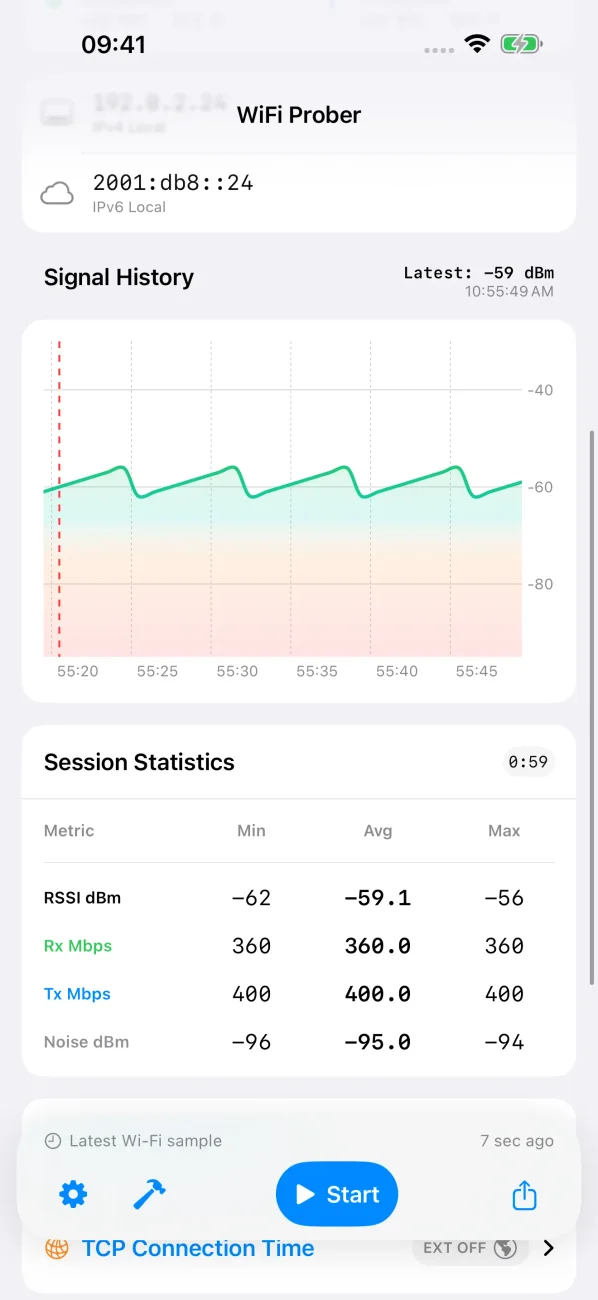
- Save long surveys and export the current or a previous survey as CSV.
NETWORK TOOLS
- Measure TCP connection time to your Wi-Fi gateway and external hosts, with IPv4/IPv6 support and custom targets.
- Check DNS resolution time.
- Run the embedded Yandex Internetometer speed test in a temporary web session with known advertising and analytics requests blocked.
- Identify equipment vendors using an offline OUI database.
AR SIGNAL HUD
Overlay available signal measurements and equipment information on the camera view. Record and preview video during a site survey.
SETUP AND COLLECTION
Wi-Fi signal measurements require the WiFi Monitor Agent 2 companion Shortcut. Install and verify it in Settings → Wi-Fi Shortcut. Network Tools are available without installing the Shortcut.
Collection runs while WiFi Prober is active. Leaving, locking or closing the app stops collection; press Start to begin again. A fresh launch or a return after two hours away clears old dashboard readings, while saved surveys remain available for export.
No WiFi Prober account is required.
What’s new
Version 1.1.0 · Sep 15, 2026
- Arrange the main-screen blocks in Settings and keep your preferred order.
- Save long Wi-Fi surveys and export the current or a previous survey as CSV.
- Set up WiFi Monitor Agent 2 with verified installation and separate measurement runs.
- Collection stops when you leave or lock the app; return and press Start to begin again.
- A fresh launch or a return after two hours away clears old dashboard readings; saved surveys remain exportable.
- Improved TCP diagnostics, signal charts and handling of unavailable measurements.
- More reliable AR video recording, preview and camera-permission handling.
- Improved large-text layouts and saved chart interval settings.
- Embedded Speed Test uses a temporary web session with known advertising and analytics requests blocked.
App privacy
What Pavel Semenishchev declares on the App Store about how this app handles data.
-
Data not collected
The developer does not collect any data from this app.
Privacy practices may vary, for example with the features you use or your age.
Information
- Seller
- Pavel Semenishchev
- Category
- Utilities
- Version
- 1.1.0
- Updated
- Sep 15, 2026
- Released
- Mar 4, 2026
- Size
- 3.0 MB
- Requires
- iOS 17.6 or later
- Age rating
- 4+
- Price
- Free
- Languages
- English
- Copyright
- © 2025 htechno
You might also like
-
 AR Wifi AnalyzerSee your Wi-Fi coverage in 3D
-
 Wifi Analyzer Analyze NetworkWifi Status: Network Scanner
-
 Wifi Check UtilityWiFi Quality Monitor
-
 NetXi: Network AnalyzerWiFi & Cellular Signal Monitor
-
 Ruview Wifi Sensing Tools HubWi-Fi Sensing & Network Tools
-
 Wifi AnalyserSpeed Test & Network Scanner
-
 WLAN Pros Toolbox260+ Wi-Fi & network tools
-
 WiFi Heatmap: Signal CoverageStrength Meter & Site Survey
-
 WiFi Analyzer and Heat MapSurvey your WiFi performance
-
 Network Check: WiFi & Cellular5G 3G LTE WIFI DNS VPN SPEED