- 対象年齢4+
- カテゴリ仕事効率化
- 開発元Giorgio Di Berardino
- 言語英語ほか1言語
- サイズ12.7 MB
App Storeの公式ページにリンクしています
Download.orgはWorkInTimeのファイルを一切ホストしていません。ボタンを押すと、Giorgio Di Berardinoが公開しているApp Storeのアプリページが開きます。ページの最終確認:2026/11/18。
スクリーンショット
概要
開発元はこのテキストをお使いの言語で提供していません。
WorkInTime makes time tracking simple and reliable. Log your hours with smart defaults, mark leave or sick days in a tap, and see clear weekly or monthly totals—split into ordinary, overtime, holidays, and leave. When you’re ready, export a clean PDF or CSV in seconds.
Why you’ll love it
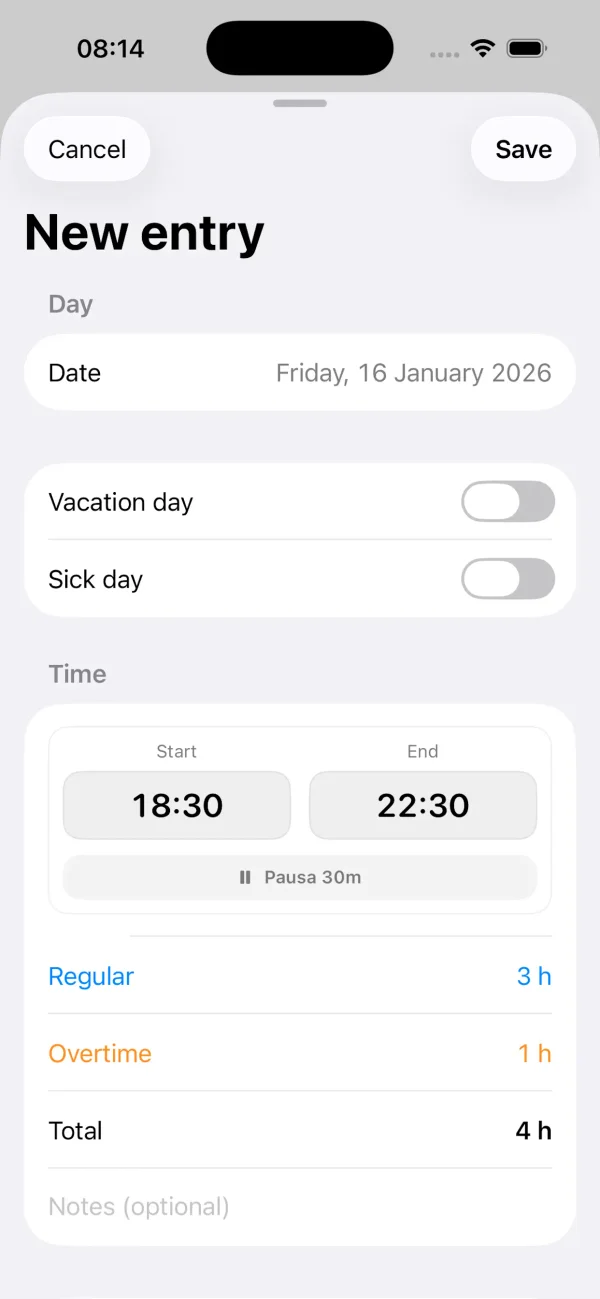
• Fast entry: Set a standard start time and daily hours, then validate a full day with one tap (or quick-validate from the calendar).
• Real-world logic: Deduct unpaid breaks automatically and split time into ordinary vs overtime—plus holiday overtime when you work on festive/rest days.
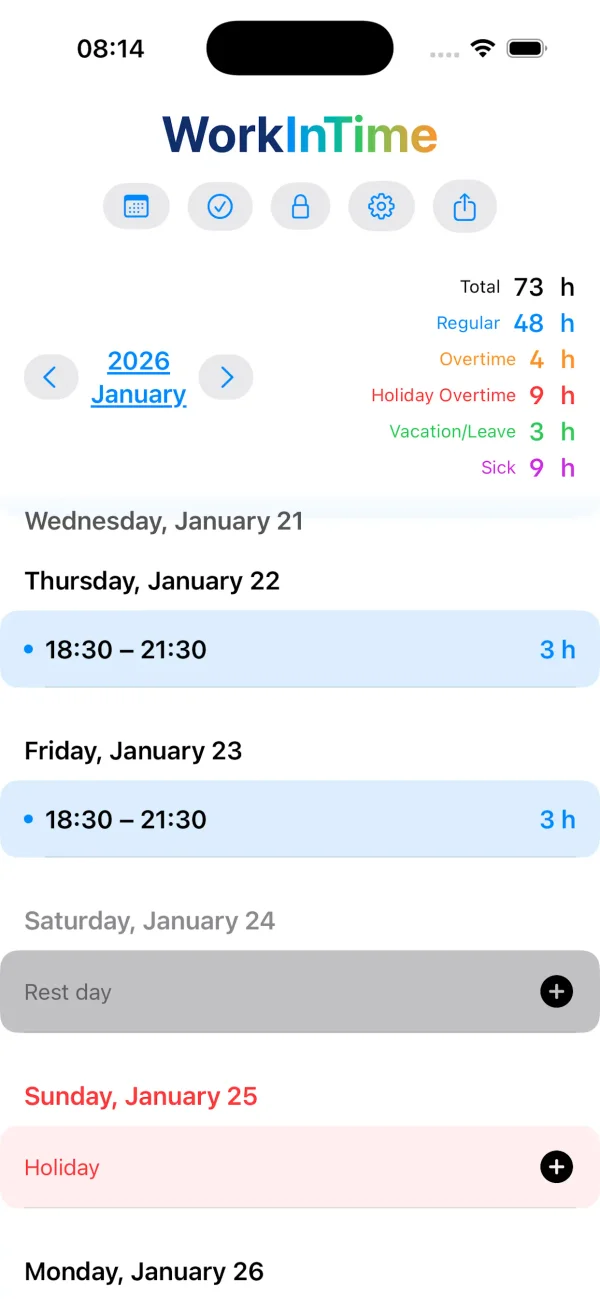
• Calendar-aware: Highlight Sundays and public holidays, choose your rest days, and add single workdays on the fly.
• Bulk actions: Select multiple days (or select all days with data) to validate or reset in one go.
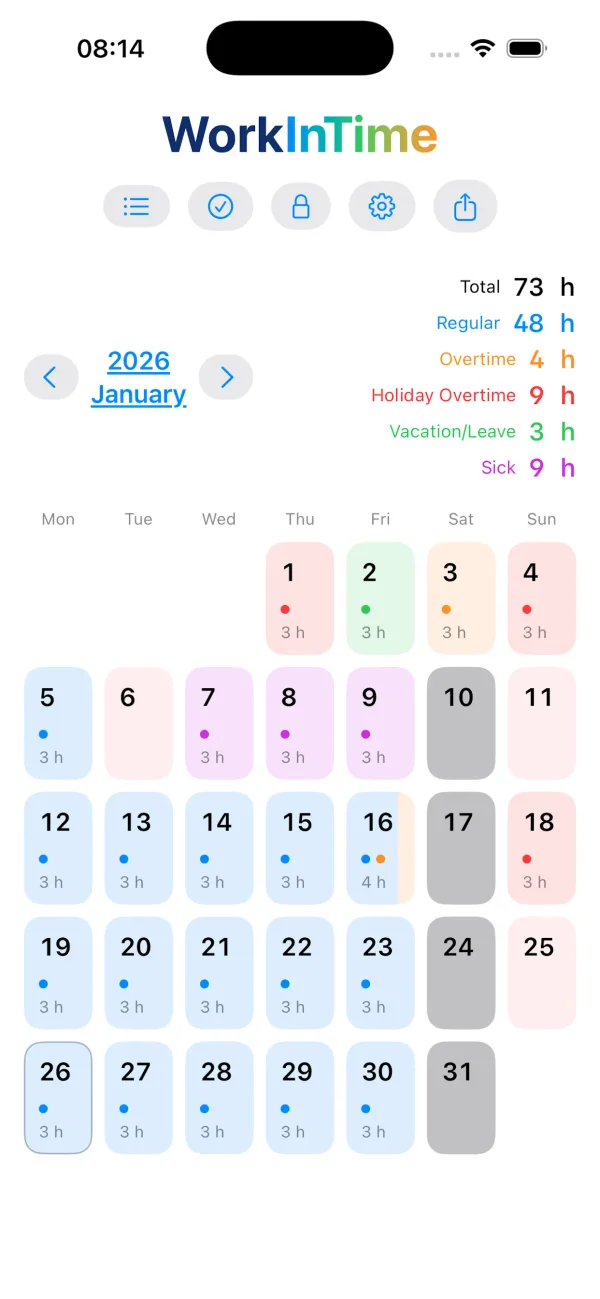
• Crystal totals: See ordinary, overtime, holiday hours, leave, and sick time at a glance—weekly or monthly—with a clear note when overtime includes festive time.
• Beautiful exports: Share or print compact or full-detail PDFs; export CSV for payroll or spreadsheets. Exports can include an asterisk note when overtime includes holiday overtime.
• Archive months: Lock completed months to preserve records and prevent accidental edits.
• Privacy first: Your data stays on your device, with optional iCloud sync for backup.
Perfect for
Freelancers, contractors, shift workers, and anyone who needs accurate, shareable work reports without the hassle.
Feature bullets (concise)
• One-tap standard day validation
• Holiday overtime (“festive overtime”) handling
• Unpaid break deductions
• Rest days & holiday highlighting
• Bulk select / bulk validate / bulk reset
• Month archiving (lock/unlock)
• PDF (full or compact) & CSV export
• On-device storage + optional iCloud sync
新機能
バージョン 2.0 · 2026/1/26
• New design: refreshed UI with cleaner visuals and better readability.
• Calendar view: a brand-new calendar layout to review and edit your month at a glance.
• Backup & Restore: save and restore archived months (perfect for sharing or moving to a new device).
• Month archiving: lock completed months to prevent accidental edits.
• Improved holiday logic: festive hours and holiday overtime are calculated more accurately.
• Bulk actions: select all days with data to validate or reset in seconds.
• Exports updated: PDF/CSV now add a clear note when overtime includes holiday work.
アプリのプライバシー
このアプリのデータの取り扱いについて、Giorgio Di BerardinoがApp Storeで申告している内容です。
-
データの収集なし
開発元はこのアプリからデータを収集しません。
プライバシーの取り扱いは、ご利用の機能やお客様の年齢などに応じて異なる場合があります。
情報
- 販売元
- Giorgio Di Berardino
- カテゴリ
- 仕事効率化
- バージョン
- 2.0
- 更新日
- 2026/1/26
- リリース
- 2025/8/13
- サイズ
- 12.7 MB
- 必要条件
- iOS 17.6以降
- 対象年齢
- 4+
- 価格
- ¥150
- 言語
- 英語, イタリア語
- 著作権
- © Giorgio Di Berardino