
- Age rating4+
- CategoryProductivity
- DeveloperGiorgio Di Berardino
- LanguagesEnglish+ 1 more
- Size12.7 MB
Links to the official App Store page
Download.org hosts no file of WorkInTime. The button opens its official App Store page, published by Giorgio Di Berardino. Listing last checked on Nov 18, 2026.
Screenshots
About
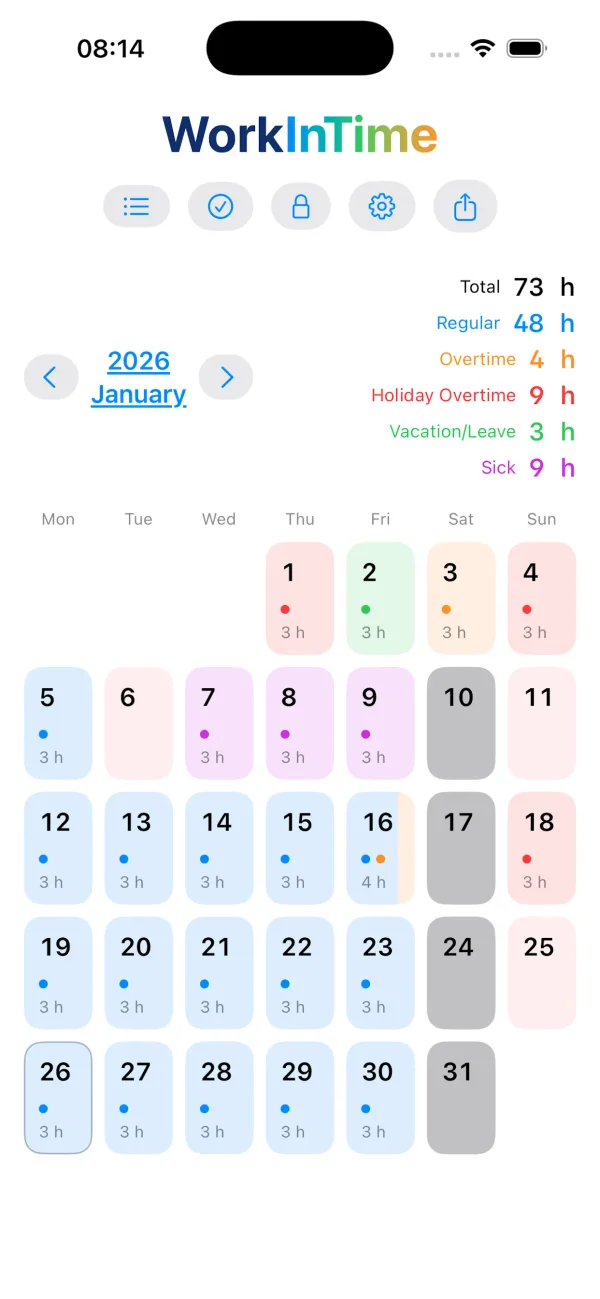
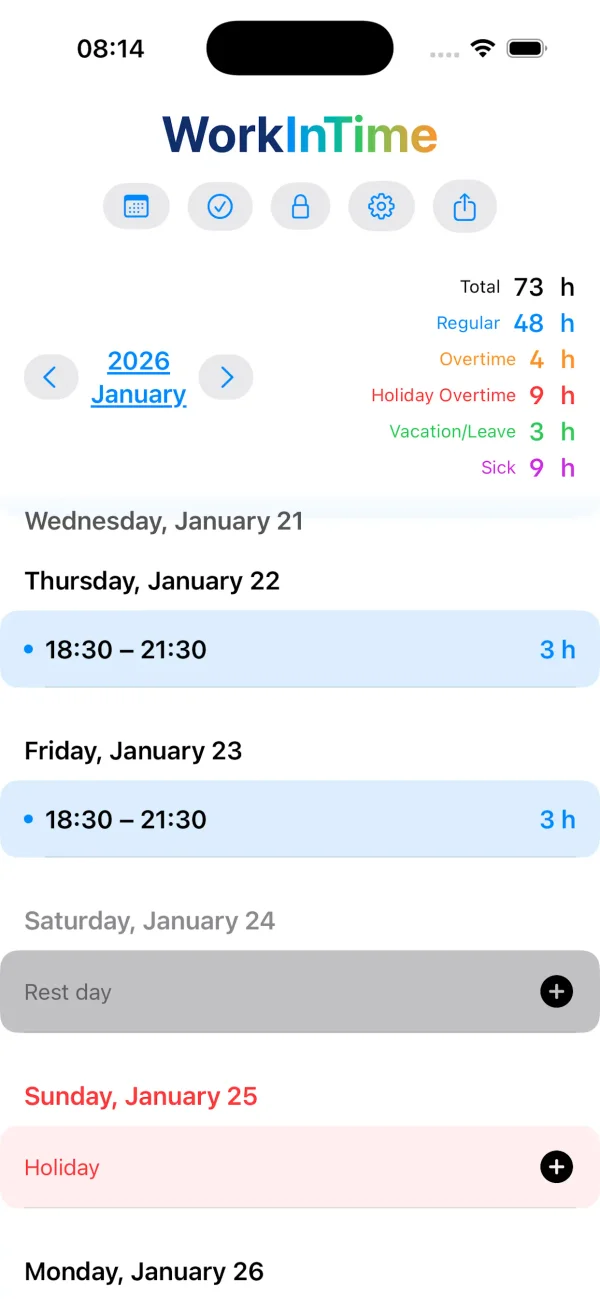
WorkInTime makes time tracking simple and reliable. Log your hours with smart defaults, mark leave or sick days in a tap, and see clear weekly or monthly totals—split into ordinary, overtime, holidays, and leave. When you’re ready, export a clean PDF or CSV in seconds.
Why you’ll love it
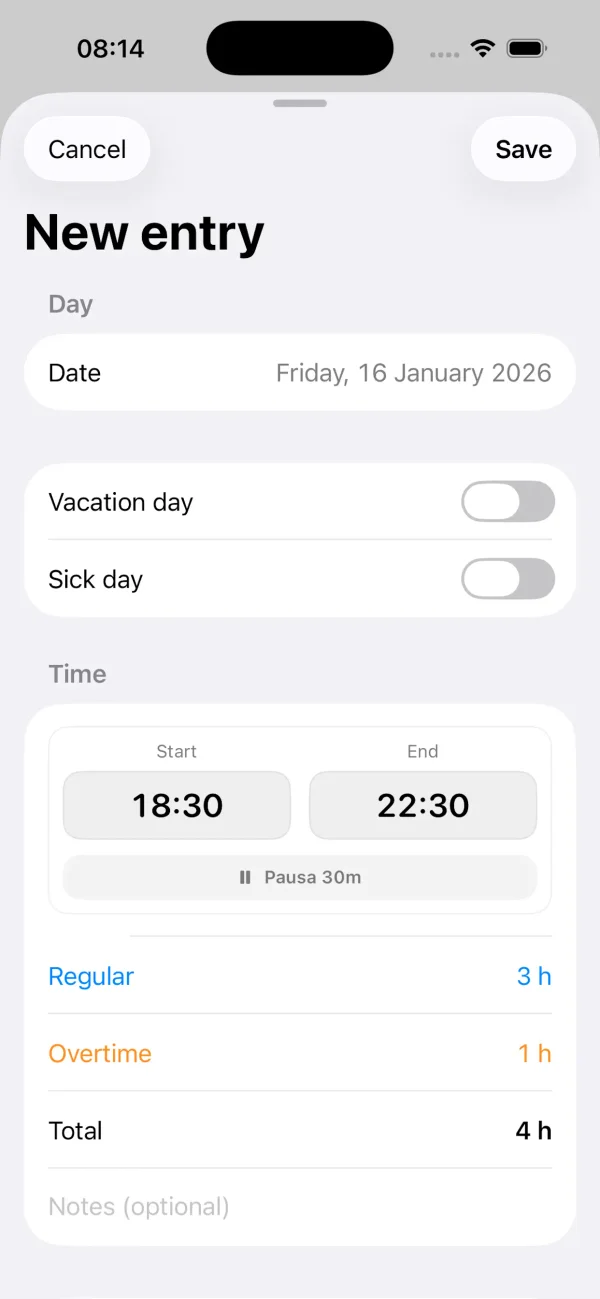
• Fast entry: Set a standard start time and daily hours, then validate a full day with one tap (or quick-validate from the calendar).
• Real-world logic: Deduct unpaid breaks automatically and split time into ordinary vs overtime—plus holiday overtime when you work on festive/rest days.
• Calendar-aware: Highlight Sundays and public holidays, choose your rest days, and add single workdays on the fly.
• Bulk actions: Select multiple days (or select all days with data) to validate or reset in one go.
• Crystal totals: See ordinary, overtime, holiday hours, leave, and sick time at a glance—weekly or monthly—with a clear note when overtime includes festive time.
• Beautiful exports: Share or print compact or full-detail PDFs; export CSV for payroll or spreadsheets. Exports can include an asterisk note when overtime includes holiday overtime.
• Archive months: Lock completed months to preserve records and prevent accidental edits.
• Privacy first: Your data stays on your device, with optional iCloud sync for backup.
Perfect for
Freelancers, contractors, shift workers, and anyone who needs accurate, shareable work reports without the hassle.
Feature bullets (concise)
• One-tap standard day validation
• Holiday overtime (“festive overtime”) handling
• Unpaid break deductions
• Rest days & holiday highlighting
• Bulk select / bulk validate / bulk reset
• Month archiving (lock/unlock)
• PDF (full or compact) & CSV export
• On-device storage + optional iCloud sync
What’s new
Version 2.0 · Jan 26, 2026
• New design: refreshed UI with cleaner visuals and better readability.
• Calendar view: a brand-new calendar layout to review and edit your month at a glance.
• Backup & Restore: save and restore archived months (perfect for sharing or moving to a new device).
• Month archiving: lock completed months to prevent accidental edits.
• Improved holiday logic: festive hours and holiday overtime are calculated more accurately.
• Bulk actions: select all days with data to validate or reset in seconds.
• Exports updated: PDF/CSV now add a clear note when overtime includes holiday work.
App privacy
What Giorgio Di Berardino declares on the App Store about how this app handles data.
-
Data not collected
The developer does not collect any data from this app.
Privacy practices may vary, for example with the features you use or your age.
Information
- Seller
- Giorgio Di Berardino
- Category
- Productivity
- Version
- 2.0
- Updated
- Jan 26, 2026
- Released
- Aug 13, 2025
- Size
- 12.7 MB
- Requires
- iOS 17.6 or later
- Age rating
- 4+
- Price
- $0.99
- Languages
- English, Italian
- Copyright
- © Giorgio Di Berardino
You might also like
-
 MTF WarehouseProductivity
-
 CounterIt: Pomodoro CounterBoost your productivity!
-
 Alt Text IntelligenceLocal-first alt text
-
 KASANE : Habit Multi Timer+Habits without rigid schedules
-
 IBAN Cepte – Easy IBAN ManagerEasy IBAN Management & Sharing
-
 BrainFlow: AI Voice NotesBrain dump into a to-do list
-
 Lab of TomorrowProductivity
-
 Koave : Family & HouseholdChores shopping budget diary