- 対象年齢4+
- カテゴリヘルスケア/フィットネス
- 開発元Eduardo Sanches Bocato
- 言語英語ほか2言語
- サイズ29.8 MB
App Storeの公式ページにリンクしています
Download.orgはWorkouts Timerのファイルを一切ホストしていません。ボタンを押すと、Eduardo Sanches Bocatoが公開しているApp Storeのアプリページが開きます。ページの最終確認:2026/11/16。
スクリーンショット
概要
開発元はこのテキストをお使いの言語で提供していません。
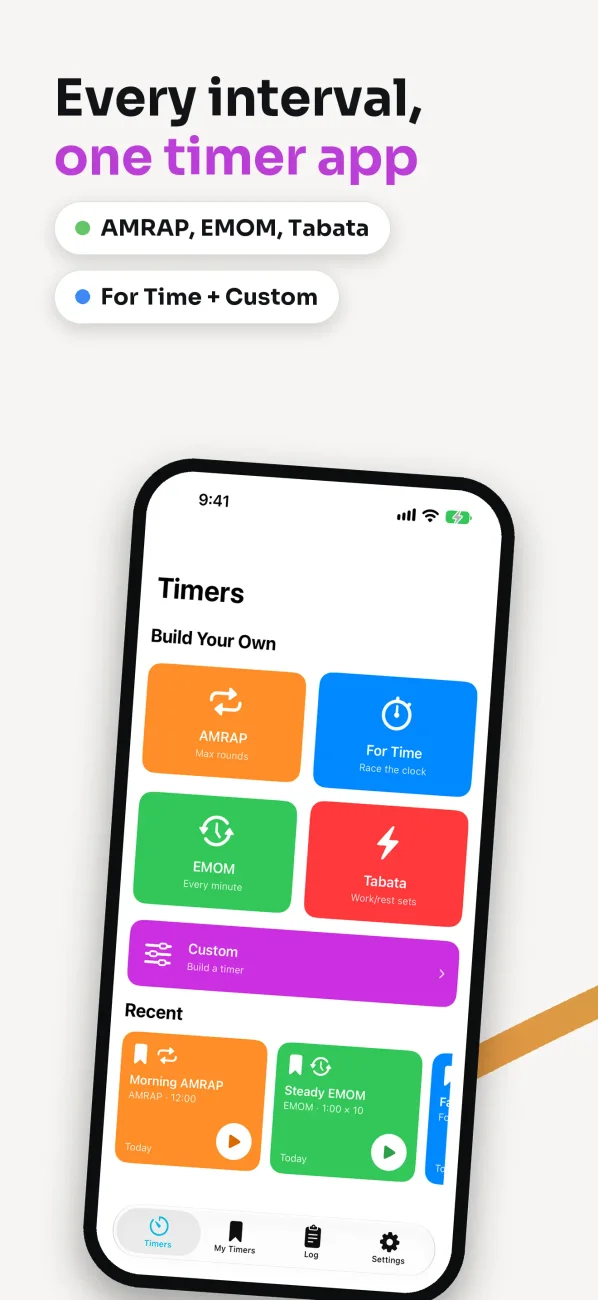
Workouts Timer is a focused, no-frills interval timer built for high-intensity circuit training — AMRAP, EMOM, Tabata, For Time, and fully custom work/rest sequences, all in one app.
FEATURES
• AMRAP — race the clock and tally your rounds as you go
• EMOM — every-minute-on-the-minute intervals with configurable work and rest
• Tabata — classic work/rest sets with round tracking
• For Time — race to finish, with or without a time cap
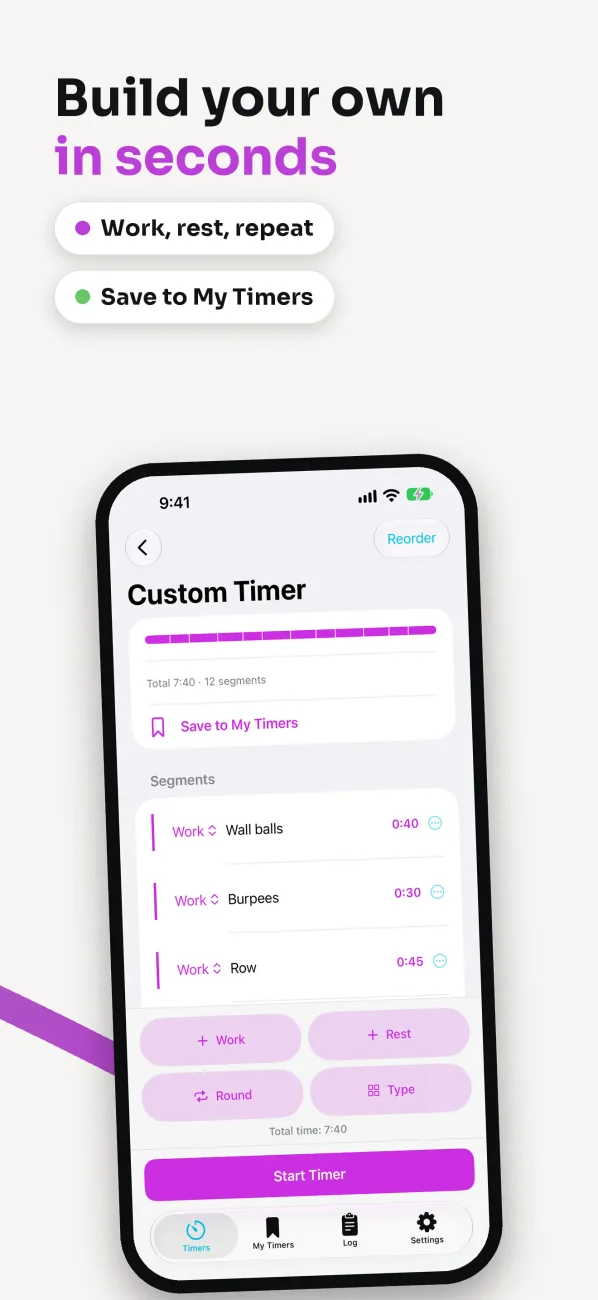
• Custom — build your own sequence of work and rest segments, name them, and repeat it for as many rounds as you like
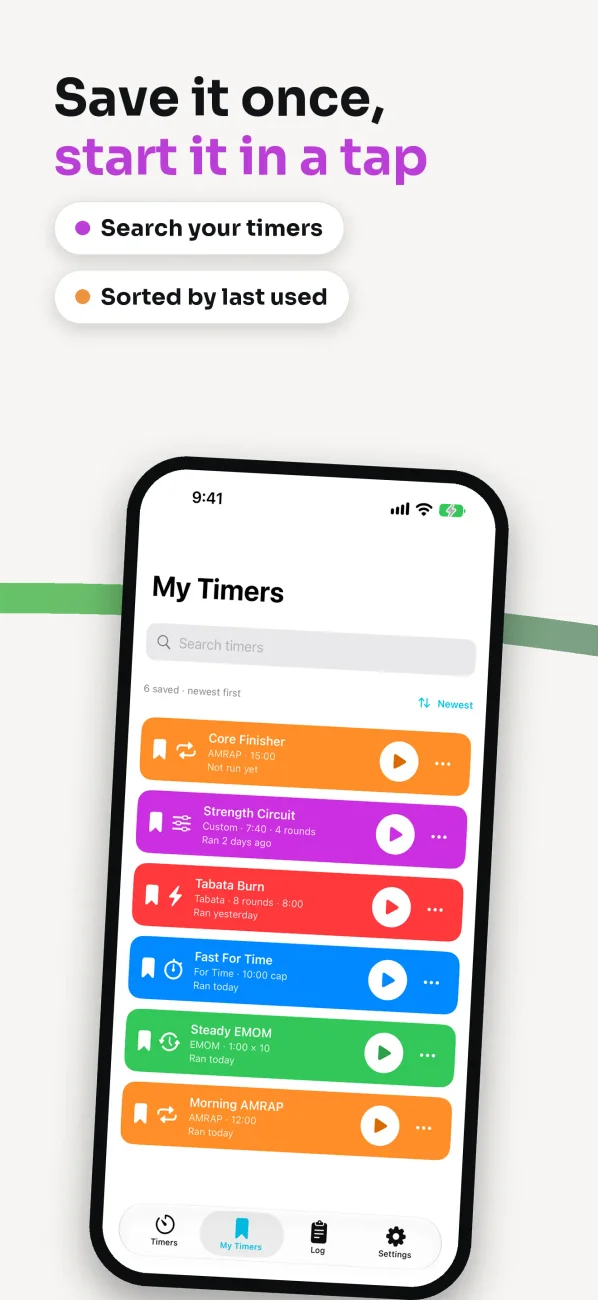
• My Timers — its own tab: save any timer, in any format, find it again by name and start it in one tap
- Home Screen widgets to open a saved timer straight from your Home Screen
DESIGNED FOR THE GYM
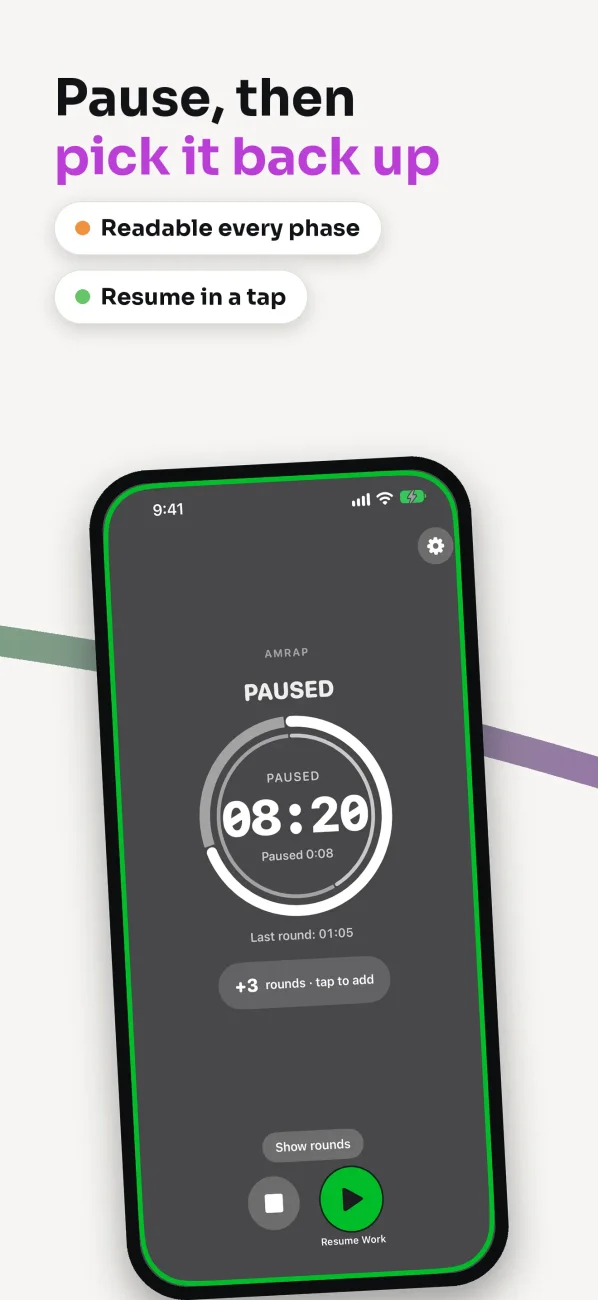
• Large, glanceable countdown ring visible from across the room
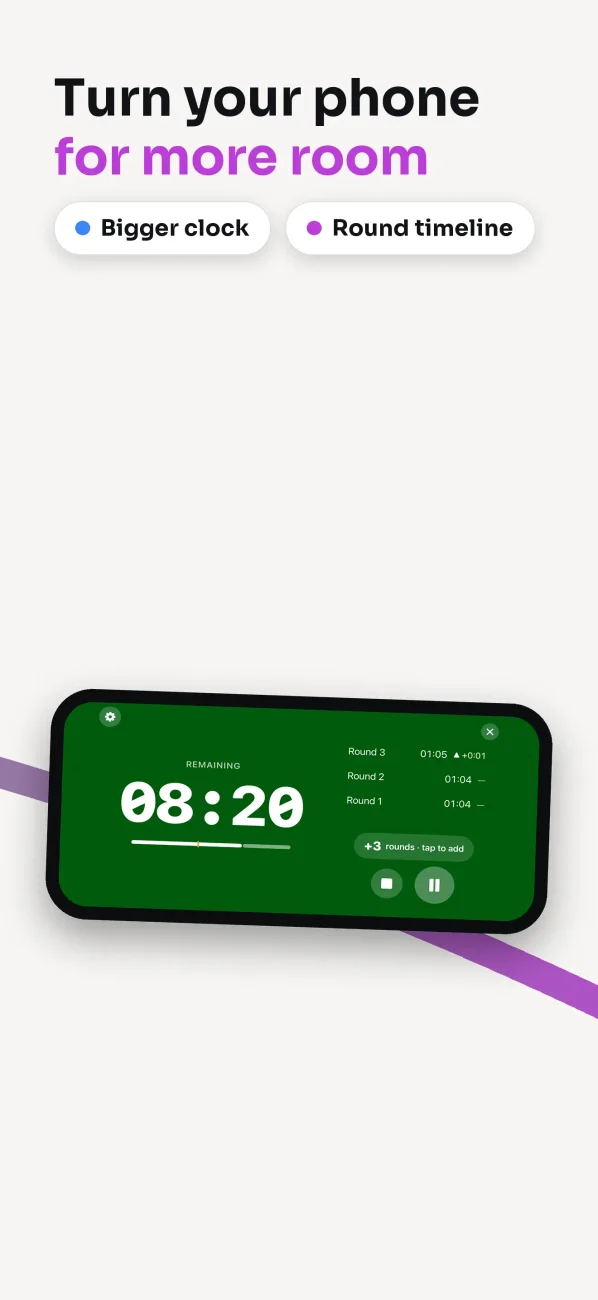
• Turn your phone sideways for an even larger clock in landscape
• Audio, voice, and haptic cues for every phase change, so you never need to look at your phone mid-set, even with the screen locked
• Quick controls: switch sounds, voice cues and haptics or make the digits bigger mid-workout, without pausing
• Live Activities: follow the timer on the Lock Screen and in the Dynamic Island, pause or resume without opening the app
• Colorblind-safe color palette
• Full support for larger Dynamic Type text sizes
TRACK YOUR WORK
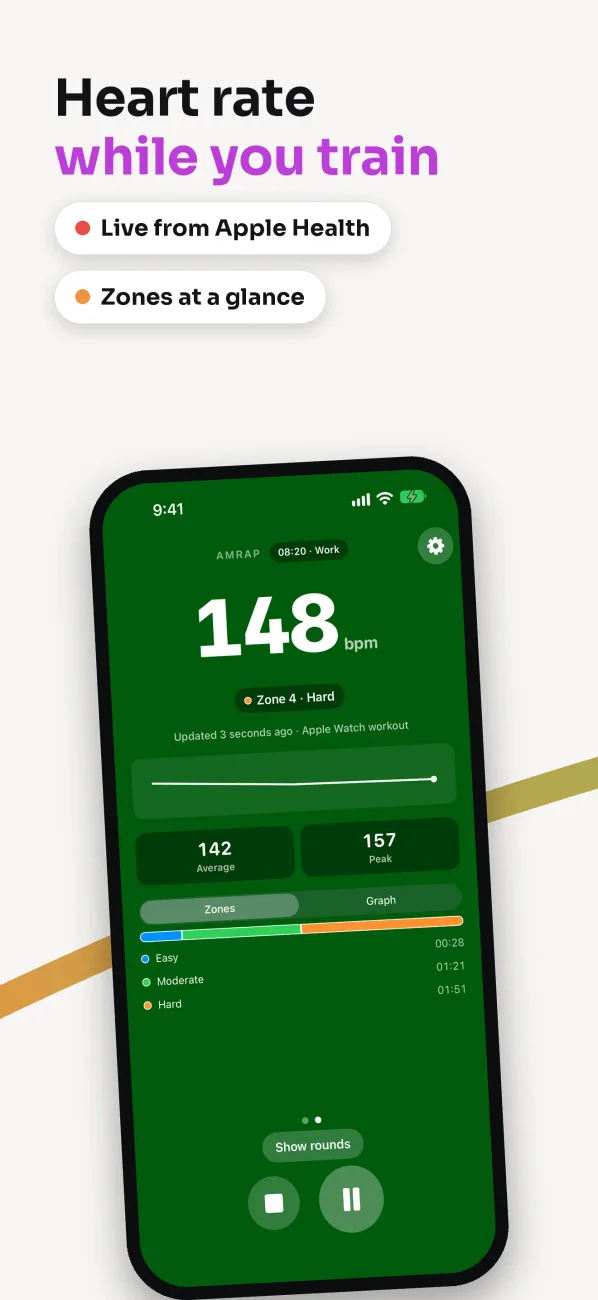
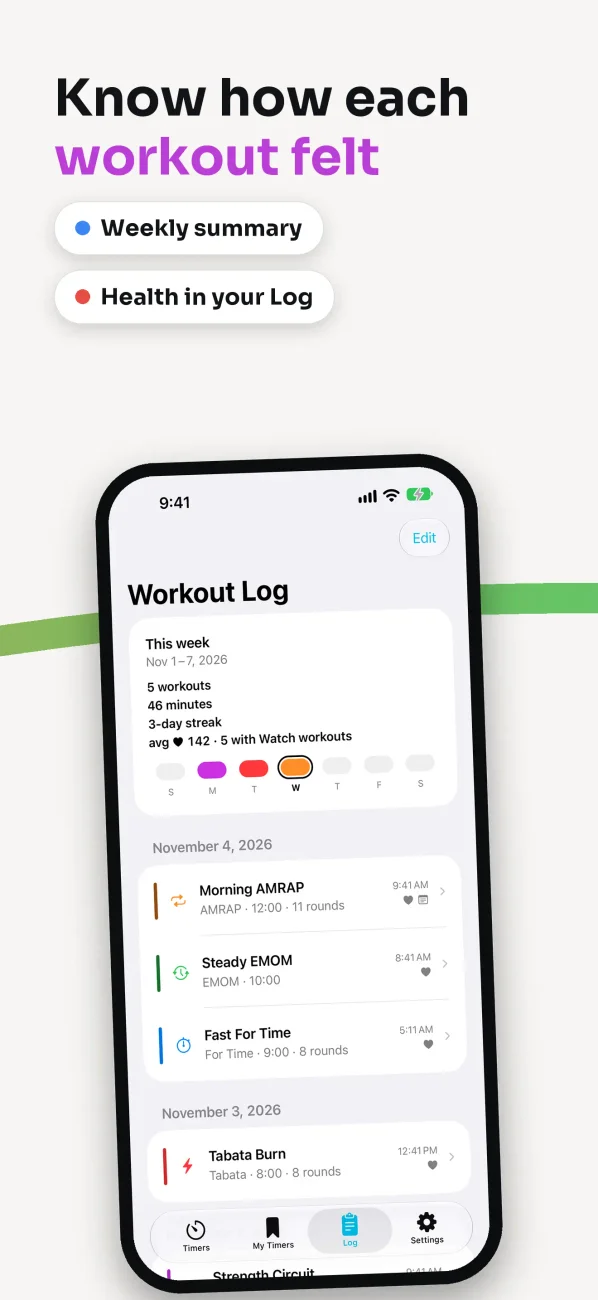
• Optional Apple Health: see heart rate, zones and a heart-rate graph during a workout and in your log. Your health data never leaves your device
• Every completed workout is saved to your on-device Workout Log
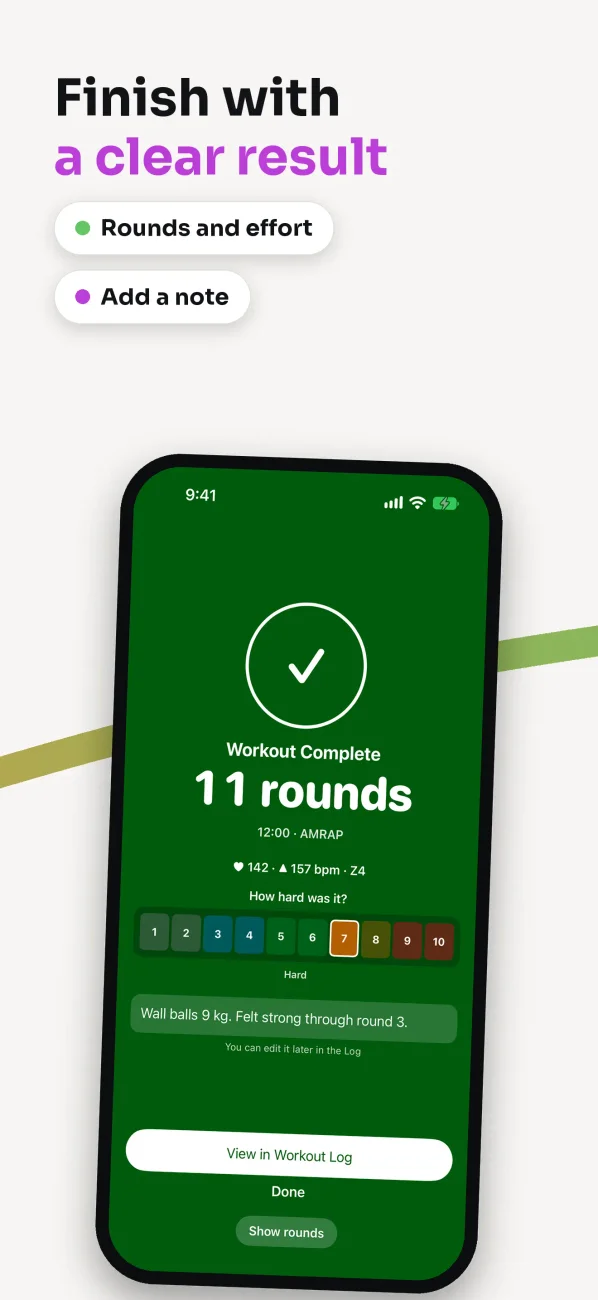
• Review duration, rounds, and a full round-by-round breakdown after every session
• Add a note to any workout, and see your week at a glance: workouts, minutes and your streak
Available in English, Dutch and Brazilian Portuguese.
Workouts Timer works completely offline and never requires an account — your data stays on your device.
新機能
バージョン 1.2 · 2026/11/11
NEW IN 1.2
• My Timers: save any timer, search by name, sort by last used and start one with its play button.
• Recent: restart one of your last 10 workouts with a tap. The timer grid follows your recent use.
• Home Screen widgets: open saved timers. The medium widget shows your three most recently used; the small one shows your pick.
• Workout Log: see your week at a glance, with workout names first and full details. Delete one or more workouts.
• Add notes and effort ratings to workouts; notes appear when you share a workout.
• Timer setup: reuse recent values in every format. Tap any time to type it, and an EMOM total always matches its rounds × interval.
• Duplicate a saved timer from its menu, then name the copy.
• Settings are now grouped into Cues, Clock, Apple Health and App.
• Pause is clearer on the timer and in Live Activities. Stopped workouts show their partial result.
• Workout Complete: the timer smoothly transforms into your results.
• Apple Health: see heart rate and zones during a workout and in your log. Rate your effort or optionally save a session when no other app recorded it. Saved sessions mark pauses and resumes; the live heart-rate screen keeps time with your workout. Show Calories is an optional setting. With an Apple Watch workout, the live heart-rate display shows when it last updated, and a Zones | Graph switch plots your heart rate across the whole workout. Your data stays on your device.
• Landscape: turn your phone sideways for a larger clock and a workout timeline that keeps the current segment on top.
• Custom Timer: a named segment shows its name in large type and is spoken when it starts. Turn either off in Settings under Cues.
• Type up to 99:59 for each interval and up to 24:00:00 for a full workout.
• Quick controls change sound, voice cues, haptics and digit size without pausing. The larger digit sizes now scale all the text on the timer.
• Cues keep playing when your phone is locked or you switch apps. Lower Other Audio During Cues is an optional setting.
• Timer colors and controls have clearer contrast.
• Recent cards share one size.
• Fixes: Live Activity clocks stay correct after the app has been in the background; AMRAP Live Activities show the right round count; long EMOM and Tabata times read as clock times; Workout Complete scrolls at every text size; large text no longer hides the last item; timer names save exactly as typed.
アプリのプライバシー
このアプリのデータの取り扱いについて、Eduardo Sanches BocatoがApp Storeで申告している内容です。
-
データの収集なし
開発元はこのアプリからデータを収集しません。
プライバシーの取り扱いは、ご利用の機能やお客様の年齢などに応じて異なる場合があります。
情報
- 販売元
- Eduardo Sanches Bocato
- カテゴリ
- ヘルスケア/フィットネス
- バージョン
- 1.2
- 更新日
- 2026/11/11
- リリース
- 2026/9/24
- サイズ
- 29.8 MB
- 必要条件
- iOS 26.0以降
- 対象年齢
- 4+
- 価格
- 無料
- 言語
- 英語, オランダ語, ポルトガル語
- 著作権
- © 2026 Bocato
こちらもおすすめ
-
 SwingCoach ケトルベルスイングの回数計測とフォーム確認
-
 Bell to Bell: Round Timerヘルスケア/フィットネス
-
 Fight Clock. Boxing Timerヘルスケア/フィットネス
-
 ラウンドタイマー: HIIT & TabataEMOM、AMRAP & ボクシング
-
 Pawly AIヘルスケア/フィットネス
-
 HydroNudge: Water Trackerヘルスケア/フィットネス
-
 Ridma: Eating Window Trackerヘルスケア/フィットネス
-
 Rounds — Boxing Timerヘルスケア/フィットネス
-
 RoundBeat: Workout Timerヘルスケア/フィットネス
-
 Peekaboo Timerヘルスケア/フィットネス