Workouts Timer
AMRAP, EMOM, Tabata & more
Được thiết kế cho iPhone, iPad
Miễn phí
- Độ tuổi4+
- Danh mụcSức Khỏe & Thể Dục
- Nhà phát triểnEduardo Sanches Bocato
- Ngôn ngữTiếng Anh+ 2 ngôn ngữ khác
- Kích thước29,8 MB
Liên kết đến trang App Store chính thức
Download.org không lưu trữ tệp nào của Workouts Timer. Nút này mở trang ứng dụng trên App Store, nơi Eduardo Sanches Bocato phát hành ứng dụng. Trang được kiểm tra lần cuối: 16/11/2026.
Ảnh chụp màn hình
Giới thiệu
Nhà phát triển chưa cung cấp nội dung này bằng ngôn ngữ của bạn.
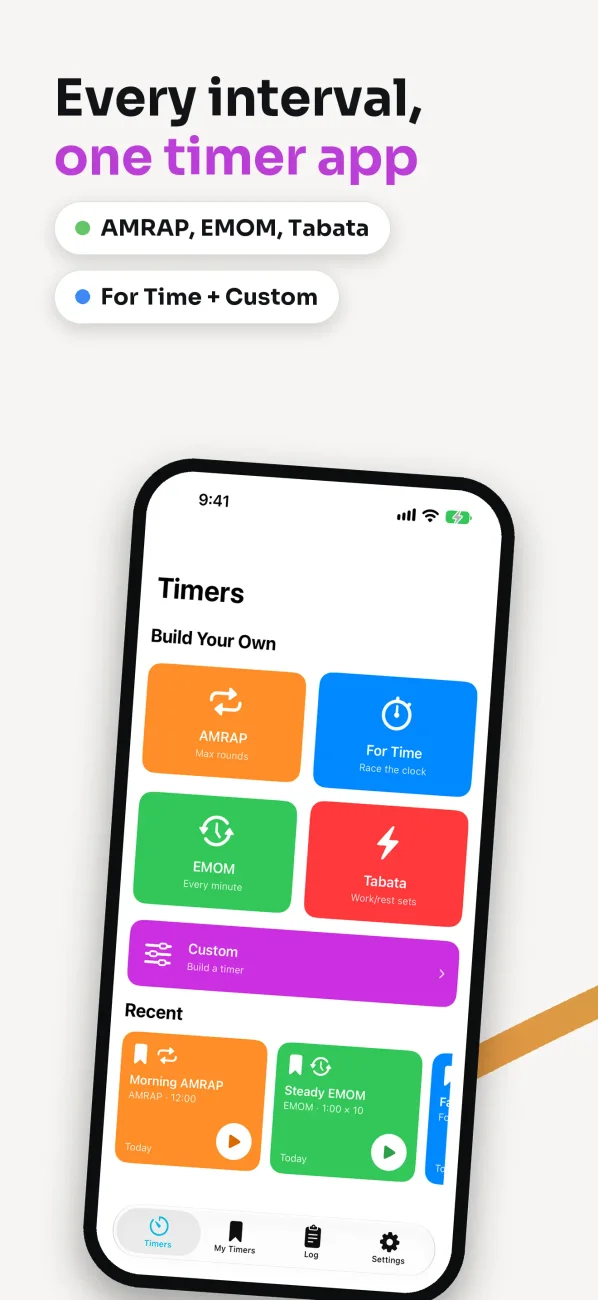
Workouts Timer is a focused, no-frills interval timer built for high-intensity circuit training — AMRAP, EMOM, Tabata, For Time, and fully custom work/rest sequences, all in one app.
FEATURES
• AMRAP — race the clock and tally your rounds as you go
• EMOM — every-minute-on-the-minute intervals with configurable work and rest
• Tabata — classic work/rest sets with round tracking
• For Time — race to finish, with or without a time cap
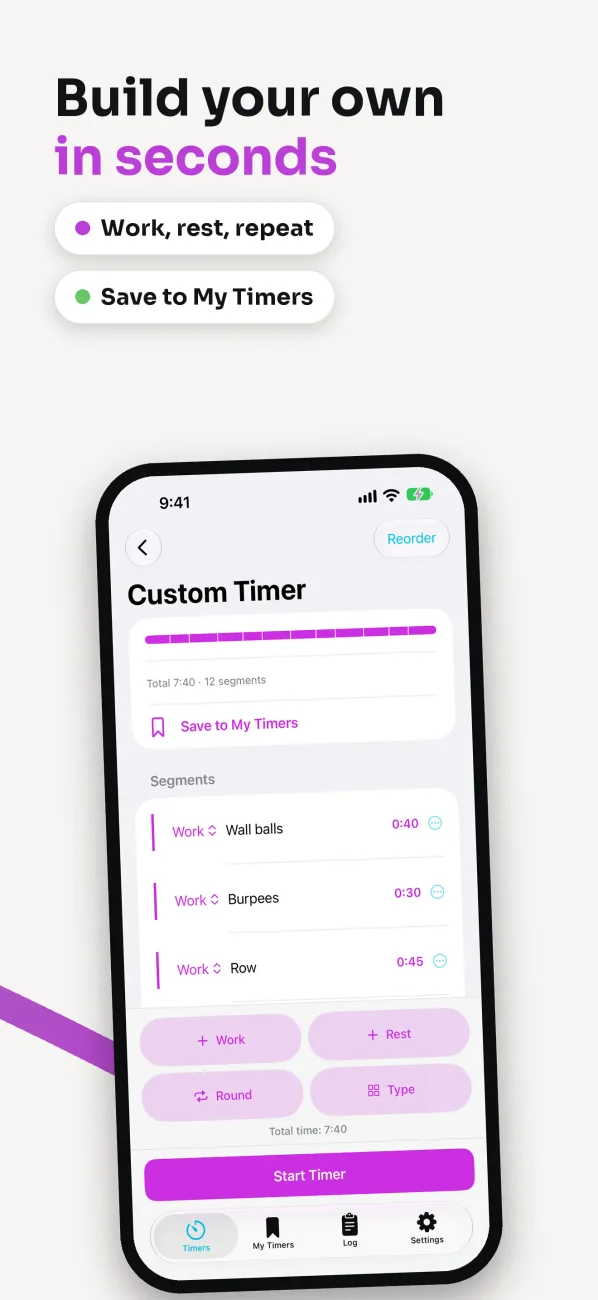
• Custom — build your own sequence of work and rest segments, name them, and repeat it for as many rounds as you like
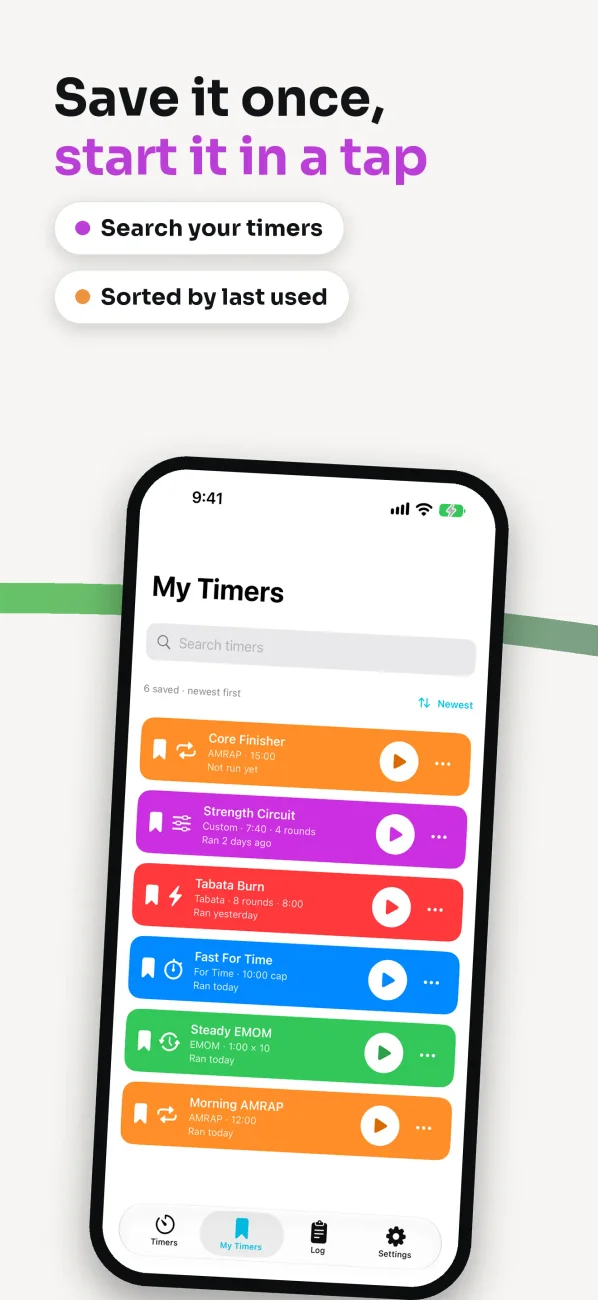
• My Timers — its own tab: save any timer, in any format, find it again by name and start it in one tap
- Home Screen widgets to open a saved timer straight from your Home Screen
DESIGNED FOR THE GYM
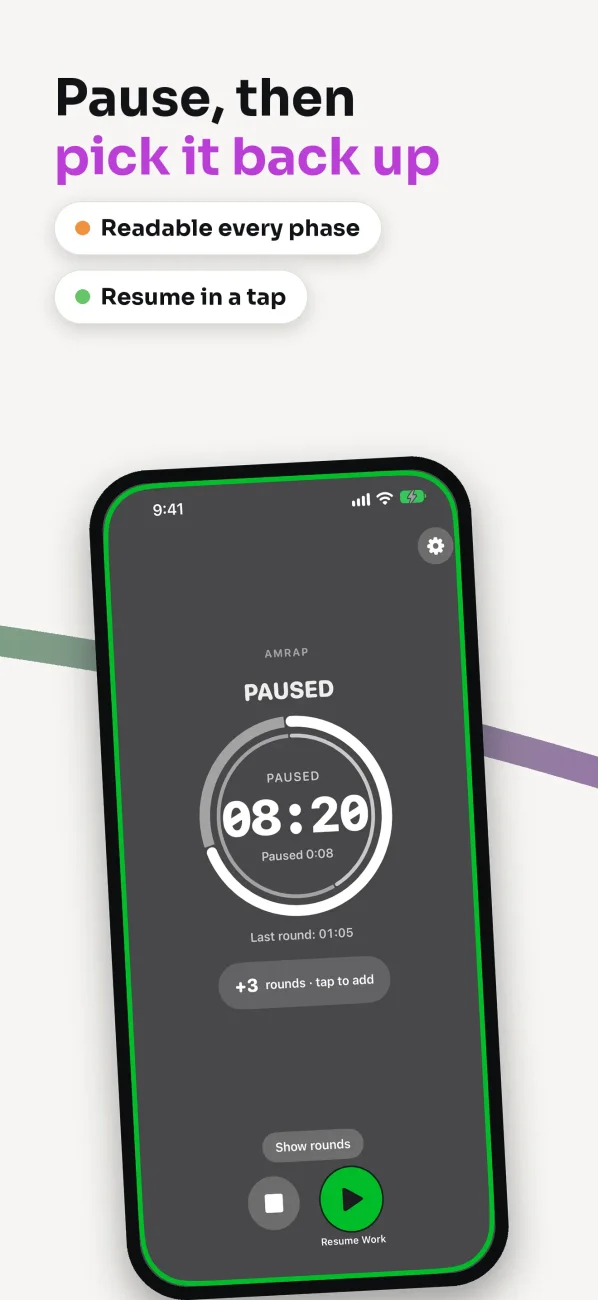
• Large, glanceable countdown ring visible from across the room
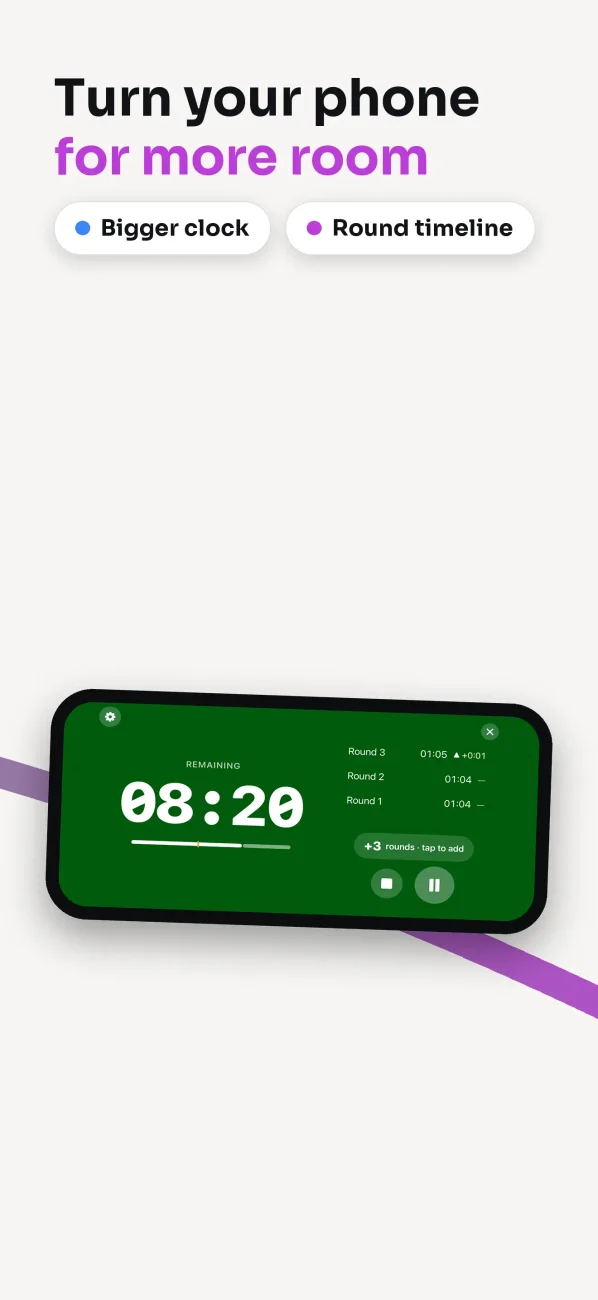
• Turn your phone sideways for an even larger clock in landscape
• Audio, voice, and haptic cues for every phase change, so you never need to look at your phone mid-set, even with the screen locked
• Quick controls: switch sounds, voice cues and haptics or make the digits bigger mid-workout, without pausing
• Live Activities: follow the timer on the Lock Screen and in the Dynamic Island, pause or resume without opening the app
• Colorblind-safe color palette
• Full support for larger Dynamic Type text sizes
TRACK YOUR WORK
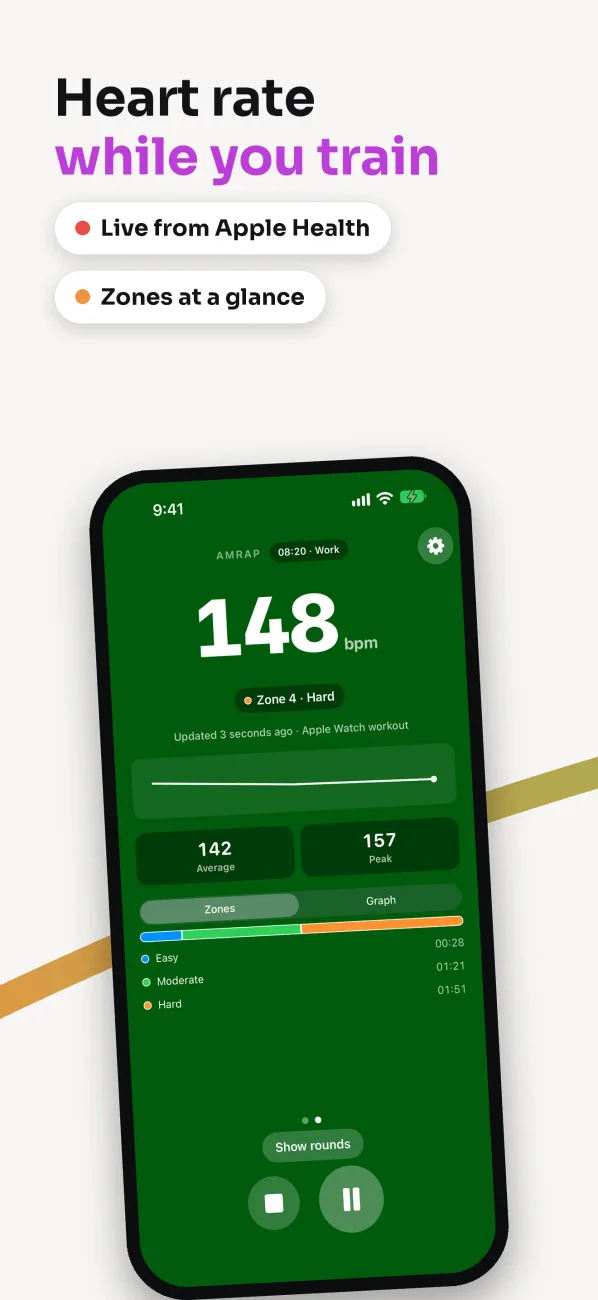
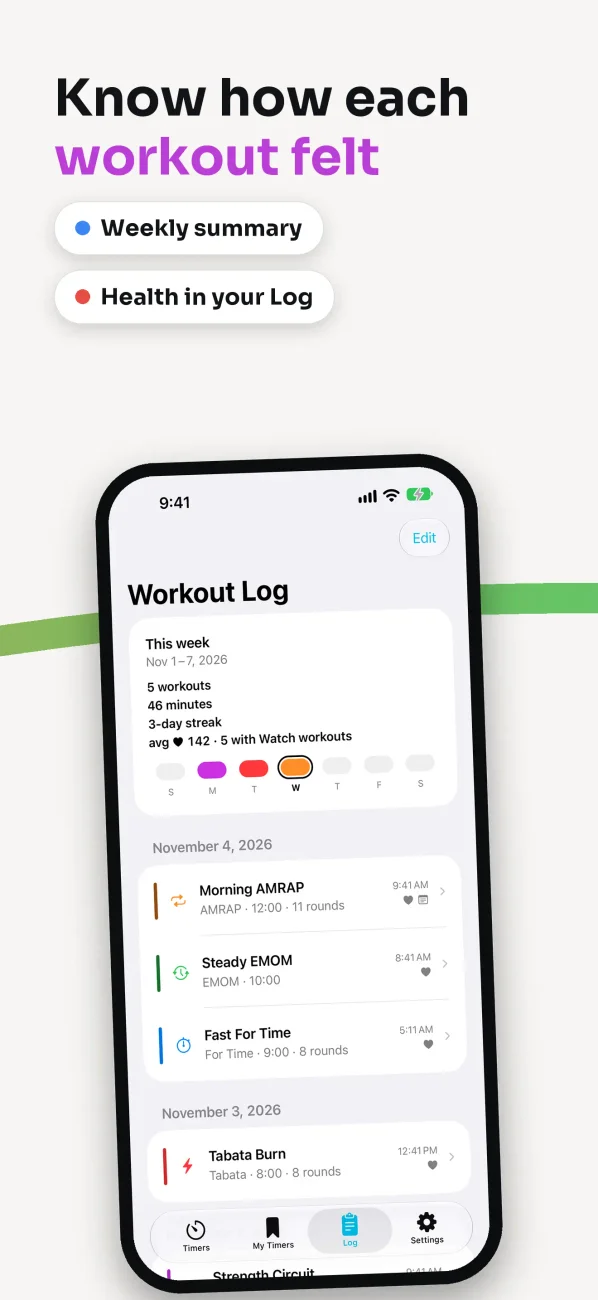
• Optional Apple Health: see heart rate, zones and a heart-rate graph during a workout and in your log. Your health data never leaves your device
• Every completed workout is saved to your on-device Workout Log
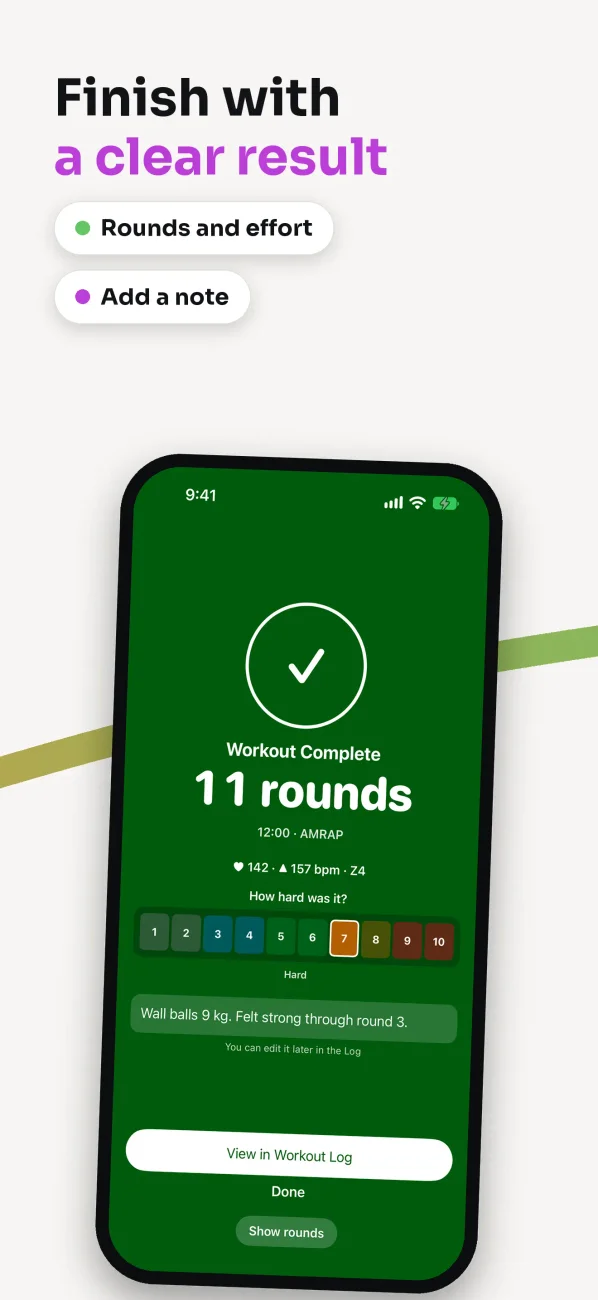
• Review duration, rounds, and a full round-by-round breakdown after every session
• Add a note to any workout, and see your week at a glance: workouts, minutes and your streak
Available in English, Dutch and Brazilian Portuguese.
Workouts Timer works completely offline and never requires an account — your data stays on your device.
Có gì mới
Phiên bản 1.2 · 11/11/2026
NEW IN 1.2
• My Timers: save any timer, search by name, sort by last used and start one with its play button.
• Recent: restart one of your last 10 workouts with a tap. The timer grid follows your recent use.
• Home Screen widgets: open saved timers. The medium widget shows your three most recently used; the small one shows your pick.
• Workout Log: see your week at a glance, with workout names first and full details. Delete one or more workouts.
• Add notes and effort ratings to workouts; notes appear when you share a workout.
• Timer setup: reuse recent values in every format. Tap any time to type it, and an EMOM total always matches its rounds × interval.
• Duplicate a saved timer from its menu, then name the copy.
• Settings are now grouped into Cues, Clock, Apple Health and App.
• Pause is clearer on the timer and in Live Activities. Stopped workouts show their partial result.
• Workout Complete: the timer smoothly transforms into your results.
• Apple Health: see heart rate and zones during a workout and in your log. Rate your effort or optionally save a session when no other app recorded it. Saved sessions mark pauses and resumes; the live heart-rate screen keeps time with your workout. Show Calories is an optional setting. With an Apple Watch workout, the live heart-rate display shows when it last updated, and a Zones | Graph switch plots your heart rate across the whole workout. Your data stays on your device.
• Landscape: turn your phone sideways for a larger clock and a workout timeline that keeps the current segment on top.
• Custom Timer: a named segment shows its name in large type and is spoken when it starts. Turn either off in Settings under Cues.
• Type up to 99:59 for each interval and up to 24:00:00 for a full workout.
• Quick controls change sound, voice cues, haptics and digit size without pausing. The larger digit sizes now scale all the text on the timer.
• Cues keep playing when your phone is locked or you switch apps. Lower Other Audio During Cues is an optional setting.
• Timer colors and controls have clearer contrast.
• Recent cards share one size.
• Fixes: Live Activity clocks stay correct after the app has been in the background; AMRAP Live Activities show the right round count; long EMOM and Tabata times read as clock times; Workout Complete scrolls at every text size; large text no longer hides the last item; timer names save exactly as typed.
Quyền riêng tư của ứng dụng
Những gì Eduardo Sanches Bocato khai báo trên App Store về cách ứng dụng này xử lý dữ liệu.
-
Dữ liệu không được thu thập
Nhà phát triển không thu thập bất kỳ dữ liệu nào từ ứng dụng này.
Phương thức đảm bảo quyền riêng tư có thể khác nhau, chẳng hạn như tuỳ theo các tính năng bạn sử dụng hoặc độ tuổi của bạn.
Thông tin
- Người bán
- Eduardo Sanches Bocato
- Danh mục
- Sức Khỏe & Thể Dục
- Phiên bản
- 1.2
- Cập nhật
- 11/11/2026
- Phát hành
- 24/09/2026
- Kích thước
- 29,8 MB
- Yêu cầu
- iOS 26.0 trở lên
- Độ tuổi
- 4+
- Giá
- Miễn phí
- Ngôn ngữ
- Tiếng Anh, Tiếng Hà Lan, Tiếng Bồ Đào Nha
- Bản quyền
- © 2026 Bocato
Có thể bạn cũng thích
-
 SwingCoach: Tạ ấmĐếm lần vung, kiểm tra tư thế
-
 Bell to Bell: Round TimerSức Khỏe & Thể Dục
-
 Fight Clock. Boxing TimerSức Khỏe & Thể Dục
-
 Đồng hồ bấm giờ: HIIT & TabataTIMER EMOM, AMRAP & Boxing
-
 Pawly AISức Khỏe & Thể Dục
-
 HydroNudge: Water TrackerSức Khỏe & Thể Dục
-
 Ridma: Eating Window TrackerSức Khỏe & Thể Dục
-
 Rounds — Boxing TimerSức Khỏe & Thể Dục
-
 RoundBeat: Workout TimerSức Khỏe & Thể Dục
-
 Peekaboo TimerSức Khỏe & Thể Dục