- 対象年齢4+
- カテゴリ仕事効率化
- 開発元Yevhen Rozhko
- 言語英語ほか2言語
- サイズ31.2 MB
App Storeの公式ページにリンクしています
Download.orgはYellow Tomato: Pomodoro Timerのファイルを一切ホストしていません。ボタンを押すと、Yevhen Rozhkoが公開しているApp Storeのアプリページが開きます。ページの最終確認:2026/11/24。
スクリーンショット

概要
開発元はこのテキストをお使いの言語で提供していません。
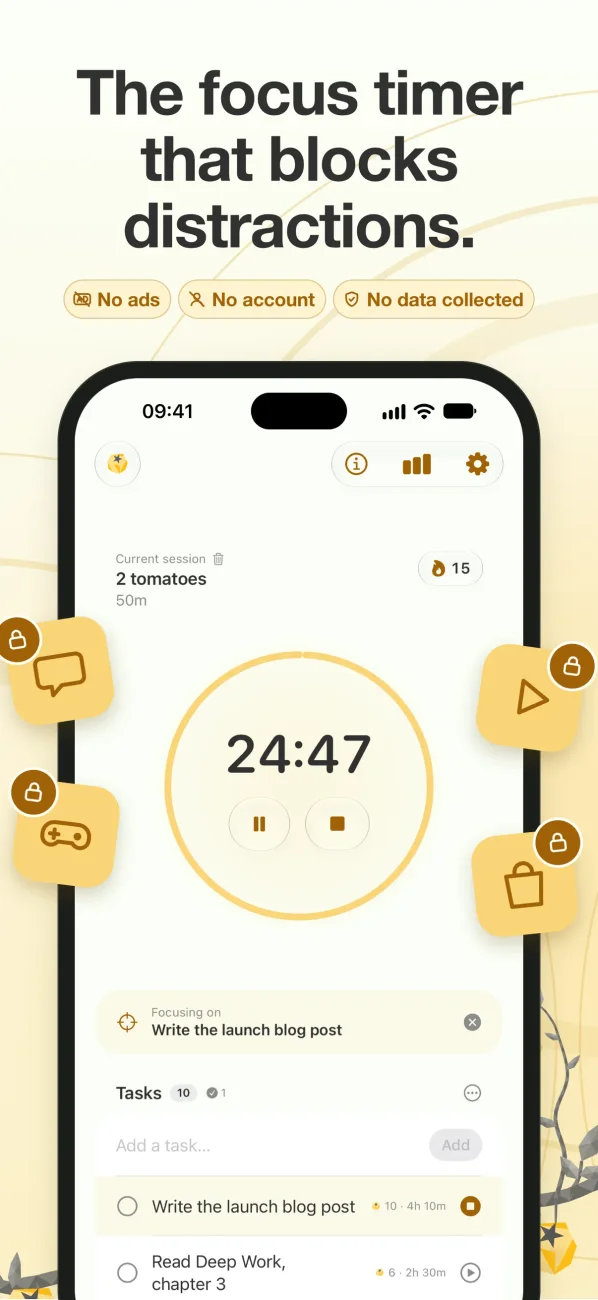
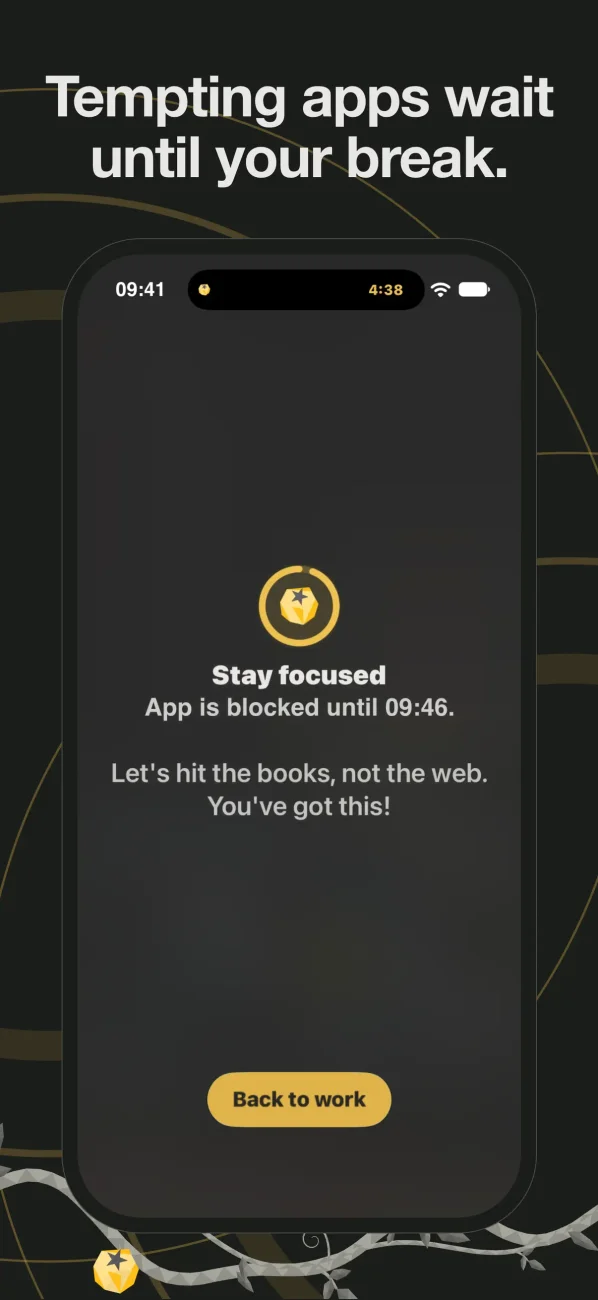
Study or work with fewer distractions. Yellow Tomato is a Pomodoro timer that blocks the apps you choose during focus sessions and makes them available again on your break.
Use it as a study timer, for deep work, or to finish the next task on your list. Blocking is optional. The timer, tasks, statistics and streaks work on their own, for free and with no account.
HOW IT WORKS
• Pick a task and press Start: 25 minutes of focus, then a 5-minute break. Or customize your focus and break durations.
• Choose sound alerts, haptics and a short celebration to mark completed sessions.
• Choose automatic or manual breaks, with longer rests after several Pomodoros. With the app on screen, you can also start the next session automatically.
• Still in the zone when time is up? Keep counting and add the extra minutes to your stats.
BLOCK APPS ONLY WHILE YOU FOCUS
• Choose apps, whole categories or Safari websites in Apple's Screen Time picker. Yellow Tomato never sees which apps you use.
• Open a blocked app during a session and a calm "Stay focused" screen tells you when your focus ends.
• Pause, stop or start your break to lift the blocks. No schedules to set, nothing to switch off.
ALWAYS IN SIGHT
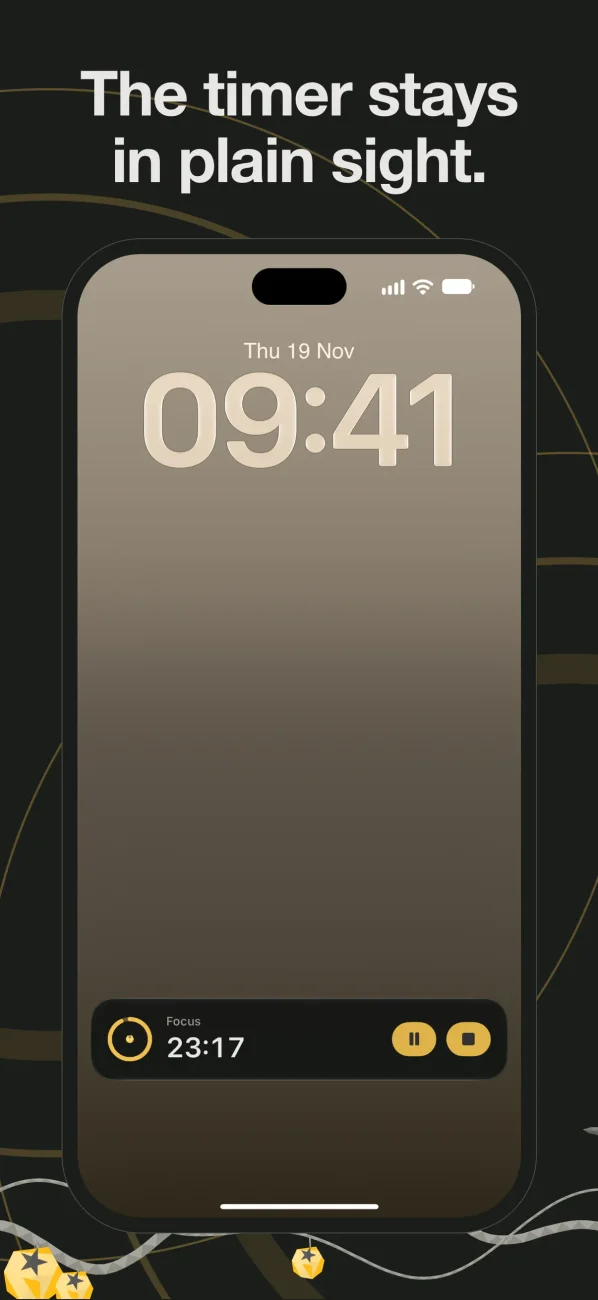
• Follow your session with a Live Activity on the Lock Screen, in the Dynamic Island on supported iPhones, and in the Smart Stack on a paired Apple Watch.
• Lock Screen and Home Screen widgets, a Control Center button, and Siri: "Start a pomodoro in Yellow Tomato".
• Session timing is saved, even if you close the app or restart your device.
FOCUS SOUNDS
Lo-fi, ambient music, piano, birds, a stream, wind, or brown, pink or white noise. The sound plays while you focus, even with the screen locked, and fades out when your break begins.
TASKS THAT EARN TOMATOES
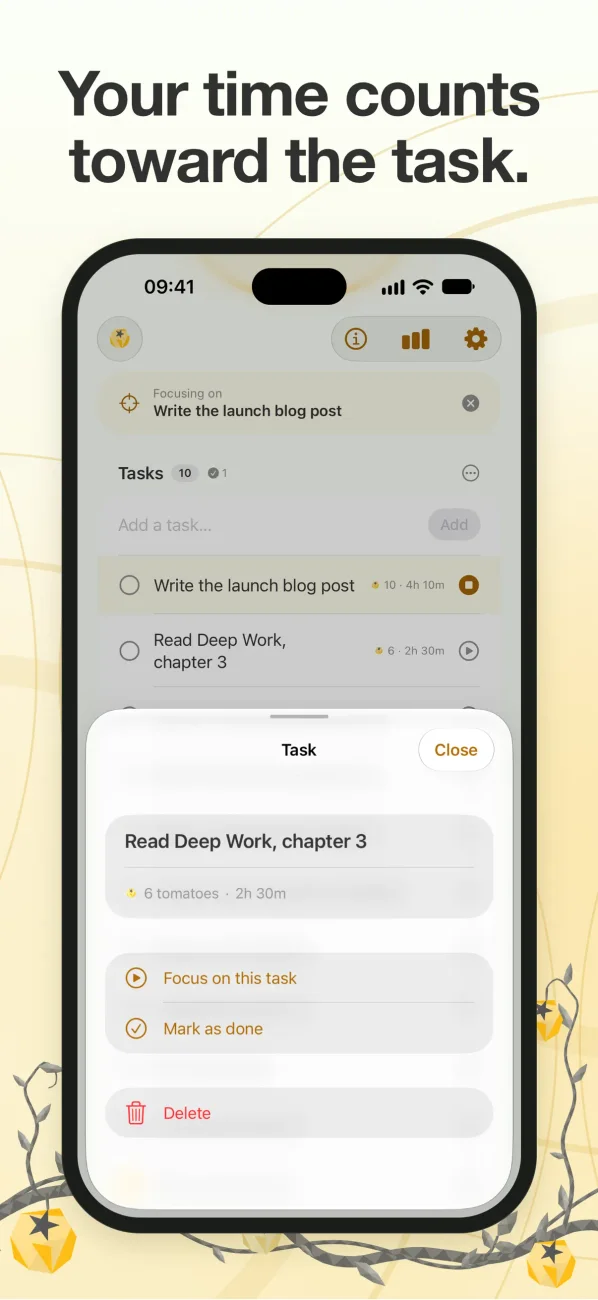
Choose a task to focus on, and every Pomodoro you finish counts toward it. Each task shows its tomatoes and the time you spent.
STATISTICS
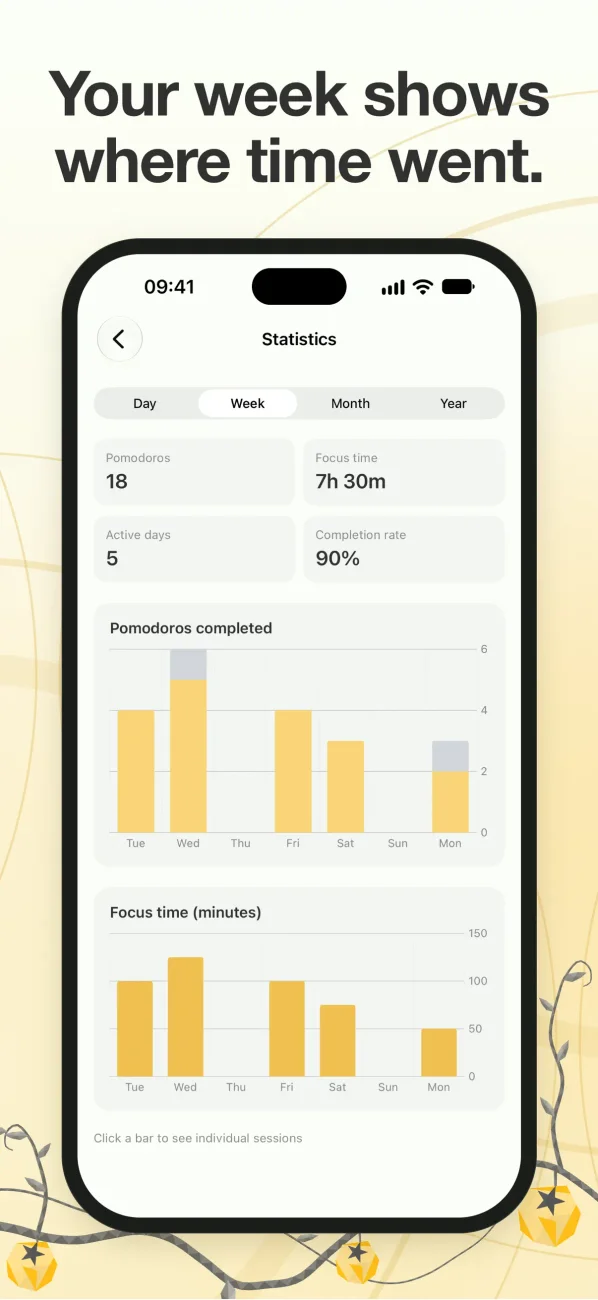
Finished and stopped sessions are counted separately, so your completion rate is real. See your focus by day, week, month and year.
STREAKS THAT FORGIVE
A day counts when you reach your goal. Choose your rest days (weekends by default). A strong week can earn a rescue day to protect your streak when you miss a day. No leaderboards, no pressure.
PRIVATE BY DESIGN
Your tasks and session history stay on your device. No account, no ads and no tracking.
FREE
No subscription, no trial, no in-app purchases.
New to the Pomodoro Technique? The guide behind the ⓘ button teaches it on your own timer. Need a lift? Tap the tomato for a pep talk.
新機能
バージョン 1.5.1 · 2026/11/23
A small update to keep Yellow Tomato running smoothly. Everything from 1.5 is still here: Split into Pomodoros, task descriptions and the new Liquid Glass app icon.
アプリのプライバシー
このアプリのデータの取り扱いについて、Yevhen RozhkoがApp Storeで申告している内容です。
-
データの収集なし
開発元はこのアプリからデータを収集しません。
プライバシーの取り扱いは、ご利用の機能やお客様の年齢などに応じて異なる場合があります。
情報
- 販売元
- Yevhen Rozhko
- カテゴリ
- 仕事効率化
- バージョン
- 1.5.1
- 更新日
- 2026/11/23
- リリース
- 2026/8/5
- サイズ
- 31.2 MB
- 必要条件
- iOS 26.0以降
- 対象年齢
- 4+
- 価格
- 無料
- 言語
- 英語, ポルトガル語, スペイン語
- 著作権
- © 2026 Productive Fish