Yellow Tomato: Pomodoro Timer
Blocks Apps While You Focus
Designed for iPhone, iPad
Free
- Age rating4+
- CategoryProductivity
- DeveloperYevhen Rozhko
- LanguagesEnglish+ 2 more
- Size31.2 MB
Links to the official App Store page
Download.org hosts no file of Yellow Tomato: Pomodoro Timer. The button opens its official App Store page, published by Yevhen Rozhko. Listing last checked on Nov 24, 2026.
Screenshots


About
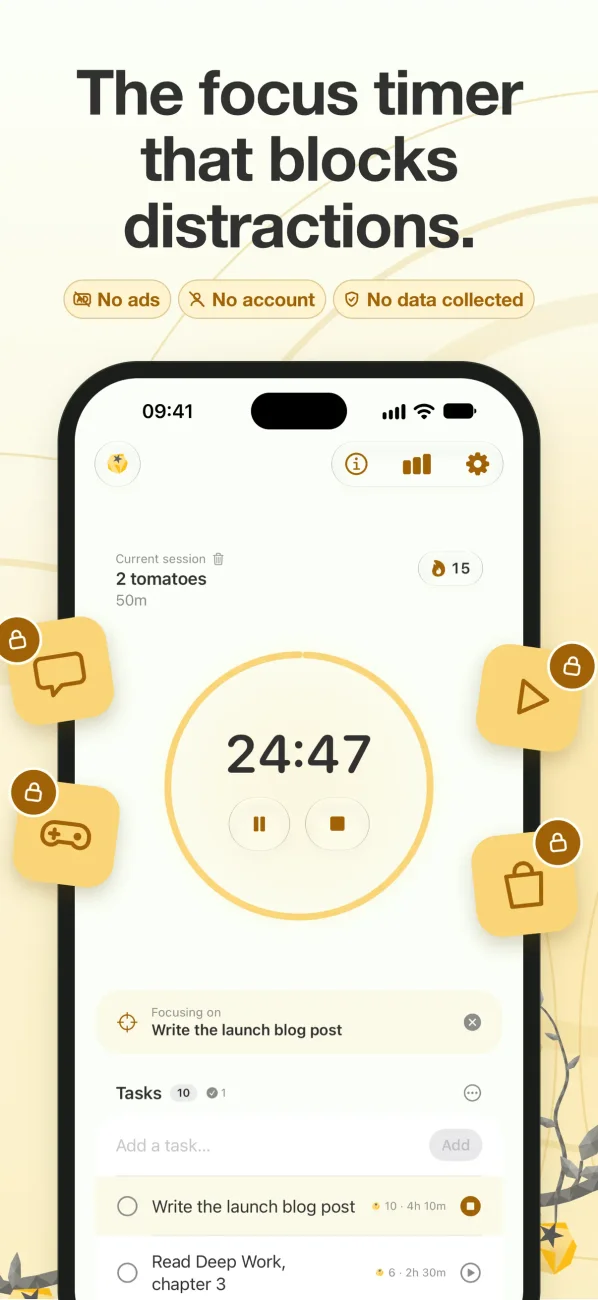
Study or work with fewer distractions. Yellow Tomato is a Pomodoro timer that blocks the apps you choose during focus sessions and makes them available again on your break.
Use it as a study timer, for deep work, or to finish the next task on your list. Blocking is optional. The timer, tasks, statistics and streaks work on their own, for free and with no account.
HOW IT WORKS
• Pick a task and press Start: 25 minutes of focus, then a 5-minute break. Or customize your focus and break durations.
• Choose sound alerts, haptics and a short celebration to mark completed sessions.
• Choose automatic or manual breaks, with longer rests after several Pomodoros. With the app on screen, you can also start the next session automatically.
• Still in the zone when time is up? Keep counting and add the extra minutes to your stats.
BLOCK APPS ONLY WHILE YOU FOCUS
• Choose apps, whole categories or Safari websites in Apple's Screen Time picker. Yellow Tomato never sees which apps you use.
• Open a blocked app during a session and a calm "Stay focused" screen tells you when your focus ends.
• Pause, stop or start your break to lift the blocks. No schedules to set, nothing to switch off.
ALWAYS IN SIGHT
• Follow your session with a Live Activity on the Lock Screen, in the Dynamic Island on supported iPhones, and in the Smart Stack on a paired Apple Watch.
• Lock Screen and Home Screen widgets, a Control Center button, and Siri: "Start a pomodoro in Yellow Tomato".
• Session timing is saved, even if you close the app or restart your device.
FOCUS SOUNDS
Lo-fi, ambient music, piano, birds, a stream, wind, or brown, pink or white noise. The sound plays while you focus, even with the screen locked, and fades out when your break begins.
TASKS THAT EARN TOMATOES
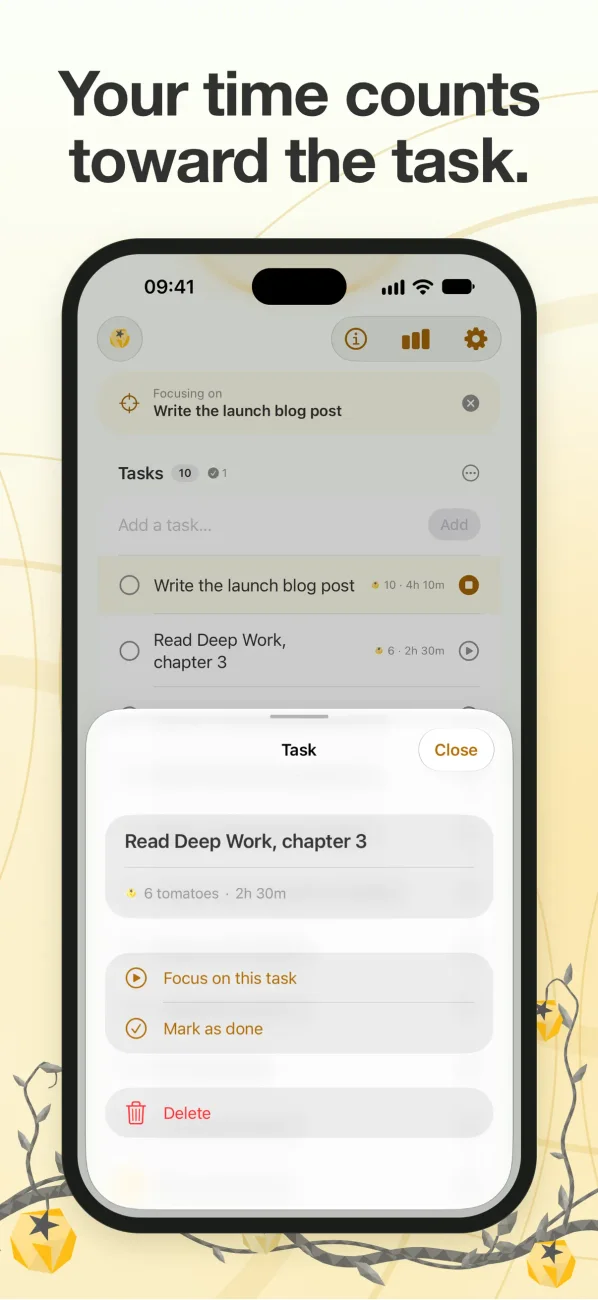
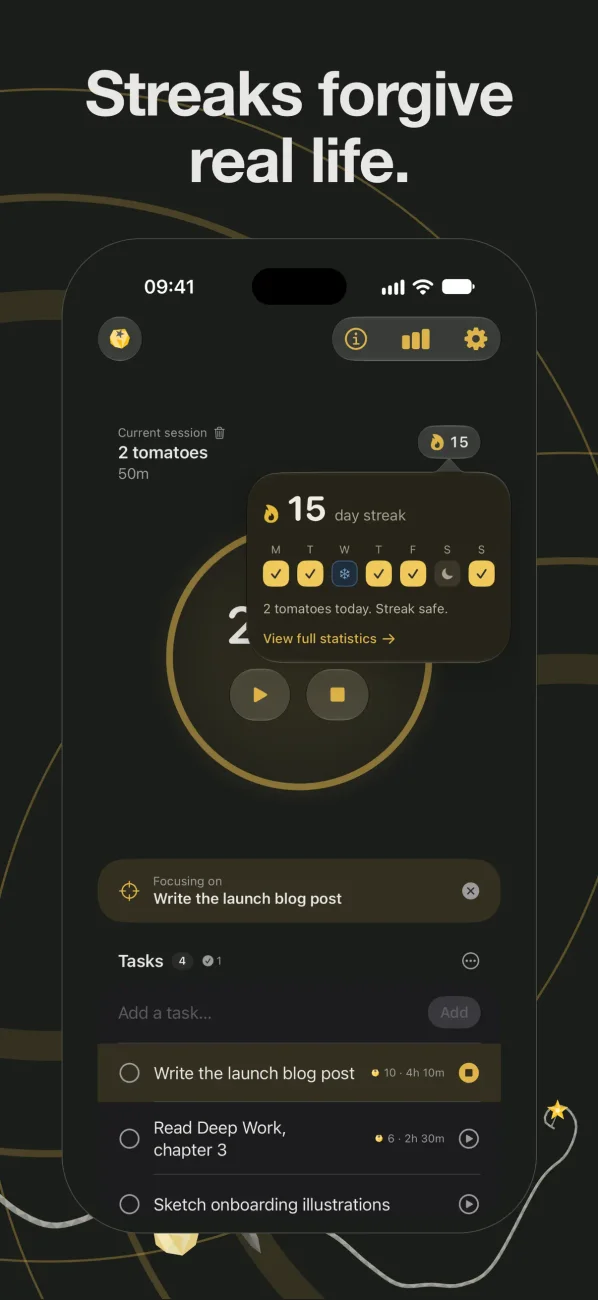
Choose a task to focus on, and every Pomodoro you finish counts toward it. Each task shows its tomatoes and the time you spent.
STATISTICS
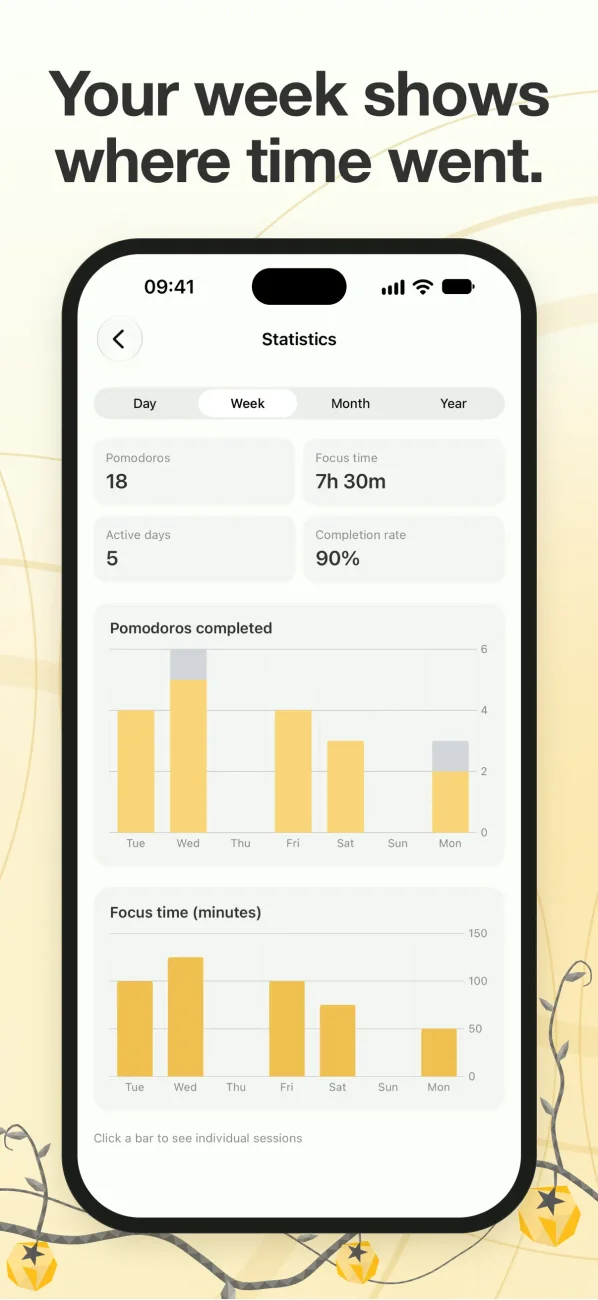
Finished and stopped sessions are counted separately, so your completion rate is real. See your focus by day, week, month and year.
STREAKS THAT FORGIVE
A day counts when you reach your goal. Choose your rest days (weekends by default). A strong week can earn a rescue day to protect your streak when you miss a day. No leaderboards, no pressure.
PRIVATE BY DESIGN
Your tasks and session history stay on your device. No account, no ads and no tracking.
FREE
No subscription, no trial, no in-app purchases.
New to the Pomodoro Technique? The guide behind the ⓘ button teaches it on your own timer. Need a lift? Tap the tomato for a pep talk.
What’s new
Version 1.5.1 · Nov 23, 2026
A small update to keep Yellow Tomato running smoothly. Everything from 1.5 is still here: Split into Pomodoros, task descriptions and the new Liquid Glass app icon.
App privacy
What Yevhen Rozhko declares on the App Store about how this app handles data.
-
Data not collected
The developer does not collect any data from this app.
Privacy practices may vary, for example with the features you use or your age.
Information
- Seller
- Yevhen Rozhko
- Category
- Productivity
- Version
- 1.5.1
- Updated
- Nov 23, 2026
- Released
- Aug 5, 2026
- Size
- 31.2 MB
- Requires
- iOS 26.0 or later
- Age rating
- 4+
- Price
- Free
- Languages
- English, Portuguese, Spanish
- Copyright
- © 2026 Productive Fish
You might also like
-
 MindDraft: AI Task AssistantSmart TODOs & Subscriptions
-
 Loop: Screen Time ControlProductivity, App Blocker
-
 Focus One: Pomodoro TimerApp Blocker for Study & Work
-
 Accountability Buddie: GoalsDaily Planner & Habit Tracker
-
 Swyft ValetProductivity
-
 LibraryTrack – Library ManagerLibrary Management Application
-
 Goal StreaksDaily Habit Tracker & Routines
-
 Silo: Focus & Study TimerPomodoro timer for Apple Watch
-
 AnkiLockUnlock Apps by Studying
-
 Habit Tracker - HabtikTo Do, Notes & Daily Routine