- 対象年齢4+
- カテゴリ写真/ビデオ
- 開発元stuart sinclair
- 言語英語
- サイズ61.7 MB
App Storeの公式ページにリンクしています
Download.orgはZOOMFLOW 1.0のファイルを一切ホストしていません。ボタンを押すと、stuart sinclairが公開しているApp Storeのアプリページが開きます。ページの最終確認:2026/11/12。
スクリーンショット


概要
開発元はこのテキストをお使いの言語で提供していません。
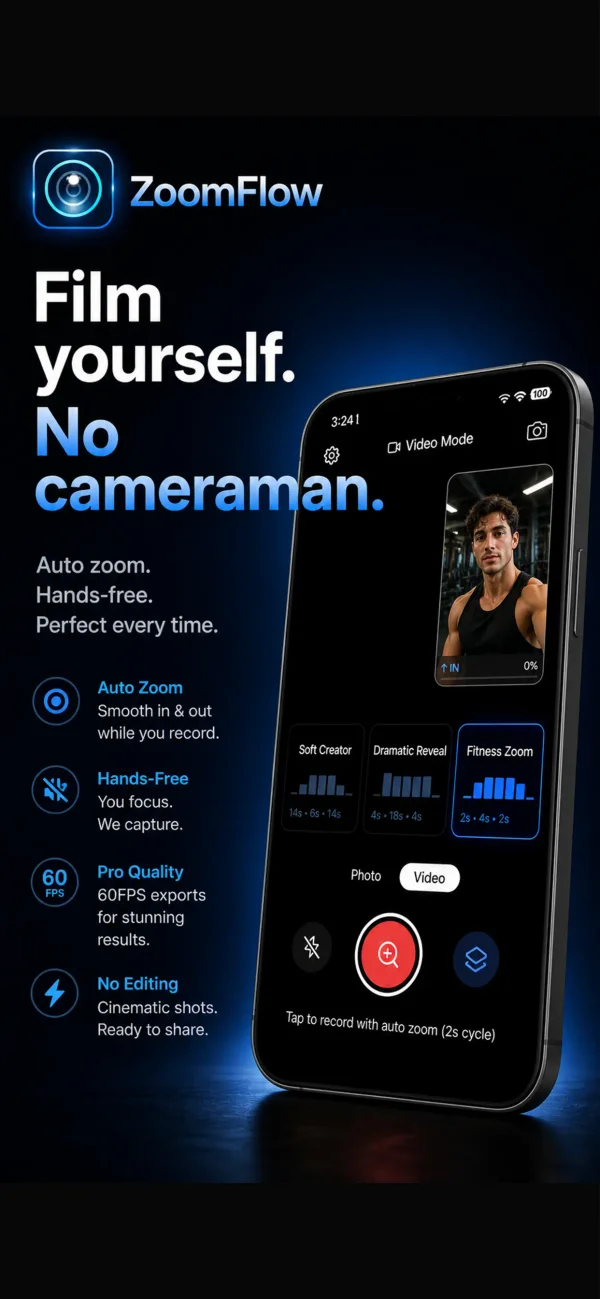
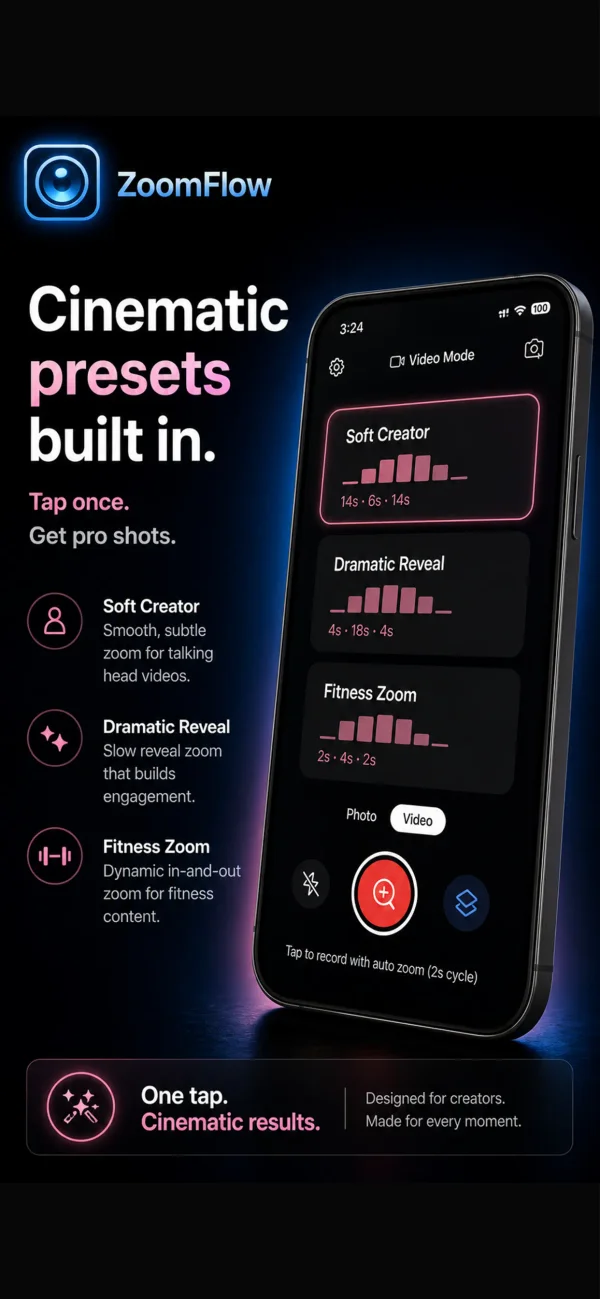
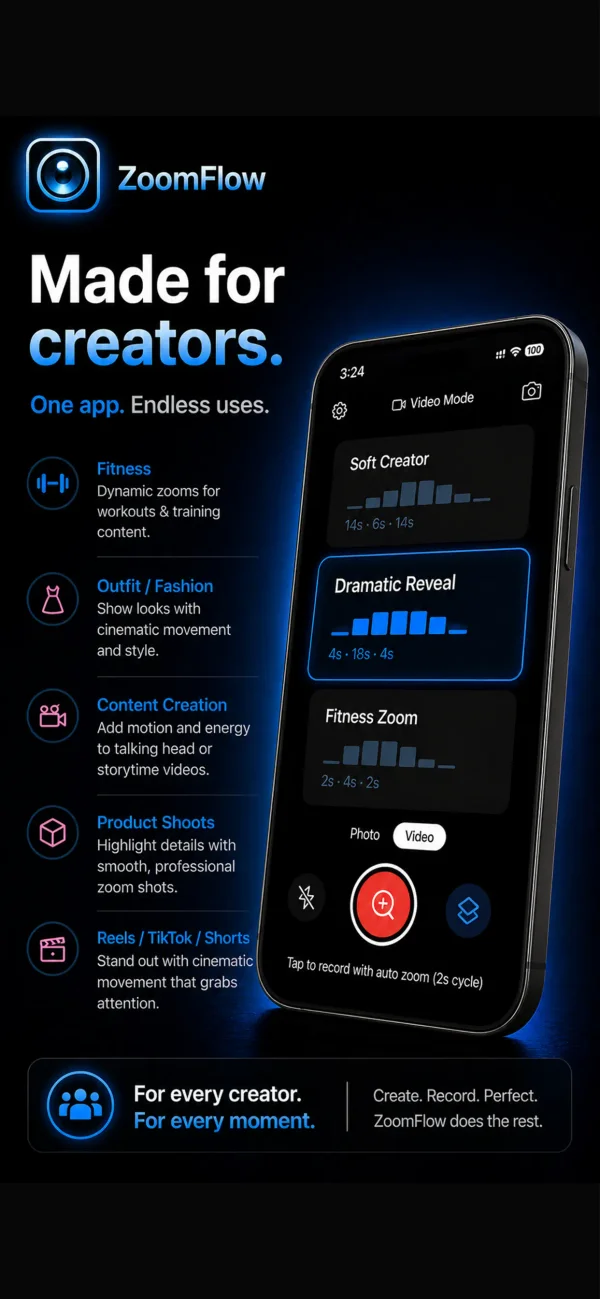
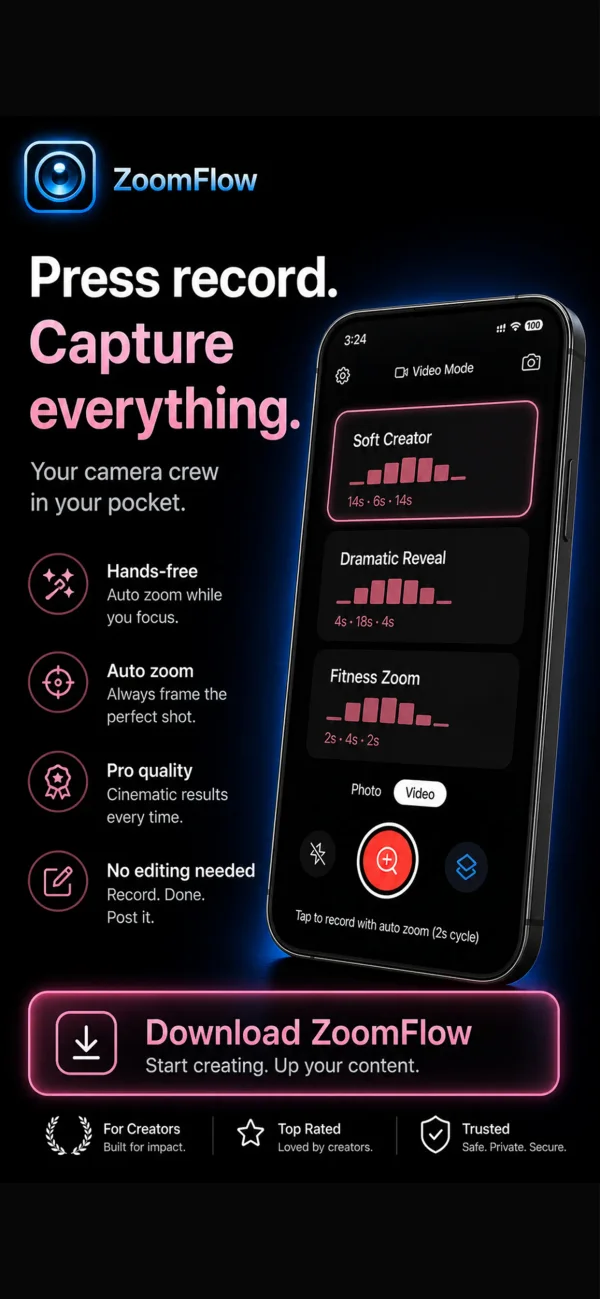
ZoomFlow turns your iPhone into a cinematic camera that zooms automatically, so you can create professional-looking videos without a camera operator.
Set your zoom speed, press record, and ZoomFlow handles the movement for you. Perfect for podcasts, workouts, talking videos, timelapses, and creator content.
AUTO-ZOOM VIDEO
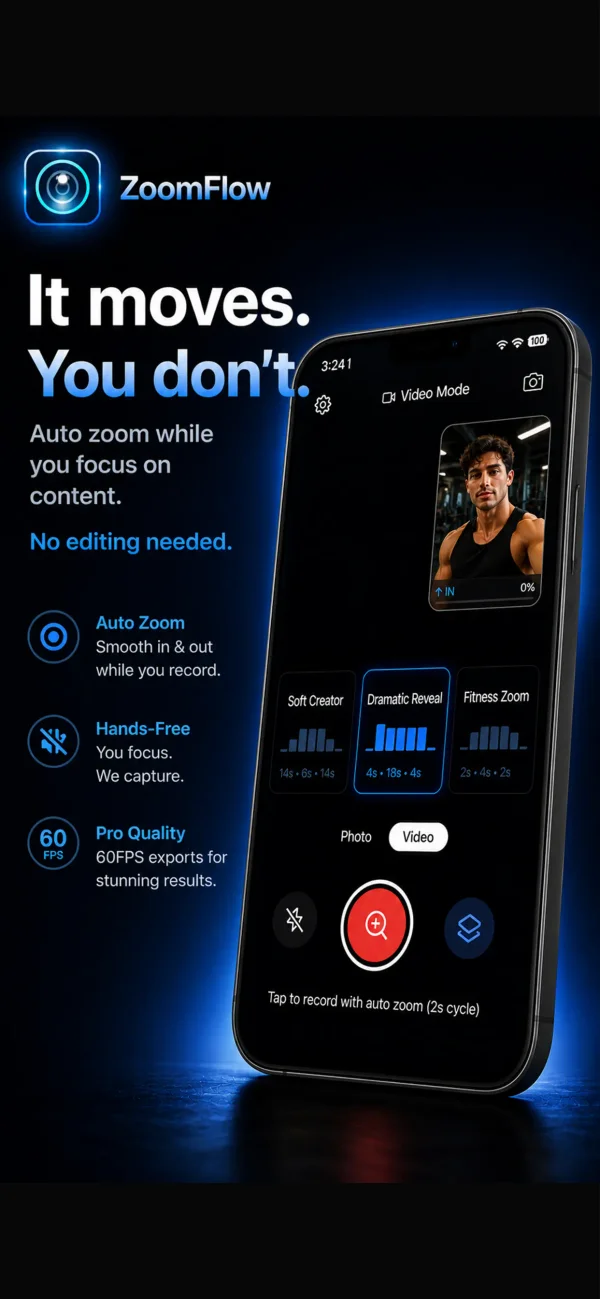
Set your zoom-in, hold, and zoom-out timing. ZoomFlow smoothly animates every phase on a loop to create dynamic, cinematic movement that keeps viewers watching.
TIMELAPSE MODE
Capture timelapses with built-in zoom animation. Choose your interval (1s–60s), set a shot target, and track photos captured and final video length live while recording.
BUILT FOR YOUR PLATFORM
One-tap presets optimised for TikTok, Instagram Reels, YouTube Shorts, LinkedIn, Podcasts, and Square formats. Each preset automatically adjusts zoom speed, framing, and aspect ratio.
AI SHOT PLANNER
Paste your script, choose your platform and target length, and ZoomFlow AI creates a complete shot list with zoom settings, timings, and filming suggestions.
TELEPROMPTER BUILT IN
Read your script while maintaining eye contact with the camera. Adjust scroll speed, font size, and opacity directly from the recording screen.
MORE TOOLS FOR CREATORS
• Creator Workflows for instant setup loading
• Keyframe Zoom Editor for custom zoom curves
• Shot History with reusable recording settings
• Aspect Ratio Guides and safe zones
• Shake to Capture for hands-free recording
• Self-Timer with 3s, 5s, and 10s countdowns
ZOOMFLOW PRO
• Unlimited daily sessions
• 4K video recording
• No watermark
• Unlimited timelapse frames
• Teleprompter, AI tools, and creator workflows
• Custom zoom presets
Free plan includes 3 sessions per day with core zoom features included.
## How to Use ZoomFlow
1. **Choose a mode**
Tap the mode label at the bottom to switch between Video, Photo, and Timelapse.
2. **Video Mode — Auto Zoom Recording**
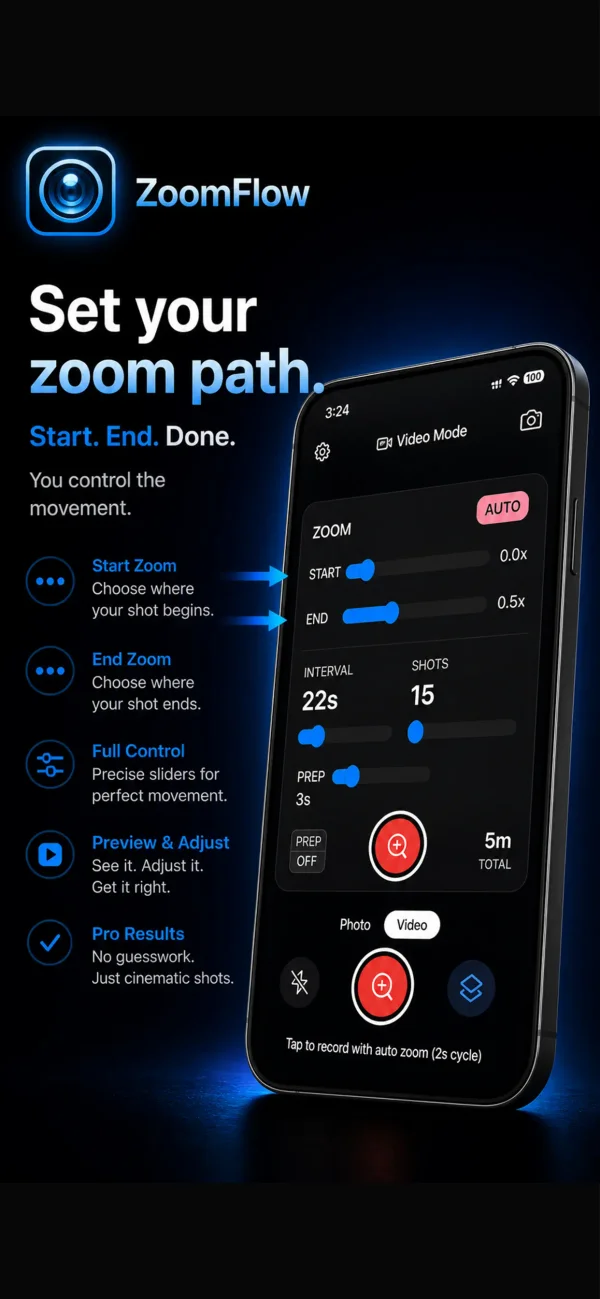
Set your Zoom In, Hold, and Zoom Out times using the sliders. Choose a preset like Soft Creator or Dramatic to load settings instantly. Press Record and ZoomFlow automatically zooms in and out on a loop until you stop recording.
3. **Timelapse Mode**
Select your capture interval and total shot target. Press Record to begin. “Shots In” tracks captured photos while “Shots Out” shows the final video length live. Recording stops automatically once the target is reached.
4. **Platform Presets**
Swipe through presets like TikTok, Reels, Shorts, Podcast, LinkedIn, or Square. ZoomFlow automatically adjusts aspect ratio and zoom style for each platform.
5. **Teleprompter (Pro)**
Long-press the settings button to open the teleprompter. Paste your script, set scrolling speed, then toggle the teleprompter on while recording.
6. **AI Shot Planner (Pro)**
Tap the AI icon, paste your script or ideas, choose your platform and video length, then generate a full shot plan with suggested zoom settings.
7. **Shot History**
View past recordings and instantly reload previous settings using “Reuse Settings.”
8. **Settings & Presets**
Use the gear icon to customise zoom timing, save presets, and manage your subscription.
9. **Gallery**
The Gallery tab stores all saved photos and videos with filter options.
10. **Upgrade to Pro**
Unlock 4K recording, unlimited sessions, no watermark, teleprompter, AI tools, advanced timelapse options, and more.
https://saintclairappl.com/terms-of-service
https://www.apple.com/legal/internet-services/itunes/dev/stdeula/
新機能
バージョン 1.5.4 · 2026/5/22
• Timelapse now shows Shots In and Shots Out live during capture — see exactly how many photos you've taken and how long your final video will be, updated in real time.
• UI polish across the camera screen
アプリのプライバシー
このアプリのデータの取り扱いについて、stuart sinclairがApp Storeで申告している内容です。
-
データの収集なし
開発元はこのアプリからデータを収集しません。
プライバシーの取り扱いは、ご利用の機能やお客様の年齢などに応じて異なる場合があります。
情報
- 販売元
- STUART GRAEME SINCLAIR
- カテゴリ
- 写真/ビデオ
- バージョン
- 1.5.4
- 更新日
- 2026/5/22
- リリース
- 2026/2/25
- サイズ
- 61.7 MB
- 必要条件
- iOS 15.1以降
- 対象年齢
- 4+
- 価格
- 無料
- アプリ内課金
- あり
- 言語
- 英語
- 著作権
- © 2026 stuart sinclair
こちらもおすすめ
-
 Geopix - GPS Photo Tagger写真/ビデオ
-
 OneRoll Dual Recorder写真/ビデオ
-
 AspectPhoto Pro写真/ビデオ
-
 Kondobox写真/ビデオ
-
 OneShot Record · Studio · Ship写真/ビデオ
-
 Photolys:Photo Editor & Filter写真/ビデオ
-
 Duo Cam: Dual Camera Video写真/ビデオ
-
 Before After Photo Compare App写真/ビデオ
-
 CuteSticker:From Image | Video写真/ビデオ
-
 LiveColor - Live Palette写真/ビデオ