Dropbox280.4.5053 for macOS
Social storage that syncs a folder between Finder and the web
Free · Proprietary
You are on Windows — this is the macOS version. See the Windows version
Download
280.4.5053 · 367.0 MB
Mac
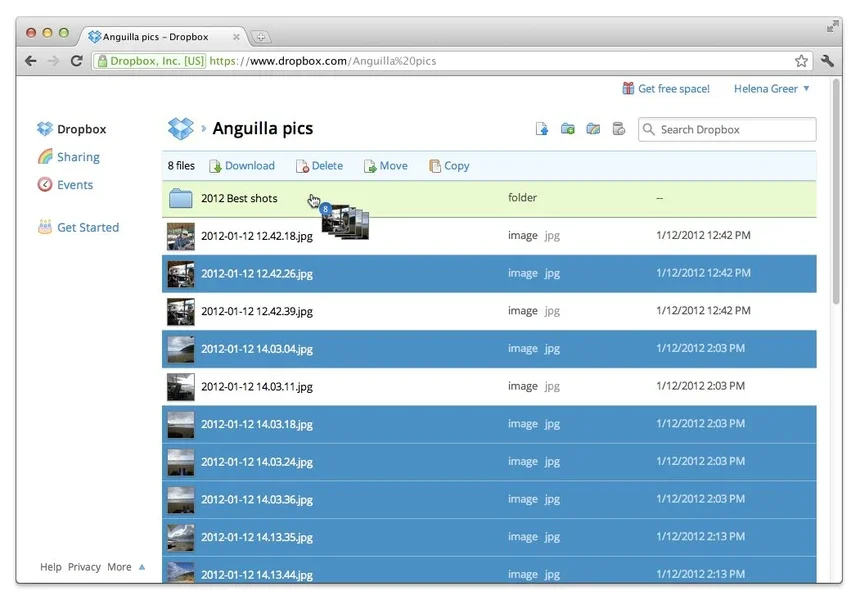
Dropbox puts an extra folder into your directory structure, and anything you copy into it syncs automatically with the files already on your web account. The application integrates into Finder on the Mac. Transfer runs through a web interface.
- Only the changed part of a file moves, which keeps bandwidth down when you save large files.
- The web interface shows the versions of a file that have been uploaded, so you can bring back the original after several updates.
- Shared folders are open to any user who was invited beforehand.
- Each file has its own URL, which makes it reachable from the internet.
- Pictures can be shared with family and friends in a gallery format.
You can keep a backup copy of a file or hand it to other users. Capacity is 2 GB, and the software is free.
[Release notes coming soon]
Version 280.4.5053
Verify the file
Compare the SHA-256 of the file you downloaded with the value below. Files exactly as the publisher released them.
-
dropbox-280-4-5053.dmg
280.4.5053 · DMG · 367.0 MB
SHA-256
fa6e9b1a5f1d78108749d2643e889ad98d67ba90c243e48b516d8491b14e4497Check on VirusTotal Get
Files exactly as the publisher released them.
Information
- Seller
- Evenflow Inc.
- Size
- 367.0 MB
- Category
- Web Tools
- Compatibility
macOS 10.13 High Sierra or later
- Languages
Afrikaans and 47 more
- Afrikaans, Amharic, Arabic, Armenian, Belarusian, Bulgarian, Catalan, Chinese, Croatian, Czech, Danish, Dutch, English, Estonian, Farsi, Finnish, French, German, Greek, Hebrew, Hindi, Hungarian, Icelandic, Indonesian, Italian, Japanese, Kazakh, Korean, Latvian, Lithuanian, Malay, Norwegian, Polish, Portuguese, Romanian, Russian, Serbian, Slovak, Slovenian, Spanish, Swahili, Swedish, Tagalog, Thai, Turkish, Ukrainian, Vietnamese, Zulu
- License
- Proprietary
- Price
- Free
- Platform
- Also available on Windows