Skip to content

DVDFab13.0.7.2 for macOS

Backs up DVDs, copying the whole movie or leaving out extras

DVDFab

Trial · Proprietary

Download 13.0.7.2 · 504.9 MB
  • Age rating
    0+
    All ages
  • Category
    CD/DVD
  • Developer
    DVDFab
  • Languages
    7
    Chinese
  • Size
    504.9
    MB

Mac

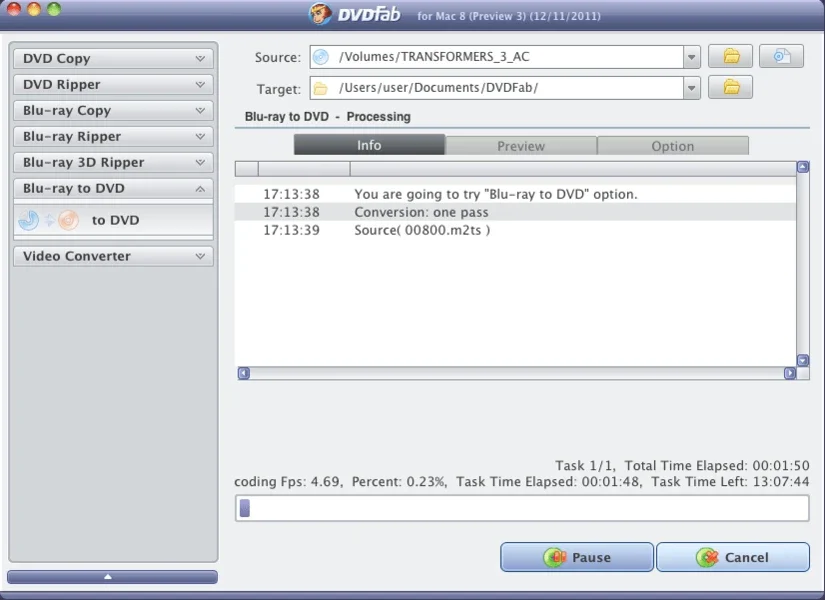
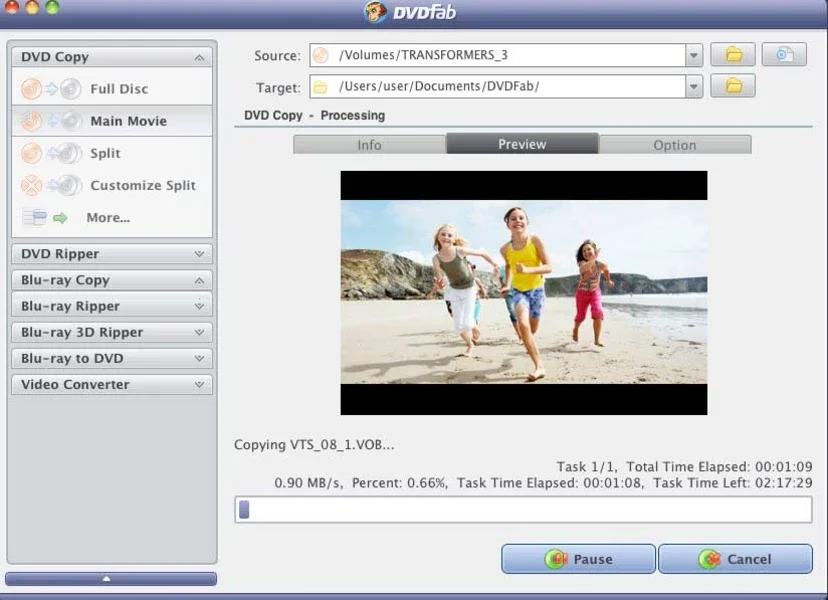
DVDFab backs up original DVDs. You insert the movie disc and a blank DVD, press start, and it copies. The whole movie comes across, menus and extras included, trailers and special features too. If you would rather skip the subtitles or the extras, you can choose to copy the movie while leaving them out.

A movie already ripped to the hard drive can be imported from there instead of the disc. NTSC and PAL formats are both supported, and regional restrictions are bypassed. A DVD-9 can be compressed onto a single DVD with perfect quality.

Copy time depends on computer speed, processor speed, and DVD size. It runs on the Mac.

[Release notes coming soon]

Version 13.0.7.2

Verify the file

Compare the SHA-256 of the file you downloaded with the value below. Files exactly as the publisher released them.

  • dvdfab-13-0-7-2.dmg

    13.0.7.2 · DMG · 504.9 MB

    SHA-256

    2314a92115297b1b75534f8b11616168ea82b281636504fc8e30279bc37b4ed8 Check on VirusTotal Get

Files exactly as the publisher released them.

Information

Seller
DVDFab
Size
504.9 MB
Category
CD/DVD
Compatibility
macOS 10.9 Mavericks or later
Languages
Chinese and 6 more
Age rating
All ages
License
Proprietary
Price
Trial

Version history

  • [Release notes coming soon]

    13.0.7.2
  • [Release notes coming soon]

    13.0.7.0
  • [Release notes coming soon]

    13.0.6.7
  • [Release notes coming soon]

    13.0.6.6
  • [Release notes coming soon]

    13.0.6.3
  • [Release notes coming soon]

    13.0.5.8
  • [Release notes coming soon]

    13.0.5.4
  • [Release notes coming soon]

    13.0.5.1
  • [Release notes coming soon]

    13.0.4.6
  • [Release notes coming soon]

    13.0.4.5
  • [Release notes coming soon]

    13.0.4.3
  • [Release notes coming soon]

    13.0.4.0
  • [Release notes coming soon]

    13.0.3.3
  • [Release notes coming soon]

    13.0.1.1
  • [Release notes coming soon]

    13.0.1.0
  • [Release notes coming soon]

    13.0.0.9
  • [Release notes coming soon]

    13.0.0.8
  • [Release notes coming soon]

    12.1.1.5
  • [Release notes coming soon]

    12.1.1.1
  • [Release notes coming soon]

    12.1.0.8
  • [Release notes coming soon]

    12.1.0.3
  • [Release notes coming soon]

    12.1.0.2
  • [Release notes coming soon]

    12.0.9.7
  • [Release notes coming soon]

    12.0.8.8
  • [Release notes coming soon]

    12.0.8.8
  • [Release notes coming soon]

    12.0.8.6
  • [Release notes coming soon]

    12.0.8.2
  • [Release notes coming soon]

    12.0.7.9
  • [Release notes coming soon]

    12.0.7.5
  • [Release notes coming soon]

    12.0.7.4
  • [Release notes coming soon]

    12.0.7.3
  • [Release notes coming soon]

    12.0.6.9
  • [Release notes coming soon]

    12.0.6.1
  • [Release notes coming soon]

    12.0.5.6
  • [Release notes coming soon]

    12.0.5.4
  • [Release notes coming soon]

    12.0.5.2
  • [Release notes coming soon]

    12.0.4.5
  • [Release notes coming soon]

    12.0.3.8
  • [Release notes coming soon]

    12.0.3.3
  • [Release notes coming soon]

    12.0.2.7
  • [Release notes coming soon]

    12.0.1.8
  • [Release notes coming soon]

    12.0.1.0
  • [Release notes coming soon]

    12.0.0.8
  • [Release notes coming soon]

    12.0.0.0
  • [Release notes coming soon]

    11.1.0.0
  • [Release notes coming soon]

    11.0.7.5
  • [Release notes coming soon]

    11.0.6.6
  • [Release notes coming soon]

    10.0.1.9
  • [Release notes coming soon]

    9.2.3.9
  • [Release notes coming soon]

    9.2.3.7

All versions ›