jPDFImages2020R2 for macOS
Exports PDF pages to JPEG, TIFF or PNG and imports images into new or existing PDFs
Free · Proprietary
You are on Windows — this is the macOS version. See the Windows version
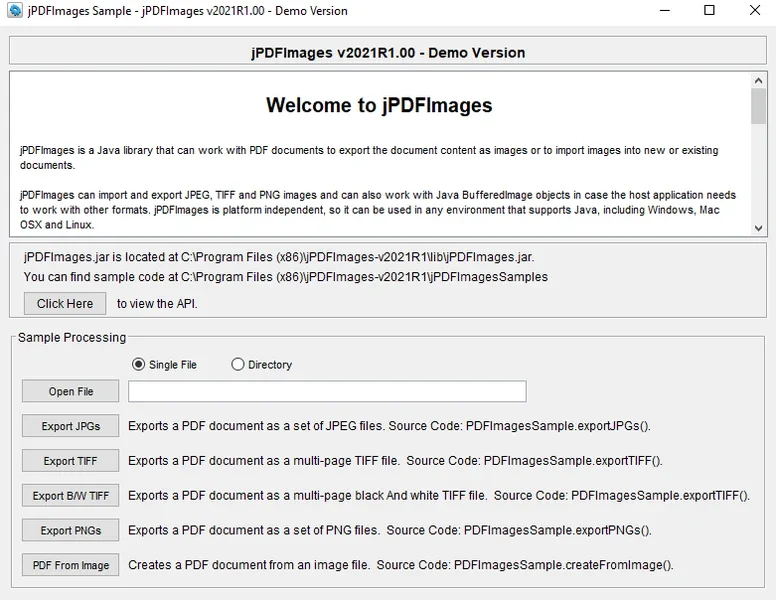
jPDFImages turns the pages of a PDF document into image files and writes them out as JPEG, TIFF or PNG. It also goes the other way, building new documents or adding pages to existing ones by pulling in TIFF, JPEG and PNG images.
- Hands any page back to the calling Java code as a BufferedImage, which you can work on further or store in another format.
- Saves finished files to disk or into a Java output stream, so a J2EE server can push them straight to a client browser.
- Runs on Windows, Linux, Unix (Solaris, HP UX, IBM AIX) and Mac OS X, plus anything else with a Java runtime.
The library is written entirely in Java, which keeps the applications built on it platform independent. Because it rests on Qoppa's own PDF technology, deployment needs no extra drivers or software installed or configured. PDF 2.0 is supported.
[Release notes coming soon]
Verify the file
Compare the SHA-256 of the file you downloaded with the value below. Files exactly as the publisher released them.
-
2020R2
2020R2 · DMG · 66.4 MB
SHA-256
3621c2b7ef07d5cc9cf59c134b4e68134dc55faddf0dc9b0a81186ea598fa83fCheck on VirusTotal Get
Files exactly as the publisher released them.
Information
- Seller
- Qoppa Software
- Size
- 66.4 MB
- Category
- Text & documents
- Compatibility
macOS 10.4 Tiger or later
- Languages
English
- Age rating
- All ages
- License
- Proprietary
- Price
- Free
- Platform
- Also available on Windows