LightScribe Simple Labeler1.10.19.1 for macOS
Burns a custom LightScribe label onto the disc surface
Hewlett-Packard Development Co
Free · Proprietary
You are on Windows — this is the macOS version. See the Windows version
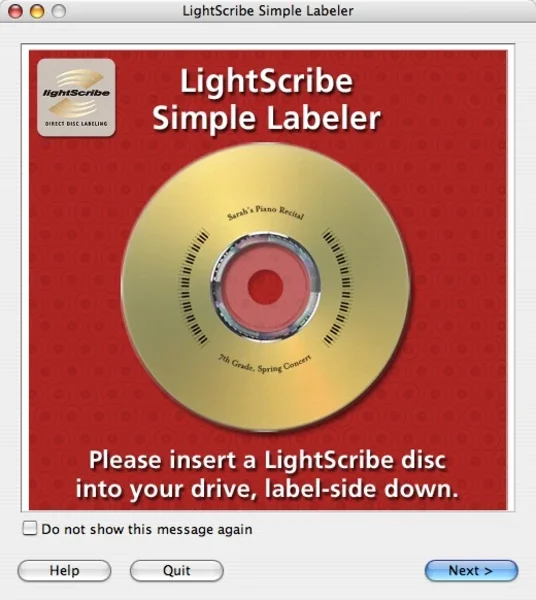
LightScribe Simple Labeler draws a small custom label on the surface of a LightScribe disc. It is a free Mac utility from Hewlett-Packard, and the job is done once the label is burned.
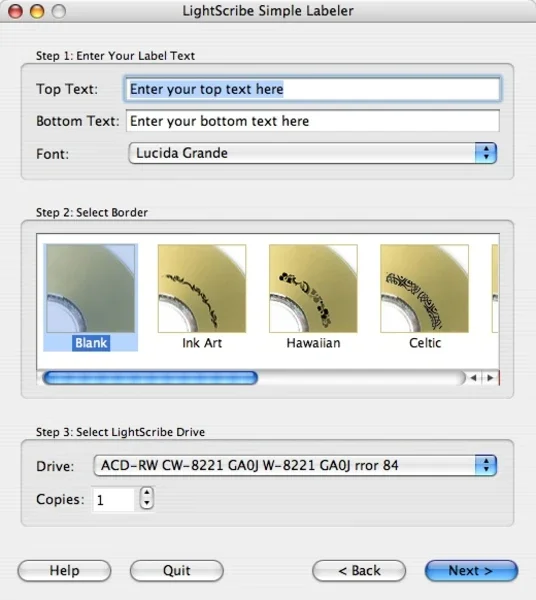
Designing the label involves three steps. The first is choosing the text shown at the top and bottom of the disc and the font it uses. The second is picking a border type that surrounds the disc; there are eight border types with different motifs. The third is specifying the recorder used to burn the label. After pressing next, the application does the work. The disc must be turned over before burning.
It requires a CD/DVD recorder with LightScribe technology, and the program will not work unless LightScribe System Software is installed first. That separate piece is the LightScribe update tool.
[Release notes coming soon]
Verify the file
Compare the SHA-256 of the file you downloaded with the value below. Files exactly as the publisher released them.
-
1.10.19.1
1.10.19.1 · TAR · 7.5 MB
SHA-256
451645f31e6436d5c522fd237b7e7c77f5deafe3cf483bbb0963ea7c06837504Check on VirusTotal Get
Files exactly as the publisher released them.
Information
- Size
- 7.5 MB
- Category
- CD/DVD
- Compatibility
macOS
- Languages
English
- Age rating
- All ages
- License
- Proprietary
- Price
- Free
- Platform
- Also available on Windows