SD Formatter5.0.1 for macOS
Formats SD, SDHC and SDXC cards on a Mac
Free · Proprietary
You are on Windows — this is the macOS version. See the Windows version
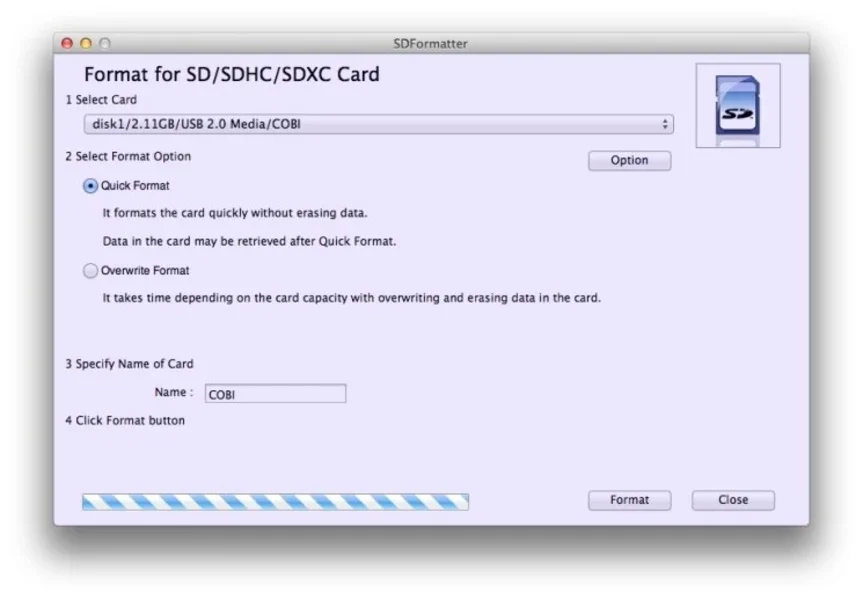
Connect the SD card to a computer and start SD Formatter. Once the system recognizes the card, clicking the Format button erases its contents in seconds. Nothing on the card survives the operation. The tool is made for SD, SDHC, and SDXC memory cards.
Cards of these types have a protected area for securing certain data, and formatting does not delete anything stored there. That part stays as it is while the rest of the card is cleared in a single operation. Cards can crash when everything is sent to a phone through messaging services, and the article recommends the tool for improving SD card performance. The three card types are handled the same way: plug in, let the system see the card, press Format. The erase itself takes seconds, though the card has to be connected and recognized first.
It runs on the Mac. The developer is the SD Association, and the license is proprietary. Version 5.0.1 is the latest, and it is free.
[Release notes coming soon]
Verify the file
Compare the SHA-256 of the file you downloaded with the value below. Files exactly as the publisher released them.
-
5.0.1
5.0.1 · ZIP · 3.3 MB
SHA-256
0150d9e53a0811b51275196d4e80eed9c86c2ccd00abe1200769ccd31df6ad2aCheck on VirusTotal Get
Files exactly as the publisher released them.
Information
- Seller
- SD Association
- Size
- 3.3 MB
- Category
- Disc/Files
- Compatibility
macOS
- Languages
English
- Age rating
- All ages
- License
- Proprietary
- Price
- Free
- Platform
- Also available on Windows