Synergy3.9.1 for macOS
One mouse and keyboard across several computers on TCP/IP
Free · Proprietary
You are on Windows — this is the macOS version. See the Windows version
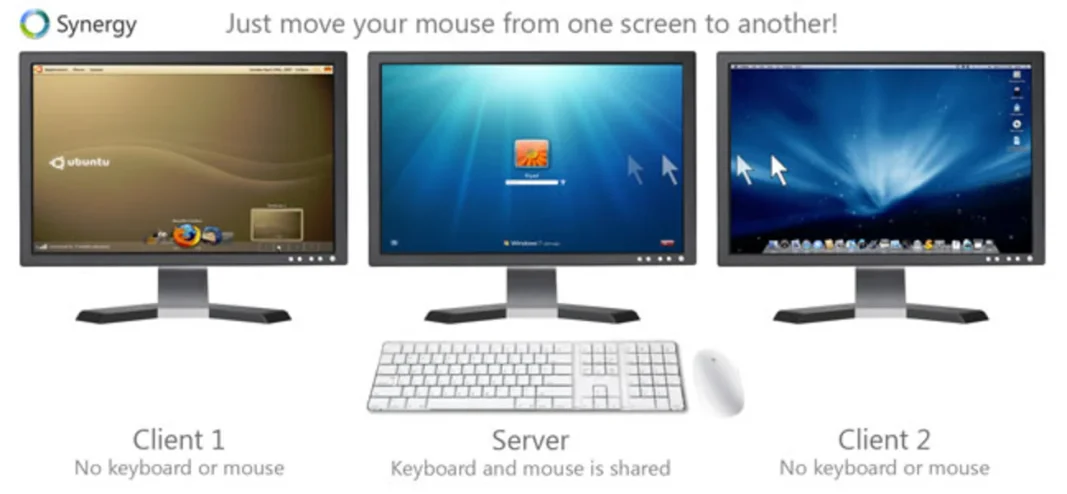
Synergy lets one mouse and keyboard control multiple computers. Move the pointer past a screen edge and it appears on the next computer; keystrokes go to the machine where the mouse currently is.
The computers stay connected through TCP/IP, and Synergy detects them automatically, so you are not typing in addresses or pairing screens by hand. Macs, Windows boxes and Linux machines all work together under the same pointer, which means a mixed desk of different operating systems is controlled as one. Installing Synergy is the only setup needed; once it is on each computer, the edges line up and the keyboard follows the pointer. Nothing else has to be configured. The pointer moves where you push it, and typing lands on whichever computer the mouse is sitting on at that moment.
The program works across many different operating systems.
[Release notes coming soon]
Verify the file
Compare the SHA-256 of the file you downloaded with the value below. Files exactly as the publisher released them.
-
synergy-3-9-1.dmg
3.9.1 · DMG · 181.3 MB
SHA-256
c4f0d880d79b108c7e08fcef6c6bc17443229e2f90b2e1d1b803c3f60e0a5c56Check on VirusTotal Get
Files exactly as the publisher released them.
Information
- Seller
- Chris Schoeneman
- Size
- 181.3 MB
- Category
- Maintenance
- Compatibility
macOS
- Languages
English
- Age rating
- All ages
- License
- Proprietary
- Price
- Free
- Platform
- Also available on Windows