WD Security2.1.6.434 for macOS
Password protection and hardware encryption for WD drives on Mac
© Western Digital Corporation or its affiliates.
Free · Proprietary
You are on Windows — this is the macOS version. See the Windows version
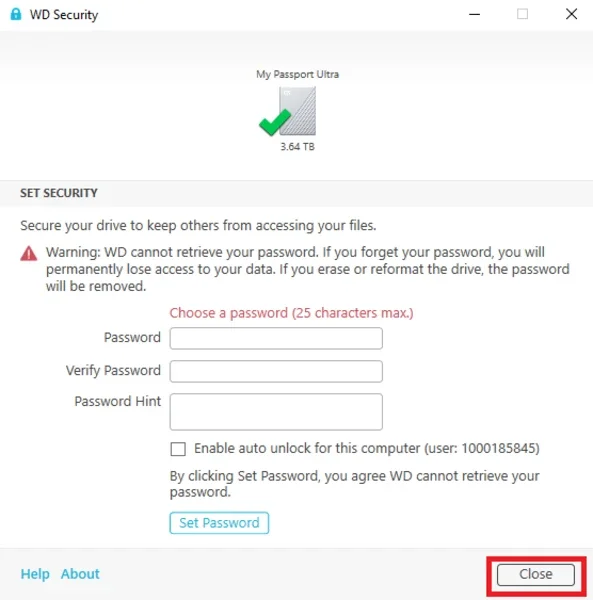
WD Security is a Mac app that password-protects Western Digital portable drives and encrypts their contents in hardware. A drive covered by the app is locked until the correct password is entered on whatever computer it is plugged into.
Setup is a wizard. You connect the drive to the Mac and follow the steps to set a password. From there:
- The encryption runs from the device driver and uses 256-bit AES in hardware.
- You can register your Mac as a trusted computer, so the drive opens there without the password each time.
- The lock can be re-enabled whenever you want it back.
Because the encryption happens in hardware rather than in software, data is protected without slowing drive access. The drive works as normal while its files stay protected, and the app works with many of the brand's portable drives. It is meant for personal, professional, or confidential data if the device is lost or stolen.
[Release notes coming soon]
Verify the file
Compare the SHA-256 of the file you downloaded with the value below. Files exactly as the publisher released them.
-
wd-security-2-1-6-434.zip
2.1.6.434 · ZIP · 13.3 MB
SHA-256
260037df167c30f941f65b306582f1af75db3dd3126e4be52c4618ec7bd5116aCheck on VirusTotal Get
Files exactly as the publisher released them.
Information
- Size
- 13.3 MB
- Category
- Security
- Compatibility
macOS
- Languages
English
- Age rating
- All ages
- License
- Proprietary
- Price
- Free
- Platform
- Also available on Windows