WD Discovery5.2.807 for macOS
Manage WD drives from one panel on macOS
© Western Digital Corporation or its affiliates.
Free · Proprietary
You are on Windows — this is the macOS version. See the Windows version
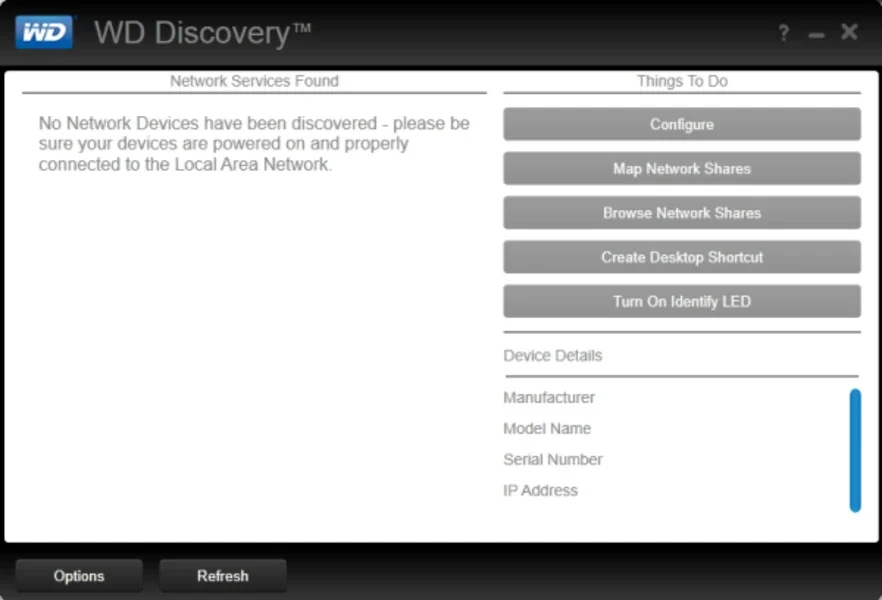
WD Discovery is the official macOS desktop app for managing Western Digital storage drives. It automatically detects WD drives, whether they are connected by USB or reachable over the local network, and lists them in a single unified interface that acts as a central hub.
From that panel you can see each drive's status, with monitoring handled individually per device rather than as one pooled view. Detailed disk information sits alongside the available space, so checking what is attached and how full it is takes one glance. Multiple WD drives can be managed from the same interface, and each one can carry its own custom configuration. Backup tasks start independently per device, as do protection measures, so a job set up for one drive does not depend on the others. The same panel opens the tools you need without manual searching: WD Backup for protecting data, WD Security for encrypting it, and WD Drive Utilities for maintenance tasks. Other WD apps are accessible from here too, without installing or running them separately, and further add-ons can be installed from the same panel. Content can also be synchronized with the cloud.
Everything runs from the one window, and the drive list updates as devices come and go. Version 1.0.491 is the current release.
[Release notes coming soon]
Verify the file
Compare the SHA-256 of the file you downloaded with the value below. Files exactly as the publisher released them.
-
5.2.807
5.2.807 · ZIP · 848.6 KB
SHA-256
8fd80a5048df0afd672c279f7e931d0359a781dec7d84d0c4cffb1a6fb8ff4c6Check on VirusTotal Get
Files exactly as the publisher released them.
Information
- Size
- 848.6 KB
- Category
- Disc/Files
- Compatibility
macOS macOS 10.15 or later
- Languages
English
- Age rating
- All ages
- License
- Proprietary
- Price
- Free
- Platform
- Also available on Windows