AirCodum
Remote Control for VS Code!
Projetado para iPhone, iPad, iPod touch
R$ 29,90
- Classificação etária17+
- CategoriaPara desenvolvedores
- DesenvolvedorPriyankar Kumar
- IdiomasInglês
- Tamanho21,9 MB
Leva à página oficial na App Store
O Download.org não hospeda nenhum arquivo de AirCodum. O botão abre a página do app na App Store, onde Priyankar Kumar o publica. Página verificada pela última vez em 07/11/2026.
Capturas de tela
Sobre
O desenvolvedor não forneceu este texto no seu idioma.
AirCodum: Remote Control for VS Code
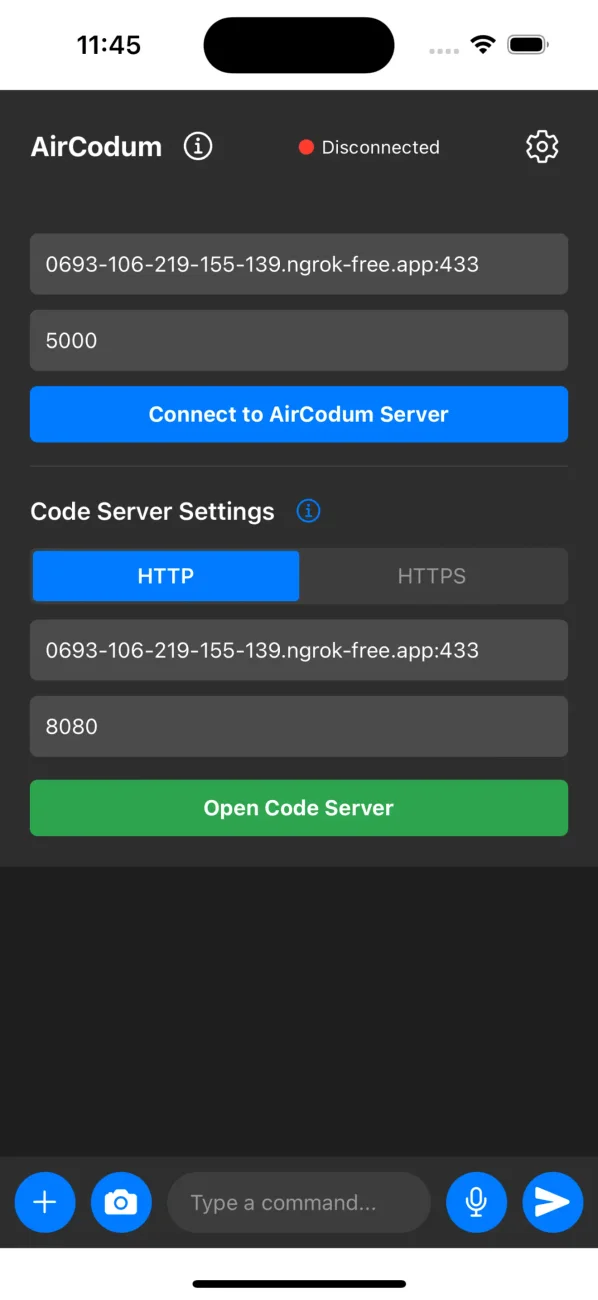
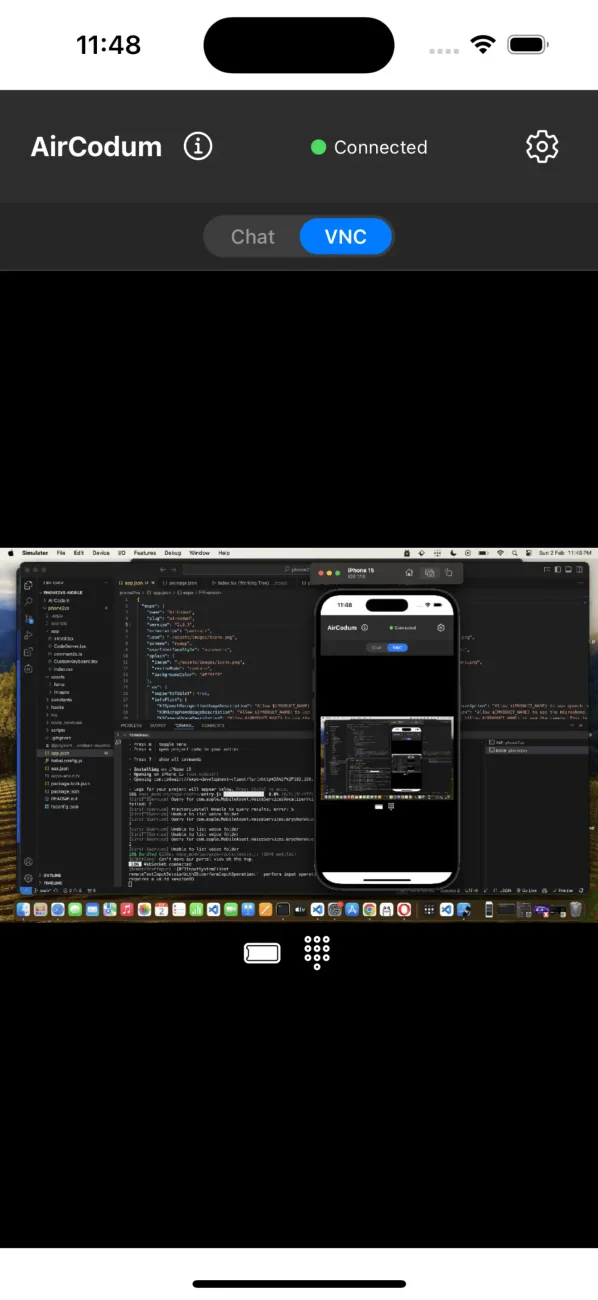
Connect your phone or tablet to Visual Studio Code on your own computer. View and control the desktop, send commands, and transfer text, images and documents into your development environment.
Features:
- Desktop viewing with pinch-to-zoom, pan, scroll, right-click and explicit drag controls.
- Saved named computers and VS Code windows with one-tap switching.
- A remote keyboard composer: edit a draft on your phone, then send it. Enter is a separate control.
- VS Code commands for navigating and editing your workspace.
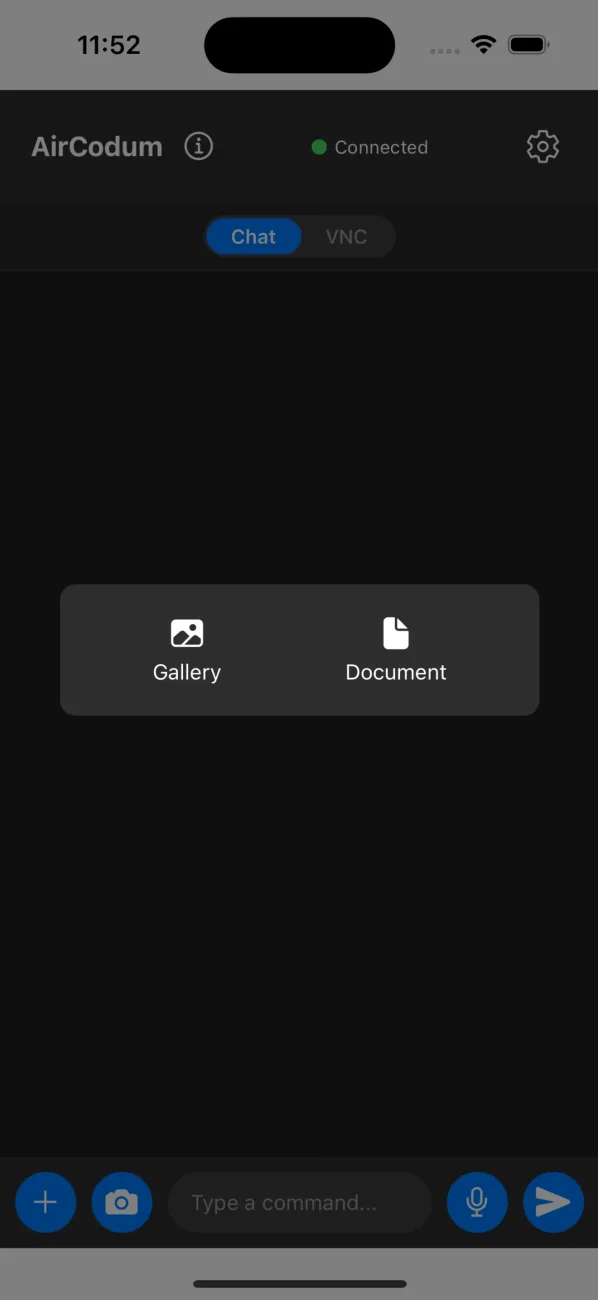
- File, image and text transfer to the selected desktop connection.
- Speech input using your device's speech recognition service.
- Optional AI and image-to-text features using the provider configured in the desktop extension.
Setup:
1. Install the AirCodum extension in VS Code. Find it at aircodum.com or https://github.com/priyankark/AirCodum/releases.
2. Start its server and choose a Local Wi-Fi or Tailscale address.
3. In the phone app choose Add computer or window. Scan the extension's QR code, or enter its displayed address, port and pairing token. Each VS Code window may use a different port.
4. Connect and choose command or VNC mode. Save additional computers and switch from the current session's top bar.
Local Wi-Fi requires devices on the same trusted network and uses unencrypted traffic. Tailscale or a configured TLS endpoint provides encrypted transport. On iOS, allow Local Network access when prompted.
AirCodum requires a running, reachable computer with VS Code and its compatible extension. VS Code actions and file transfers target the selected window. VNC, desktop typing and keyboard shortcuts control the computer’s foreground desktop. Multiple windows on one computer do not create separate virtual desktops. Scroll and right-click require the updated extension.
Pairing tokens are saved in secure device storage. Optional AI or OCR features may forward content to the provider configured on your desktop. Speech recognition uses your device's speech service.
Learn more at aircodum.com.
Novidades
Versão 2.5.2 · 18/09/2026
Desktop controls are easier to find and take up less space. Landscape mode hides the toolbars automatically, leaving compact keyboard and controls icons over the remote screen. Reveal the controls to rotate, scroll, pan, drag or zoom, then hide them to return to the larger view. The keyboard panel has a visible Done button and a scrolling key area.
Privacidade do app
O que Priyankar Kumar declara na App Store sobre como este app lida com os dados.
-
Dados não coletados
O desenvolvedor não coleta nenhum dado deste app.
As práticas de privacidade podem variar, por exemplo, com base nos recursos que você usa ou na sua idade.
Informações
- Vendedor
- Priyankar Kumar
- Categoria
- Para desenvolvedores
- Versão
- 2.5.2
- Atualizado
- 18/09/2026
- Lançamento
- 29/10/2024
- Tamanho
- 21,9 MB
- Requer
- iOS 15.1 ou posterior
- Classificação etária
- 17+
- Preço
- R$ 29,90
- Idiomas
- Inglês
- Copyright
- © 2024 Priyankar Kumar
Você também pode gostar
-
 Timestamp Conversion ToolPara desenvolvedores
-
 YoloShell-Terminal SSH e VNCHerdr, sshfs & mosh
-
 tmuxonwatchPara desenvolvedores
-
 TaurifyPara desenvolvedores
-
 PocketGraphPara desenvolvedores
-
 Salamander AIPara desenvolvedores
-
 Serverhub.devPara desenvolvedores
-
 CodeAgent: AI Agent MonitorPara desenvolvedores
-
 Mimi RemotePara desenvolvedores
-
 Fox Issue & Project TrackingPara desenvolvedores