Astro Tools
Stargazing & Astrophotography
Projetado para iPhone, iPad, iPod touch
Grátis · Compras no app
- Classificação etária4+
- CategoriaUtilidades
- DesenvolvedorDimitrios Kechagias
- IdiomasInglês
- Tamanho35,6 MB
Leva à página oficial na App Store
O Download.org não hospeda nenhum arquivo de Astro Tools. O botão abre a página do app na App Store, onde Dimitrios Kechagias o publica. Página verificada pela última vez em 28/11/2026.
Capturas de tela

Sobre
O desenvolvedor não forneceu este texto no seu idioma.
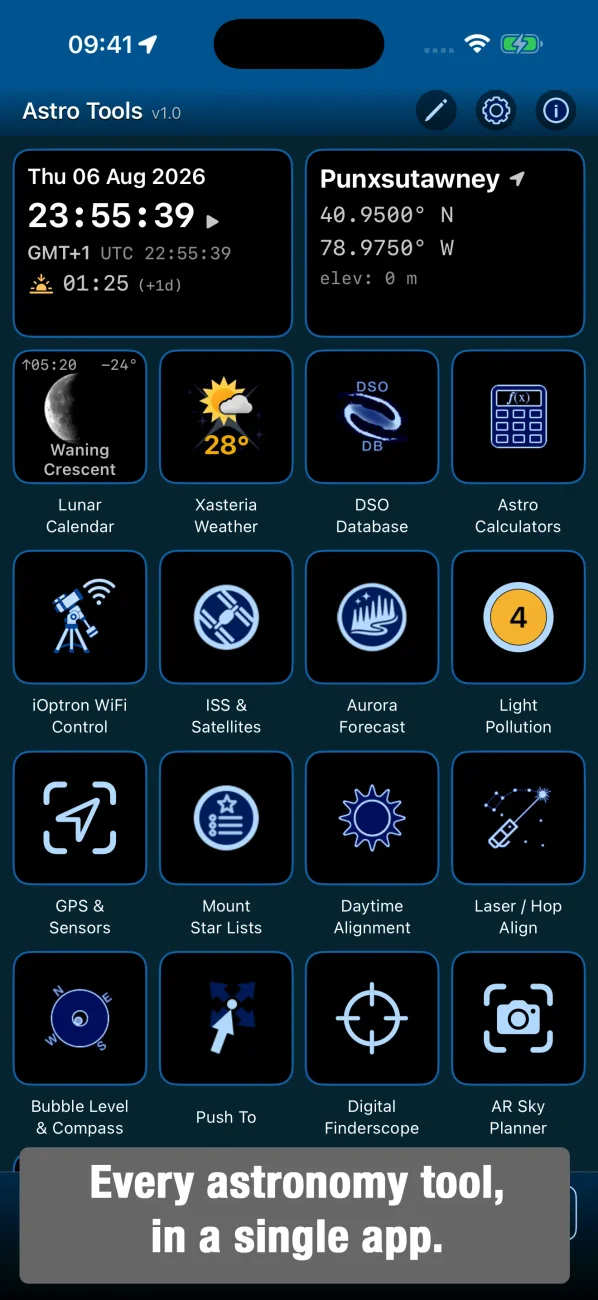
Every astronomy tool, in a single app.
From planning a night under the stars to capturing it, Astro Tools brings your astronomy toolkit together. It combines the tools from Polar Scope Align Pro and Xasteria with new additions for observing and imaging, including an Augmented Reality Sky Planner, Virtual Telescope, Digital Finderscope, Astro Camera, Photo Editor, Plate Solver.
PLAN YOUR NIGHT
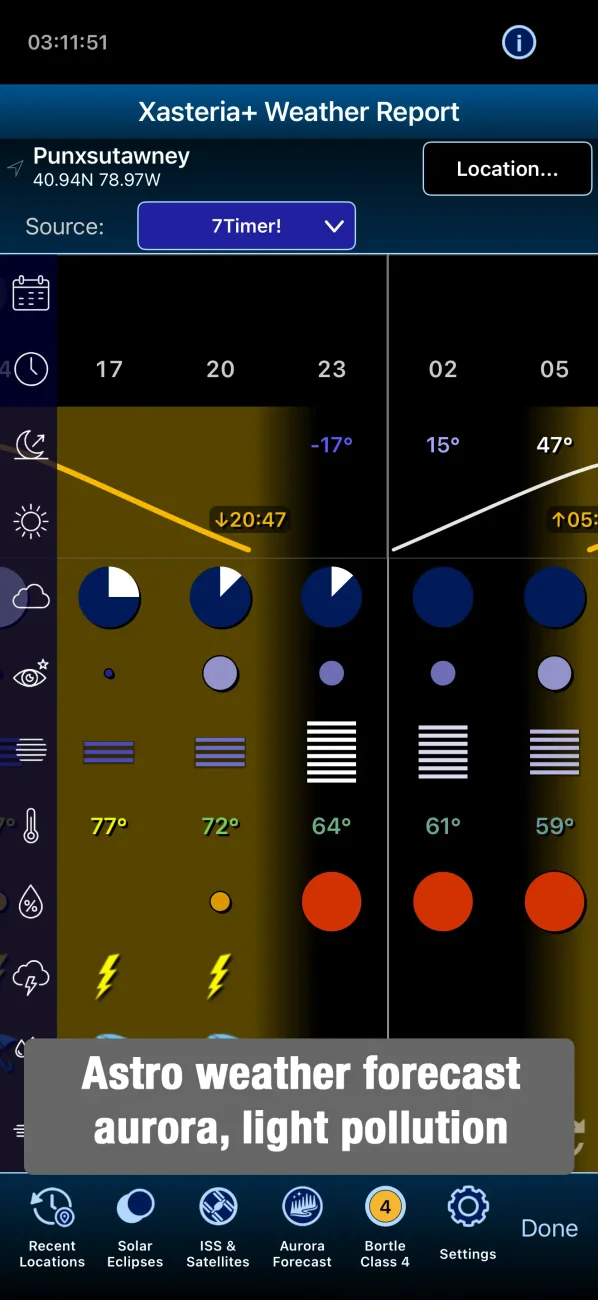
• Astro Weather: compare forecasts for clouds, seeing, transparency, wind and precipitation. Offers multi-forecast source view and animated satellite cloud maps.
• Light Pollution & Aurora: explore interactive light pollution maps and check aurora forecasts.
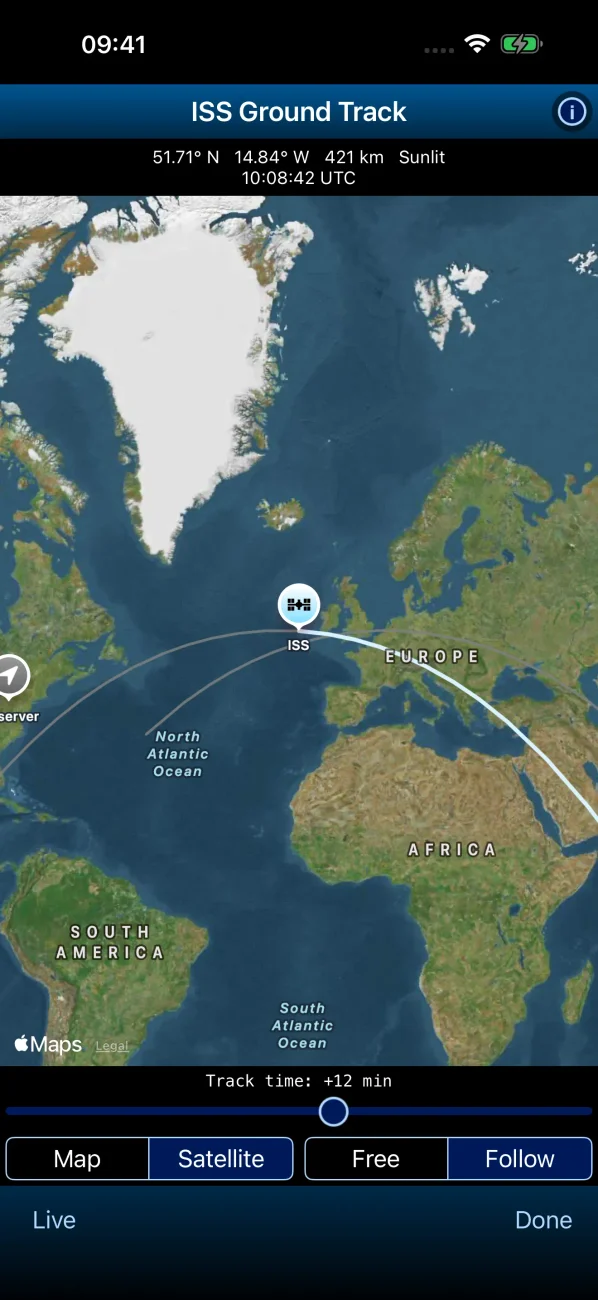
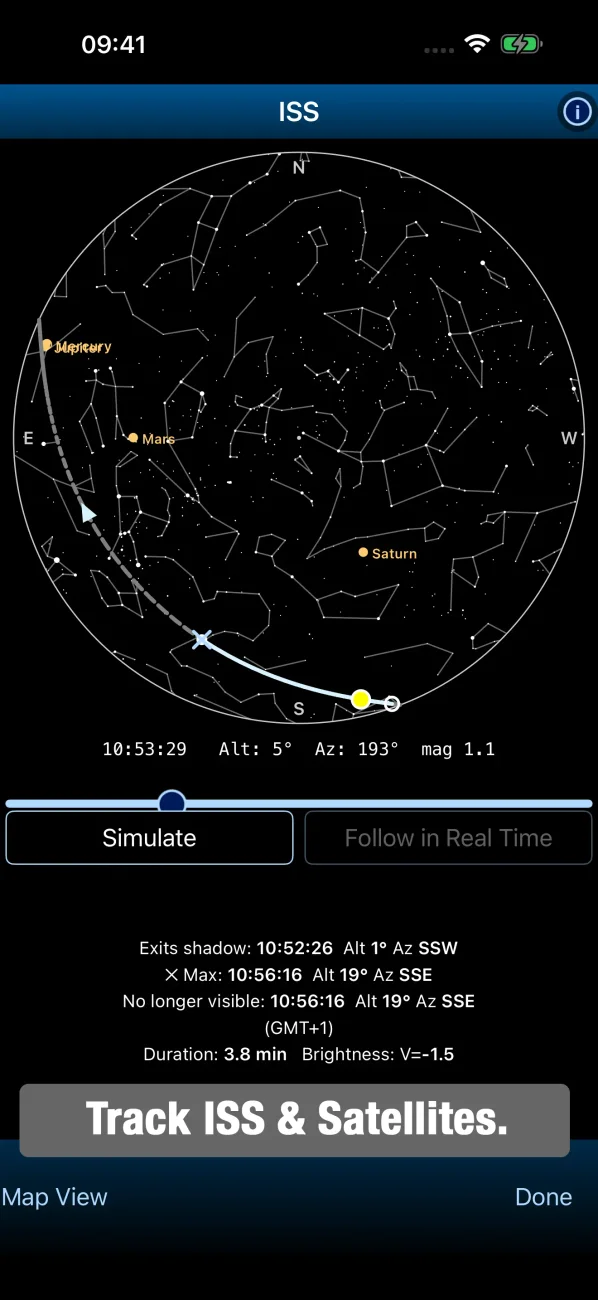
• ISS & Satellites: find visible passes, follow satellites on sky charts and live maps, or play through the night's passes.
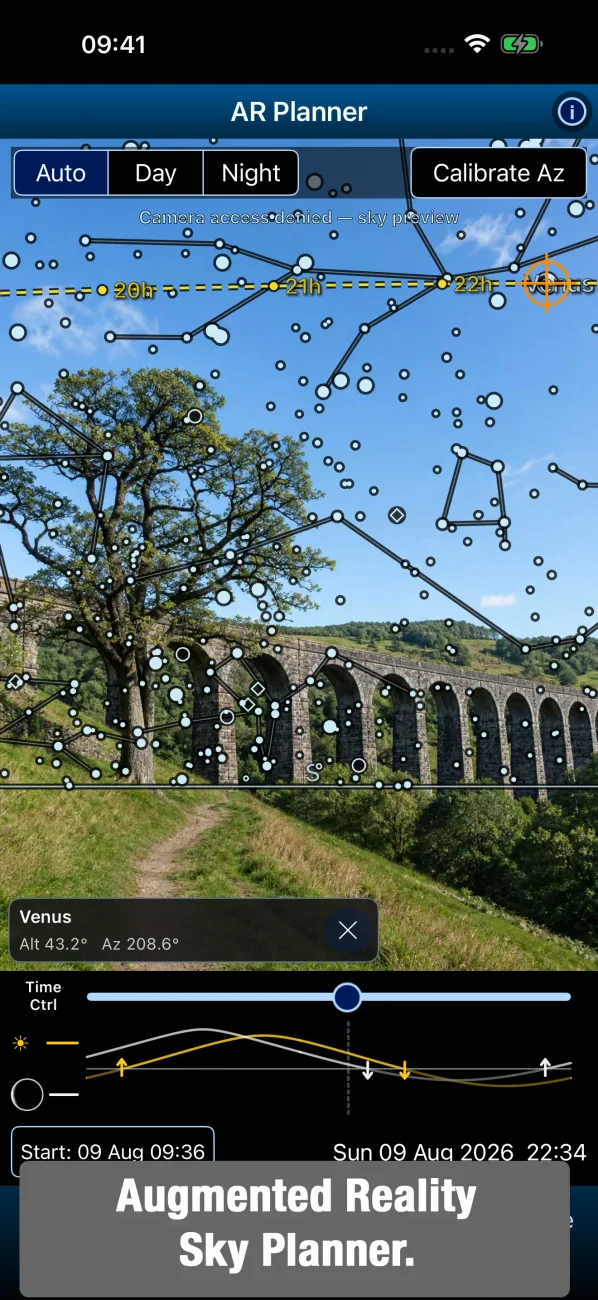
• Augmented Reality Sky Planner: overlay a star chart on the camera view. Move through time to plan targets around your horizon and landmarks, or compose a nightscape.
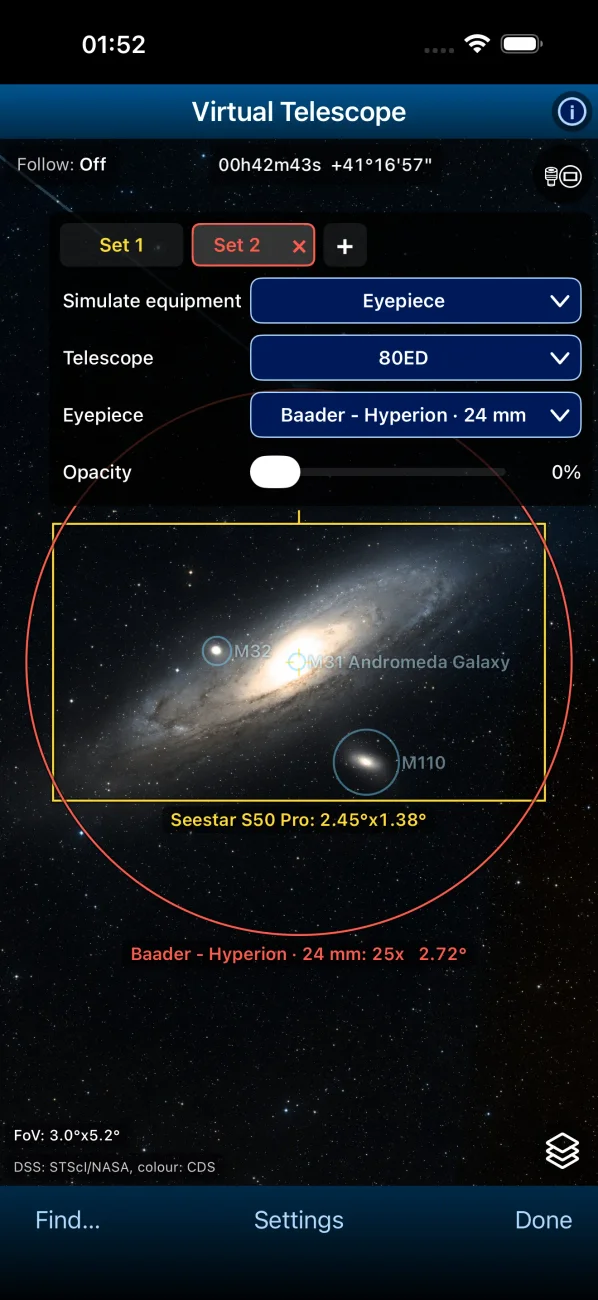
• Virtual Telescope: explore a simulated sky and preview the field of view of your telescopes, eyepieces and cameras. Project your own astrophotos onto the sky and explore your gallery in a flyover slideshow tour.
• Home Screen Widgets: keep astronomy weather, aurora conditions and upcoming satellite passes at a glance.
FIND AND OBSERVE
• Push To (Manual GoTo): attach your phone to a manual telescope and follow arrows to your target. Sync on a known star or use star-hopping for high accuracy.
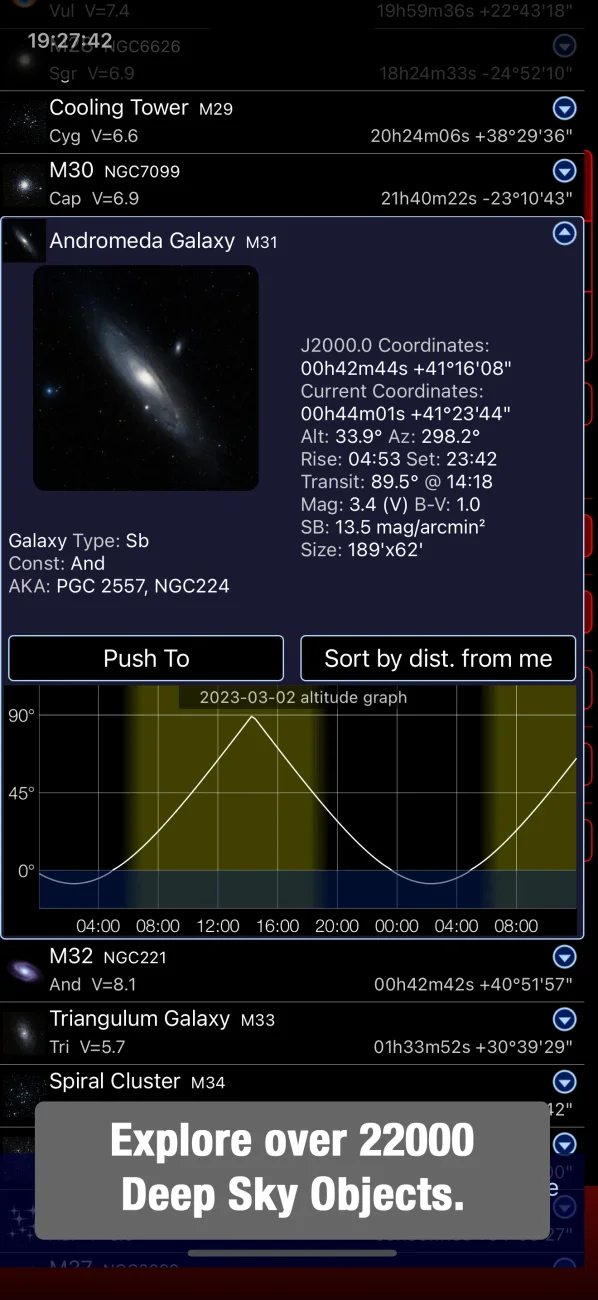
• DSO Database: explore 22,000+ deep-sky objects, stars and Solar System targets. Search, filter and build observing lists. Mark objects as observed, add notes and export them.
• Observing Charts: see altitude, Moon separation and how long a target stays high in a dark sky. Follow a target across the sky with a time slider.
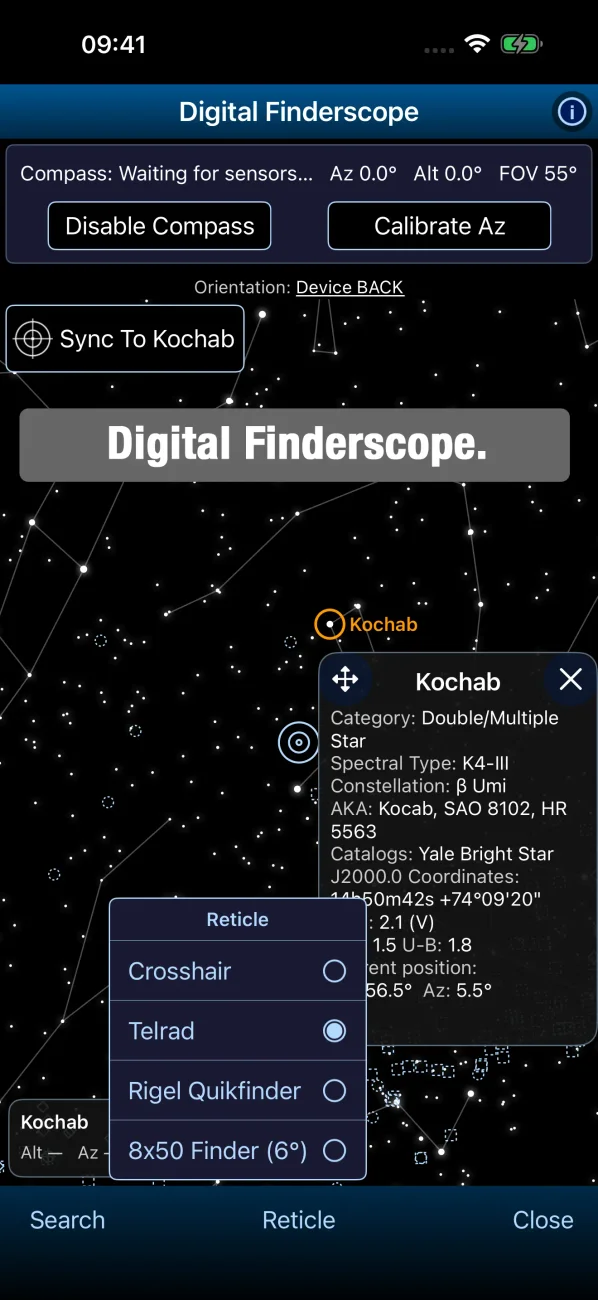
• Digital Finderscope: a live, zoomable sky map follows your phone and guides you to a selected target.
CAPTURE, EDIT AND PLATE-SOLVE
• Astro Camera: manual controls for photos and time-lapses, Star Trail mode with optional fading, and Deep Stack / Long Exposure mode to align and stack shots from a tripod or tracker. Star Assist helps you focus; a sky overlay helps you frame.
• Photo Editor: open JPEG, TIFF, RAW and FITS files or Astro Camera stacks. Develop RAW, adjust exposure, stretch, curves, color and detail, then crop and export.
• Plate Solver: identify a photo's sky coordinates, field of view and orientation. Add constellation lines and object labels.
• Canon Remote: Bluetooth shutter control and intervalometer for Canon cameras compatible with the BR-E1 wireless remote.
ALIGN AND CONTROL
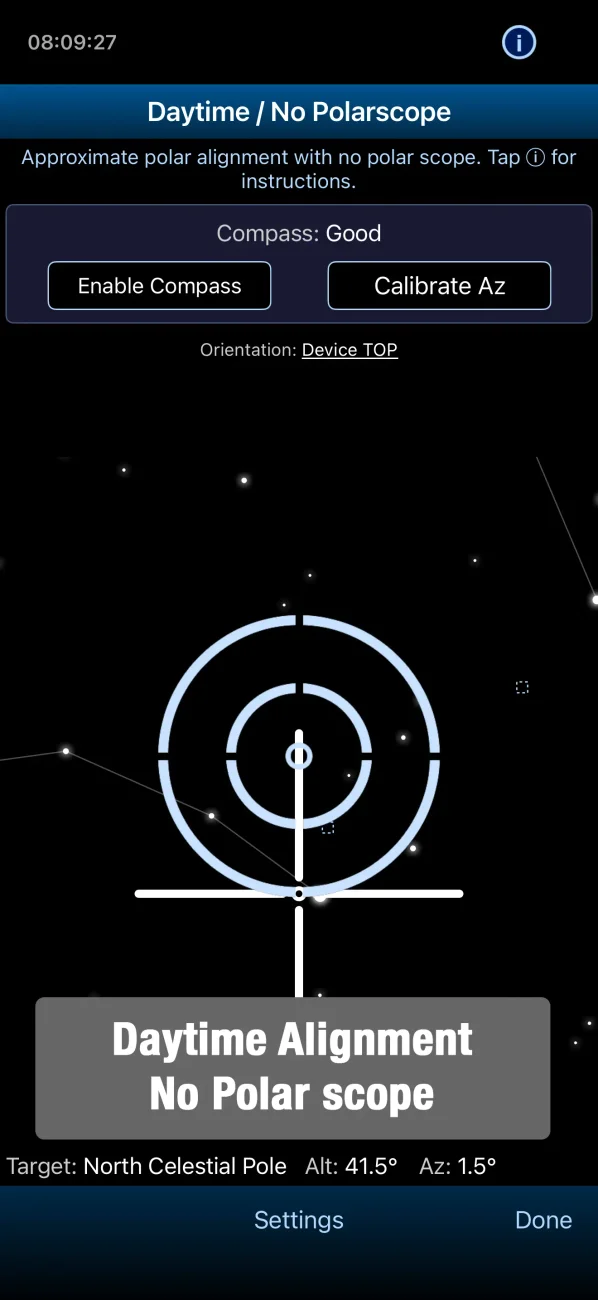
• Daytime / No Polar Scope Alignment: align a star tracker or equatorial mount, day or night. Use the compass or calibrate azimuth with the camera on the Sun, Moon or stars.
• Laser / Hop Align: polar-align with a laser or with a polar scope when the pole star is not visible.
• Mount WiFi Control: control compatible iOptron, OnStep and Pegasus NYX mounts, with experimental ZWO support.
• Level, Compass & Sensors: measure level and tilt, and inspect GPS and sensor data.
CALCULATE AND EXPLORE
• Astro Calculators: 30+ searchable calculators for observing and imaging, including field of view, magnification, exposure, focal length and image scale. Shared inputs and remembered values make comparisons easier.
• Solar Eclipses: find eclipses for your location or browse upcoming total and annular eclipses worldwide. Explore path maps, check local circumstances and rehearse an eclipse in the live simulation.
Whether you observe with binoculars, a manual telescope, a GoTo mount or an imaging rig, Astro Tools keeps the information and practical tools you need close at hand.
Many tools are completely free. A single Pro subscription unlocks the remaining tool and offers a free trial.
Terms of Use: https://www.apple.com/legal/internet-services/itunes/dev/stdeula/
Novidades
Versão 1.6 · 27/11/2026
• New Virtual Telescope tool:
◦ Explore the sky in color photographs from the Digitized Sky Survey, with optional 2MASS infrared imagery.
◦ Pan and zoom from wide constellations down to faint galaxies, or search for an object and fly straight to it.
◦ Preview eyepiece and camera fields of view using your equipment. Compare up to four setups at once.
◦ Choose sky-chart overlays, object annotations, coordinate grids and ground visibility from the Layers panel.
◦ Project your own astrophotos onto the sky and take a photo tour that flies from one image to the next.
• New My Equipment tool:
◦ Keep a list of your telescopes, Barlows, reducers, eyepieces, cameras and smart telescopes.
◦ See what each eyepiece or camera gives with your telescope, then preview the field of view in Virtual Telescope.
• Mount WiFi Control improvements:
◦ New Scope View replaces Point Query, bringing search, filtered nearby objects, directional controls, GoTo and Sync together on one sky chart.
◦ New Virtual Scope opens Virtual Telescope with the ability to follow your mount.
◦ Access Mount Setup from Point GoTo, Scope View and Move & Sync without leaving the tool.
◦ OnStep support is no longer experimental.
• Astro Camera improvements:
◦ New Fast Object Removal slider in Star Trail review helps remove planes and satellites after your session.
◦ Fixed Deep Stack stacking issues with bright foreground objects.
◦ Save and reload sessions to continue editing later.
• AR Planner: tap a star, planet or object in the camera view for an information card.
• Push To, Digital Finderscope and AR Planner: new Bright stars/planets/DSO option in the quick-selection dropdown.
• Plate Solver improvements:
◦ New Starfield-only annotations keep labels and constellation lines off trees, buildings and other foreground objects. Enabled by default.
◦ Simplified annotation settings and a new Auto Solve button that takes you straight from setup to the labeled photo.
• Shared constellation settings now apply across sky charts, Virtual Telescope and Plate Solver. Choose IAU or Stellarium figures, lines or names, and abbreviated or full names. Stellarium figures with full names are the new default.
• Improved landscape layouts across many tools, with title-bar hiding.
If you'd like to support Astro Tools, please rate or review!
Privacidade do app
O que Dimitrios Kechagias declara na App Store sobre como este app lida com os dados.
-
Dados não coletados
O desenvolvedor não coleta nenhum dado deste app.
As práticas de privacidade podem variar, por exemplo, com base nos recursos que você usa ou na sua idade.
Informações
- Vendedor
- Dimitrios Kechagias
- Categoria
- Utilidades
- Versão
- 1.6
- Atualizado
- 27/11/2026
- Lançamento
- 26/08/2026
- Tamanho
- 35,6 MB
- Requer
- iOS 15 ou posterior
- Classificação etária
- 4+
- Preço
- Grátis
- Compras no app
- Sim
- Idiomas
- Inglês
- Copyright
- © 2026 D. Kechagias
Você também pode gostar
-
 Touch-N-StarsUtilidades
-
 StellarMateUtilidades
-
 SynScan ProUtilidades
-
 StaXlink: Satellites TrackerSatellite Tracker ISS Starlink
-
 Staslink: Satellites TrackerUtilidades
-
 DeFlock.meUtilidades
-
 INKBIRDSmart Home Smart Life
-
 Ubiquiti WiFimanUtilidades
-
 Comet - AI Browser & AssistantBrowser and AI assistant
-
 MySubaruUtilidades