- Classificação etária4+
- CategoriaUtilidades
- DesenvolvedorYuuki Nishiyama
- IdiomasJaponês
- Tamanho20,8 MB
Leva à página oficial na App Store
O Download.org não hospeda nenhum arquivo de AWARE Client V3. O botão abre a página do app na App Store, onde Yuuki Nishiyama o publica. Página verificada pela última vez em 27/11/2026.
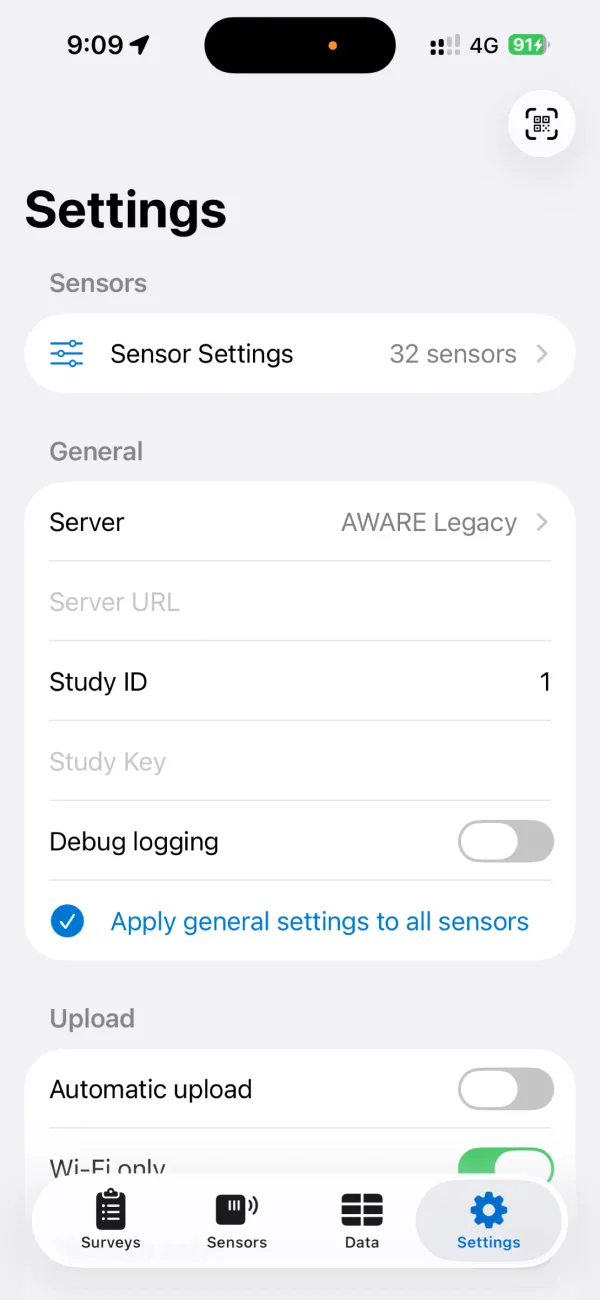
Capturas de tela
Sobre
O desenvolvedor não forneceu este texto no seu idioma.
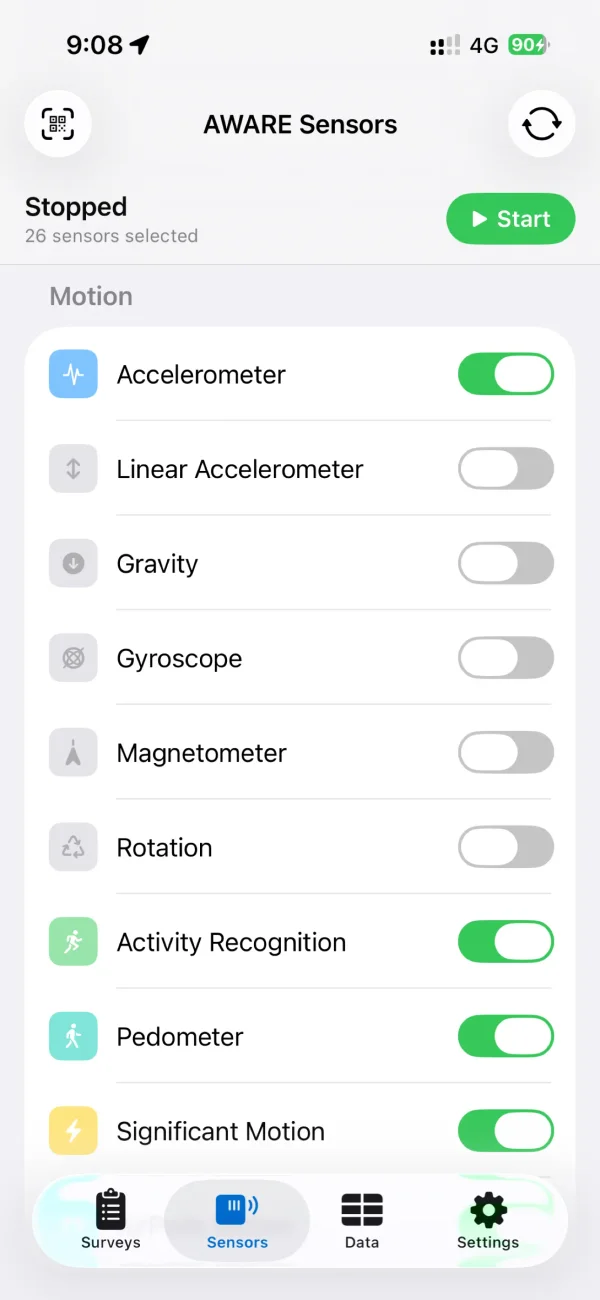
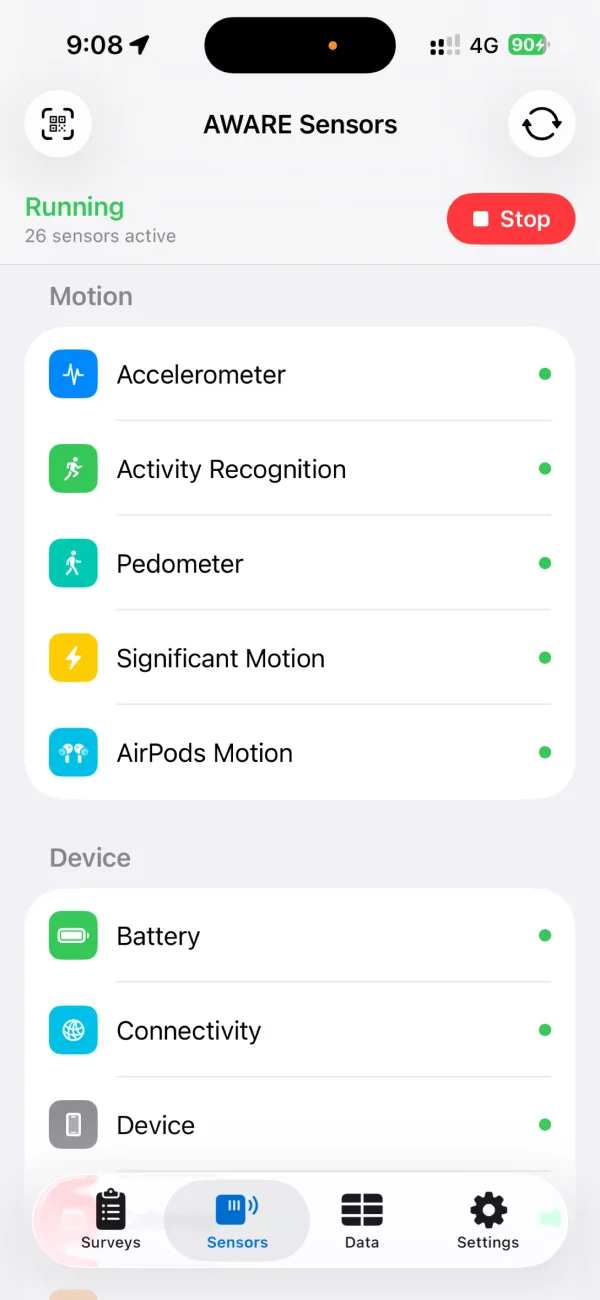
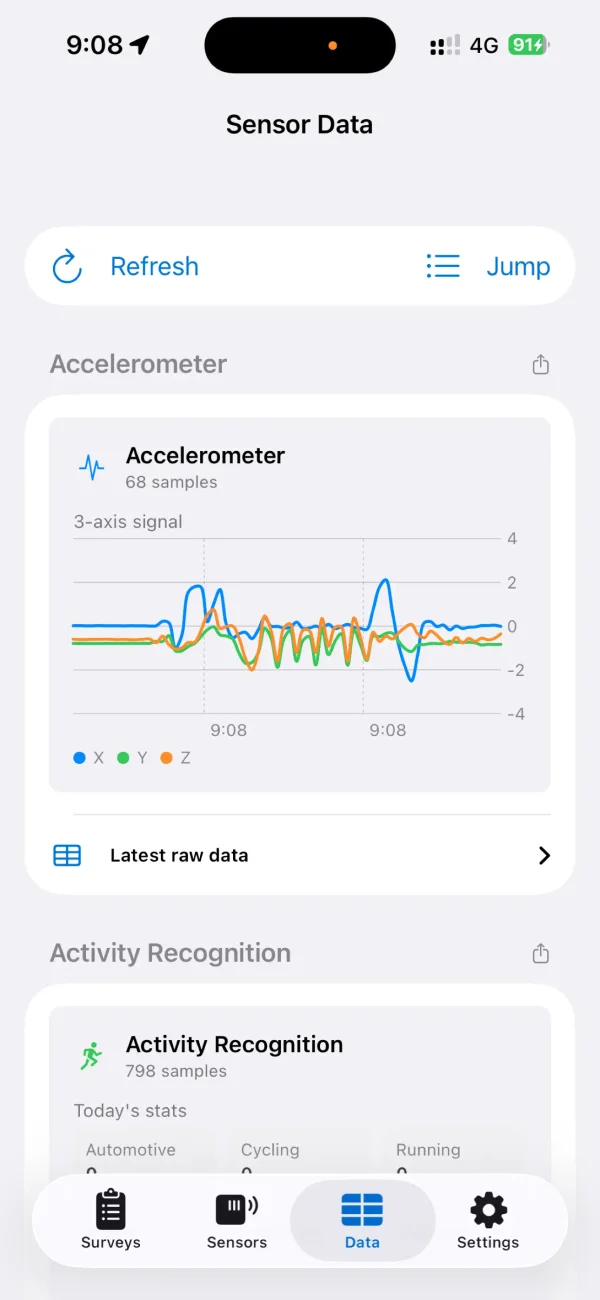
AWARE Client V3 is a comprehensive mobile sensing platform designed for academic and behavioral research studies. It enables researchers to passively collect contextual sensor data from participants' iOS devices, if configured, and synchronize it to a secure research server.
SENSORS INCLUDED IN THIS RELEASE:
Motion & Activity
• Accelerometer — raw acceleration along 3 axes
• Gyroscope — rotational velocity
• Gravity — gravity vector
• Magnetometer — ambient magnetic field
• Linear Accelerometer — acceleration excluding gravity
• Rotation — full device orientation
• Barometer — atmospheric pressure and relative altitude
• Pedometer — step count, distance, and floors climbed
• Activity Recognition — walking, running, cycling, driving, or stationary
• Significant Motion — transitions between significant movement states
• AirPods Motion — supported AirPods head motion and orientation data
Device & Connectivity
• Battery — charge level and charging state
• Screen — screen on/off/locked/unlocked events
• Device — model, OS version, and hardware identifiers
• Processor — CPU and memory usage
• Network — internet availability and traffic counters
• Bluetooth — nearby Bluetooth Low Energy scan results
• Timezone — current timezone and changes
• HealthKit — selected Apple Health records such as heart rate, sleep, activity, workouts, ECG, activity summaries, and audiograms
• Apple Watch — supported Apple Watch sensor collection when paired with the iOS app
• Music — playback state and now-playing metadata from the system music player
• Photos — photo library asset metadata and optional on-device image recognition labels
• Keyboard — keyboard usage event metadata through the bundled custom keyboard extension
• App Logger — foreground/background lifecycle events
Environment & Location
• Locations — GPS coordinates, visited places, and compass heading
• Wi-Fi — nearby access point scan results
• iBeacon — nearby configured iBeacon ranging and region events
• Calls — call event metadata (no audio content is recorded)
• OpenWeather — current weather conditions via OpenWeather API
• Notification — push notification and silent command events
• Shortcuts — Apple Shortcuts personal automation triggers
HOW IT WORKS:
1. Scan the QR code provided by your study administrator
2. Select the sensors relevant to your study
3. Tap the main switch to start data collection
4. Data is stored locally on-device and uploaded to your research server on schedule
PRIVACY:
All data collection requires explicit user consent. HealthKit data is collected only when enabled for the study and authorized by the participant. Health update access is used only when a study enables saving selected study-generated health records to Apple Health. Music and Photos data collection requires the corresponding iOS permission and stores metadata or on-device recognition labels, not media files. Keyboard data collection requires enabling the bundled custom keyboard and Full Access in iOS Settings. The default keyboard storage mode stores only metadata and masks the key and text fields. Data is transmitted only to the server configured by your study administrator.
For research use only. Setup requires configuration by a study administrator.
Novidades
Versão 1.8.0 · 26/11/2026
What's New
- New upload settings: choose the request size (Auto / 1 / 4 / 8 / 16 MB) and turn on Fast Upload to send data without pauses while the app is open.
- New Upload Diagnostics page that shows where upload time is spent (prepare, connect, send, server, delete, rest, retry), points out the bottleneck, and lets you copy a report.
- Uploads are scheduled more reliably: at a set interval, when charging starts, and in the background.
- Added a distance filter setting for location. "Save All Locations" is now off by default.
- "Apply Settings to Watch" now sends your settings to the Apple Watch app, and the watch keeps them after it restarts. Changes made on the watch are no longer overwritten when the iPhone app launches.
- All Apple Watch sensors are now off by default.
- HealthKit now asks for access to heart rate variability, resting heart rate, and walking heart rate.
- Pedometer and activity recognition now fill in all missed history, with no gaps.
- The ambient noise sensor can now use a Bluetooth headset microphone.
- Fixed a crash in the OpenWeather sensor.
Privacidade do app
O que Yuuki Nishiyama declara na App Store sobre como este app lida com os dados.
-
Dados vinculados a você
Podem ser coletados e vinculados à sua identidade.
- Saúde e fitness
- Localização
- Conteúdo do usuário
- Identificadores
- Dados de uso
- Informações confidenciais
- Diagnóstico
As práticas de privacidade podem variar, por exemplo, com base nos recursos que você usa ou na sua idade.
Informações
- Vendedor
- Yuuki Nishiyama
- Categoria
- Utilidades
- Versão
- 1.8.0
- Atualizado
- 26/11/2026
- Lançamento
- 28/06/2026
- Tamanho
- 20,8 MB
- Requer
- iOS 16.6 ou posterior
- Classificação etária
- 4+
- Preço
- Grátis
- Idiomas
- Japonês
- Copyright
- © 2026 AWARE Framework