BezelBlend
Portable Screenshots Studio
Projetado para iPhone, iPad
Grátis · Compras no app
- Classificação etária4+
- CategoriaProdutividade
- Desenvolvedorrenwei han
- IdiomasInglêse mais 4
- Tamanho98,9 MB
Leva à página oficial na App Store
O Download.org não hospeda nenhum arquivo de BezelBlend. O botão abre a página do app na App Store, onde renwei han o publica. Página verificada pela última vez em 15/11/2026.
Capturas de tela

Sobre
O desenvolvedor não forneceu este texto no seu idioma.
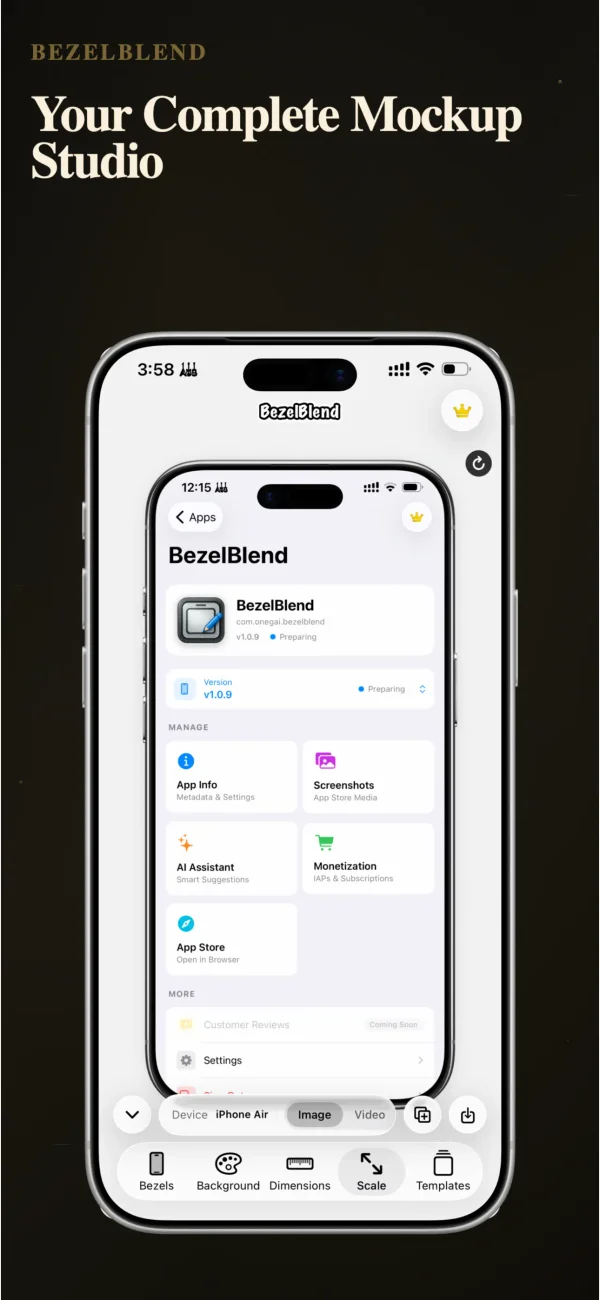
Create stunning, hyper-realistic device mockups with pixel-perfect precision using BezelBlend—the premier professional mockup tool trusted by designers worldwide.
■ KEY FEATURES
• LATEST DEVICE SUPPORT — Includes iPhone 17 Series, iPhone Air, Apple Watch Series 11 & Ultra 3
• TRUE-TO-LIFE MATERIALS — Accurately calibrated colors and finishes that replicate real Apple devices
• HIGH-QUALITY OUTPUT — Generate ultra-high-resolution images optimized for marketing and presentation purposes
• EXTENSIVE CUSTOMIZATION — Over 22 Apple Watch band combinations with authentic materials and textures
• DUAL ORIENTATION — Create perfect mockups in both landscape and portrait modes
• SMART COLOR SYSTEM — Advanced color picker with material-aware matching for seamless palette integration
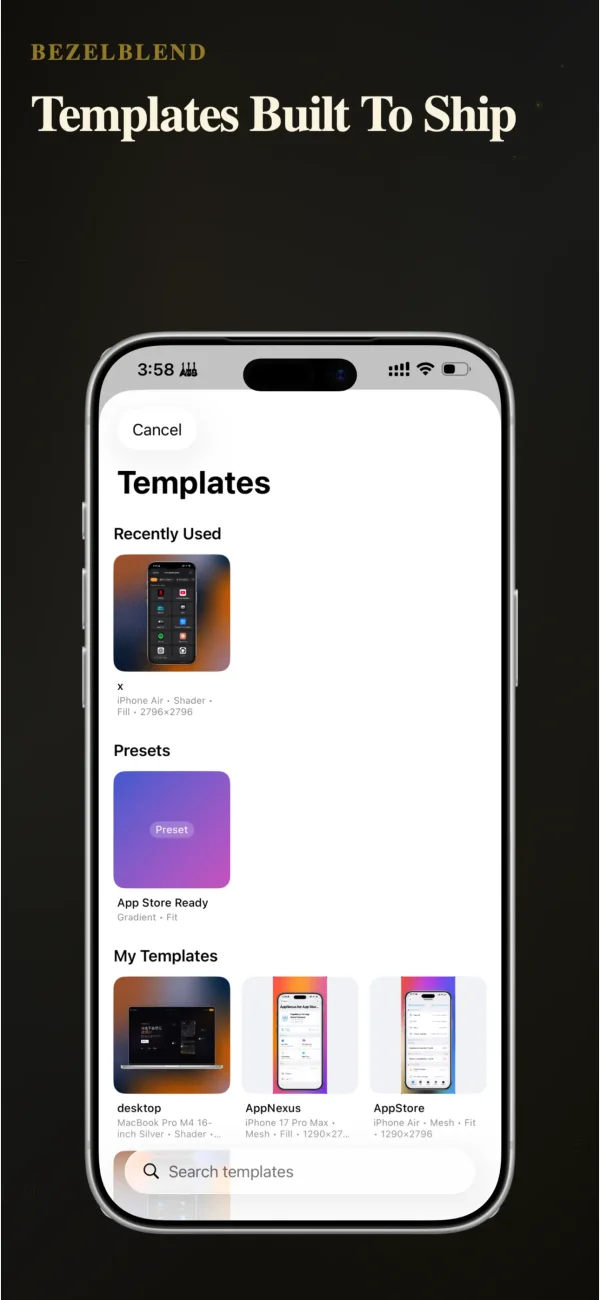
■ NEW: STYLE TEMPLATES
• SAVE YOUR DESIGNS — Capture your favorite combinations of background, device frame, canvas size, and settings as reusable templates
• ONE-TAP APPLICATION — Apply saved templates instantly to new projects for consistent branding
• STREAMLINED WORKFLOW — Eliminate repetitive setup and focus on creating stunning visuals
■ CANVAS EDITOR
• Robust editing panel with organized sections for Background, Border, Dimensions, and Scale settings
• Switch effortlessly with a tap
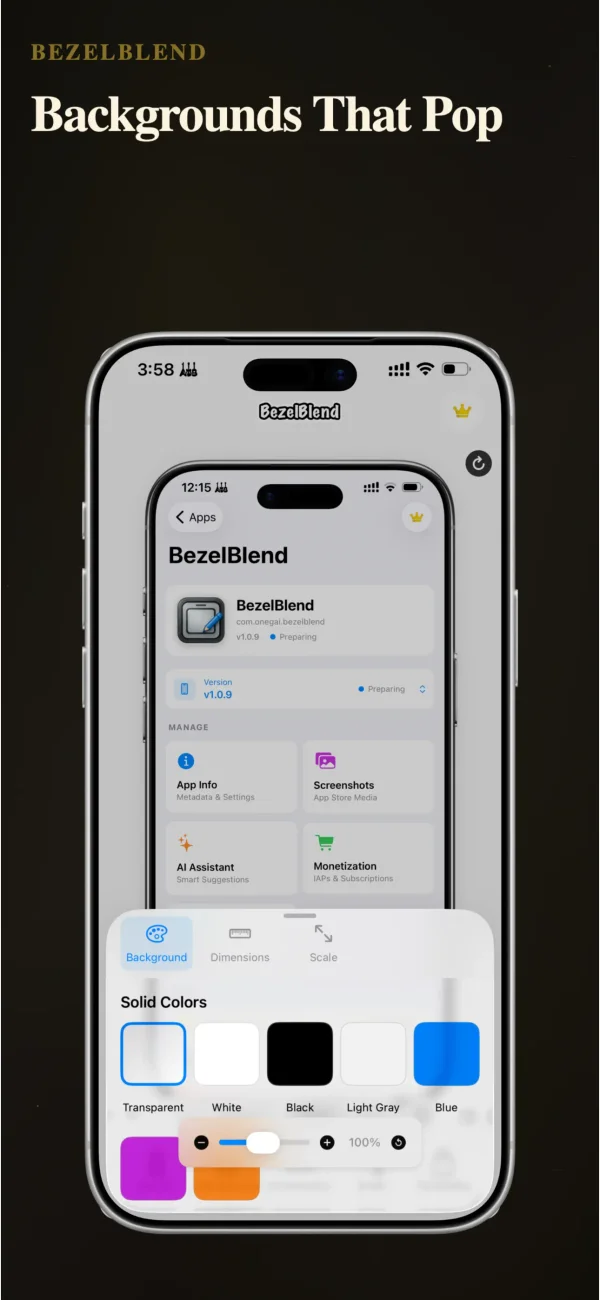
• VIBRANT BACKGROUND COLLECTION — Choose from 20+ stunning backgrounds including Rainbow, Aurora, Tropical gradients, plus innovative Mesh Gradients (Iridescent, Lava, Tropical) and artistic shader effects
■ PRECISION CONTROLS
• SCALING MODES — Control how screenshots fit within bezels:
- Fit (entire content visible)
- Fill (completely fill bezel)
- Stretch (fill edges, distort proportion)
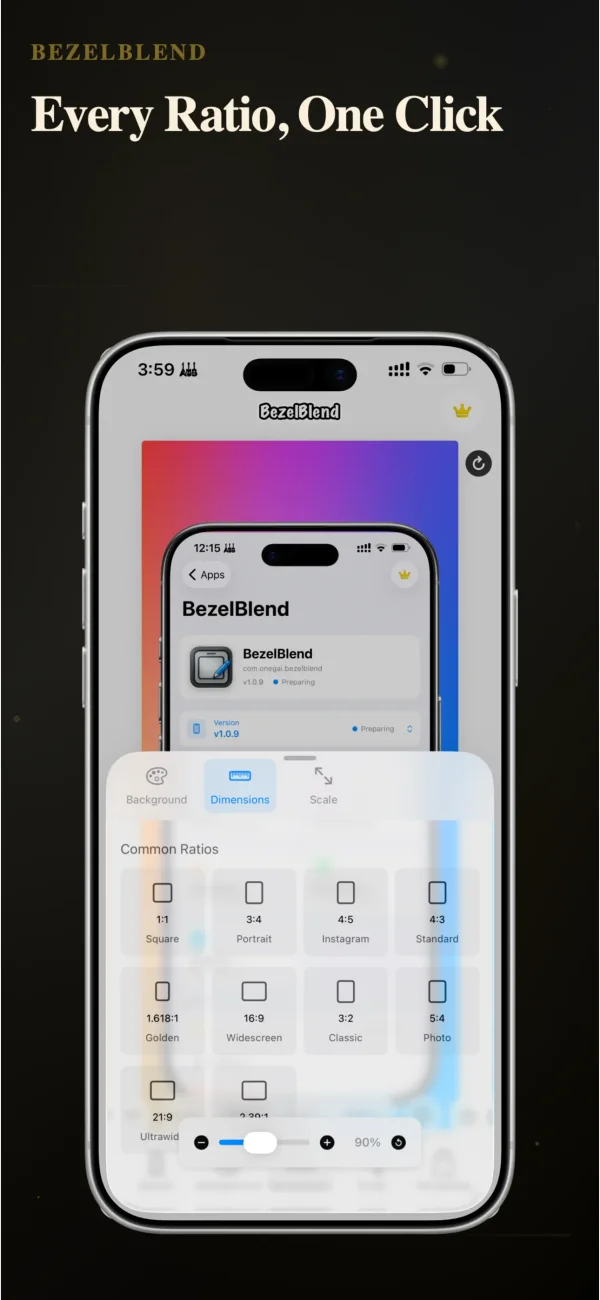
• APP STORE DIMENSION PRESETS — One-tap access to official App Store screenshot sizes for all devices
• STANDARD ASPECT RATIOS — Square (1:1), Widescreen (16:9), Golden Ratio (1.618:1), Cinema (2.39:1), and more
• CUSTOM DIMENSIONS — Enter exact width and height values for pixel-perfect control
• BORDER CONTROLS — Adjustable width, corner radius, color, and style options (solid, dashed, dotted, double)
■ IDEAL FOR
• App developers creating compelling App Store screenshots
• UI/UX designers showcasing prototypes in realistic contexts
• Marketing teams producing polished promotional visuals
• Agencies preparing impressive client presentations
■ DEVICE LIBRARY
iPhone Models:
• iPhone 17 Pro Max, Pro, Plus, Standard
• iPhone Air with ultra-thin, authentic proportions
• Complete iPhone 16 series in all color options
Apple Watch Models:
• Series 11 (42mm & 46mm) — 22 color combinations
• Ultra 3 — 13 premium material options
• Authentic Sport Bands, Sport Loops, Milanese Loop, Magnetic Link
■ MATERIALS & FINISHES
• Aluminum: Silver, Space Gray, Rose Gold, Jet Black
• Titanium: Natural, Gold, Slate — featuring authentic textures
• Enhanced visibility system for light-colored devices
• Brushed titanium and polished aluminum for true realism
■ WHY CHOOSE BEZELBLEND
"The color accuracy is incredible — finally, Apple Watch combinations look authentic." — Design Agency Lead
"Saves hours of work. The iPhone 17 support was available before anyone else." — App Developer
"Attention to detail is unmatched; even titanium textures appear genuine." — Marketing Director
Transform your screenshots into professional-grade marketing assets with the precision and realism your brand deserves.
Terms of Use: https://www.apple.com/legal/internet-services/itunes/dev/stdeula/
Novidades
Versão 1.2.0 · 05/06/2026
Add Text — Turn a screenshot into a finished marketing shot
Your screenshots can now tell the story. Drop text straight onto the canvas — a headline, a feature callout, a caption — and style it to match your look. Pick a font, set the weight, choose a color, line it up, and size it from a small caption all the way up to a big poster headline. It works in both single-photo and Canvas Mode.
■ New Features
• Add text on the canvas: Tap Text to drop a text box anywhere, then type right where it sits — no separate dialog
• Style it your way: Choose a font, set the weight, pick any color, and align it left, center, or right
• One-tap size presets: Jump between Caption, Body, Title, Hero, and Poster sizes, or fine-tune the font size yourself
• Quick edits: Tap a text box to select it, drag to reposition, pinch to resize, and delete it from the controls bar
■ Improvements
• Text works everywhere: Add and style text in both single-photo editing and multi-device Canvas Mode
• Smarter toolbar: The text controls stay anchored above the keyboard so the options you need are always in reach
Privacidade do app
O que renwei han declara na App Store sobre como este app lida com os dados.
-
Dados não coletados
O desenvolvedor não coleta nenhum dado deste app.
As práticas de privacidade podem variar, por exemplo, com base nos recursos que você usa ou na sua idade.
Informações
- Vendedor
- renwei han
- Categoria
- Produtividade
- Versão
- 1.2.0
- Atualizado
- 05/06/2026
- Lançamento
- 19/03/2025
- Tamanho
- 98,9 MB
- Requer
- iOS 26.0 ou posterior
- Classificação etária
- 4+
- Preço
- Grátis
- Compras no app
- Sim
- Idiomas
- Inglês, Japonês, Coreano, Chinês simplificado, Chinês tradicional
- Copyright
- © 2024 Onegai
Você também pode gostar
-
 Calendar ScheduleProdutividade
-
 FlipScapeProdutividade
-
 CalUnityProdutividade
-
 daily reflections : ResetProdutividade
-
 CliperX-Inspiration CollectionProdutividade
-
 PatchDoc:File & Code EditorProdutividade
-
 Remical:widget de calendárioWidgets for Calendar Reminders
-
 Island PocketProdutividade
-
 Prompt AI - PromptFlowProdutividade