ClipRing
Clipboard History, Everywhere
Projetado para iPhone, iPad, Mac
Grátis · Compras no app
- Classificação etária4+
- CategoriaProdutividade
- DesenvolvedorMicrodog Labs LLC
- IdiomasInglês
- Tamanho3,5 MB
Leva à página oficial na App Store
O Download.org não hospeda nenhum arquivo de ClipRing. O botão abre a página do app na App Store, onde Microdog Labs LLC o publica. Página verificada pela última vez em 15/11/2026.
Capturas de tela



Sobre
O desenvolvedor não forneceu este texto no seu idioma.
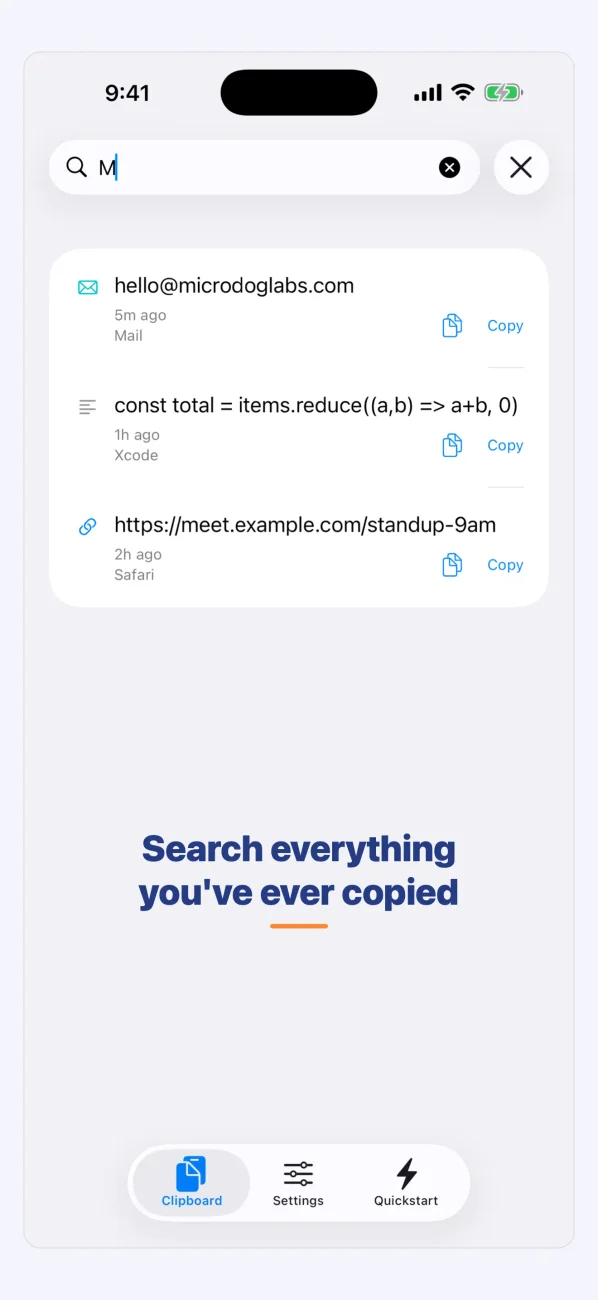
ClipRing is a clipboard history manager for iPhone, iPad, and Mac. Every time you copy text, ClipRing quietly saves it — so nothing you copy is ever lost again.
Free to download and use. Upgrade to ClipRing Pro with a single one-time purchase — no subscription, ever.
▼ NEW: QUICK-PASTE PALETTE (MAC)
Press ⌥⌘V in any app and a Spotlight-style panel appears with your clipboard history. Type to search, press Return, and the clip pastes right into the app you were in. ⌘1–⌘9 paste a row instantly. It's the fastest way to get that thing you copied twenty minutes ago back under your cursor.
▼ NEW: ICLOUD SYNC (PRO)
Copy on your Mac, paste on your iPhone. Your clipboard history syncs privately through your own iCloud account — never through our servers. One ring, all your devices.
▼ CLIPRING KEYBOARD (IPHONE & IPAD)
Switch to the ClipRing keyboard in any app to paste any item from your history. Tap to paste, swipe to delete. No app switching, no hunting for what you copied earlier.
▼ SAVE FROM ANYWHERE
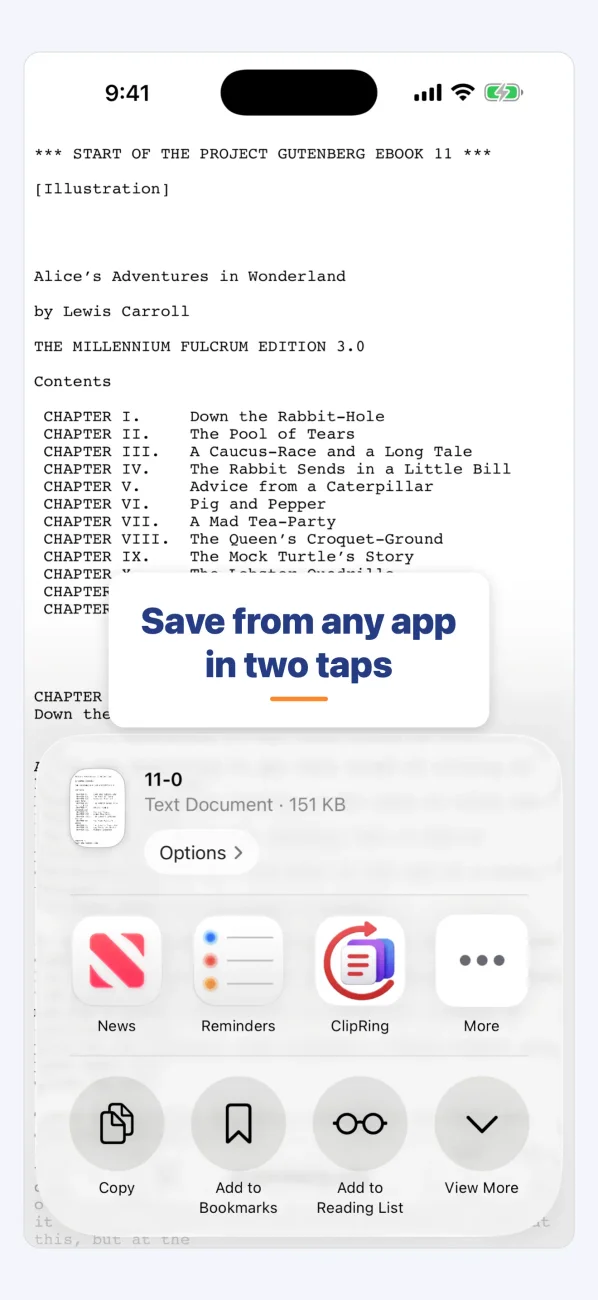
Copy text on your Mac and it's captured automatically. On iPhone, just copy and open ClipRing — auto-save captures your clipboard the moment the app appears. Prefer other routes? The Share sheet, a one-tap import button, and Shortcuts actions (pair "Save Text to ClipRing" with Back Tap) are all there too.
▼ HOME SCREEN WIDGET (IPHONE & IPAD)
Put your recent clips on the Home Screen. Tap the copy button on any row and it's back on your clipboard — without even opening the app.
▼ MAC POWER FEATURES
• ⇧⌘V cycles through history in place — works even in terminal apps (iTerm2, Terminal, Warp, kitty and more)
• Pin favorites: pinned clips never expire and never get pushed out
• Launch at login, and an optional menu-bar-only mode (no Dock icon)
• Shortcuts support: read your latest clip, pick from recent clips, or save text from any automation — bind "Choose a Clip" to Back Tap or the Action button for instant paste access
▼ FULLY CONFIGURABLE
• Ring size up to 100 items (Pro), auto-expiration from 1 hour to 30 days, deduplication, max text length
▼ PRIVATE BY DESIGN
ClipRing works entirely on your device. Passwords copied from password managers are automatically excluded and never recorded. No analytics, no ads, no tracking — and sync, if you enable it, goes only through your personal iCloud account. Ever.
■ FREE VS PRO
• Free: full capture, quick-paste palette, keyboard, Share sheet, 10 most recent items, 1 pin.
• Pro (one-time purchase): ring size up to 100, unlimited pins, iCloud sync.
Bought ClipRing 1.x when it was a paid app? You get Pro automatically — thank you for the early support.
Novidades
Versão 2.0 · 16/07/2026
ClipRing is now free to download!
• NEW Quick-Paste Palette (Mac): press ⌥⌘V anywhere, search your history, paste with Return
• NEW iCloud Sync (Pro): copy on your Mac, paste on your iPhone
• NEW ClipRing Pro one-time upgrade — no subscription. Bought 1.x? You're upgraded automatically.
• NEW Home Screen widget (iOS): recent clips at a glance, tap to copy
• Shortcuts support: "Get Latest Clip", "Save Text to ClipRing", and "Choose a Clip" actions — trigger them from Back Tap, Siri, or Spotlight
• Launch at login and menu-bar-only mode (Mac)
• Passwords from password managers are now automatically excluded
• Keyboard navigation in the menu-bar popover, monospaced code previews, one-tap clipboard import on iOS
Note: ClipRing 2.0 requires iOS 17 / macOS 14 or later. Devices on older OS versions keep ClipRing 1.0.
Privacidade do app
O que Microdog Labs LLC declara na App Store sobre como este app lida com os dados.
-
Dados não coletados
O desenvolvedor não coleta nenhum dado deste app.
As práticas de privacidade podem variar, por exemplo, com base nos recursos que você usa ou na sua idade.
Informações
- Vendedor
- Microdog Labs LLC
- Categoria
- Produtividade
- Versão
- 2.0
- Atualizado
- 16/07/2026
- Lançamento
- 15/06/2026
- Tamanho
- 3,5 MB
- Requer
- iOS 17.0 ou posterior
- Classificação etária
- 4+
- Preço
- Grátis
- Compras no app
- Sim
- Idiomas
- Inglês
- Copyright
- © 1.0
Você também pode gostar
-
 ClipperHubProdutividade
-
 Switchy - Teclado texto rápidoRespostas, e-mails e nomes
-
 MeshNotesProdutividade
-
 SmartMgmtProdutividade
-
 focus timer & tracker - foku.Produtividade
-
 Shelver: Organização casaInventário doméstico
-
 LOCKD: Life Reset & Lock inProdutividade
-
 Sync: Plan & ActualProdutividade
-
 Glance - Home Screen FeedsProdutividade
-
 PastePal - Clipboard AssistantProdutividade