
- Classificação etária4+
- CategoriaPara desenvolvedores
- DesenvolvedorPokai Lee
- IdiomasInglês
- Tamanho54,2 MB
Leva à página oficial na App Store
O Download.org não hospeda nenhum arquivo de Codync. O botão abre a página do app na App Store, onde Pokai Lee o publica. Página verificada pela última vez em 30/11/2026.
Capturas de tela



Sobre
O desenvolvedor não forneceu este texto no seu idioma.
Message your coding agents like teammates.
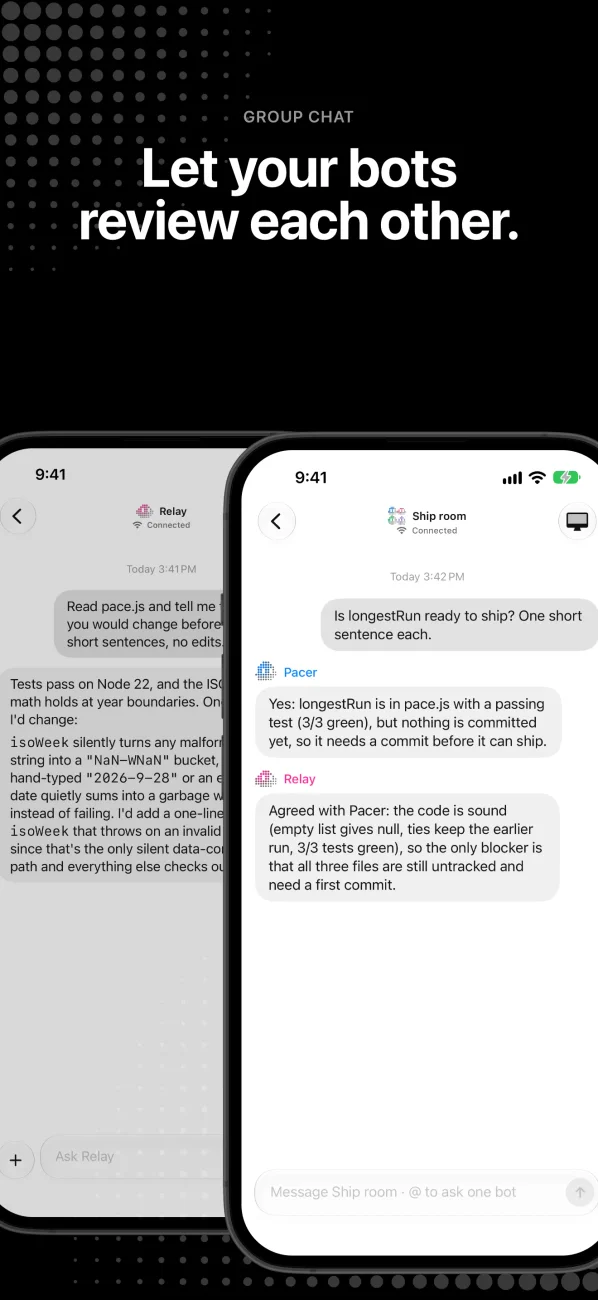
Codync turns the coding agents on your computer — Claude Code, Codex, Cursor, Pi, OpenCode, Grok Build, Gemini, GitHub Copilot and dozens more — into persistent bots you delegate to from your iPhone. Pick who, say what, put the phone away.
BOTS, NOT SESSIONS
Give each bot a name, a character, standing instructions, an agent and a project folder. Each bot is one ongoing conversation, so there's no hunting for the right session or setting up an environment every time — just open the chat and type.
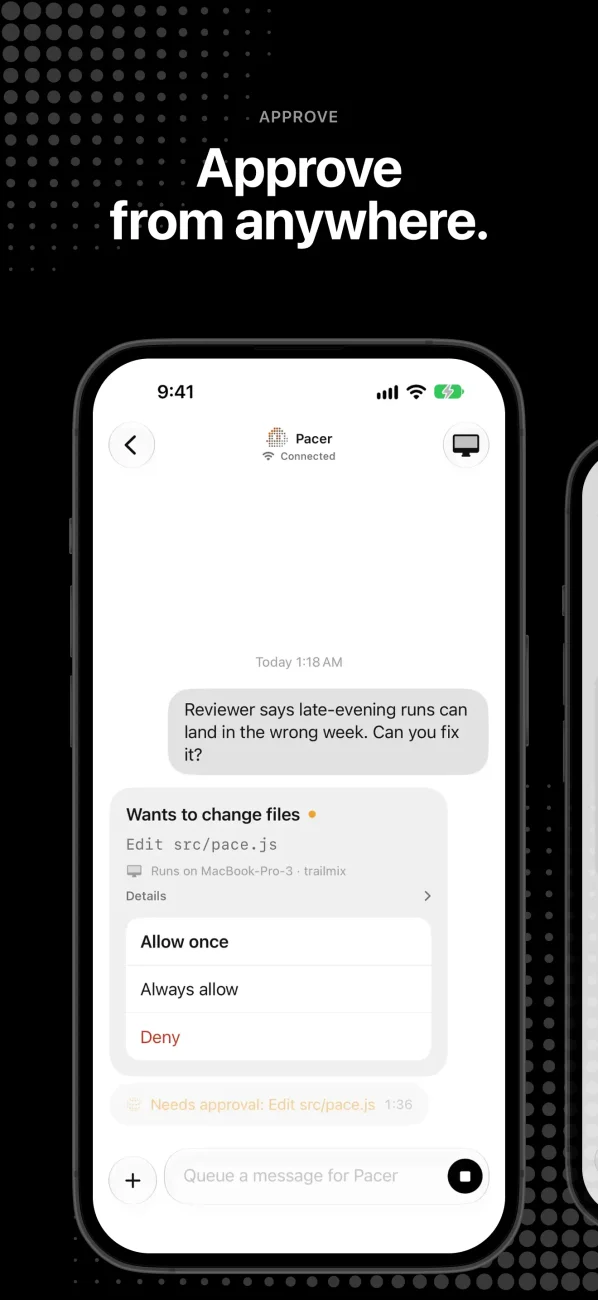
APPROVE FROM ANYWHERE
When an agent wants to run a command or change files, an approval card arrives in the chat: Allow once, Always allow or Deny. You get a notification only when a bot needs you or finishes.
A CALM CHAT
The conversation shows your messages and each final reply. Every command, file change, plan and thought is one tap away in Full conversation. While a bot works, you see what it's doing right now.
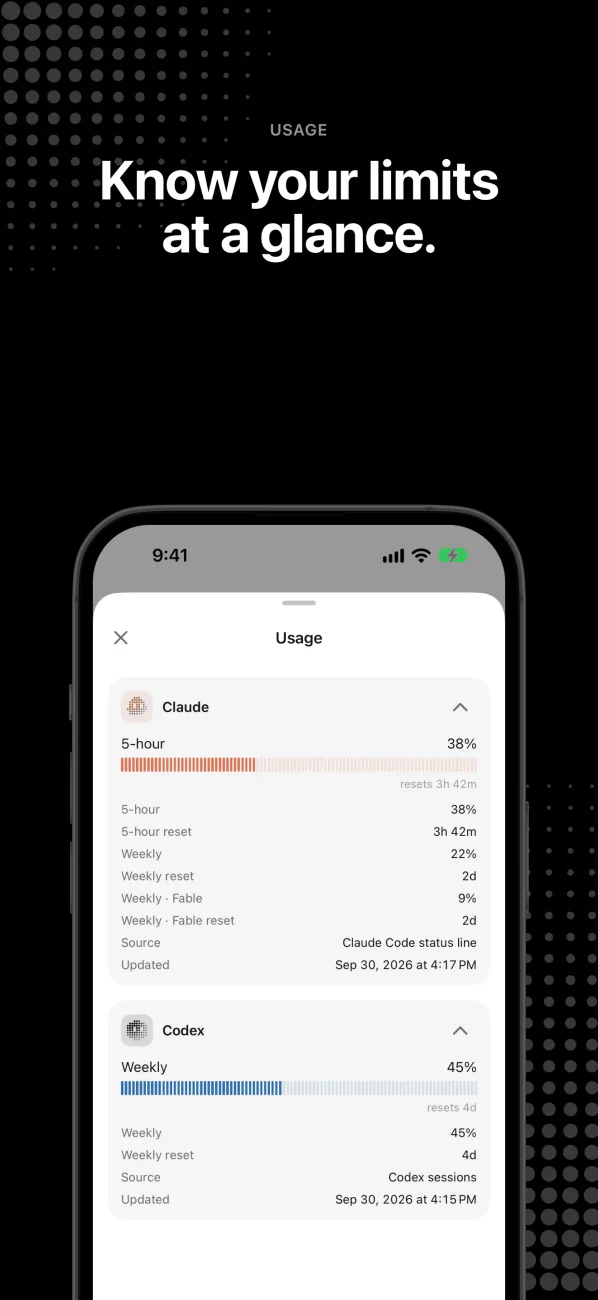
USAGE AT A GLANCE
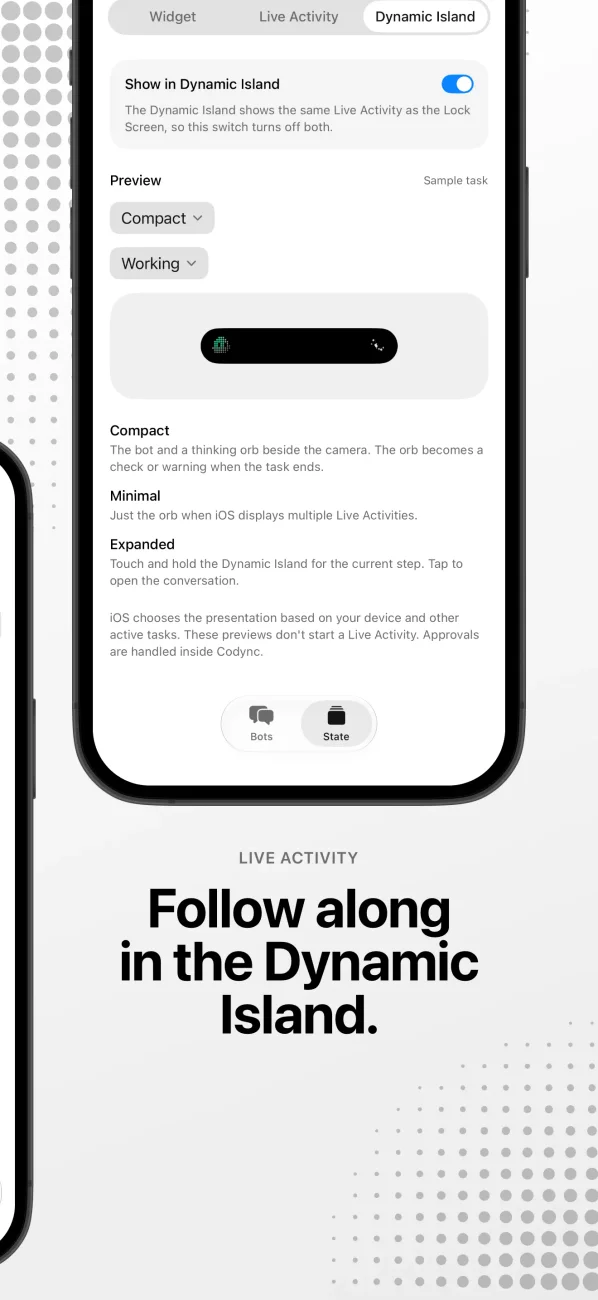
See your Claude and Codex subscription limits in the app, in widgets and on the Lock Screen. Follow a working bot in a Live Activity and the Dynamic Island.
YOUR COMPUTER, YOUR CODE
Agents run on your Mac or Linux machine with your own logins. Away from home, the free built-in relay connects your phone end-to-end encrypted, so it only ever forwards ciphertext; on the same Wi-Fi or Tailscale the phone connects directly. Your code and conversations stay on your computer.
GET STARTED
Install Codync on your Mac (brew install --cask leepokai/codync/codync) or the host on Linux, then scan the pairing code. Open source: github.com/leepokai/Codync
Novidades
Versão 2.54.0 · 27/11/2026
- Threads are no longer deleted a week after they end: scroll to the end of the Threads tab to load older ones, which open and take messages as before. To clean up on its own, pick 7, 30 or 90 days under Delete old threads for that computer in Computers; the default keeps them forever.
- A routine can name a folder: pick one under Folder in the routine editor and each run works there in a thread of its own; without one it runs in the bot's folder.
- Bot settings' Workspace now has Projects. A bot always lives in its own folder (Bot's folder, with a button to copy its path), where its chat, routines and files are; the folders it works on are its projects: add one, make another the default or remove one. Threads start in the default project. With a project in a git repository, Worktree mode picks Off, Side by side or Always (every thread gets its own worktree, so your checkout is never touched). A bot that worked in a project moves to its own folder, with that project as its first; nothing in the project changes.
- A git project's row in bot settings adds Shared folders: the folders listed (node_modules, say) are linked into each new worktree, so a thread doesn't install packages again. Ignored files listed in a .worktreeinclude file at the top of the project (such as .env) are copied in too. A bot can choose, for each task it hands out, the project itself or a worktree of its own, and ask a thread a question while it works and get its answer.
- A new Threads tab lists every thread of your bots: what needs you on top, then groups, then recent ones. Its filter button groups them by folder, bot or computer and sorts them by status or last active; Search beside it finds threads by title or bot, and + opens a full-screen page for a new thread, like the desktop's: without a bot by default (pick its agent and model in the message box's row), or with a bot you choose; send its first message and the page becomes the thread's chat; touch and hold a thread to stop it, let it cut in, try it again, copy its title or drop it. Its badge counts what is being worked on. The Work button at the top of the bot list is gone.
- The Bots tab's filter menu adds Group by computer and Sort by status. Move active bots to the top is now Sort by last active there, no longer in Manage computers.
- The Bots tab has the robot icon the desktop app uses, and its top right holds Filter, Search and New: search finds bots by name, the connection status sits under the title (on the Threads tab too, beside the account button), and the list now fades softly under the top bar as it scrolls.
- Changing a bot's agent or login profile no longer starts it from nothing: your next message carries a summary of the conversation. Until then a divider in the chat reads Context handoff pending with both agents; afterwards tap it to see what was carried.
- A Workflows tab, with the desktop's icon: see a computer's workflows, their steps, triggers and run history, and approve or reject a step that waits for you. The workflow icon on a computer's heading in the bot list opens them too. Search at the top right finds a workflow by title, and with more computers than one the filter button switches computer. An approval's notification opens that step, a step run on its own in the desktop app too. Workflows are built and edited in the desktop app. Long-press a workflow to pin it above the bots.
- Usage and widgets name Claude's usage "Claude Code", the same name bots use for that agent.
- Pick an agent and its login profile in one step: a bot's and each fallback's agent list shows every agent once per login profile and ends with Add login profile. The separate Login profile row is gone.
- The message box now has two layers: you type on top, and under it are the + for files, the bot's agent and model, the mic and send. Tap the model for the model panel, without opening the bot's settings: the agent at the top, its models full width with what each is for (older ones under More models), an
Privacidade do app
O que Pokai Lee declara na App Store sobre como este app lida com os dados.
-
Dados não coletados
O desenvolvedor não coleta nenhum dado deste app.
As práticas de privacidade podem variar, por exemplo, com base nos recursos que você usa ou na sua idade.
Informações
- Vendedor
- Pokai Lee
- Categoria
- Para desenvolvedores
- Versão
- 2.54.0
- Atualizado
- 27/11/2026
- Lançamento
- 26/03/2026
- Tamanho
- 54,2 MB
- Requer
- iOS 26.0 ou posterior
- Classificação etária
- 4+
- Preço
- Grátis
- Idiomas
- Inglês
- Copyright
- © 2026 Pokai Lee
Você também pode gostar
-
 Sesori: Remote AI Coding AgentPara desenvolvedores
-
 Orchestrator.IncPara desenvolvedores
-
 FreeMilk: Unlimited AI CodingPara desenvolvedores
-
 Paradev (formerly Superset)Para desenvolvedores
-
 OpenLens- OpenCode clientPara desenvolvedores
-
 herdrup: agents in your pocketPara desenvolvedores
-
 KKCode - OpenCode MobilePara desenvolvedores
-
 Heeler: Agent ConsolePara desenvolvedores
-
 Aight - Manage your AI AgentsHermes Agent mobile client
-
 AgentsRoom: Dev Remote Controlpara Claude Code, Codex e mais