FlowIt: Jot Floating Notes
Quick Capture, Memo, Checklist
Projetado para iPhone
Grátis · Compras no app
- Classificação etária4+
- CategoriaProdutividade
- Desenvolvedor立峰 顾
- IdiomasInglêse mais 2
- Tamanho13,6 MB
Leva à página oficial na App Store
O Download.org não hospeda nenhum arquivo de FlowIt: Jot Floating Notes. O botão abre a página do app na App Store, onde 立峰 顾 o publica. Página verificada pela última vez em 18/11/2026.
Capturas de tela
Sobre
O desenvolvedor não forneceu este texto no seu idioma.
Capture fleeting thoughts instantly, and float what matters now back to the top.
FlowIt is a fast, local-first note flow designed to capture your ideas, checklists, and calendar events in one seamless stream.
Never switch between separate memo, todo, and reminder apps again — organize your day in a single unified flow.
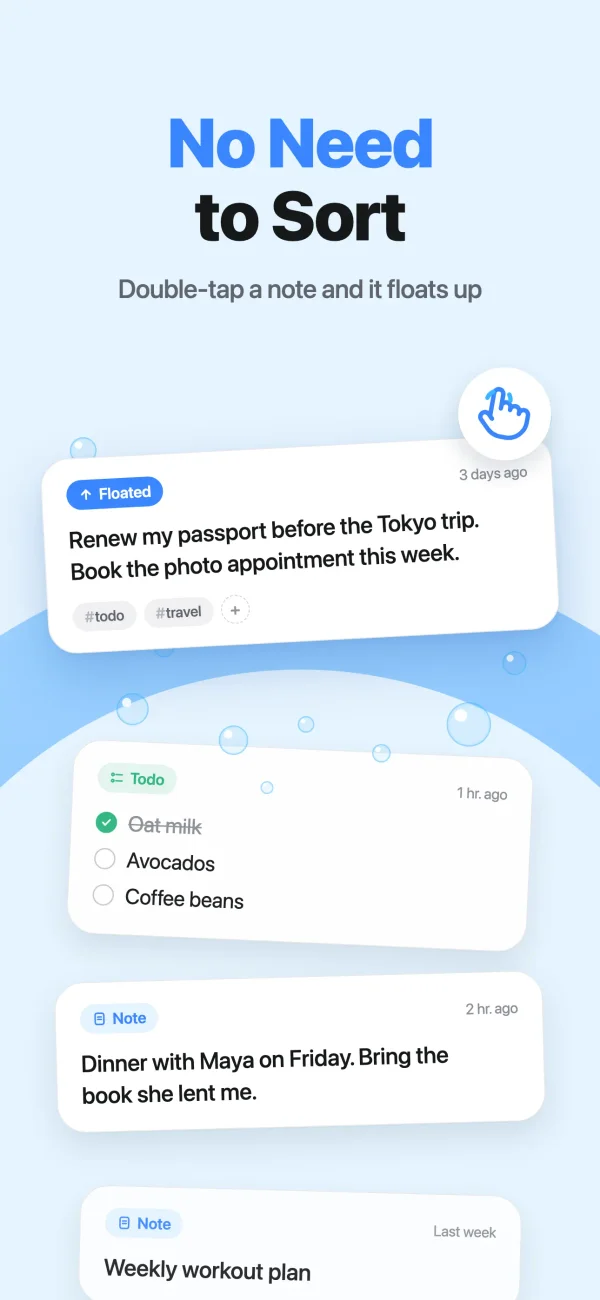
Float What Matters Today
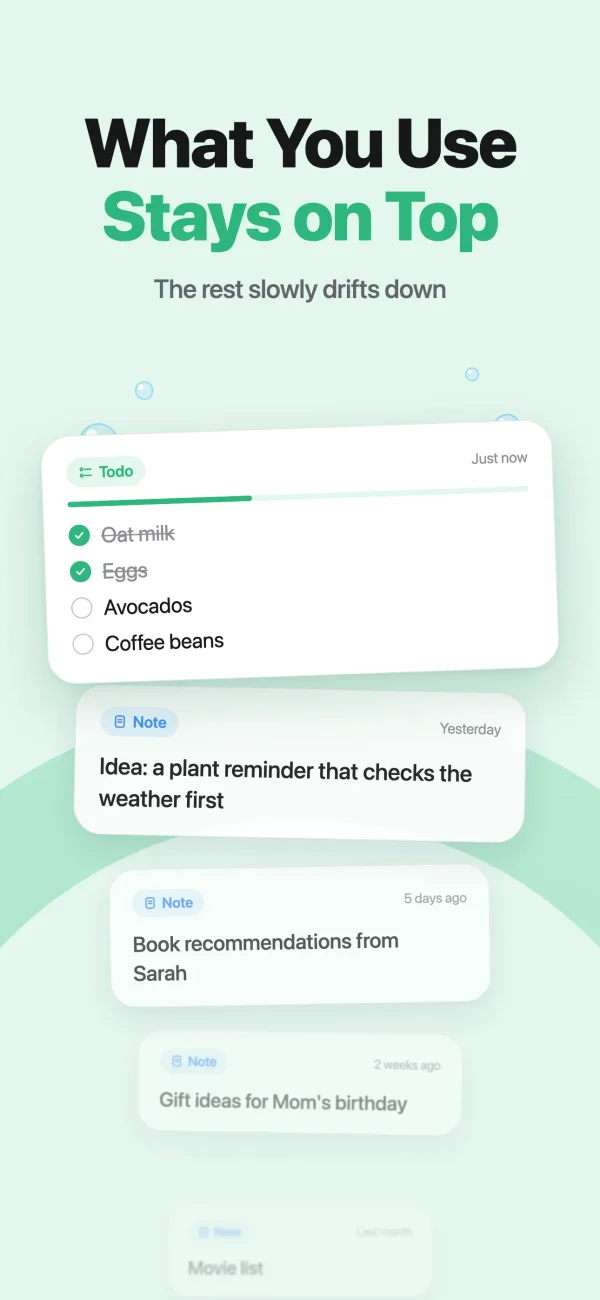
Some notes are urgent today but shouldn't stay pinned forever. FlowIt's signature "Float" action brings active notes back to the very top of your flow whenever you need them. Keep your daily priorities front and center without turning your workspace into a cluttered graveyard of permanent pins.
Quick Capture First, Organize Later
Capture as fast as you think. Jot down a quick brain dump, scratchpad idea, or meeting memo directly in the capture card without worrying about folders or formats. As your thoughts evolve, turn any note into an actionable checklist, or schedule it with start and end times and a timely reminder.
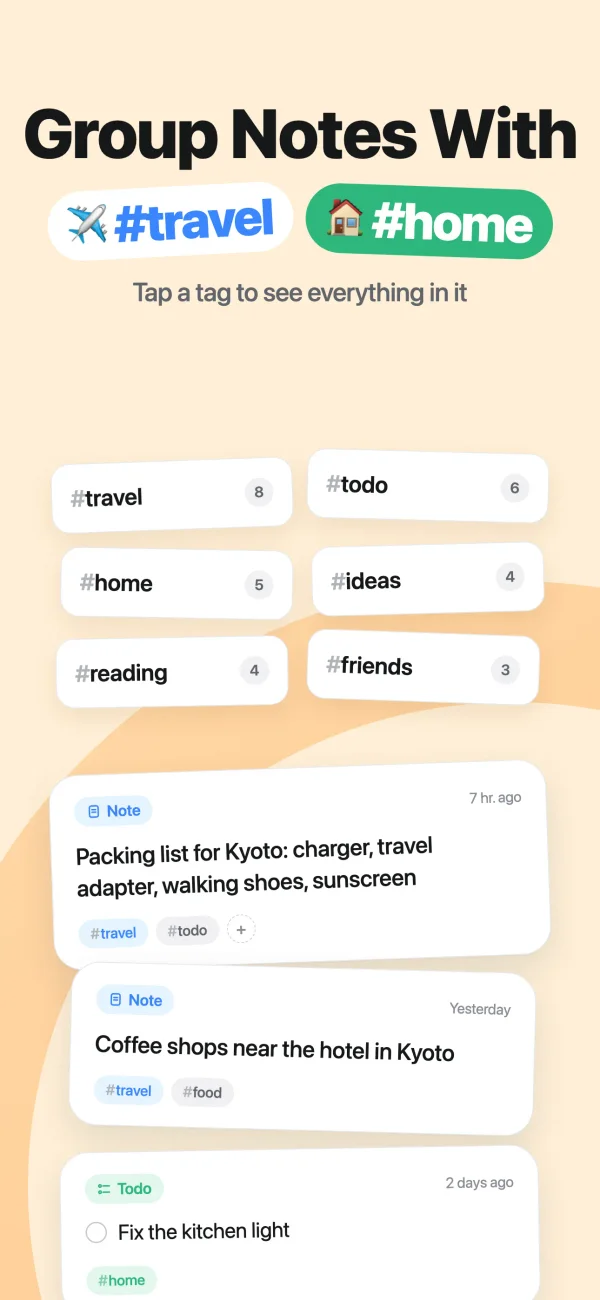
Tags That Become True Workspaces
Add tags naturally while writing. Open any tag to see every note, task, checklist, and scheduled event grouped under that topic. It's the lightweight organizer built for fast capture and easy retrieval.
All Your Everyday Formats in One Flow:
• Quick Notes: Fleeting ideas, brain dumps, scratchpads, and reading memos
• Checklists: Errands, todo lists, follow-ups, and project planning
• Events: Clear start and end times for scheduled commitments
• Reminders: Timely notifications so nothing slips through the cracks
• Tag Workspaces: Flexible, fluid topic organization
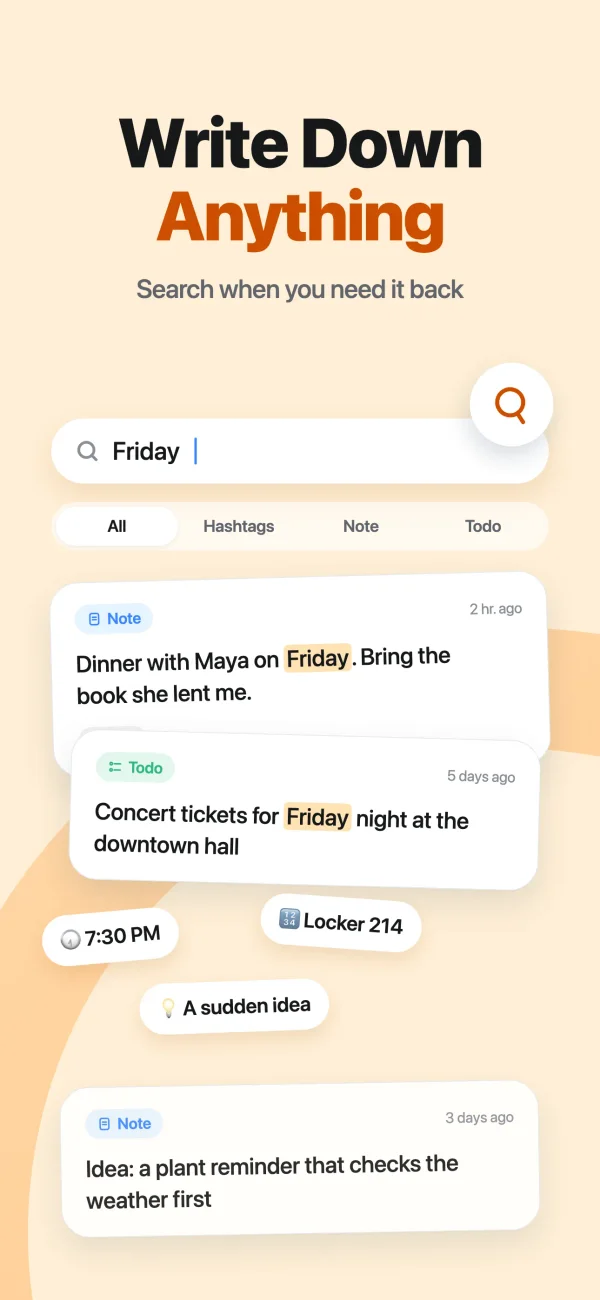
• Full-Text Search: Instantly search across notes, tasks, and tags
• Reading Mode: Distraction-free, immersive viewing for longer writing
• Deleted Note Recovery: Easily restore accidentally deleted notes
• Local-First Storage: Fast offline access with optional private iCloud sync
Local-First & Private by Design
Your notes stay on your device first. FlowIt works completely offline and requires no proprietary account; Sign in with Apple is used only for subscription access. Private iCloud sync keeps your notes in sync across your Apple devices using your own Apple ID.
About FlowIt Pro
Creating and editing notes, checklists, and events requires an active FlowIt Pro subscription (monthly auto-renewing) or a one-time FlowIt Pro Lifetime purchase.
Eligible Apple IDs can try FlowIt Pro free for 1 week, followed by the monthly subscription.
Without an active subscription, you can still view and browse all existing notes on your device.
FlowIt Pro Monthly and FlowIt Pro Lifetime are available as in-app purchases. Subscriptions renew automatically unless canceled at least 24 hours before the end of the current period. Manage subscriptions in your Apple ID account settings.
Privacy Policy: https://eekqabw.cn/privacy/
Terms of Use (EULA): https://www.apple.com/legal/internet-services/itunes/dev/stdeula/
Novidades
Versão 1.3 · 28/10/2026
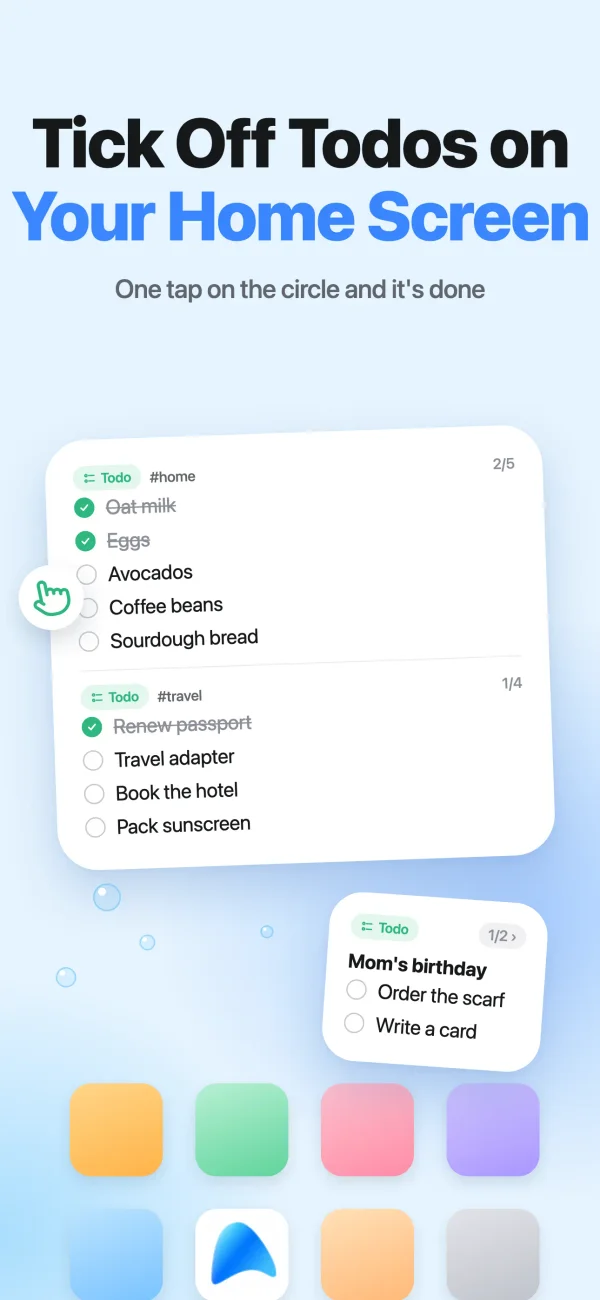
Lock Screen and Home Screen widgets: see your notes and tick off todos with a tap
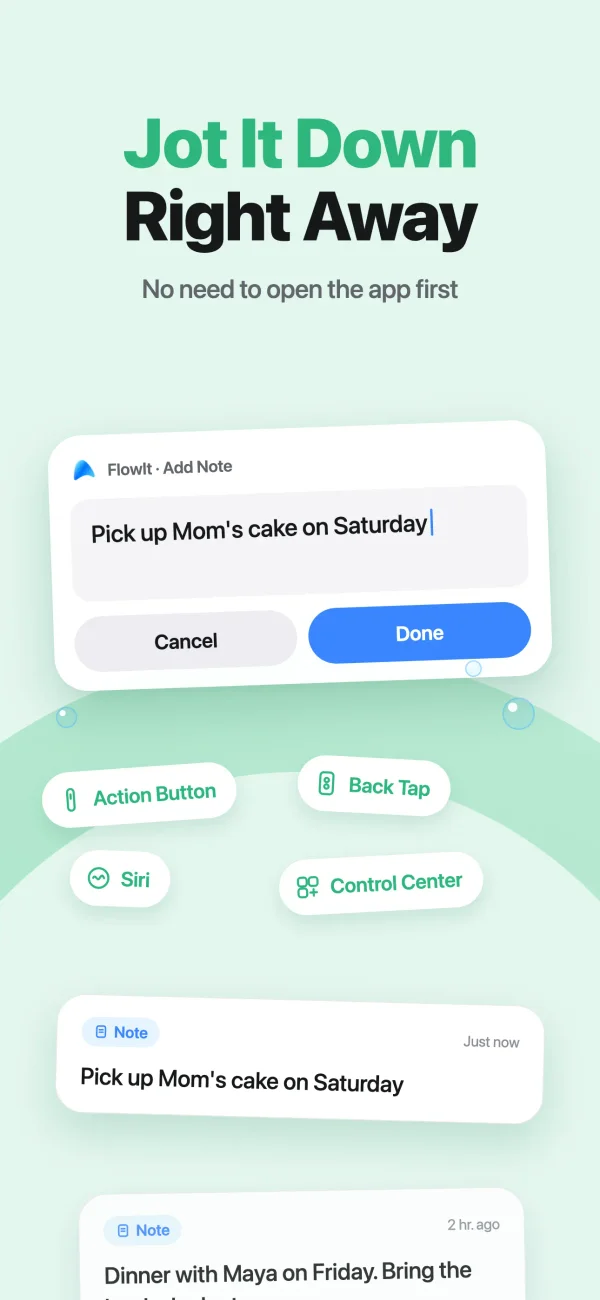
Shortcuts: put FlowIt on the Action button, Back Tap or Siri and add a note without opening the app
A new-note button for Control Center
New notes open together with the keyboard
A shorter right swipe marks a note complete
Rename a tag from the top-right corner of its page
The welcome screens now explain how floating works
Privacidade do app
O que 立峰 顾 declara na App Store sobre como este app lida com os dados.
-
Dados não coletados
O desenvolvedor não coleta nenhum dado deste app.
As práticas de privacidade podem variar, por exemplo, com base nos recursos que você usa ou na sua idade.
Informações
- Vendedor
- 立峰 顾
- Categoria
- Produtividade
- Versão
- 1.3
- Atualizado
- 28/10/2026
- Lançamento
- 12/05/2026
- Tamanho
- 13,6 MB
- Requer
- iOS 17.0 ou posterior
- Classificação etária
- 4+
- Preço
- Grátis
- Compras no app
- Sim
- Idiomas
- Inglês, Chinês simplificado, Chinês tradicional
- Copyright
- © 2026 Lifeng Gu
Você também pode gostar
-
 ThinkLess: Mood Diary, JournalProdutividade
-
 片语・Fleeting More - 只字片语,皆可收藏Produtividade
-
 Dayleaf - Minimalist bujoProdutividade
-
 DidMore: Daily Task TimelineProdutividade
-
 Skiii NoteProdutividade
-
 Ply Note - Capture Daily LifeProdutividade
-
 Doit Todo&TimeProdutividade
-
 Nagger: Lembrete com GatoTarefas e alarme insistentes
-
 actionBox: Simple Habit & ToDoDaily Routine & Streak Tracker
-
 PinMind- Capture & OrganizeProdutividade