
Gravity Notes: Minimal Notepad
Quick ideas, offline memo pad
Projetado para iPhone, iPad
R$ 59,90
- Classificação etária4+
- CategoriaProdutividade
- DesenvolvedorTristan Manchester
- IdiomasInglês
- Tamanho79,2 MB
Leva à página oficial na App Store
O Download.org não hospeda nenhum arquivo de Gravity Notes: Minimal Notepad. O botão abre a página do app na App Store, onde Tristan Manchester o publica. Página verificada pela última vez em 24/11/2026.
Capturas de tela
Sobre
O desenvolvedor não forneceu este texto no seu idioma.
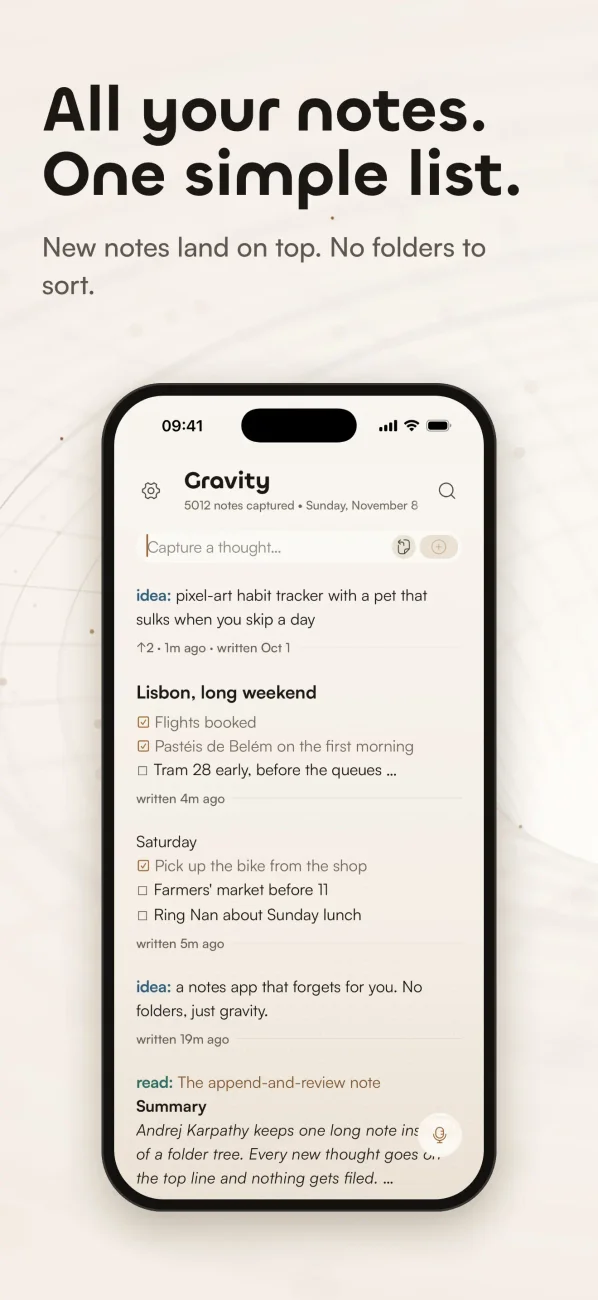
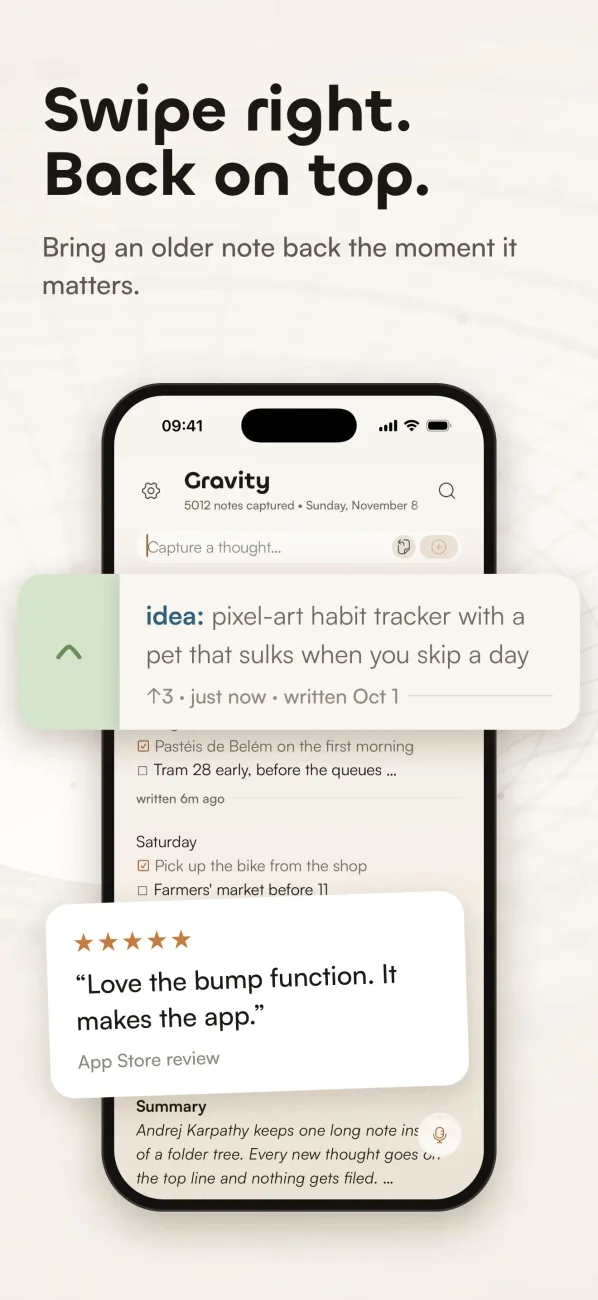
Gravity keeps all your notes in one list, with the newest at the top. As you add more, older notes sink down the list. When one of them still matters, swipe it right and it comes back to the top.
The idea comes from Andrej Karpathy's append-and-review note: write everything in one place, read back through it now and then, and move up whatever you still care about. Gravity has no folders, so there's nothing to file.
Writing
The cursor is waiting at the top when you open the app. Type your note and press Return twice, or tap the add button. A half-written draft stays where you left it.
Rescuing and tidying
Swipe right on a note to rescue it. Swipe left to archive, delete, share or copy. Archived notes have a page of their own, and deleted notes stay in Deleted Notes until you restore them or clear them out.
Markdown and checklists
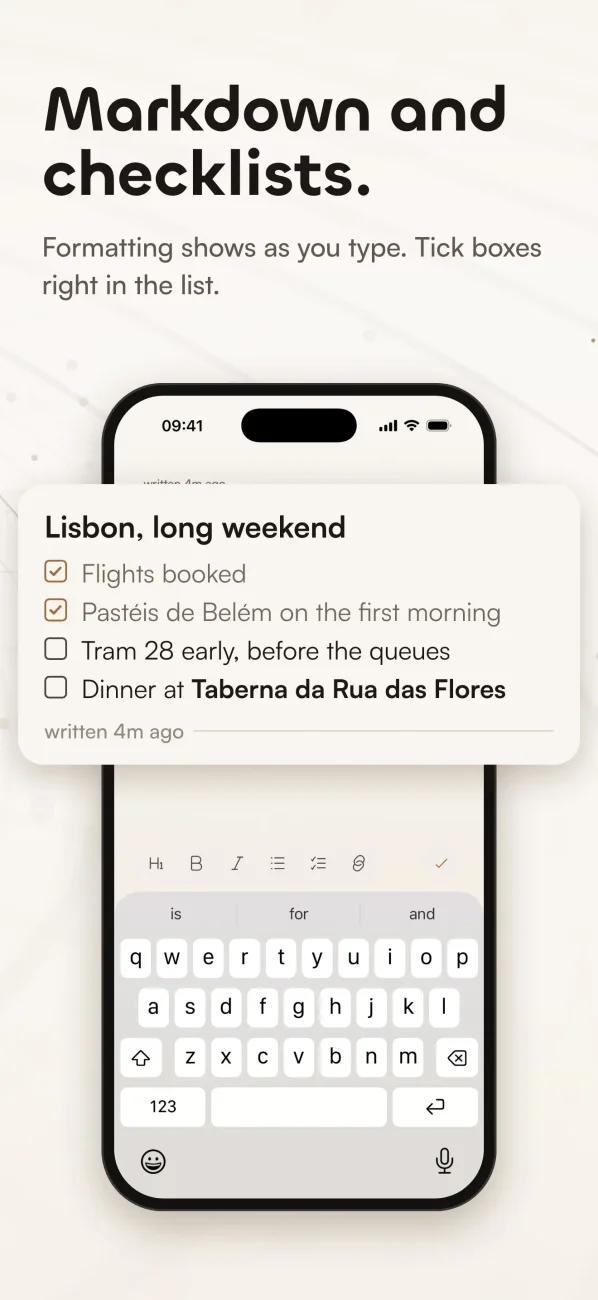
Headings, bold, italics, lists, links and quotes show formatted in the list. Start a line with "- [ ]" to make a checklist, then tick items off without opening the note. In the editor the formatting appears as you type, and a small bar above the keyboard adds headings, bold, lists and checklists. Everything is saved as plain Markdown text.
Tags
Start a note with todo:, idea:, read: or any word followed by a colon, and it gets a colour of its own. Type todo: into search to see only those notes. There's no tag manager to look after.
Search
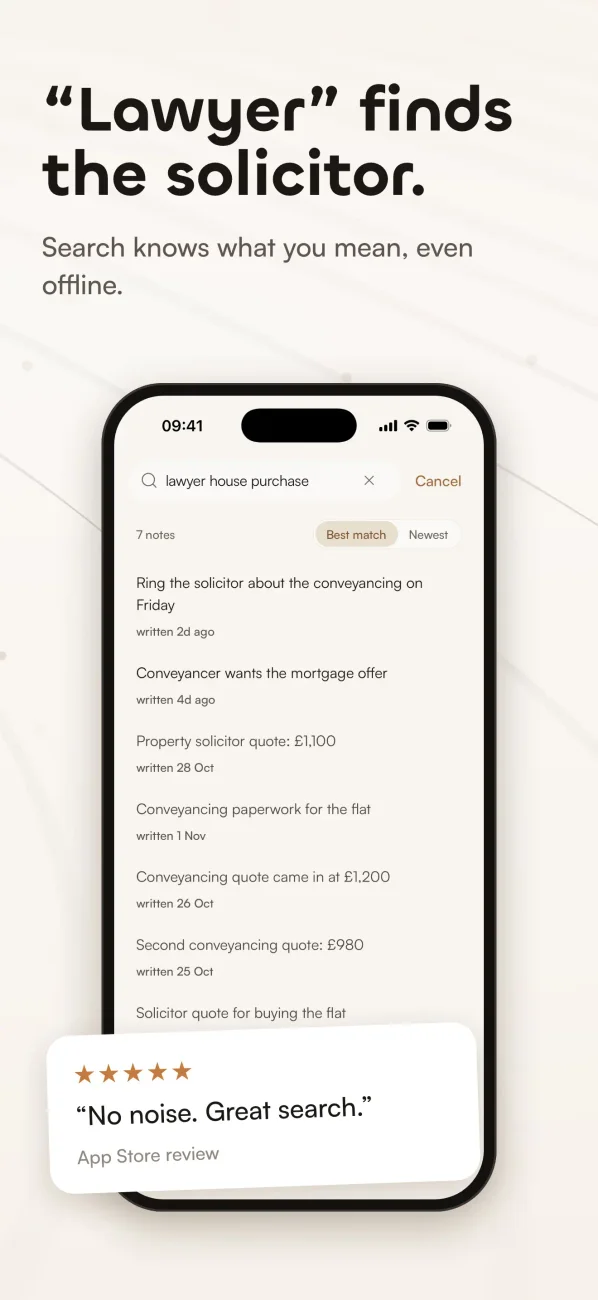
Search covers every note on your phone, archived ones too, and works offline. It finds what you mean as well as what you typed: "sofa" finds your note about the couch. Typos, plurals, accents and shorthand like appt still find the note, and dates, phone numbers and amounts match however you write them.
Getting notes in
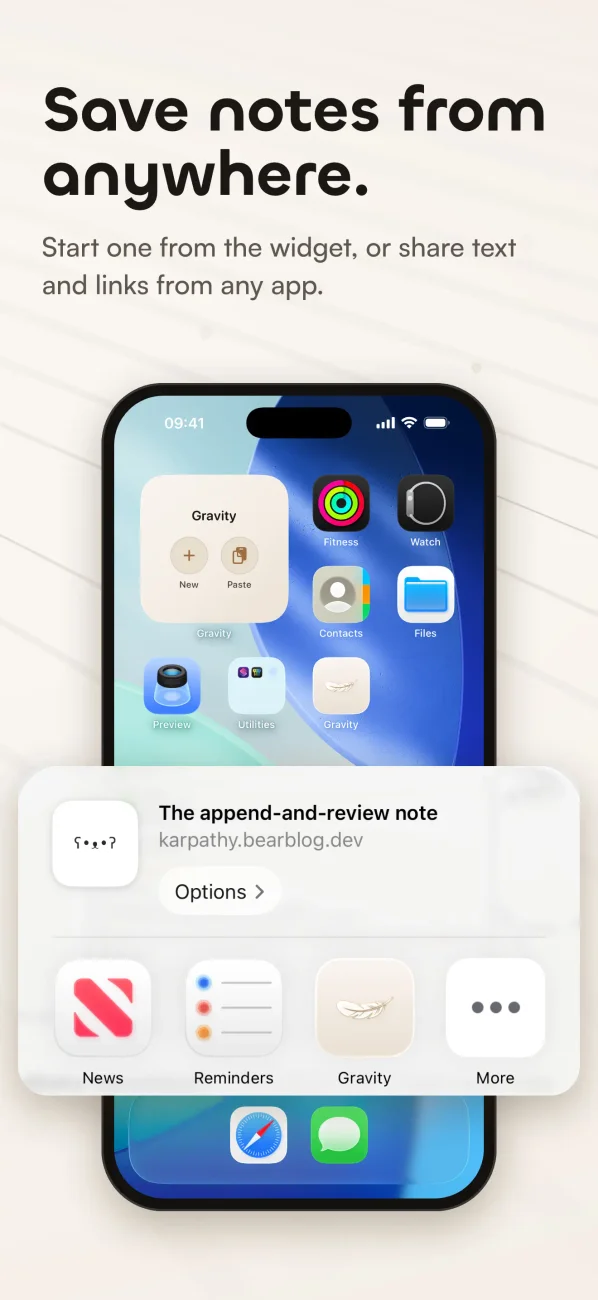
The Home Screen widget starts a new note or pastes in whatever you last copied. You can also share text or a link from another app, and it becomes a new note at the top of the list.
Privacy
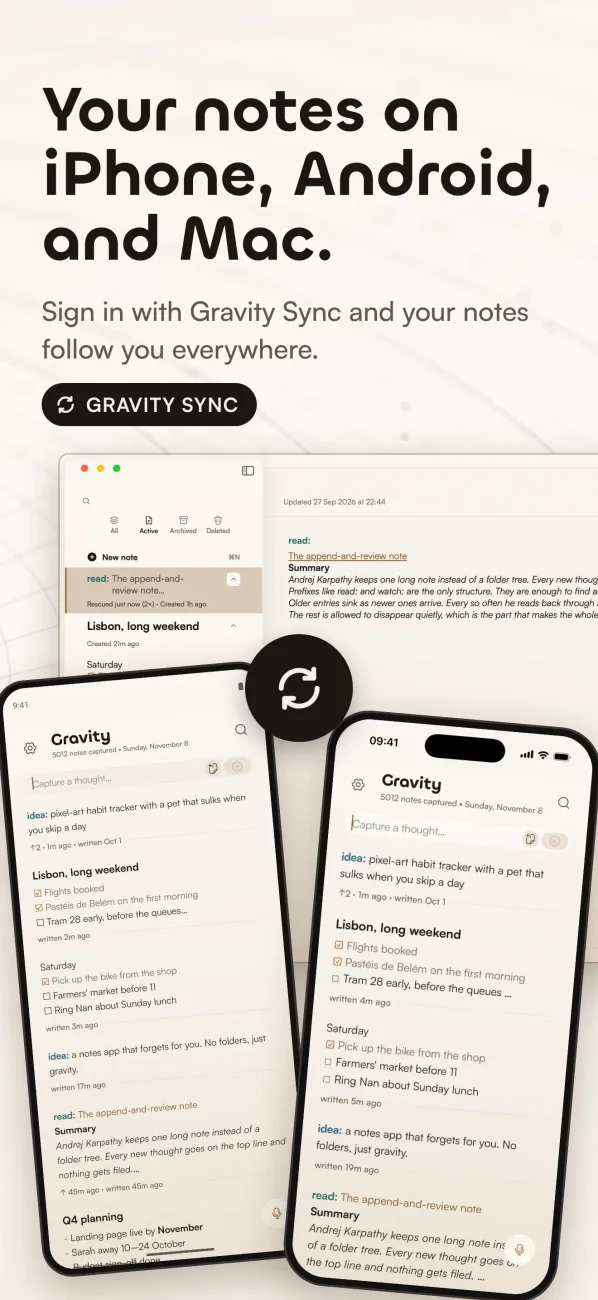
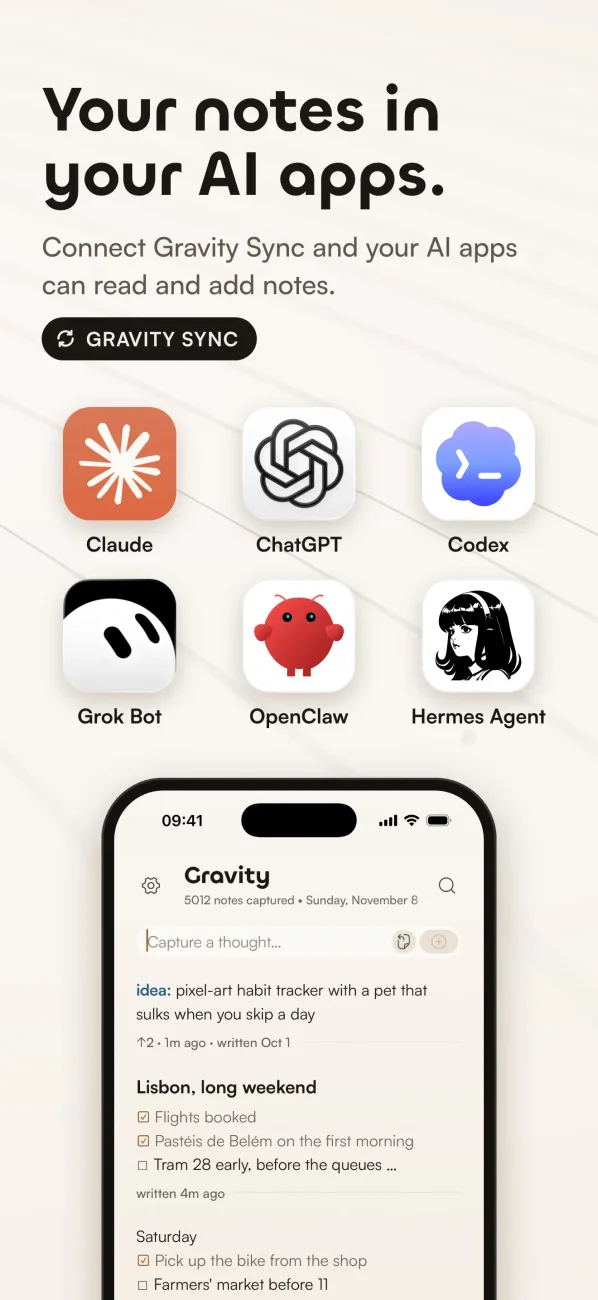
Your notes are stored on your iPhone. Gravity has no ads, and you don't need an account. If you want your notes on your other Apple devices, turn on iCloud sync; it also works with Gravity for Mac, which is sold separately. Gravity Sync (Beta) syncs with Android too, free during the beta. You can export everything as JSON or Markdown at any time.
Looks
Choose light, dark or OLED black, or follow the system, and pick from six text sizes. There's a stats page too, worked out on your phone, of course.
Price
You pay once. There's no subscription, no in-app purchases and no ads.
Privacy policy: https://www.gravitynotes.app/privacy-policy
Novidades
Versão 2.6.3 · 23/11/2026
• Gravity retries iCloud sync as soon as your iCloud account is available again
• Gravity Sync (Beta) stays fast in large libraries, and an edit that became a conflict copy shows once instead of twice
• Signing back in picks up Gravity Sync where it left off
• Notes you import into Gravity Sync keep their place in the list
• Gravity deletes its pre-setup backup 30 days after Gravity Sync setup
Privacidade do app
O que Tristan Manchester declara na App Store sobre como este app lida com os dados.
-
Dados vinculados a você
Podem ser coletados e vinculados à sua identidade.
- Informações de contato
- Conteúdo do usuário
- Identificadores
- Dados de uso
- Diagnóstico
As práticas de privacidade podem variar, por exemplo, com base nos recursos que você usa ou na sua idade.
Informações
- Vendedor
- Tristan Manchester
- Categoria
- Produtividade
- Versão
- 2.6.3
- Atualizado
- 23/11/2026
- Lançamento
- 09/12/2025
- Tamanho
- 79,2 MB
- Requer
- iOS 17.0 ou posterior
- Classificação etária
- 4+
- Preço
- R$ 59,90
- Idiomas
- Inglês
- Copyright
- © 2026 Tristan Manchester
Você também pode gostar
-
 Notice: Workspace For ClarityProdutividade
-
 HabitBook - Habit TrackerProdutividade
-
 Gravity Notes - Smart NotesProdutividade
-
 Sticky Tasks: Snap it, Do itProdutividade
-
 DayVo: Searchable Voice MemosProdutividade
-
 ThoughtsLeft: Brain DumpProdutividade
-
 Prism NotesProdutividade
-
 Shelver: Organização casaInventário doméstico
-
 SumNote - Notes with SumsProdutividade