KeyStage
Master Instrument Controller
Projetado para iPad
R$ 129,90 · Compras no app
- Classificação etária4+
- CategoriaMúsica
- DesenvolvedorAli Gokturk
- IdiomasInglês
- Tamanho78,8 MB
Leva à página oficial na App Store
O Download.org não hospeda nenhum arquivo de KeyStage. O botão abre a página do app na App Store, onde Ali Gokturk o publica. Página verificada pela última vez em 27/11/2026.
Capturas de tela





Sobre
O desenvolvedor não forneceu este texto no seu idioma.
TRY THE FREE LITE VERSION:
https://apps.apple.com/us/app/keystage-lite/id1437899019
KeyStage is a live performance app for keyboard players: a master controller, AUv3 host, MIDI router and audio mixer in one. Control any number of hardware and software instruments with any number of MIDI controllers, in an organized way, on stage.
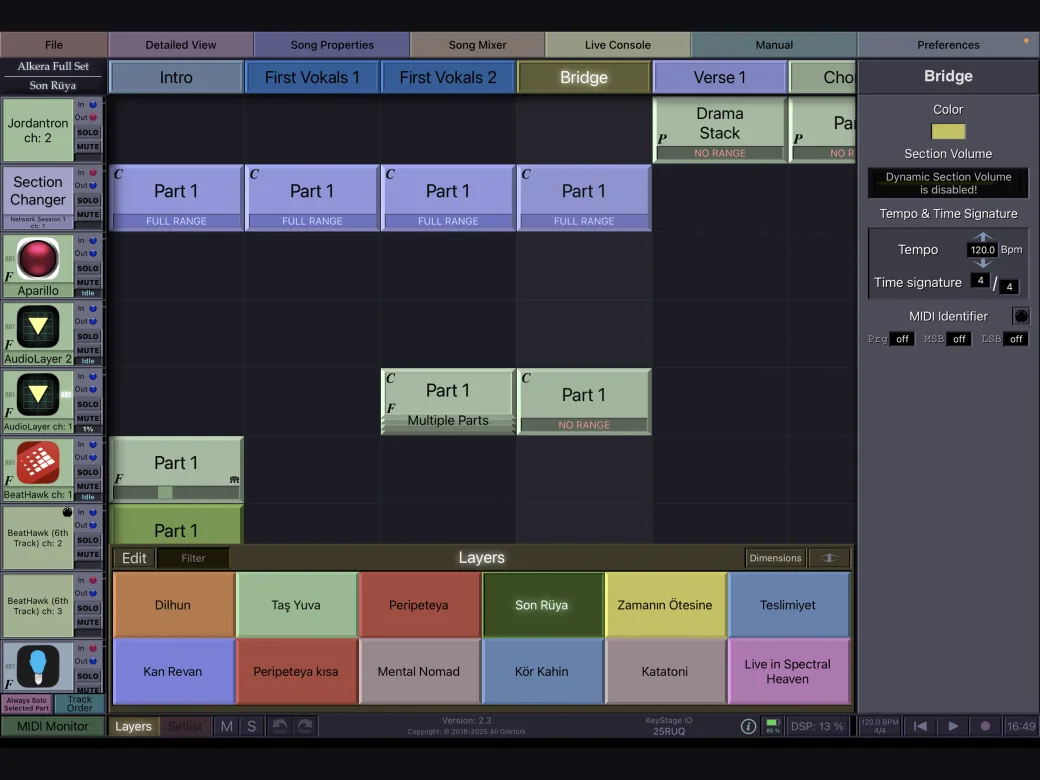
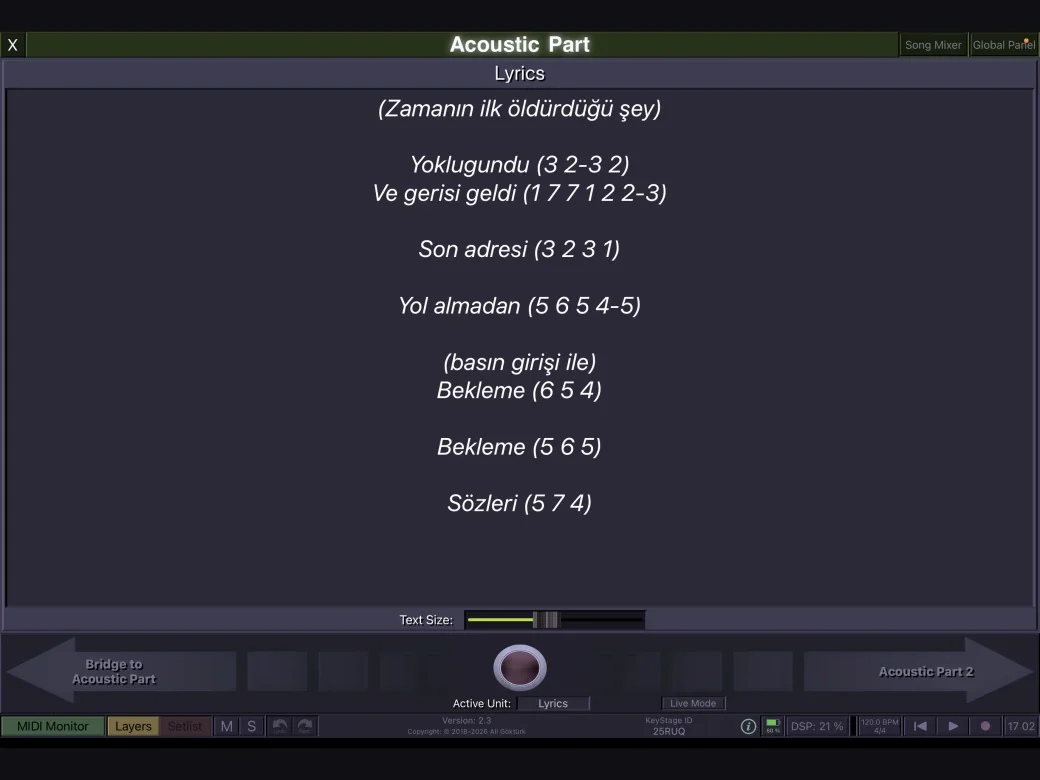
Each song is made of sections, just like the song itself. In each section you can change the sounds and parameters of your instruments, create complex splits and layers on your keyboards, remap the sliders, knobs and pedals of your controllers, write your own scripts, view sheet music and lyrics, and much more.
NEW IN VERSION 2.3
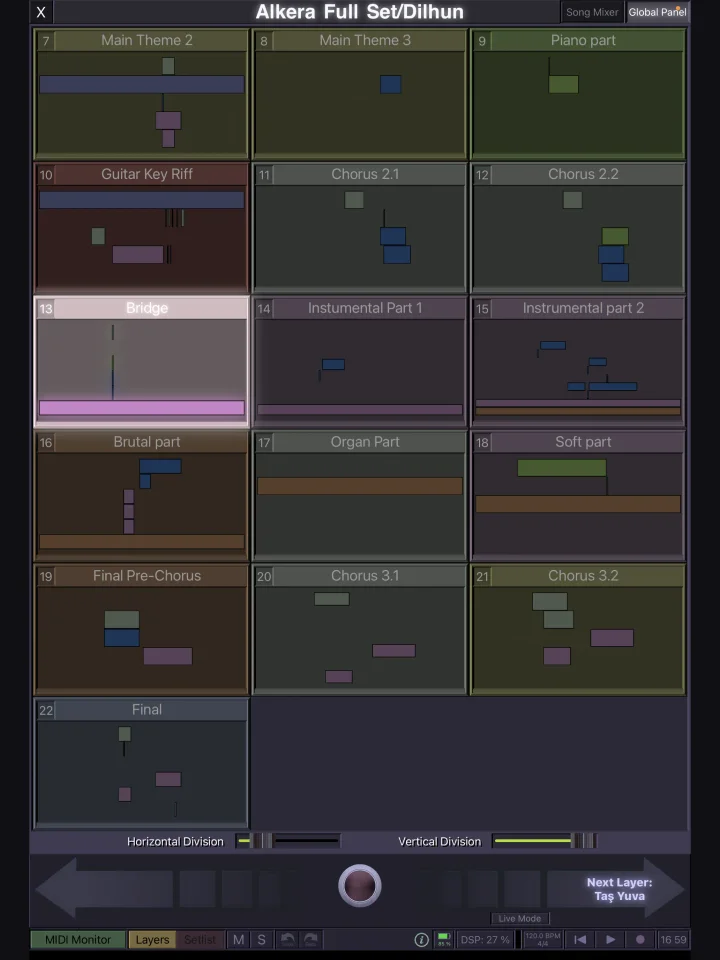
• Layers: a third dimension next to tracks and sections. Put a whole set into one song and switch between songs instantly.
• Clipboard and Favorites: save tracks, parts, sections and layers, and reuse them in any song.
• Turn a setlist into a layered song with a single tap.
• Dynamic effect mix levels that change between sections and layers.
• Smooth parameter transitions: values glide instead of jumping.
• MIDI Sends between tracks and MIDI outputs.
• Tap Tempo, on screen or from your controller.
• Expanded Custom Translators, and a cheat sheet in the Script Editor.
• Track rendering options and per-track DSP monitoring.
• A complete User's Manual built into the app, with search.
LIST OF FEATURES
• Connect any number of MIDI controllers to any number of MIDI instruments by creating tracks.
• Load AUv3 instruments, effects and MIDI processors.
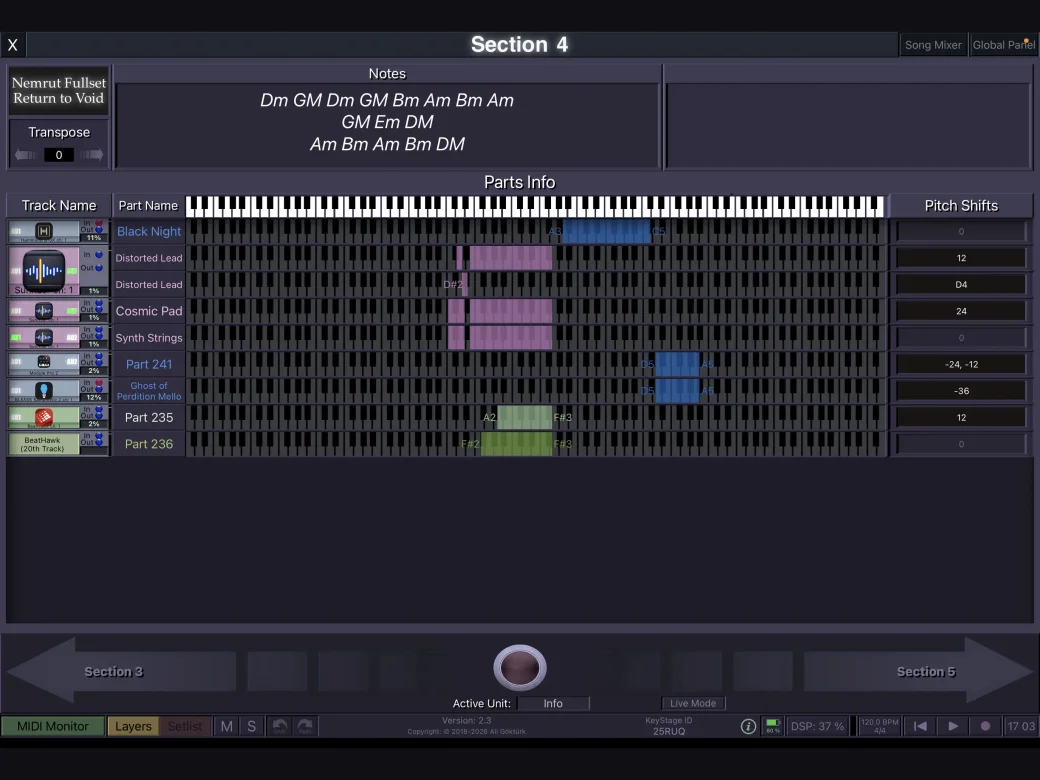
• Assign any region of your keyboards to any instrument.
• Change velocity curves and limits, and create velocity splits and layers.
• Transpose notes and restrict notes to any key with the pitch shifter.
• Combine audio signals with mixer units and use KeyStage as an audio mixer.
• Player units play wav, mp3 and m4a files with markers. Automate play, stop and jumps with custom translators, or trigger events such as section changes when the player reaches a marker.
• Input units use the microphone or the inputs of your audio interface.
• The Song Mixer controls the volume and pan of every track, with effect units, sends and filters to show only the tracks you need.
• Create instrument presets to change sounds by choosing patch names from lists. Import Cubase Patch Scripts to create them automatically.
• KeyStage detects new MIDI connections and suggests matching instrument presets from a database.
• Simulate auto-sustain on any instrument.
• Record any number of tracks at once with the multi-track recorder.
• Change or filter any MIDI signal with custom translators. "Relative Control" changes parameters smoothly, without jumps.
• Map special actions (changing octaves, switching sections, turning PDF pages) to notes and controllers.
• Write your own scripts in custom translators for endless possibilities.
• Jump to any section from your controller with MIDI section identifiers.
• Send control change and pitch bend messages with the XY control unit.
• Create setlists, reach every song from the setlist bar, and move to the previous or next song from the Live Console or with external MIDI.
• Create virtual MIDI inputs and outputs.
• Play your instruments with the virtual MIDI keyboard.
• View PDF and JPG files and link any page or region to any section.
• Back up and restore your songs and global settings to Dropbox.
• Use MPE controllers such as the Seaboard, and change the function of each MPE dimension with custom translators.
• Smooth transitions between sections: held notes keep sounding when you switch.
The complete User's Manual is built into the app, with all-new video tutorials. More demos are on my YouTube channel.
Novidades
Versão 2.3 · 26/11/2026
NEW FEATURES
• Layers: A third dimension next to Tracks and Sections. Group sections and parts into layers. All layers use the same tracks, so switching between layers is instantaneous, just like switching between sections.
• Clipboard and Favorites: Store your favorite tracks, parts, sections and layers and use them in any song. When a section or layer is added from Favorites, a customizable matching algorithm reuses the existing tracks instead of creating new ones. Incoming MIDI is briefly paused while a paste or a favorite is applied.
• Convert Setlists into Layered Songs with a single tap.
• Dynamic Effect Mix Levels: Effects now have mix levels that can change between sections and layers.
• Parameter Transition Durations: MIDI, track and audio unit parameters on parts can glide to their new values over a set time when the part is activated.
• MIDI Sends: Tracks can send MIDI directly to other tracks and MIDI outputs.
• Tap Tempo: Tap the tempo with the TAP button in the Tempo/Time Signature Editor, or with any button on your MIDI controller using the new Trigger Tap Tempo output in Custom Translators.
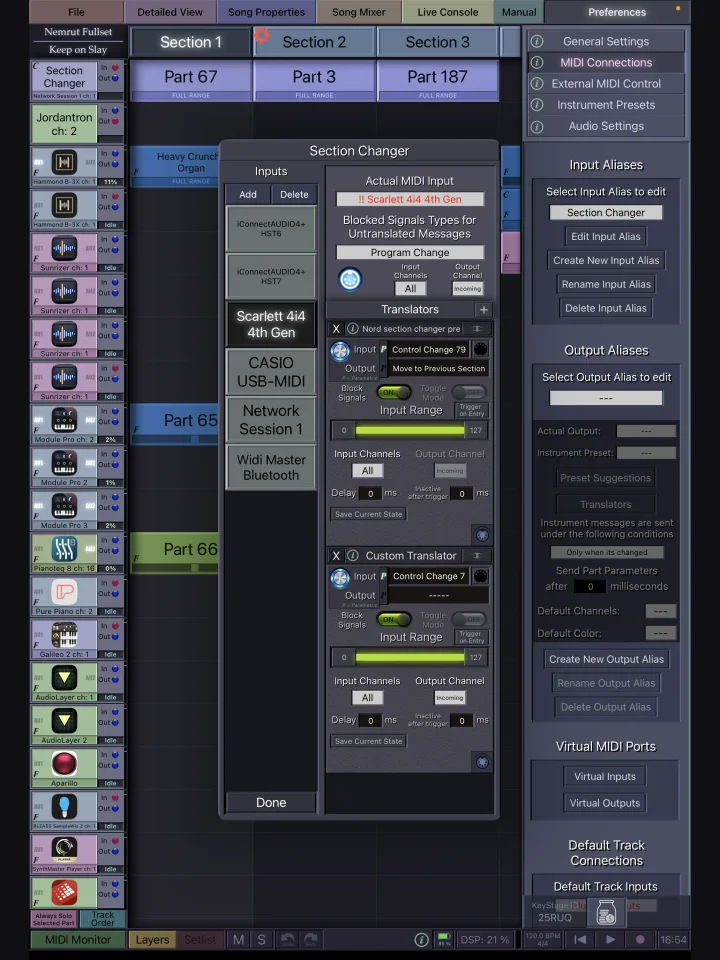
• Improved Custom Translators: Delay, inactive-after-trigger, audio meters, note output and more. Custom Translators can now change variables without scripts, so translators can communicate with each other without any scripting.
• New Track Rendering Options: Suspend inactive plugins per track, and automatically mute audio tracks or bypass effect tracks when no part uses them in the active section.
• Track DSP Monitoring: Tracks display their individual DSP loads. With seamless transition enabled, two indicators show the state of each audio unit.
• Song Mixer visibility options: Show only active tracks and filter by track type.
• Automatic Track Grouping and Sorting by type with a single tap.
• MIDI Section Identifiers: Jump directly to a section by sending Program Change/MSB/LSB from your MIDI controller.
• Expanded Dynamic Property customization: With the new layer structure, dynamic properties offer many more options.
• Global Volume: A new slider in the Song Mixer controls the global volume independently of songs, so it stays unchanged when switching songs.
• Bluetooth headphone output (A2DP) for editing. Not for stage use: Bluetooth has high latency.
• Search in the User's Manual: Every match is highlighted, with arrows to step through them.
IMPROVEMENTS
• A cheat sheet in the Script Editor with all commands and keywords organized into categories.
• When the audio interface is plugged in or unplugged, or the sample rate changes, KeyStage rewires the audio engine in place without reloading any audio unit. If this happens while a song is loading, KeyStage waits until loading finishes. Player units keep their playback position, locators and markers.
• Player Unit scroll positions, zoom values and Follow Timeline are stored separately for tracks and parts.
• An All Inputs option for track MIDI inputs, which can also be the default track input.
• Custom Translators with script outputs now support additional input conditions, such as input range and input channel.
• Custom Translators with scripts and delays respond much faster on older iPads.
• JPEG support in the Media Unit.
BUG FIXES
• Fixed an issue with the database of Custom Translators and Cubase patch script files.
• Fixed a MIDI message leak between different MIDI inputs.
• Fixed an issue where some audio interfaces did not reveal all output channels.
• Fixed a slight latency in the audio meters.
• Buffer size is now displayed and requested correctly.
• Effects no longer get disconnected from their tracks when an audio unit fails to load or is reloaded.
• Switching the User's Manual between dark and light mode keeps your reading position and zoom.
• Fixed instrument names sometimes appearing blank in the Song Mixer with Seamless Transition on.
Privacidade do app
O que Ali Gokturk declara na App Store sobre como este app lida com os dados.
-
Dados não coletados
O desenvolvedor não coleta nenhum dado deste app.
As práticas de privacidade podem variar, por exemplo, com base nos recursos que você usa ou na sua idade.
Informações
- Vendedor
- Ali Gokturk
- Categoria
- Música
- Versão
- 2.3
- Atualizado
- 26/11/2026
- Lançamento
- 18/10/2018
- Tamanho
- 78,8 MB
- Requer
- iOS 13.0 ou posterior
- Classificação etária
- 4+
- Preço
- R$ 129,90
- Compras no app
- Sim
- Idiomas
- Inglês
- Copyright
- © 2018 Ali Göktürk