
MDer: Markdown Reader
MD file editor & checklists
Projetado para iPhone, iPad
Grátis
- Classificação etária4+
- CategoriaProdutividade
- Desenvolvedor福恩 毛
- IdiomasInglês
- Tamanho8,1 MB
Leva à página oficial na App Store
O Download.org não hospeda nenhum arquivo de MDer: Markdown Reader. O botão abre a página do app na App Store, onde 福恩 毛 o publica. Página verificada pela última vez em 25/11/2026.
Capturas de tela
Sobre
O desenvolvedor não forneceu este texto no seu idioma.
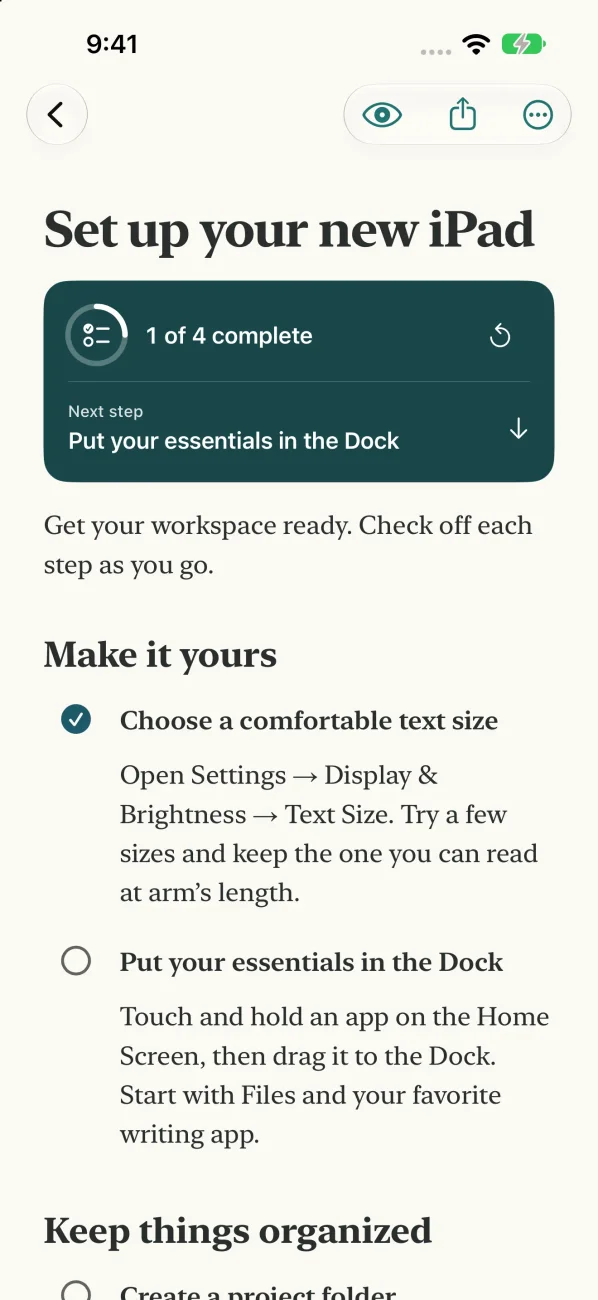
Turn a Markdown checklist into a guide you can follow. Check off steps in Read mode, see your progress on the library card, and tap Continue to jump to the next unfinished step. Progress is saved on your device. Start fresh to reuse the checklist while preserving the original text.
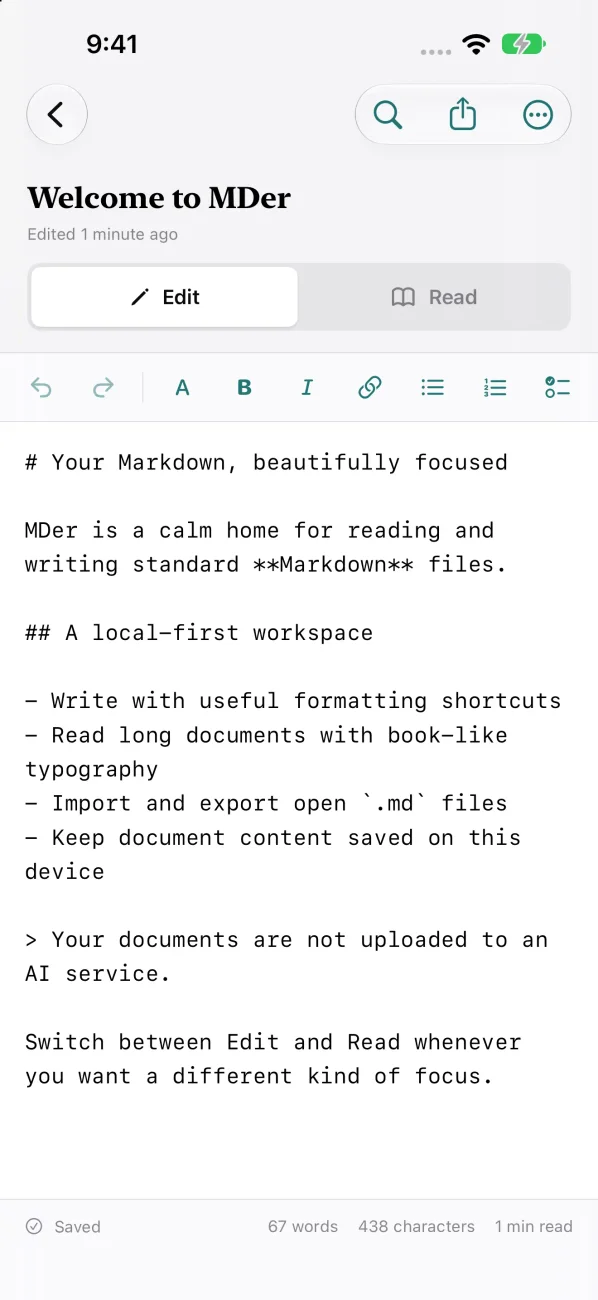
Give your Markdown files a calm, native home on iPhone and iPad. MDer brings together a document library, a focused editor, and a dedicated reading experience.
ORGANIZE YOUR LIBRARY
Search titles and document contents. Sort your library, use collection filters, mark favorites, and pin notes. Start with a template, duplicate a document, or restore a note from Recently Deleted.
WRITE WITH FOCUS
Apply Markdown formatting at the cursor or to selected text. Use native undo and redo, Find, and hardware keyboard shortcuts. Live word and character counts, estimated reading time, and automatic local saving help you keep writing. Clear save status and retry controls let you respond if a save fails.
READ COMFORTABLY
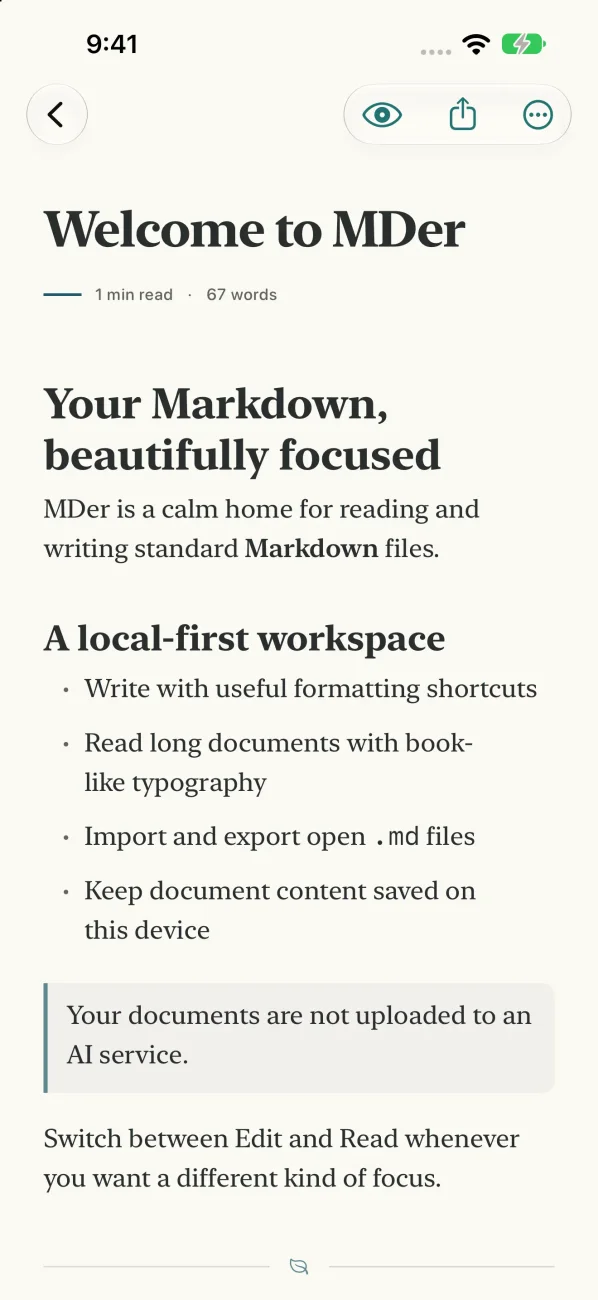
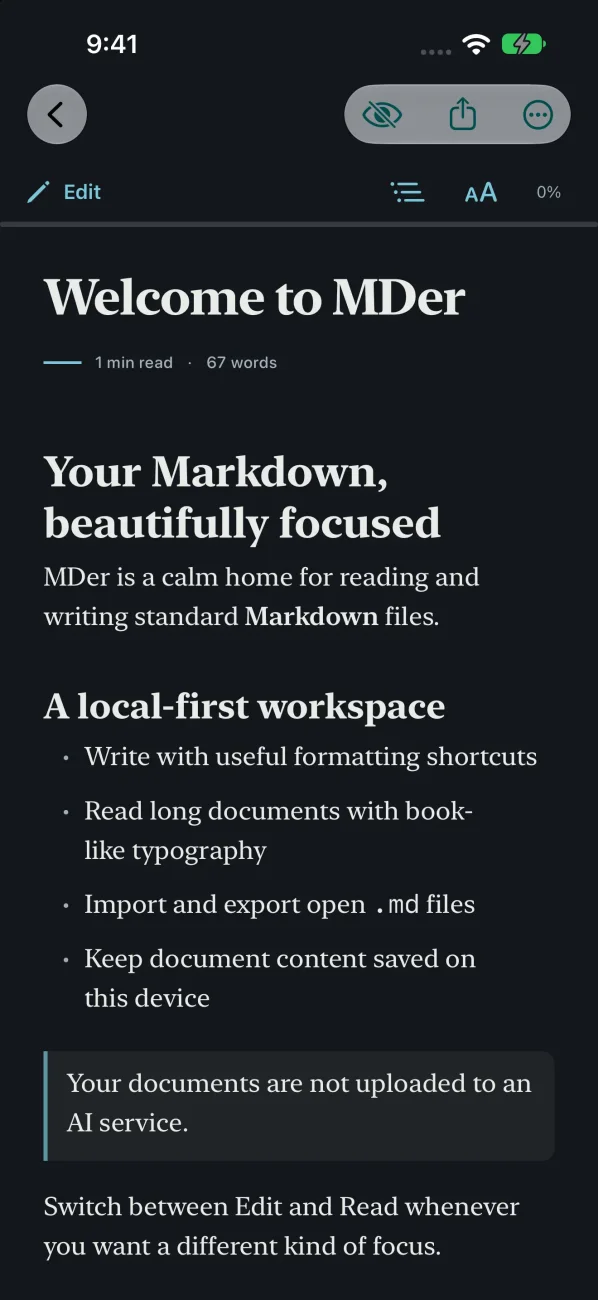
Enjoy serif typography, comfortable line lengths, adjustable text size, and Paper, Sepia, or Night themes. Read headings, nested lists, checklists, tables, quotes, code blocks, and reference links. Navigate with the heading outline and return to your saved reading position. Long code blocks scroll horizontally and can be copied. External images appear as placeholders rather than loading automatically.
OPEN FILES, KEEP CONTROL
• Import Markdown and plain-text files, including multiple files at once
• Open Markdown documents from Files
• Export and share standard Markdown through the iOS share sheet
• Recover notes from Recently Deleted before permanent removal
• Keep document content locally without creating an account
• Use layouts that adapt to iPhone, iPad, larger text, and the software keyboard
PRIVATE DOCUMENTS
MDer does not include an AI service and does not send document titles or content to AI providers. Documents are stored on your device. You choose when to export or share them.
MDer Pro is ad-free. MDer Free displays a Google AdMob banner and hides it while the software keyboard is open. Advertising privacy options are available when required. Advertising data is handled separately from document content; details appear in the App Store privacy label and privacy policy.
Novidades
Versão 2.1 · 23/11/2026
Turn a Markdown checklist into a guide you can follow. Check off steps in Read mode, see your progress on the library card, and tap Continue to jump to the next unfinished step. Progress is saved on your device. Start fresh to reuse the checklist while preserving the original text.
The redesigned library makes guides easier to find. New libraries include a four-step iPad setup guide you can try right away.
Privacidade do app
O que 福恩 毛 declara na App Store sobre como este app lida com os dados.
-
Dados usados para rastrear você
Podem ser usados para rastrear você em apps e sites de outras empresas.
- Identificadores
-
Dados vinculados a você
Podem ser coletados e vinculados à sua identidade.
- Localização
- Identificadores
- Dados de uso
-
Dados não vinculados a você
Podem ser coletados, mas não são vinculados à sua identidade.
- Localização
- Dados de uso
- Diagnóstico
As práticas de privacidade podem variar, por exemplo, com base nos recursos que você usa ou na sua idade.
Informações
- Vendedor
- 福恩 毛
- Categoria
- Produtividade
- Versão
- 2.1
- Atualizado
- 23/11/2026
- Lançamento
- 05/08/2026
- Tamanho
- 8,1 MB
- Requer
- iOS 17.0 ou posterior
- Classificação etária
- 4+
- Preço
- Grátis
- Idiomas
- Inglês
- Copyright
- © 2026 1stfancy
Você também pode gostar
-
 MDina Markdown ViewerProdutividade
-
 Marginalia: Markdown EditorProdutividade
-
 PickMD: Leitor MarkdownLeia, busque e exporte PDF
-
 Document Viewer: PalmoryProdutividade
-
 Markview: Markdown WorkspaceProdutividade
-
 Easy MD: Markdown ReaderProdutividade
-
 MarkCove: leitor MarkdownLeia Markdown com conforto
-
 Just a Markdown ViewerProdutividade
-
 OpenPage: Leitor MarkdownHTML: prévia e voz alta
-
 MarkRead - Leitor MarkdownLeia em páginas, onde for