Moonlock
Scam detector, device security
Projetado para iPhone
Grátis · Compras no app
- Classificação etária4+
- CategoriaUtilidades
- DesenvolvedorMacPaw Way Ltd
- IdiomasInglês
- Tamanho130,0 MB
Leva à página oficial na App Store
O Download.org não hospeda nenhum arquivo de Moonlock. O botão abre a página do app na App Store, onde MacPaw Way Ltd o publica. Página verificada pela última vez em 24/11/2026.
Capturas de tela

Sobre
O desenvolvedor não forneceu este texto no seu idioma.
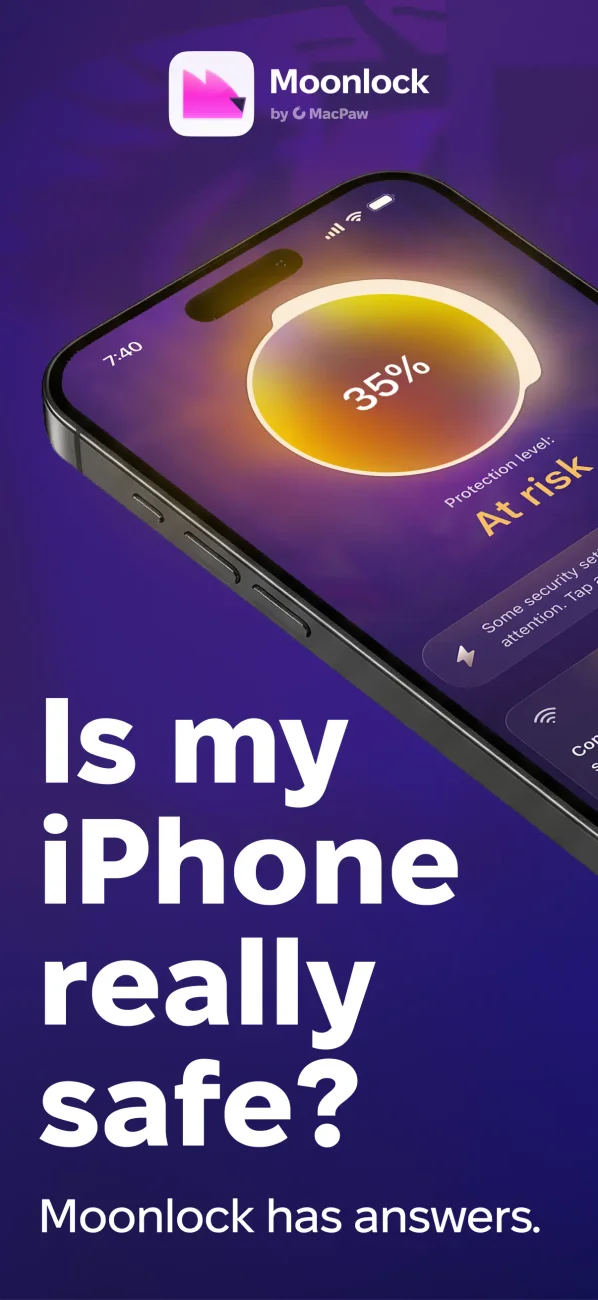
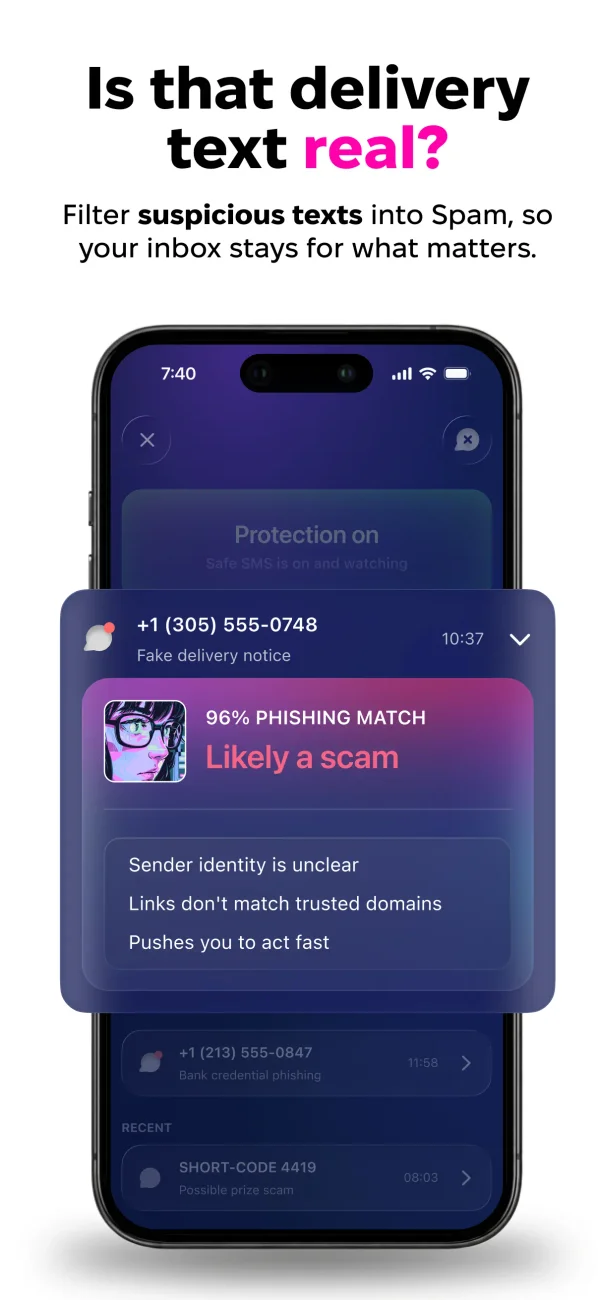
Not sure about a message? Moonlock checks texts, screenshots, and QR codes for signs of a scam and tells you why. It also shows how well your iPhone is protected and what to do next.
CHECK MESSAGES FOR SCAMS
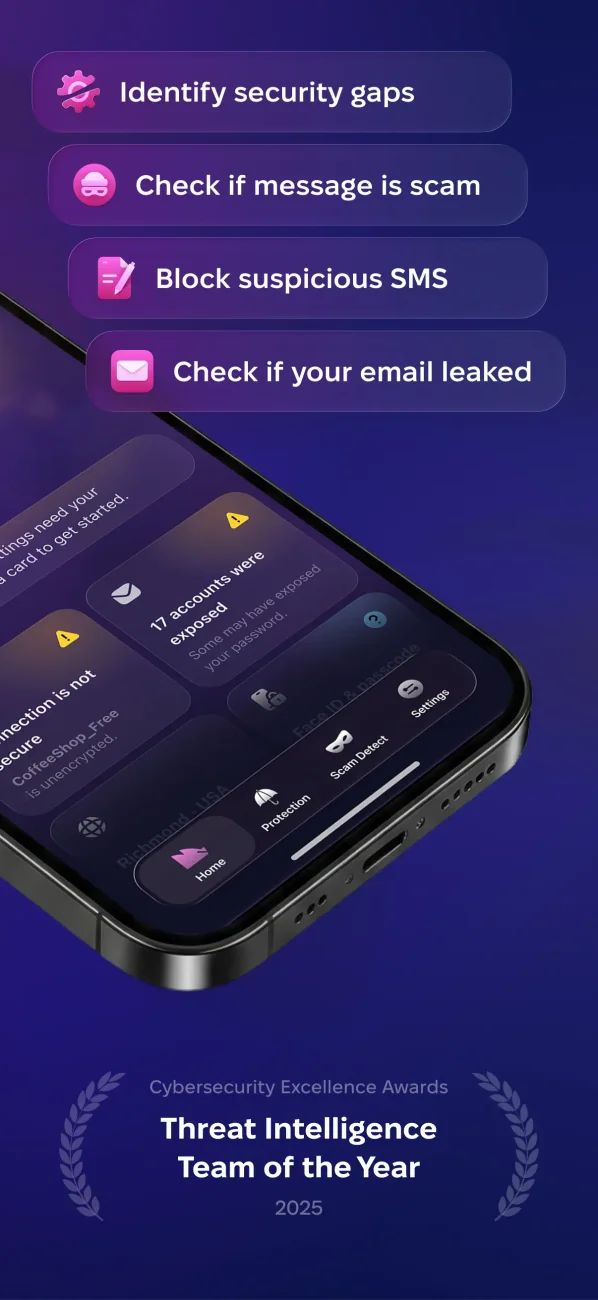
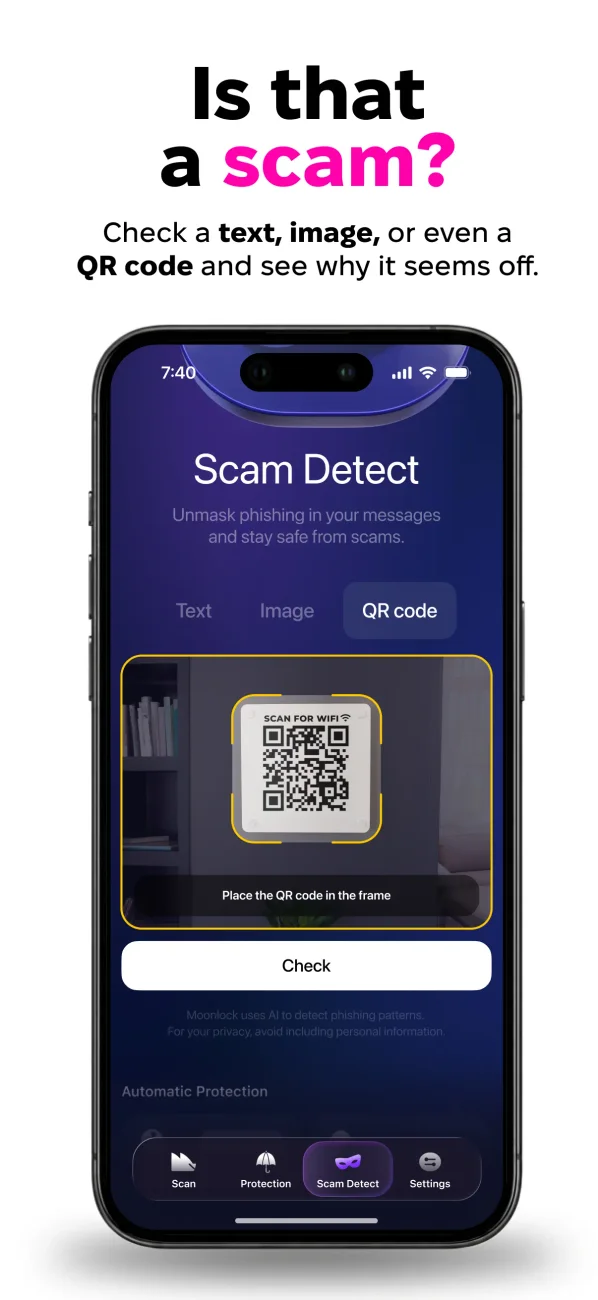
– Scam Detect: Paste a message, add a screenshot, or scan a QR code. Moonlock gives you a verdict and the reasons behind it, like a link that doesn't match the sender.
– No switching apps: Long-press any text, tap Share, and choose Moonlock. Check a message right where you found it.
– QR codes: See where a code actually leads before you open it.
– Safe SMS: Once you turn it on in Settings, texts from unknown senders that look like scams go to Junk in Messages. Open Moonlock to see what was filtered and why. Nothing is deleted without you.
SEE WHERE YOUR IPHONE STANDS
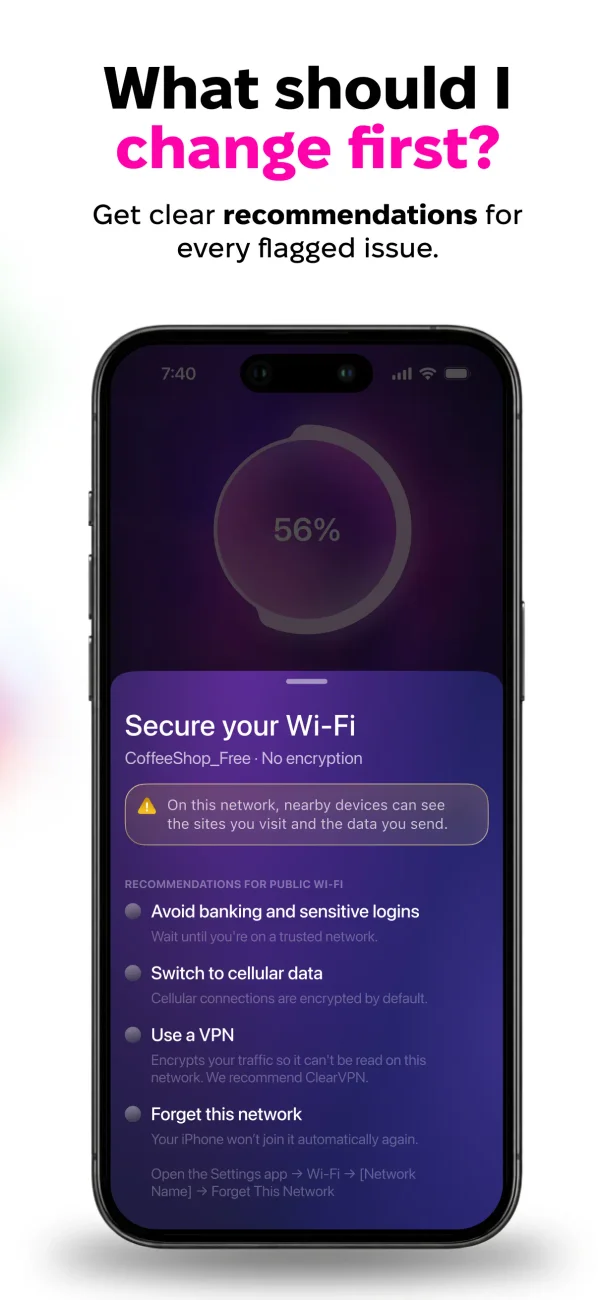
– Quick first scan: Moonlock checks your Wi-Fi connection, Face ID or passcode, iOS version, and signs of a jailbreak as soon as you start.
– Security Score: A score from 0 to 100 and a protection level show how well your iPhone is set up.
– One step at a time: Instead of a long checklist, Moonlock suggests the most useful thing to do next.
– Status updates when something changes: Join a new Wi-Fi network or fall behind on iOS updates, and you'll see it in the app.
FIND OUT IF YOUR EMAIL WAS EXPOSED
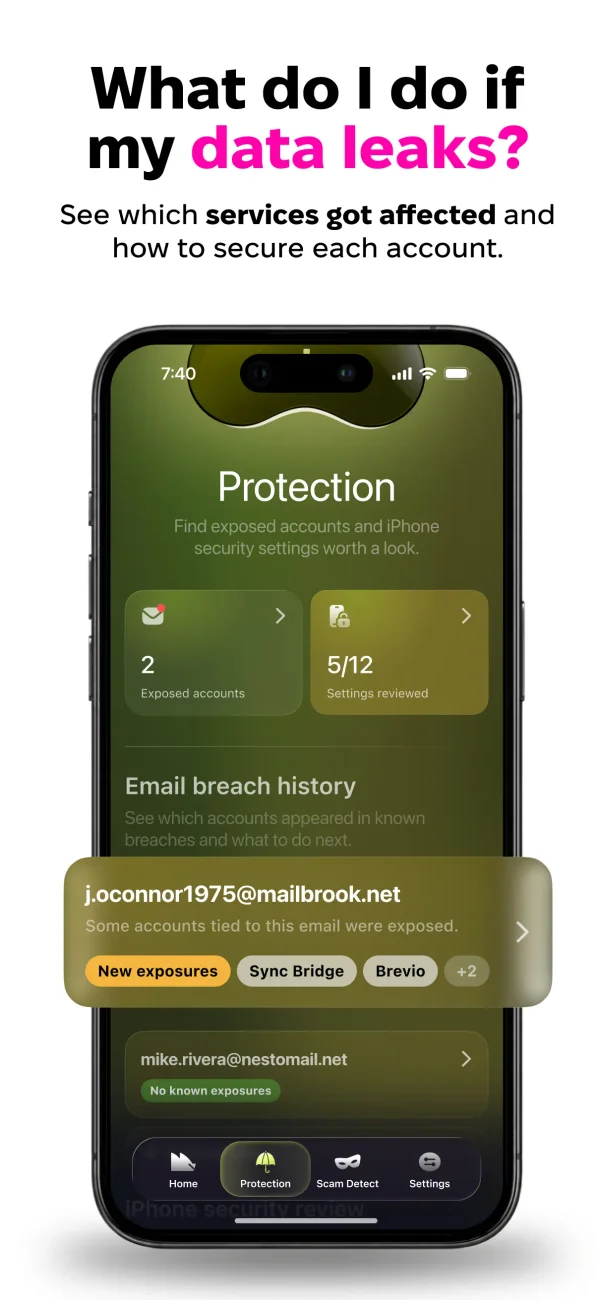
– Check up to 5 email addresses against known data breaches.
– See which service leaked your data, when it happened, and what was exposed, such as passwords, phone numbers, or location.
– Follow clear steps to secure each affected account, from changing the password to turning on two-factor authentication.
SETTINGS WORTH CHANGING ONCE
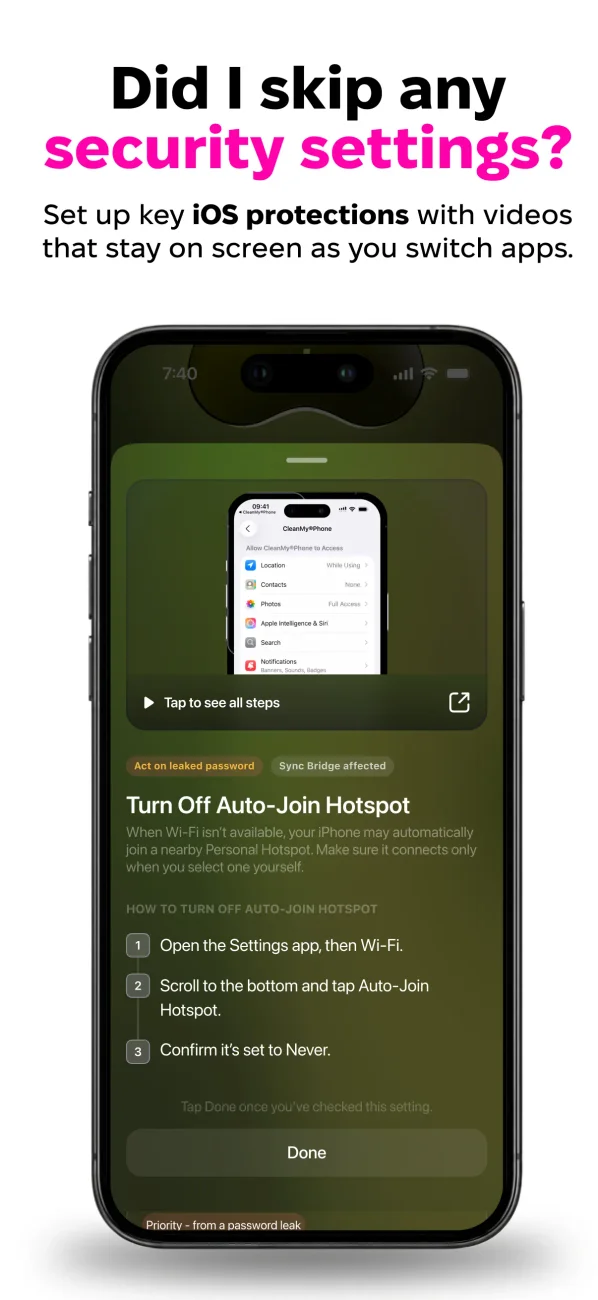
– Get a list of iPhone settings that make your phone safer, each with the reason it matters and how long it takes.
– Follow step-by-step instructions with a short video. When you switch to Settings, the video keeps playing in a small window, so you can follow along.
– Mark each setting as done once you've changed it.
YOUR PRIVACY
– Security checks run on your iPhone. We don't store your information.
– Safe SMS only sees new texts from unknown senders, and only while it's on. Moonlock has no access to your message history.
QUESTIONS
Does Moonlock scan my iPhone for viruses?
iOS doesn't let apps scan other apps or their files. Instead, Moonlock checks what it can: suspicious messages, QR codes, data breaches, your connection, and your iPhone's security settings.
What can Moonlock see in my messages?
Only the messages you share with Scam Detect, and new texts from unknown senders while Safe SMS is on. It can't read your message history.
Moonlock for Mac is a separate app.
SUBSCRIPTION
– Moonlock comes with a 7-day free trial on a monthly or annual subscription.
– Payment is charged to your Apple Account when you confirm your purchase.
– Your subscription renews automatically unless you turn off auto-renewal at least 24 hours before the end of the current period.
– Your account is charged for renewal within 24 hours before the end of the current period.
– You can manage your subscription and turn off auto-renewal in your Apple Account settings after purchase.
Terms of Use: https://moonlock.com/terms-of-use
License Agreement (EULA): https://www.apple.com/legal/internet-services/itunes/dev/stdeula/
Privacy Policy: https://moonlock.com/privacy-policy
Novidades
Versão 1.0.4 · 23/11/2026
Better
IP Address tips. With iCloud+ or without, there's now a path for each, so you can skip straight to the steps that fit you.
Fixed it
Email verification. Closed the verification card and came back? The code already in your inbox works now. No more waiting around for a new one.
Wi-Fi Security. If you turn on a VPN in another app, Moonlock now picks up on it. Come back and the card shows your connection is protected.
Email check on your first scan. One tap is all it takes now, even with the keyboard open. And the email card has stopped photobombing the screen title.
Privacidade do app
O que MacPaw Way Ltd declara na App Store sobre como este app lida com os dados.
-
Dados usados para rastrear você
Podem ser usados para rastrear você em apps e sites de outras empresas.
- Compras
- Identificadores
-
Dados vinculados a você
Podem ser coletados e vinculados à sua identidade.
- Compras
- Localização
- Informações de contato
- Identificadores
- Dados de uso
- Diagnóstico
-
Dados não vinculados a você
Podem ser coletados, mas não são vinculados à sua identidade.
- Conteúdo do usuário
As práticas de privacidade podem variar, por exemplo, com base nos recursos que você usa ou na sua idade.
Informações
- Vendedor
- MacPaw Way Ltd
- Categoria
- Utilidades
- Versão
- 1.0.4
- Atualizado
- 23/11/2026
- Lançamento
- 29/10/2026
- Tamanho
- 130,0 MB
- Requer
- iOS 26.0 ou posterior
- Classificação etária
- 4+
- Preço
- Grátis
- Compras no app
- Sim
- Idiomas
- Inglês
- Copyright
- © MacPaw Way Ltd
Você também pode gostar
-
 GoodCall: Scam ProtectionUtilidades
-
 Kompakt: Limpar FotosApague fotos duplicadas
-
 Point Cloud & BIM ViewerUtilidades
-
 SentryBlack — Security CameraUtilidades
-
 bad pixel checkUtilidades
-
 ForceMapsUtilidades
-
 Payl: Cancelamento GerenciadorRastreador Faturas Assinaturas
-
 IoT CentralUtilidades
-
 OBD2 Cat: Scanner automotivoELM327: Luz de injeção e dados
-
 Hello MarshallUtilidades