SaveBox - Web Library
Web, WiFi & Private Files
Projetado para iPhone
Grátis · Compras no app
- Classificação etária17+
- CategoriaUtilidades
- Desenvolvedor映秀 赵
- IdiomasInglêse mais 2
- Tamanho53,4 MB
Leva à página oficial na App Store
O Download.org não hospeda nenhum arquivo de SaveBox - Web Library. O botão abre a página do app na App Store, onde 映秀 赵 o publica. Página verificada pela última vez em 12/11/2026.
Capturas de tela
Sobre
O desenvolvedor não forneceu este texto no seu idioma.
SaveBox is a local-first web content saving and file organization tool. It brings browsing, importing, WiFi transfer, previewing, folder management, and Private Space into one simple workflow for managing web pages, web snapshots, and local media files.
Browse and save in one place
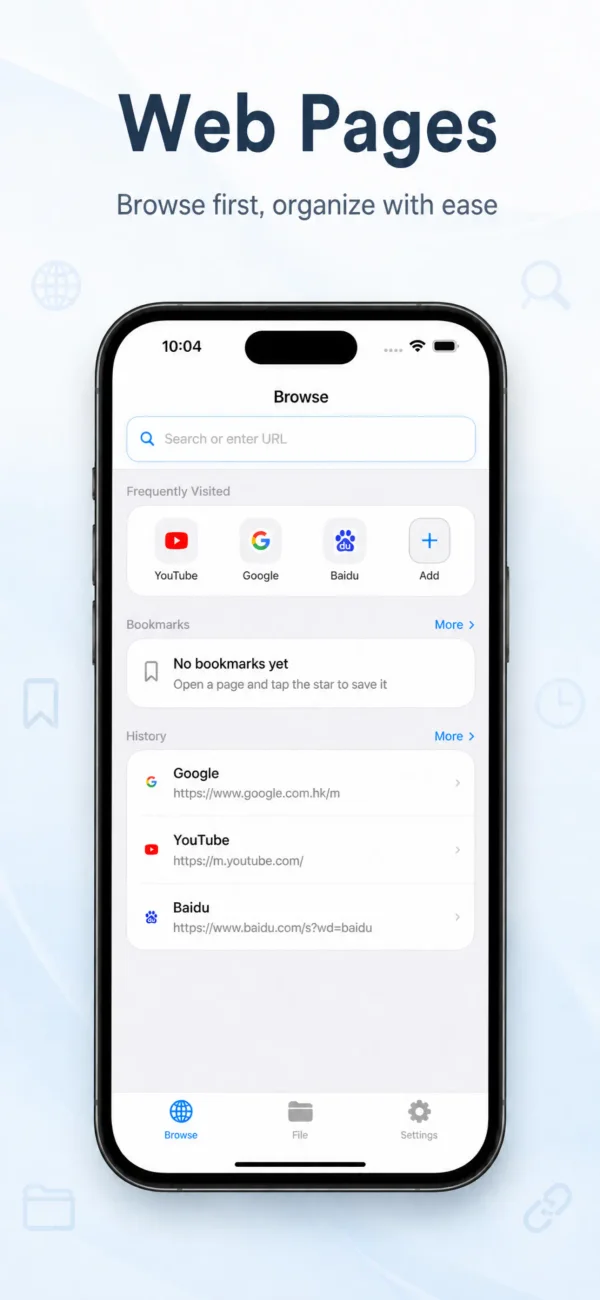
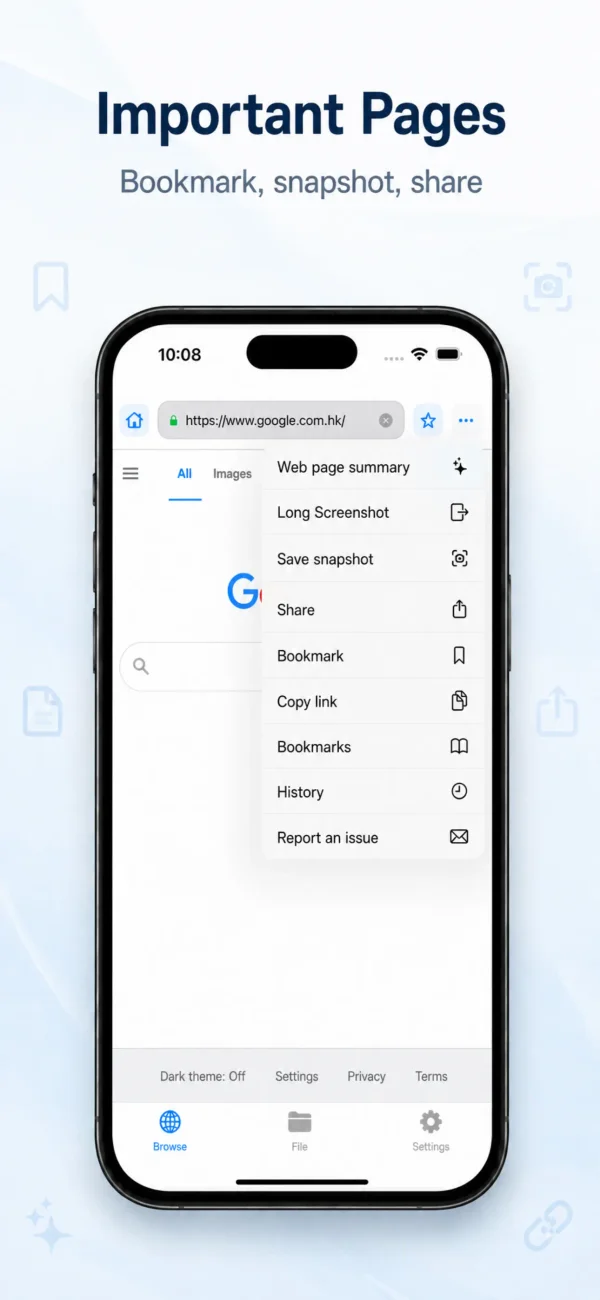
The built-in browser supports search and URL entry, with tools for frequently used sites, bookmarks, history, web snapshots, sharing, and copying page links. When you find useful content, SaveBox helps you move into an organized saving flow.
Keep web references organized
Manage frequently used sites, bookmarks, browsing history, and web snapshots in one place. SaveBox is useful for collecting course materials, references, inspiration, research pages, and items to revisit later. Some third-party websites may restrict embedded browsers, sign-in status, regional access, or page display behavior, and availability depends on the website itself.
Unified file library
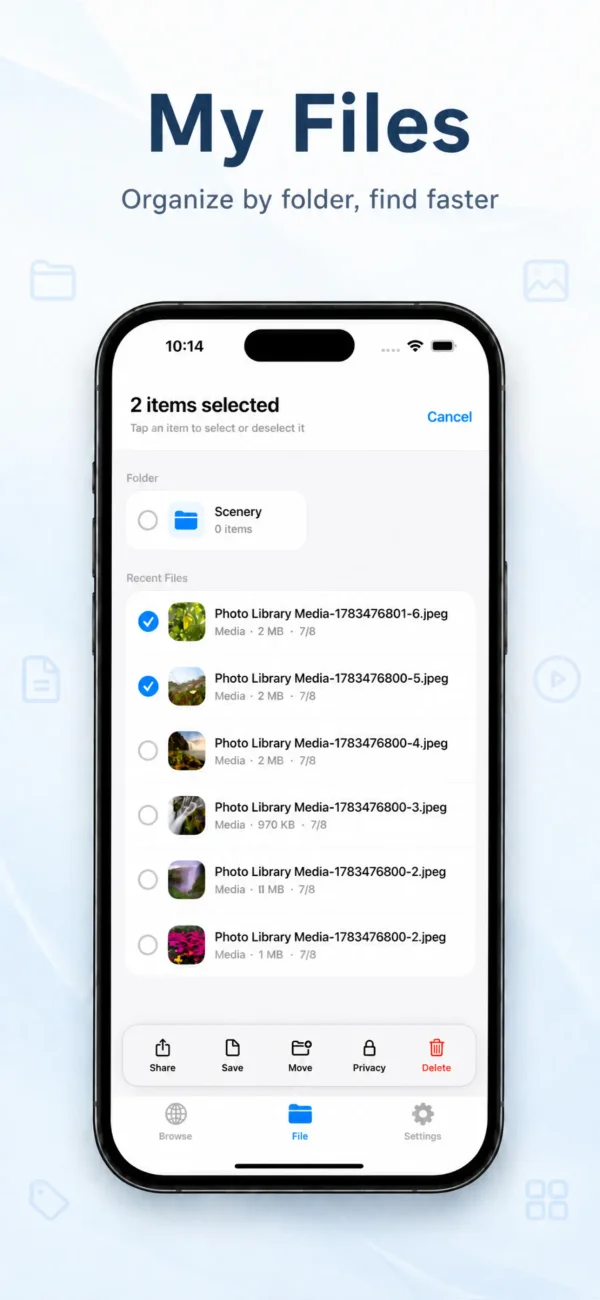
After importing from Photos or the Files app, you can filter by video, image, document, or audio, switch between list and grid views, sort by date, view, play, move, rename, organize into folders, select in batches, share, save back to Photos, or export through the system file picker.
Transfer files over WiFi
Connect your iPhone and computer to the same WiFi, then start the service from Transfers. Scan the QR code or open the displayed browser address and enter the pairing code to connect. Use the browser interface to send standard-library files between your computer and SaveBox, browse folders, create folders, and follow transfer progress. Allow Local Network access and keep SaveBox in the foreground while transferring. Transfers are started by you on the local network and are not relayed through SaveBox cloud services.
One transfer hub
The Transfers tab lets you start WiFi transfer, follow transfer progress, and review completed records. Completed records can be cleared when you no longer need them.
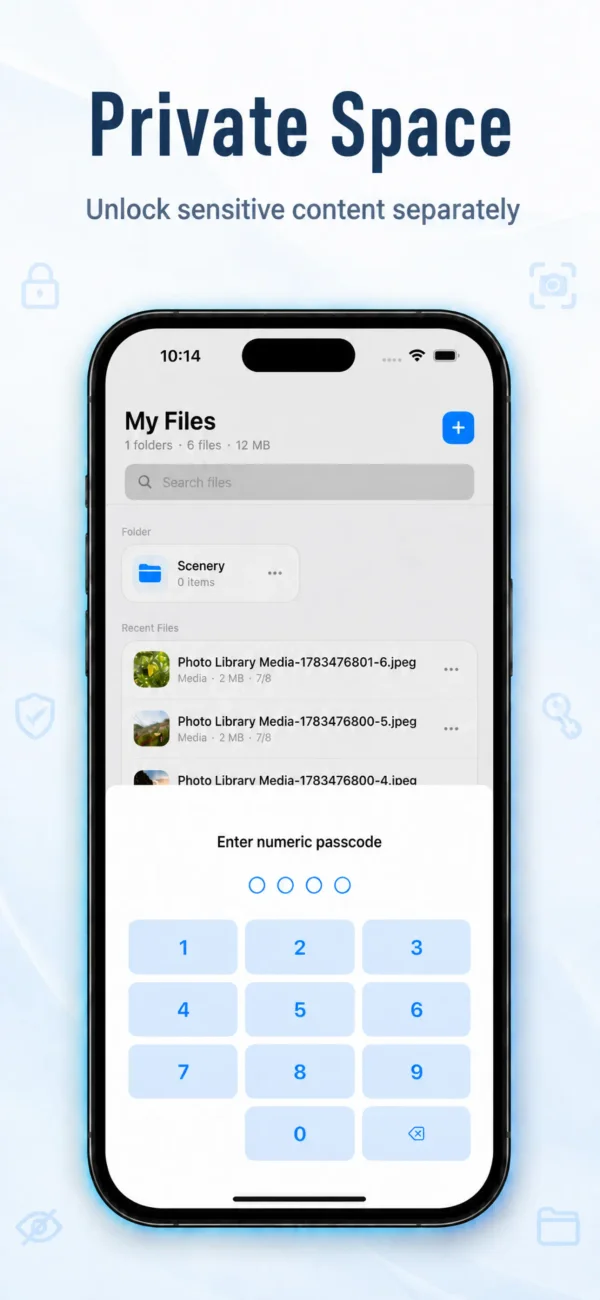
Private Space
Move sensitive items into Private Space and unlock them with a numeric passcode, Face ID, or Touch ID. Private Space is designed to reduce casual visibility when someone opens the app; it is not cloud backup or a system-level encrypted vault. Please keep your own backups of important files.
Local-first
SaveBox does not require an account by default. Your file library, browsing history, bookmarks, cookies, cache, and Private Space content are primarily stored on your device until you delete them, clear data, or uninstall the app.
Use SaveBox to:
• Save web snapshots, bookmarks, and frequently used sites
• Organize course materials, references, inspiration, and items to revisit
• Manage local media files
• Transfer files between your iPhone and computer on the same WiFi
• Keep selected items in a separate private area
• Clear browsing history, cookies, and cache
Terms of Service
https://saveboxapp.com/pages/terms-of-service-en
Privacy Policy
https://saveboxapp.com/pages/privacy-policy-en
Novidades
Versão 1.1.1 · 31/07/2026
SaveBox 1.1.1 brings a redesigned interface, WiFi file transfer, improved file organization, and SaveBox Pro.
• Added two-way WiFi file transfer between SaveBox and a computer browser on the same network
• Added a dedicated Transfers tab for starting WiFi service and viewing progress and completed records
• Improved WiFi pairing, status feedback, and completed-record cleanup
• Redesigned Browse, Files, Transfers, and Settings; Files now offers type filters, list/grid views, and date sorting
• Improved browser display options, Private Browsing status, and the separate History entry
• Added SaveBox Pro subscriptions and purchase restore, in-app feedback, announcements, and version notifications
• Refined onboarding, Private Space, file preview, and English, Japanese, and Simplified Chinese support
• Fixed interaction, transfer, and multilingual display issues
Privacidade do app
O que 映秀 赵 declara na App Store sobre como este app lida com os dados.
-
Dados não vinculados a você
Podem ser coletados, mas não são vinculados à sua identidade.
- Dados de uso
As práticas de privacidade podem variar, por exemplo, com base nos recursos que você usa ou na sua idade.
Informações
- Vendedor
- 映秀 赵
- Categoria
- Utilidades
- Versão
- 1.1.1
- Atualizado
- 31/07/2026
- Lançamento
- 30/06/2026
- Tamanho
- 53,4 MB
- Requer
- iOS 17.0 ou posterior
- Classificação etária
- 17+
- Preço
- Grátis
- Compras no app
- Sim
- Idiomas
- Inglês, Japonês, Chinês simplificado
- Copyright
- © SaveBox
Você também pode gostar
-
 SAV E-BOXUtilidades
-
 Hidey - Web e arquivosReproduza, organize, proteja
-
 PicRover: Imagens da webBaixe em lote, página auto
-
 Aegis BrowserUtilidades
-
 EzoUtilidades
-
 プライベートブラウザ - タブも履歴も瞬時に消去Utilidades
-
 闪电回执 - AI证件照与数码回执Utilidades
-
 Reelio Private Browser & FilesUtilidades
-
 Carnival - SMB Media PlayerUtilidades
-
 Link Saver: Salvar LinksGerenciador Links e Favoritos