SaveBox - Web Library
Web, WiFi & Private Files
Được thiết kế cho iPhone
Miễn phí · Mua hàng trong ứng dụng
- Độ tuổi17+
- Danh mụcTiện Ích
- Nhà phát triển映秀 赵
- Ngôn ngữTiếng Anh+ 2 ngôn ngữ khác
- Kích thước53,4 MB
Liên kết đến trang App Store chính thức
Download.org không lưu trữ tệp nào của SaveBox - Web Library. Nút này mở trang ứng dụng trên App Store, nơi 映秀 赵 phát hành ứng dụng. Trang được kiểm tra lần cuối: 12/11/2026.
Ảnh chụp màn hình
Giới thiệu
Nhà phát triển chưa cung cấp nội dung này bằng ngôn ngữ của bạn.
SaveBox is a local-first web content saving and file organization tool. It brings browsing, importing, WiFi transfer, previewing, folder management, and Private Space into one simple workflow for managing web pages, web snapshots, and local media files.
Browse and save in one place
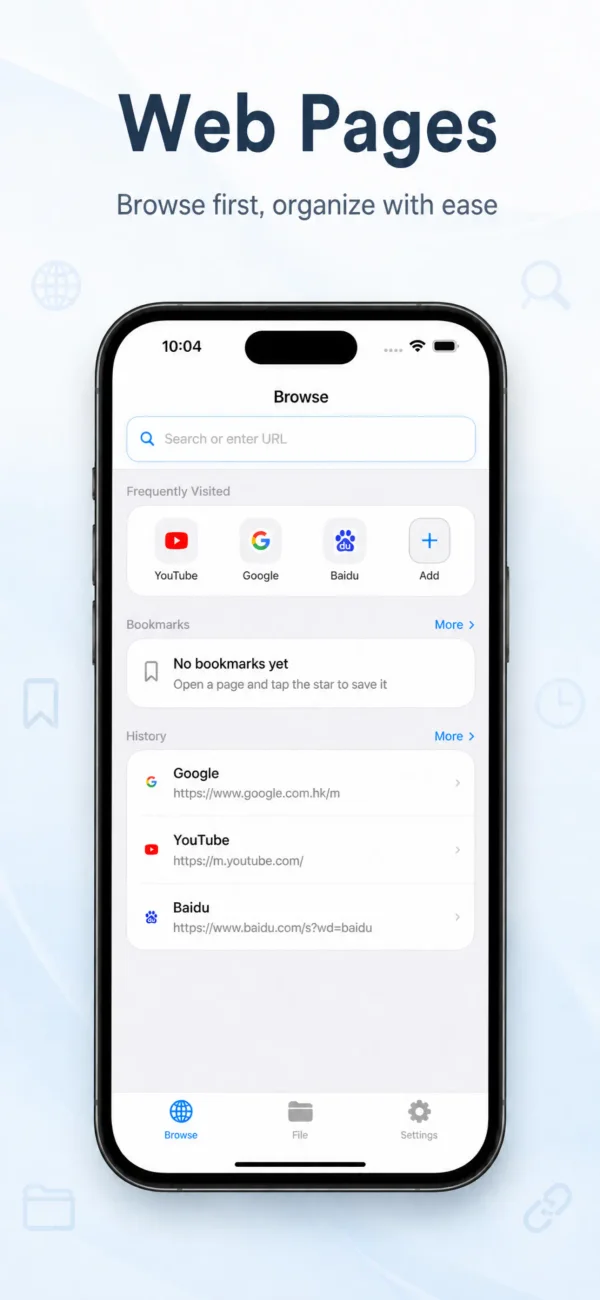
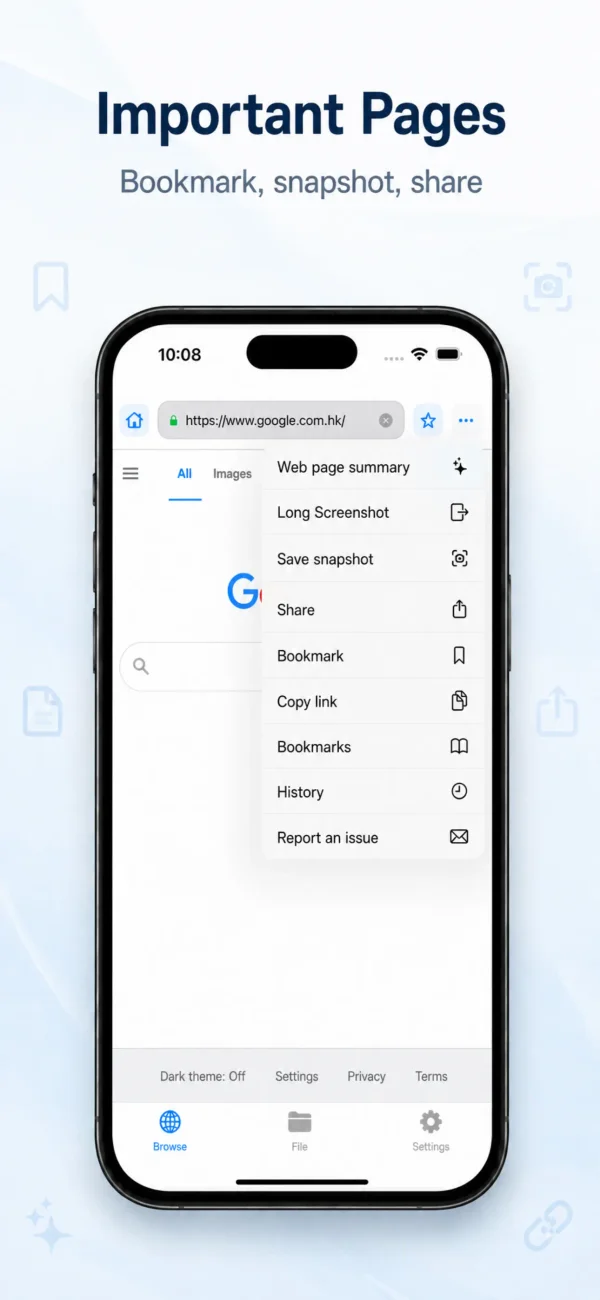
The built-in browser supports search and URL entry, with tools for frequently used sites, bookmarks, history, web snapshots, sharing, and copying page links. When you find useful content, SaveBox helps you move into an organized saving flow.
Keep web references organized
Manage frequently used sites, bookmarks, browsing history, and web snapshots in one place. SaveBox is useful for collecting course materials, references, inspiration, research pages, and items to revisit later. Some third-party websites may restrict embedded browsers, sign-in status, regional access, or page display behavior, and availability depends on the website itself.
Unified file library
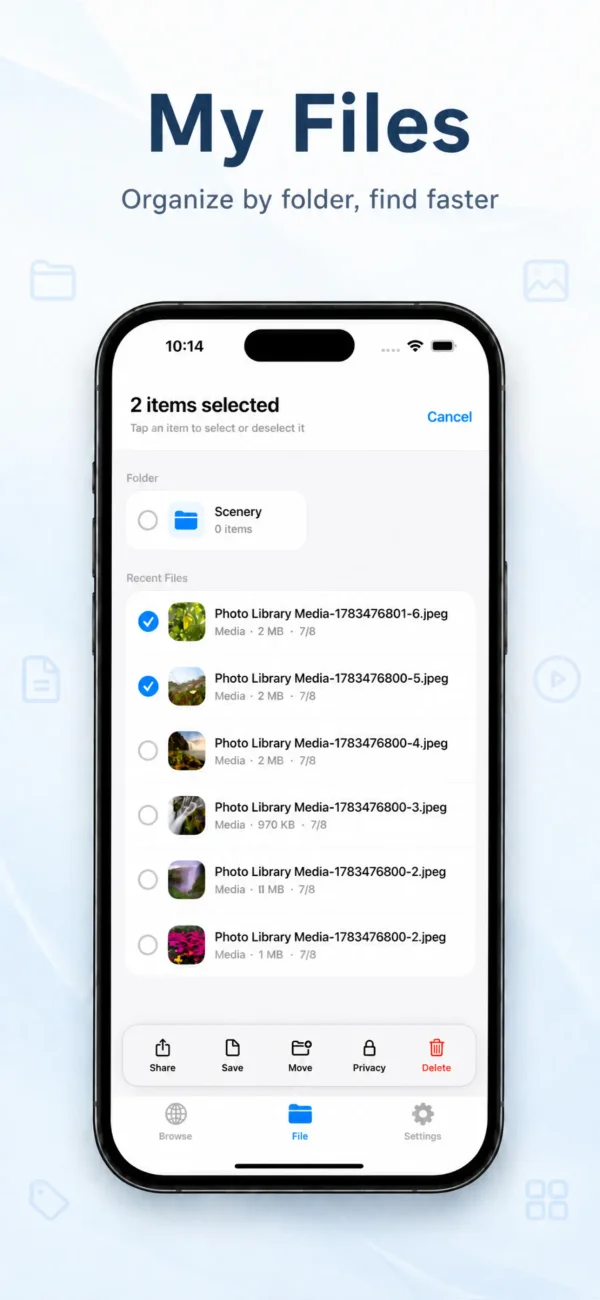
After importing from Photos or the Files app, you can filter by video, image, document, or audio, switch between list and grid views, sort by date, view, play, move, rename, organize into folders, select in batches, share, save back to Photos, or export through the system file picker.
Transfer files over WiFi
Connect your iPhone and computer to the same WiFi, then start the service from Transfers. Scan the QR code or open the displayed browser address and enter the pairing code to connect. Use the browser interface to send standard-library files between your computer and SaveBox, browse folders, create folders, and follow transfer progress. Allow Local Network access and keep SaveBox in the foreground while transferring. Transfers are started by you on the local network and are not relayed through SaveBox cloud services.
One transfer hub
The Transfers tab lets you start WiFi transfer, follow transfer progress, and review completed records. Completed records can be cleared when you no longer need them.
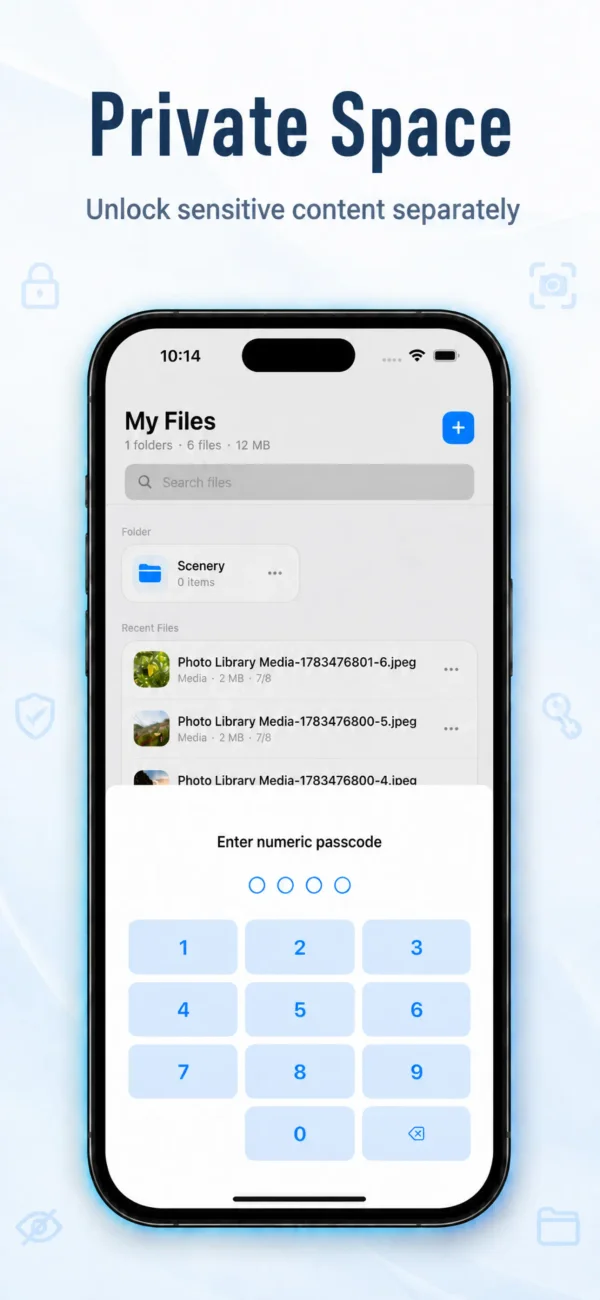
Private Space
Move sensitive items into Private Space and unlock them with a numeric passcode, Face ID, or Touch ID. Private Space is designed to reduce casual visibility when someone opens the app; it is not cloud backup or a system-level encrypted vault. Please keep your own backups of important files.
Local-first
SaveBox does not require an account by default. Your file library, browsing history, bookmarks, cookies, cache, and Private Space content are primarily stored on your device until you delete them, clear data, or uninstall the app.
Use SaveBox to:
• Save web snapshots, bookmarks, and frequently used sites
• Organize course materials, references, inspiration, and items to revisit
• Manage local media files
• Transfer files between your iPhone and computer on the same WiFi
• Keep selected items in a separate private area
• Clear browsing history, cookies, and cache
Terms of Service
https://saveboxapp.com/pages/terms-of-service-en
Privacy Policy
https://saveboxapp.com/pages/privacy-policy-en
Có gì mới
Phiên bản 1.1.1 · 31/07/2026
SaveBox 1.1.1 brings a redesigned interface, WiFi file transfer, improved file organization, and SaveBox Pro.
• Added two-way WiFi file transfer between SaveBox and a computer browser on the same network
• Added a dedicated Transfers tab for starting WiFi service and viewing progress and completed records
• Improved WiFi pairing, status feedback, and completed-record cleanup
• Redesigned Browse, Files, Transfers, and Settings; Files now offers type filters, list/grid views, and date sorting
• Improved browser display options, Private Browsing status, and the separate History entry
• Added SaveBox Pro subscriptions and purchase restore, in-app feedback, announcements, and version notifications
• Refined onboarding, Private Space, file preview, and English, Japanese, and Simplified Chinese support
• Fixed interaction, transfer, and multilingual display issues
Quyền riêng tư của ứng dụng
Những gì 映秀 赵 khai báo trên App Store về cách ứng dụng này xử lý dữ liệu.
-
Dữ liệu không liên kết với bạn
Có thể được thu thập nhưng không liên kết với danh tính của bạn.
- Dữ liệu sử dụng
Phương thức đảm bảo quyền riêng tư có thể khác nhau, chẳng hạn như tuỳ theo các tính năng bạn sử dụng hoặc độ tuổi của bạn.
Thông tin
- Người bán
- 映秀 赵
- Danh mục
- Tiện Ích
- Phiên bản
- 1.1.1
- Cập nhật
- 31/07/2026
- Phát hành
- 30/06/2026
- Kích thước
- 53,4 MB
- Yêu cầu
- iOS 17.0 trở lên
- Độ tuổi
- 17+
- Giá
- Miễn phí
- Mua hàng trong ứng dụng
- Có
- Ngôn ngữ
- Tiếng Anh, Tiếng Nhật, Tiếng Trung Giản thể
- Bản quyền
- © SaveBox
Có thể bạn cũng thích
-
 SAV E-BOXTiện Ích
-
 Hidey - Web & tệpPhát, sắp xếp, riêng tư
-
 PicRover: Lưu ảnh từ webTải hàng loạt, tự chuyển trang
-
 Aegis BrowserTiện Ích
-
 EzoTiện Ích
-
 プライベートブラウザ - タブも履歴も瞬時に消去Tiện Ích
-
 闪电回执 - AI证件照与数码回执Tiện Ích
-
 Reelio Private Browser & FilesTiện Ích
-
 Carnival - SMB Media PlayerTiện Ích
-
 Link Saver: Lưu LinkQuản lý dấu trang đa năng