- Classificação etária4+
- CategoriaEstilo de vida
- DesenvolvedorEbey Tech LLC
- IdiomasInglês
- Tamanho1,5 MB
Leva à página oficial na App Store
O Download.org não hospeda nenhum arquivo de Simple Week Routine. O botão abre a página do app na App Store, onde Ebey Tech LLC o publica. Página verificada pela última vez em 17/11/2026.
Capturas de tela
Sobre
O desenvolvedor não forneceu este texto no seu idioma.
Wakeup and accomplish more with Simple Week Routine. An app designed specifically to quickly track your "Routine" progress throughout the week. Simple Week Routine allows for fast creation of routines and powerful tools for accomplishing your routine goals.
Sign-in to iCloud account for data to store to iCloud.
Instructions for App Operation:
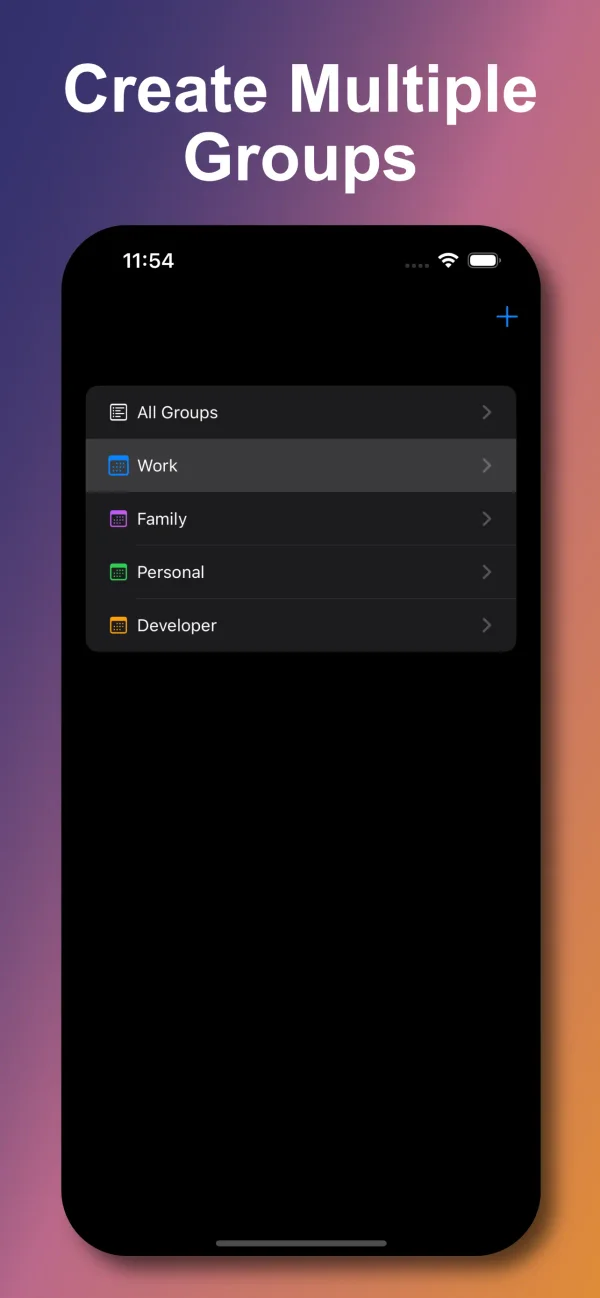
1.) Click the + at the top of navigation to add a new Group.
2.) Enter in a Group Item Name.
3.) Select a color. The furthest left color (white/black) is the system primary color. Depending on light/dark mode, this color may appear different.
4.) Click Add button to create the new Group.
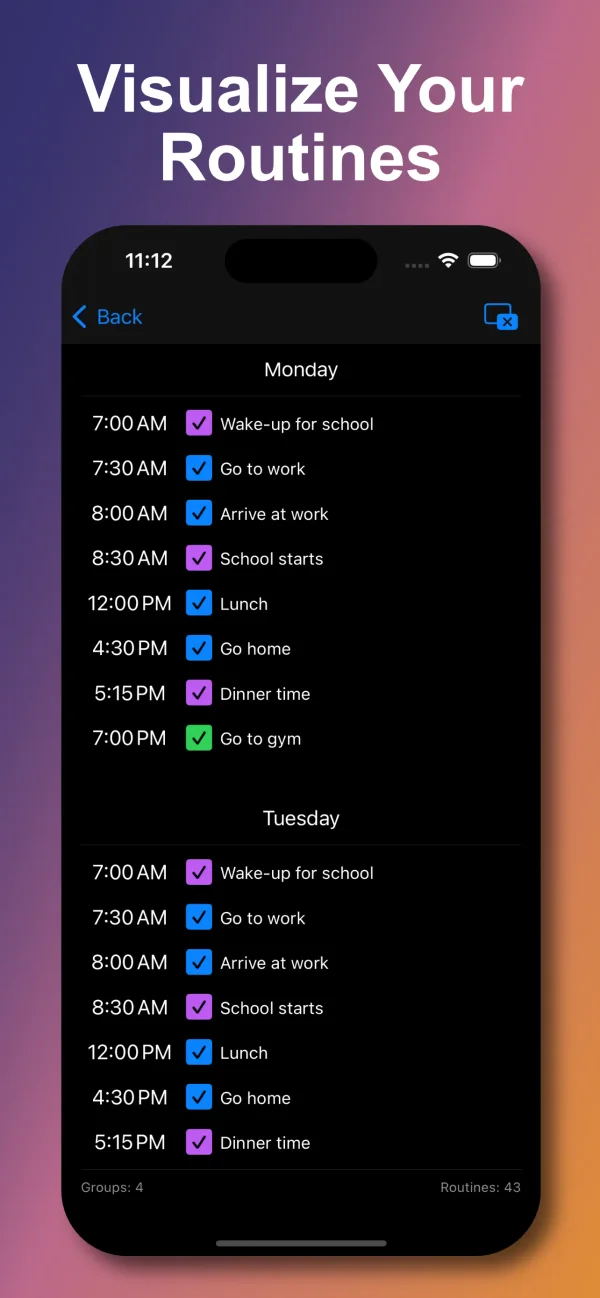
5.) Click the newly created Group. The main view will load with days of the week.
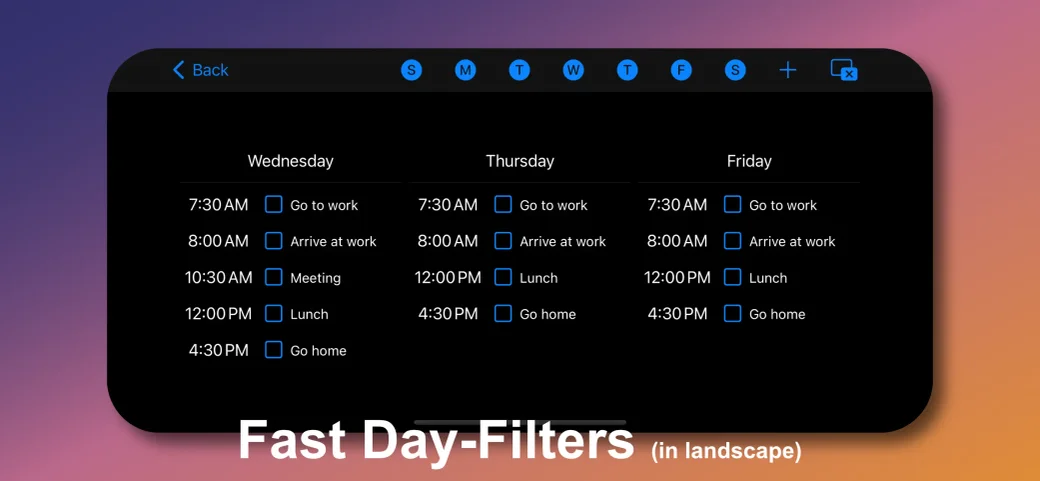
6.) In the Toolbar, toggle the S, M, etc… buttons to hide/show days of the week. This can be useful for focusing on specific days of the week. For iPhone, rotate to landscape to see buttons.
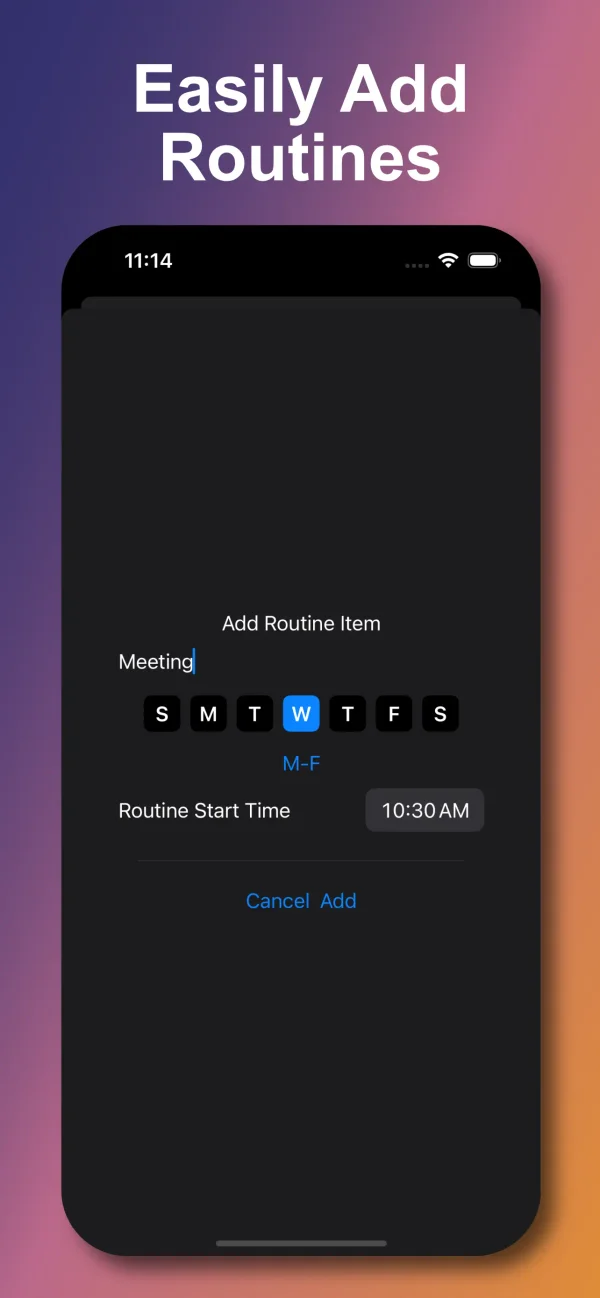
7.) Click the + button in the main view’s toolbar to add a new Routine.
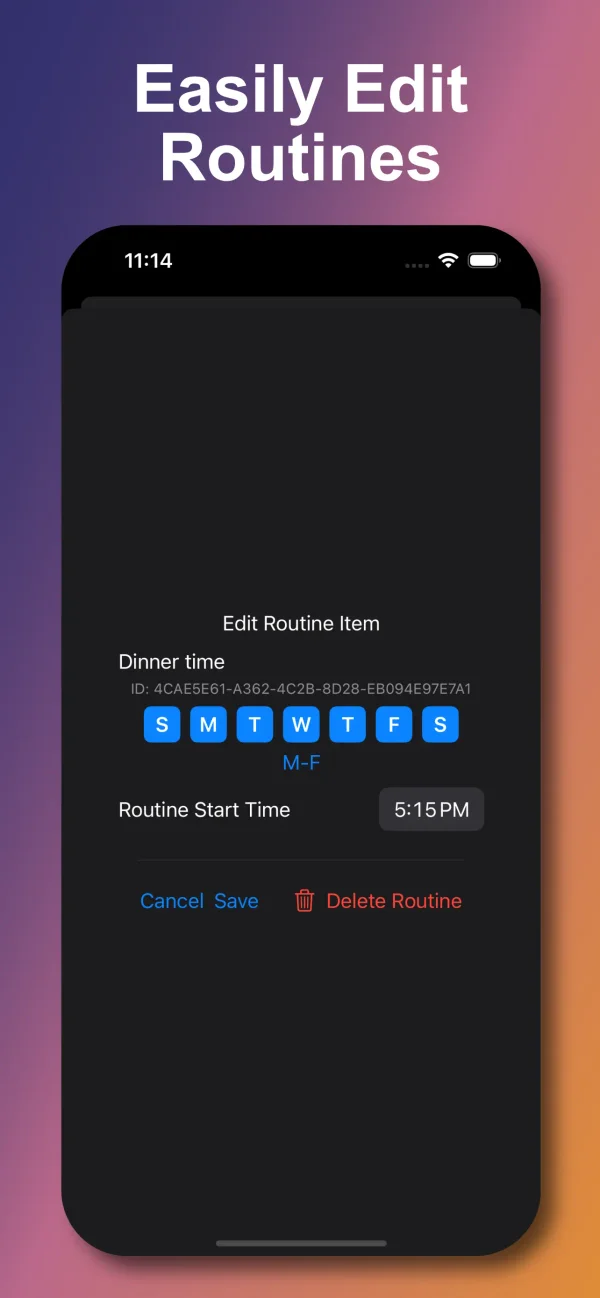
8.) Enter in a Routine Item Name.
9.) Toggle the S, M, etc… days of the week toggle buttons. When creating a new Routine, it’ll be listed under whatever days of the week are toggle active (blue).
10.) Use the M-F link button to automatically activate the Monday-Friday toggle buttons.
11.) Set an appropriate Routine Start Time for when your Routine is to be accomplished.
12.) Click Add button to create the new Routine.
13.) New Routines are added to the main view’s days of the week.
14.) To mark a Routine as complete, check the Routine’s checkbox (square).
15.) To edit Routines, double-tap any Routine. This will load the editor, which is similar to the Add Routine prompt. For example if Tuesday was toggled on, toggling it again will turn it off and remove the Routine from that day of the week in the main view.
16.) Clicking the Delete Routine button in the editor will remove the Routine from all days of the week and from the app.
17.) In the main view toolbar, clicking the Clear Checkboxes button will uncheck all Routine’s checkboxes. This can be useful when starting a new week and you want to clear previous week’s progress.
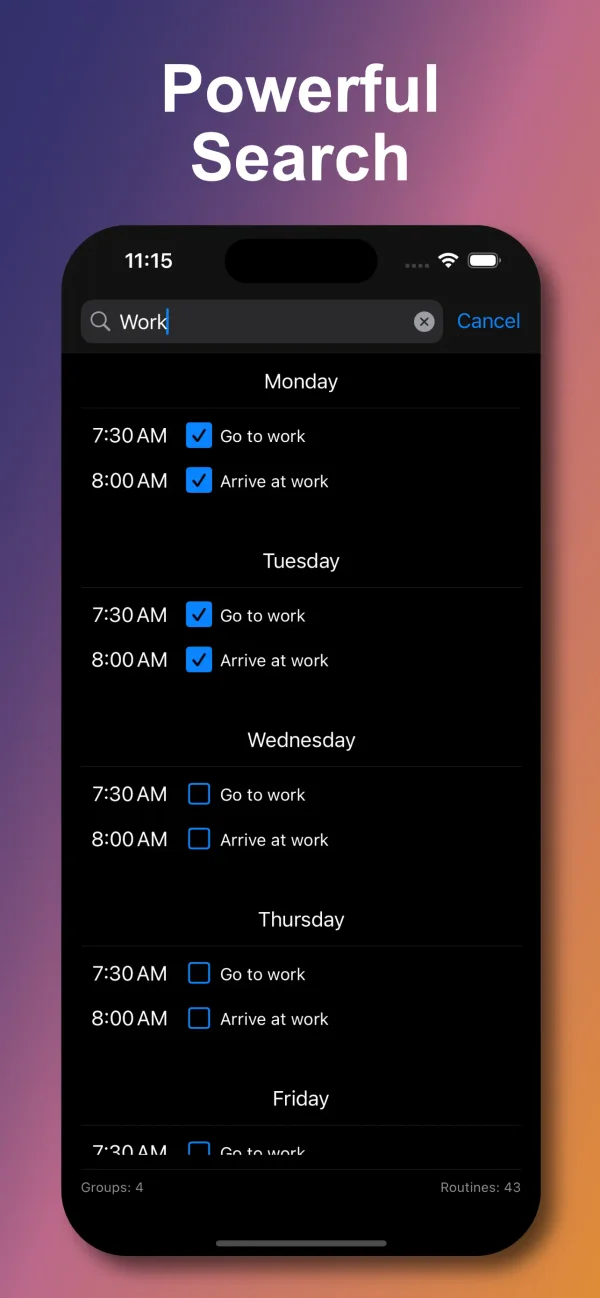
18.) In the main view, swiping downward will reveal the Search field. Type in desired text content to filter the days of the week for Routines matching similar text by Routine Name.
19.) In the main view, double-tap a day of the week to toggle a UI focus on that day’s Routines. This can be helpful to further focus on content. Double-tap it again to return UI to normal.
20.) Tap-hold (force-touch) a day of the week’s name to see additional functions. Check All will check all Routines for that day of the week. Uncheck All works the same. Delete All Routines will remove Routines for that day of the week.
21.) Tap-hold (force-touch) options for a day of the week when using “All Groups” work a bit differently. The Check All function will apply to all Groups for that day of the week. Same for Uncheck All. Additionally when using All Groups and performing Tap-hold (force-touch) option Delete All Routines, it will remove all Routines for all Groups on that day of the week. Care should be taken when using these global functions as they can impact multiple items in one operation.
22.) Tap-hold (force-touch) a Group to Edit or Delete the Group. Editing allows for name and color change. Deleting a Group will also delete all of it’s Routines, so care should be taken when using.
Novidades
Versão 1.2 · 04/09/2024
- Added Setting for Mon-Sun Week. Setting appears under system Settings>Simple Week Routine.
Privacidade do app
O que Ebey Tech LLC declara na App Store sobre como este app lida com os dados.
-
Dados não coletados
O desenvolvedor não coleta nenhum dado deste app.
As práticas de privacidade podem variar, por exemplo, com base nos recursos que você usa ou na sua idade.
Informações
- Vendedor
- Ebey Tech LLC
- Categoria
- Estilo de vida
- Versão
- 1.2
- Atualizado
- 04/09/2024
- Lançamento
- 31/10/2023
- Tamanho
- 1,5 MB
- Requer
- iOS 17.0 ou posterior
- Classificação etária
- 4+
- Preço
- R$ 12,90
- Idiomas
- Inglês
- Copyright
- © Ebey tech LLC
Você também pode gostar
-
 Our Dayz: Photo JournalEstilo de vida
-
 Rhythm: Daily Rituals AppEstilo de vida
-
 DayBitsEstilo de vida
-
 Dear Today: Visual DiaryEstilo de vida
-
 Simple Habit / Streaks TrackerEstilo de vida
-
 Diary Widget: DamdaEstilo de vida
-
 Custom Journal: Diário GuiadoSeu diário, do seu jeito
-
 Pool-CalculatorEstilo de vida
-
 Sticky notes - notebook, memoEstilo de vida
-
 Puppy Potty Log: PupIQEstilo de vida