Simple Week Routine
Routine Checklist
Được thiết kế cho iPhone, iPad, Mac
59.000đ
- Độ tuổi4+
- Danh mụcLối Sống
- Nhà phát triểnEbey Tech LLC
- Ngôn ngữTiếng Anh
- Kích thước1,5 MB
Liên kết đến trang App Store chính thức
Download.org không lưu trữ tệp nào của Simple Week Routine. Nút này mở trang ứng dụng trên App Store, nơi Ebey Tech LLC phát hành ứng dụng. Trang được kiểm tra lần cuối: 17/11/2026.
Ảnh chụp màn hình
Giới thiệu
Nhà phát triển chưa cung cấp nội dung này bằng ngôn ngữ của bạn.
Wakeup and accomplish more with Simple Week Routine. An app designed specifically to quickly track your "Routine" progress throughout the week. Simple Week Routine allows for fast creation of routines and powerful tools for accomplishing your routine goals.
Sign-in to iCloud account for data to store to iCloud.
Instructions for App Operation:
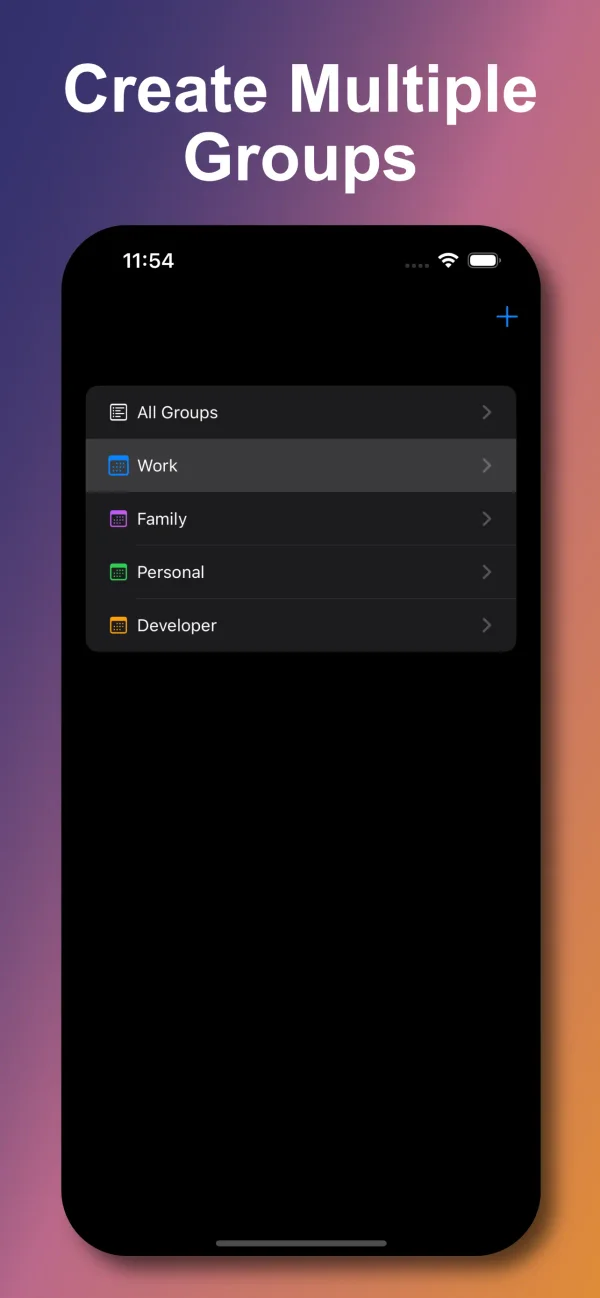
1.) Click the + at the top of navigation to add a new Group.
2.) Enter in a Group Item Name.
3.) Select a color. The furthest left color (white/black) is the system primary color. Depending on light/dark mode, this color may appear different.
4.) Click Add button to create the new Group.
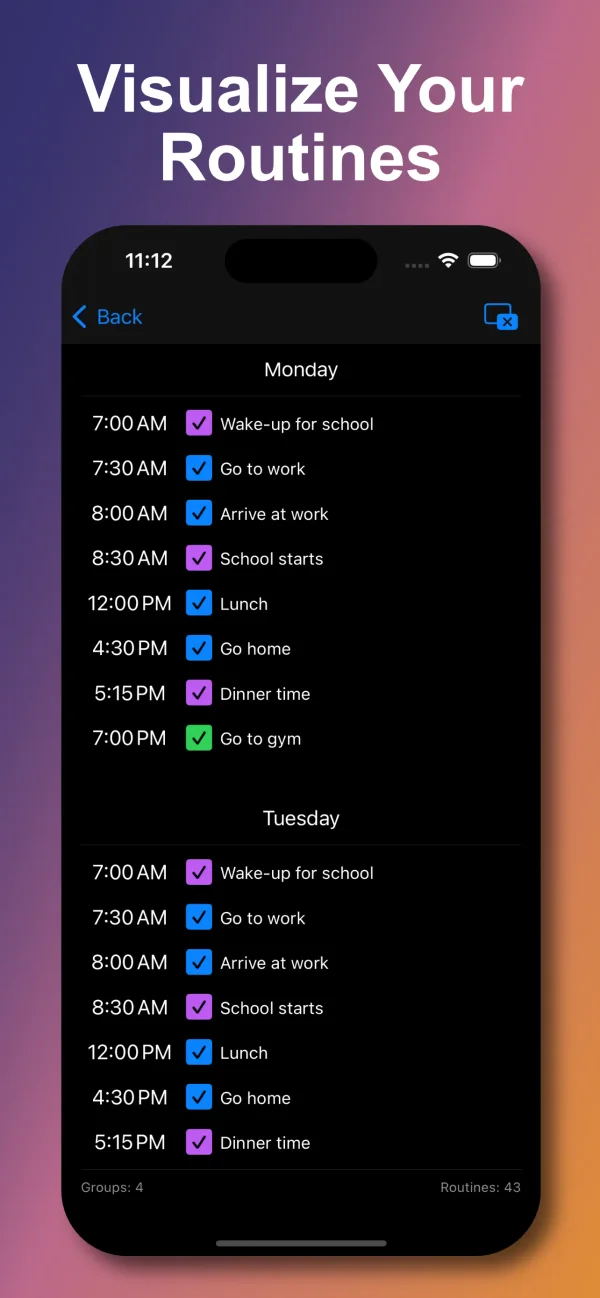
5.) Click the newly created Group. The main view will load with days of the week.
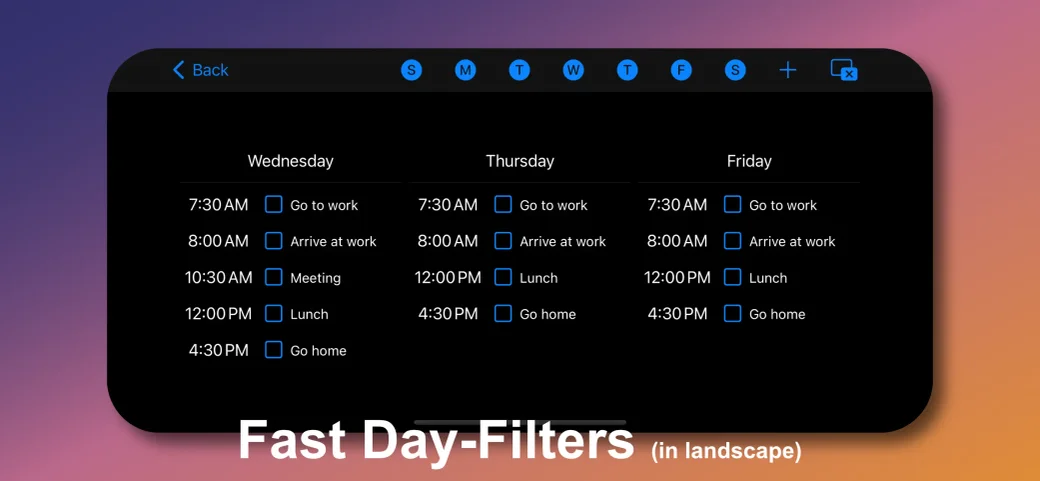
6.) In the Toolbar, toggle the S, M, etc… buttons to hide/show days of the week. This can be useful for focusing on specific days of the week. For iPhone, rotate to landscape to see buttons.
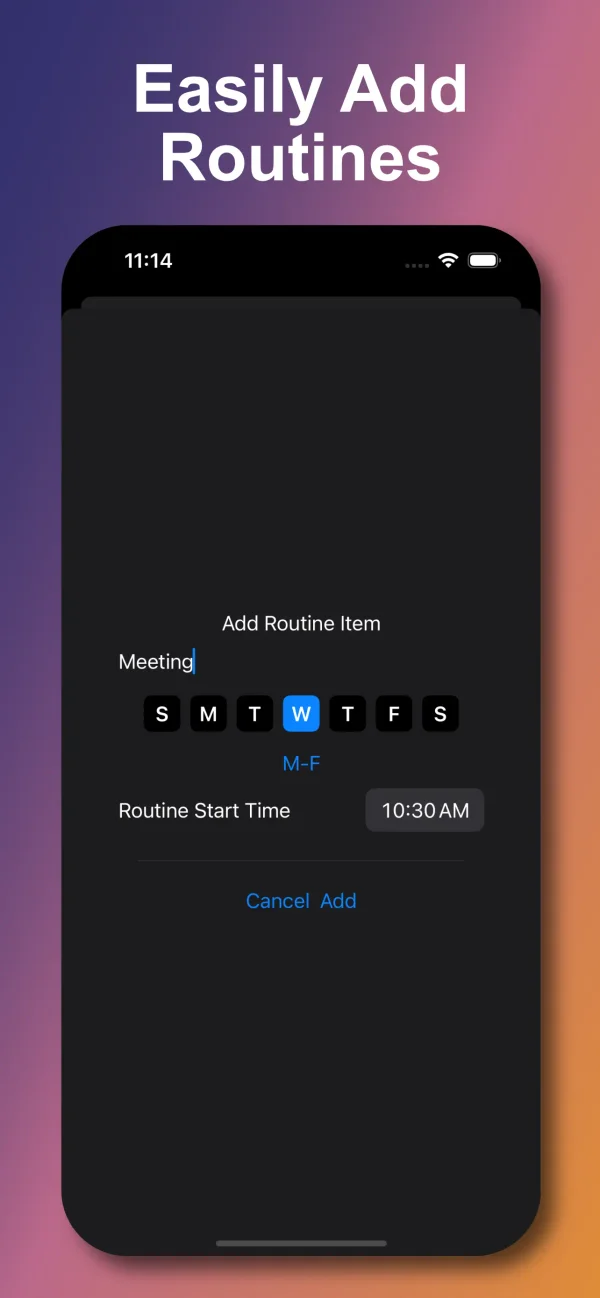
7.) Click the + button in the main view’s toolbar to add a new Routine.
8.) Enter in a Routine Item Name.
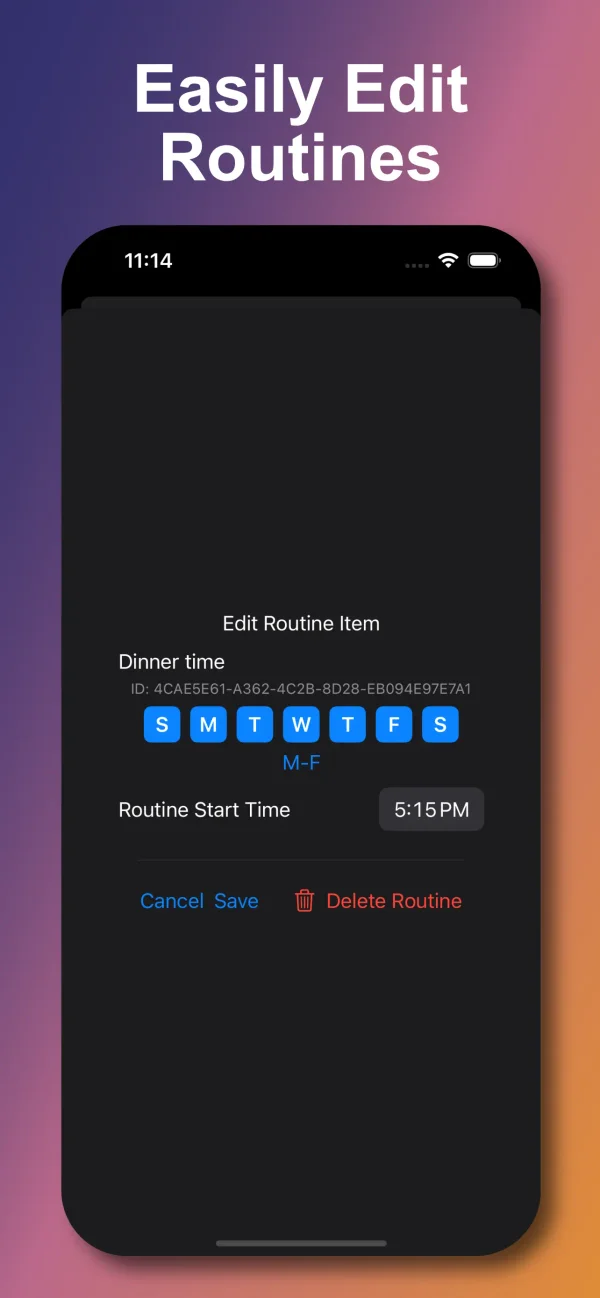
9.) Toggle the S, M, etc… days of the week toggle buttons. When creating a new Routine, it’ll be listed under whatever days of the week are toggle active (blue).
10.) Use the M-F link button to automatically activate the Monday-Friday toggle buttons.
11.) Set an appropriate Routine Start Time for when your Routine is to be accomplished.
12.) Click Add button to create the new Routine.
13.) New Routines are added to the main view’s days of the week.
14.) To mark a Routine as complete, check the Routine’s checkbox (square).
15.) To edit Routines, double-tap any Routine. This will load the editor, which is similar to the Add Routine prompt. For example if Tuesday was toggled on, toggling it again will turn it off and remove the Routine from that day of the week in the main view.
16.) Clicking the Delete Routine button in the editor will remove the Routine from all days of the week and from the app.
17.) In the main view toolbar, clicking the Clear Checkboxes button will uncheck all Routine’s checkboxes. This can be useful when starting a new week and you want to clear previous week’s progress.
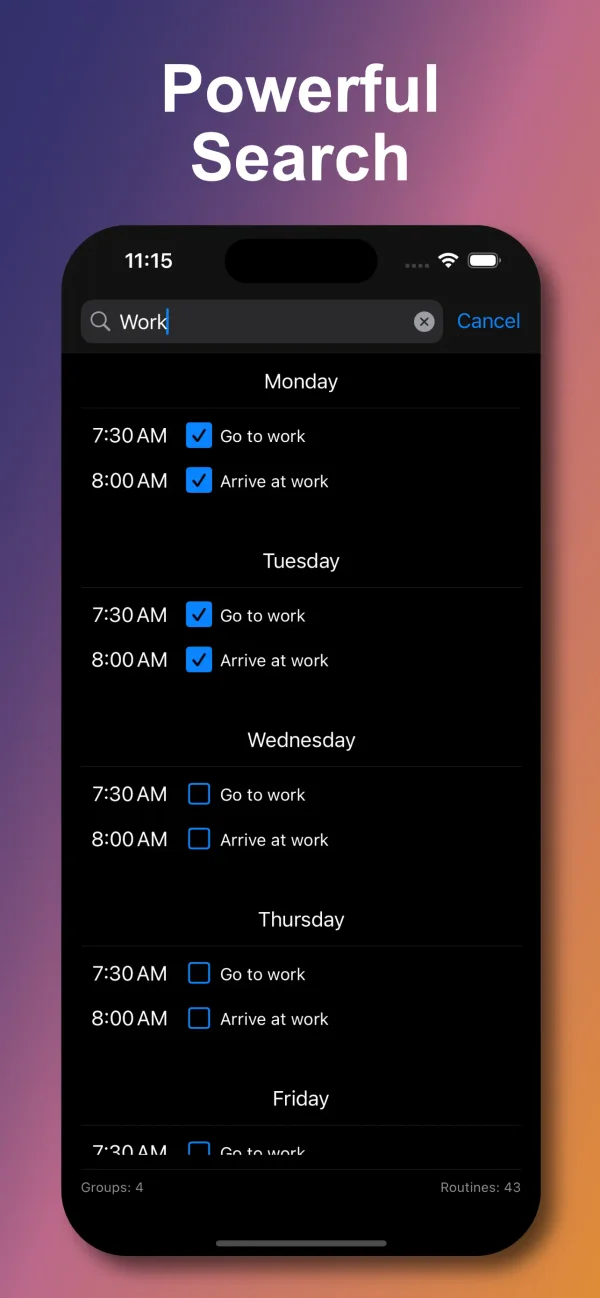
18.) In the main view, swiping downward will reveal the Search field. Type in desired text content to filter the days of the week for Routines matching similar text by Routine Name.
19.) In the main view, double-tap a day of the week to toggle a UI focus on that day’s Routines. This can be helpful to further focus on content. Double-tap it again to return UI to normal.
20.) Tap-hold (force-touch) a day of the week’s name to see additional functions. Check All will check all Routines for that day of the week. Uncheck All works the same. Delete All Routines will remove Routines for that day of the week.
21.) Tap-hold (force-touch) options for a day of the week when using “All Groups” work a bit differently. The Check All function will apply to all Groups for that day of the week. Same for Uncheck All. Additionally when using All Groups and performing Tap-hold (force-touch) option Delete All Routines, it will remove all Routines for all Groups on that day of the week. Care should be taken when using these global functions as they can impact multiple items in one operation.
22.) Tap-hold (force-touch) a Group to Edit or Delete the Group. Editing allows for name and color change. Deleting a Group will also delete all of it’s Routines, so care should be taken when using.
Có gì mới
Phiên bản 1.2 · 04/09/2024
- Added Setting for Mon-Sun Week. Setting appears under system Settings>Simple Week Routine.
Quyền riêng tư của ứng dụng
Những gì Ebey Tech LLC khai báo trên App Store về cách ứng dụng này xử lý dữ liệu.
-
Dữ liệu không được thu thập
Nhà phát triển không thu thập bất kỳ dữ liệu nào từ ứng dụng này.
Phương thức đảm bảo quyền riêng tư có thể khác nhau, chẳng hạn như tuỳ theo các tính năng bạn sử dụng hoặc độ tuổi của bạn.
Thông tin
- Người bán
- Ebey Tech LLC
- Danh mục
- Lối Sống
- Phiên bản
- 1.2
- Cập nhật
- 04/09/2024
- Phát hành
- 31/10/2023
- Kích thước
- 1,5 MB
- Yêu cầu
- iOS 17.0 trở lên
- Độ tuổi
- 4+
- Giá
- 59.000đ
- Ngôn ngữ
- Tiếng Anh
- Bản quyền
- © Ebey tech LLC
Có thể bạn cũng thích
-
 Our Dayz: Photo JournalLối Sống
-
 Rhythm: Daily Rituals AppLối Sống
-
 DayBitsLối Sống
-
 Dear Today: Visual DiaryLối Sống
-
 Simple Habit / Streaks TrackerLối Sống
-
 Diary Widget: DamdaLối Sống
-
 Custom Journal: Chủ đề viếtNhật ký cá nhân của bạn
-
 Pool-CalculatorLối Sống
-
 Sticky notes - notebook, memoLối Sống
-
 Puppy Potty Log: PupIQLối Sống