uFocus
Distraction-free text editor
Projetado para iPhone, iPad, Mac, iPod touch
Grátis
- Classificação etária4+
- CategoriaProdutividade
- DesenvolvedorNicolas Kick
- IdiomasInglês
- Tamanho6,5 MB
Leva à página oficial na App Store
O Download.org não hospeda nenhum arquivo de uFocus. O botão abre a página do app na App Store, onde Nicolas Kick o publica. Página verificada pela última vez em 13/11/2026.
Capturas de tela


Sobre
O desenvolvedor não forneceu este texto no seu idioma.
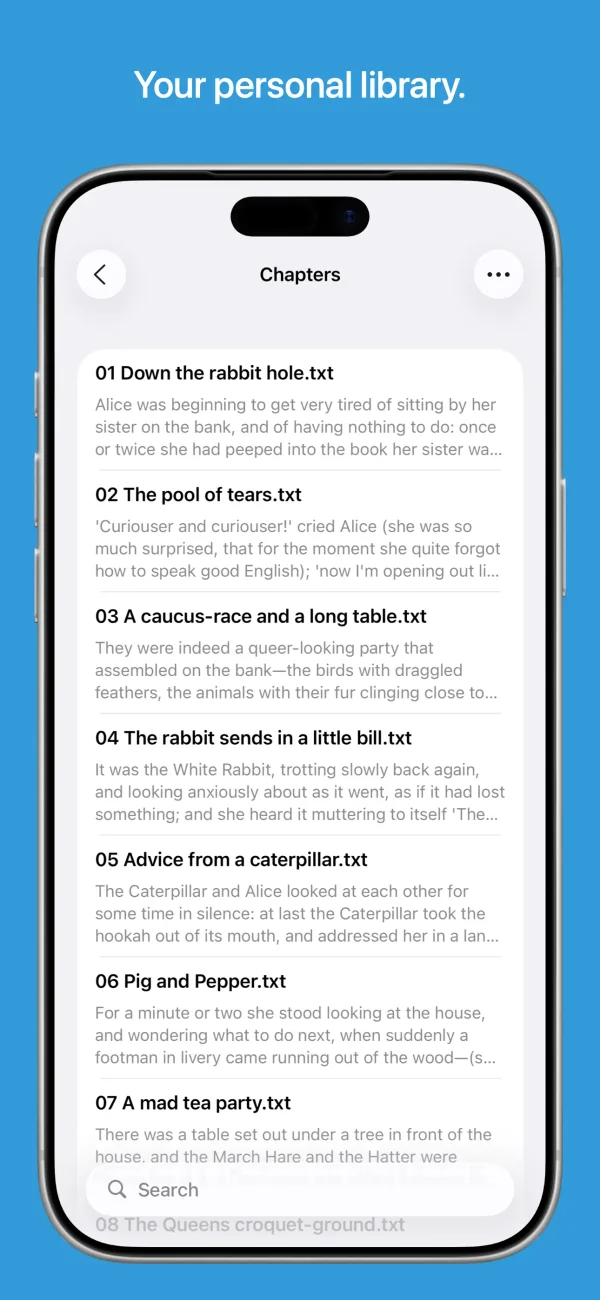
uFocus is a distraction-free writing environment that supports plain text files and allows you to keep them organized inside libraries. It allows everyone to express their creativity in the most simple way.
• Unobtrusive interface: the navigation bar disappears while writing.
• Swipe to show the sidebar. Here you can link your favorite libraries and quickly access your documents.
• Show text statistics including character and word count and reading time.
• MultiMarkdown: easily add headings, quotes, ordered and unordered lists, links, images, italics, bold, footnotes, citations, glossaries and acronyms. You can then export your documents to HTML or PDF. With CriticMarkup and Live Edit Mode you can easily mark removals, additions and substitutions, add highlghts and comments, and accept or reject them.
• Fountain: create screenplays with the Markdown-inspired markup syntax and print or export them as PDF with industry-standard formatting.
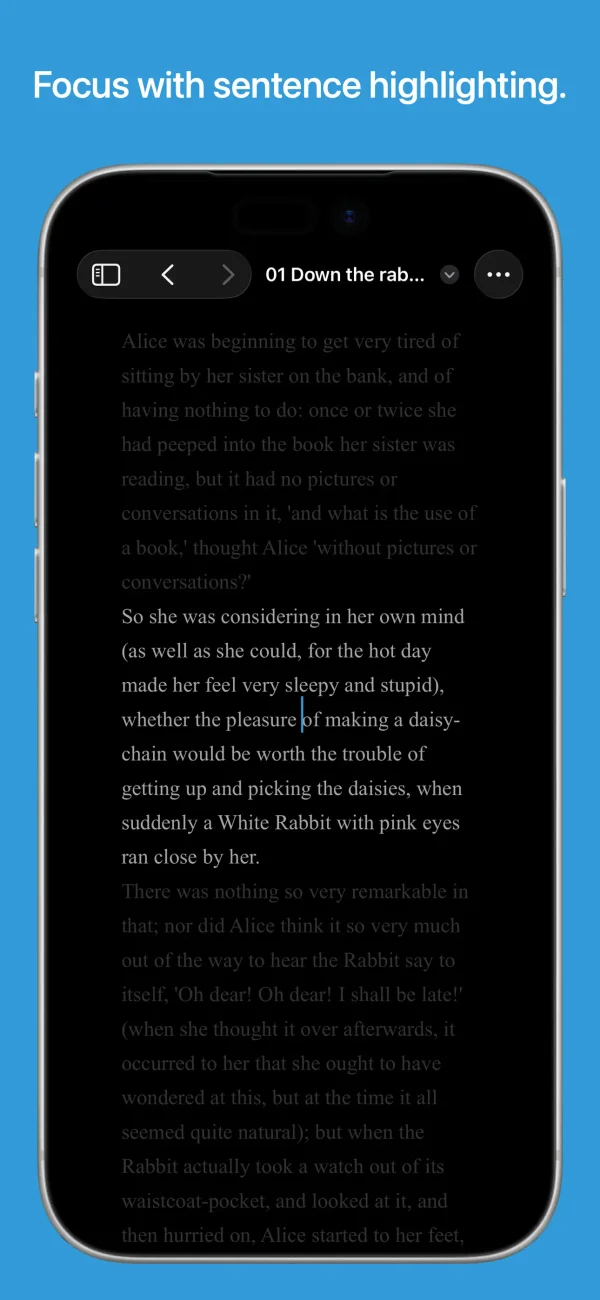
• Highlighting: you can stay even more focused by fading out all the text but the current sentence or paragraph.
• Typewriter scrolling: automatically scrolls the text when you get on a new line.
• Sound mode: experience the ultimate feeling of a typewriter.
• No deletions mode: disable deletions and replacements if your greatest temptation is always to edit your text instead of writing.
• Fullscreen: focus on your words and hide everything else.
• Choose between three different editor widths, four font sizes and a light, dark, sepia or amber theme, or create your own theme.
• Print single files or entire directory hierarchies.
If you have any requests, suggestions or bug reports, you're welcome to visit the website through the Support link.
Novidades
Versão 2.1.3 · 21/08/2026
• Fixed an issue that caused the “delete” sound to be played when compositing characters (such as accented letters or Chinese characters) and typewriter sounds were enabled.
• Fixed an issue that caused the theme to not be switched automatically when the system appearance changed between light and dark and the app was in the background.
• Implemented a workaround for an iOS issue that causes the navigation bar of the sidebar to be hidden when opening a document in portrait mode and rotating the device to landscape mode.
• Fixed an issue that caused forced character names with only one letter to not be recognized in a Fountain document.
Privacidade do app
O que Nicolas Kick declara na App Store sobre como este app lida com os dados.
-
Dados não coletados
O desenvolvedor não coleta nenhum dado deste app.
As práticas de privacidade podem variar, por exemplo, com base nos recursos que você usa ou na sua idade.
Informações
- Vendedor
- Nicolas Kick
- Categoria
- Produtividade
- Versão
- 2.1.3
- Atualizado
- 21/08/2026
- Lançamento
- 16/12/2012
- Tamanho
- 6,5 MB
- Requer
- iOS 15.0 ou posterior
- Classificação etária
- 4+
- Preço
- Grátis
- Idiomas
- Inglês
- Copyright
- © Desairem
Você também pode gostar
-
 Quick Draft: Notes & MarkdownProdutividade
-
 Text Editor AppProdutividade
-
 ZavalaProdutividade
-
 Notelane - Markdown EditorProdutividade
-
 Inkdrop - Markdown NotesProdutividade
-
 EZText - Text EditorProdutividade
-
 Marked — Markdown EditorProdutividade
-
 Editor - Markdown NotesProdutividade
-
 Collected NotesProdutividade
-
 Auer NotesProdutividade