- Classificação etária4+
- CategoriaUtilidades
- DesenvolvedorJoshua Vucelich
- IdiomasInglês
- Tamanho11,2 MB
Leva à página oficial na App Store
O Download.org não hospeda nenhum arquivo de Virtual Stream Deck. O botão abre a página do app na App Store, onde Joshua Vucelich o publica. Página verificada pela última vez em 17/11/2026.
Capturas de tela
Sobre
O desenvolvedor não forneceu este texto no seu idioma.
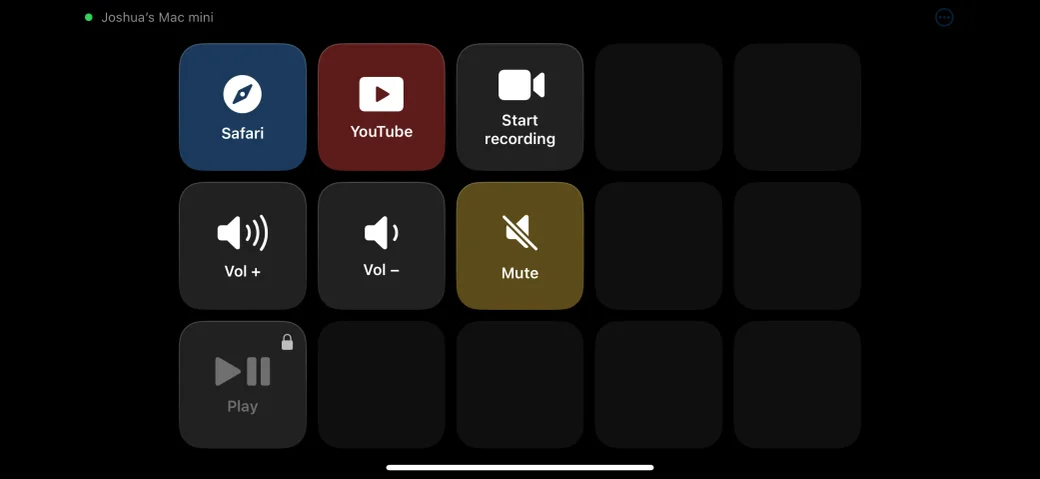
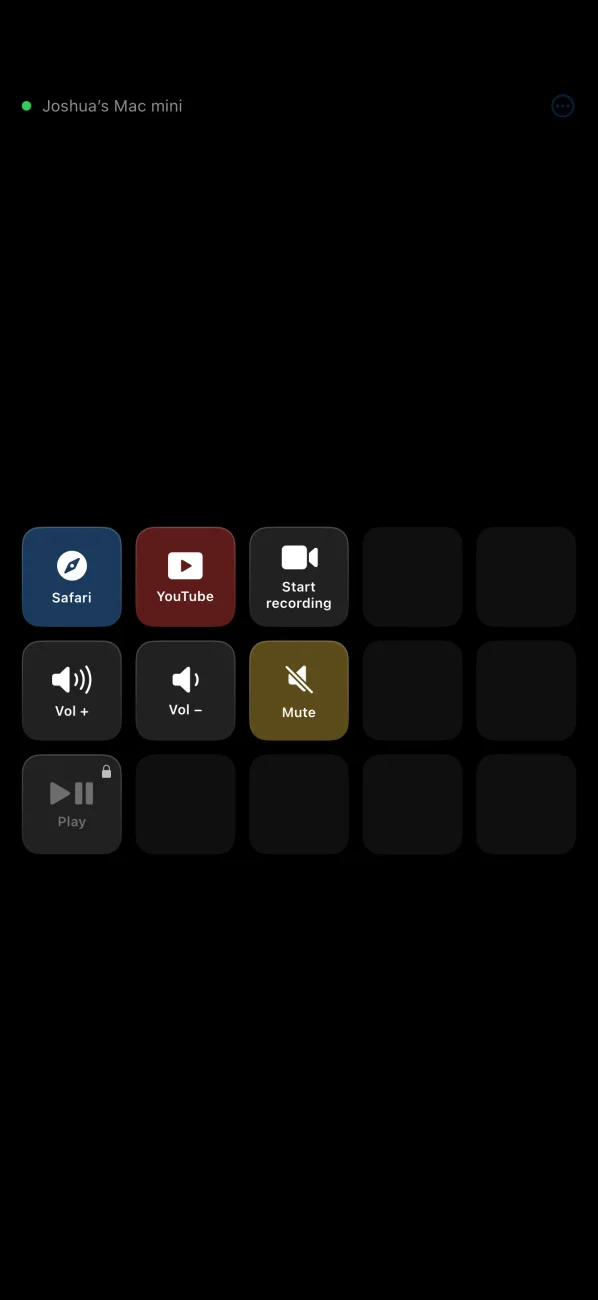
Your iPhone or iPad becomes a wireless stream deck for your Mac: a full-screen grid of big, glowing buttons that switch OBS scenes, launch apps, fire keyboard shortcuts, run Apple Shortcuts, and more. Tap the phone — the Mac does it instantly, over your own Wi-Fi.
PAY ONCE, OWN IT No subscription. No account. No cloud. Try it free with six buttons, and unlock everything with a single one-time purchase.
BUILT FOR STREAMING • Native OBS Studio integration (OBS 28 or later) — no plugins to install • Switch scenes from your real scene list, start/stop streaming and recording, mute your mic • Live state on every button: the record button glows while you're recording, your current scene stays highlighted, your mic button shows its true mute state • Runs entirely on your local network — taps land in milliseconds
CONTROL YOUR WHOLE MAC • Send any keyboard shortcut to any app • Launch apps, open files and websites • Run any Apple Shortcut — if Shortcuts can do it, your deck can too • System controls: volume, mute, play/pause, next/previous track • Multi-actions: chain steps with delays into one button • Shell scripts for power users
FEELS LIKE HARDWARE • Pure black, edge-to-edge button grid with crisp haptics on every press • Pages you swipe between, folders that open sub-decks • Custom icons, colors, and labels for every button • Profiles that switch automatically when you change apps on the Mac • The screen stays awake while you're connected
PRIVATE BY DESIGN • Pair once with a 6-digit code shown on your Mac — like pairing AirPods • Every connection is end-to-end encrypted, and nothing ever leaves your network • No account, no analytics, no data collection. Ever.
GETTING STARTED
On your Mac, download the free companion app, Virtual Stream Deck Hub, from our website.
Open this app on your iPhone or iPad — your Mac appears automatically.
Type the 6-digit code. That's it: you're paired for good.
Design your layouts in the Mac editor — drag in actions, pick icons and colors — and watch every change appear on your device instantly.
REQUIRES • iOS/iPadOS 18 or later • A Mac running macOS 15 (Sequoia) or later with the free Virtual Stream Deck Hub app • Both devices on the same network • OBS features require OBS Studio 28+ with its WebSocket server enabled
Novidades
Versão 1.0.2 · 02/09/2026
bug fixes
Privacidade do app
O que Joshua Vucelich declara na App Store sobre como este app lida com os dados.
-
Dados não coletados
O desenvolvedor não coleta nenhum dado deste app.
As práticas de privacidade podem variar, por exemplo, com base nos recursos que você usa ou na sua idade.
Informações
- Vendedor
- Joshua Vucelich
- Categoria
- Utilidades
- Versão
- 1.0.2
- Atualizado
- 02/09/2026
- Lançamento
- 30/07/2026
- Tamanho
- 11,2 MB
- Requer
- iOS 18.0 ou posterior
- Classificação etária
- 4+
- Preço
- Grátis
- Compras no app
- Sim
- Idiomas
- Inglês
- Copyright
- © 2026 VWS Digital
Você também pode gostar
-
 DeskTap Stream DeckUtilidades
-
 StreamPad - Audio & DeckUtilidades
-
 Docksy: Macro DeckUtilidades
-
 Macro Deck CompanionUtilidades
-
 OBS Remote - Controle StreamControle o OBS pelo celular
-
 Sill – Mac StreamingUtilidades
-
 OBS BladeUtilidades
-
 NDI HX Camera - Stream CaptureUtilidades
-
 ProPresenter RemoteUtilidades
-
 Godox LightUtilidades