Virtual Stream Deck
Được thiết kế cho iPhone, iPad
Miễn phí · Mua hàng trong ứng dụng
- Độ tuổi4+
- Danh mụcTiện Ích
- Nhà phát triểnJoshua Vucelich
- Ngôn ngữTiếng Anh
- Kích thước11,2 MB
Liên kết đến trang App Store chính thức
Download.org không lưu trữ tệp nào của Virtual Stream Deck. Nút này mở trang ứng dụng trên App Store, nơi Joshua Vucelich phát hành ứng dụng. Trang được kiểm tra lần cuối: 17/11/2026.
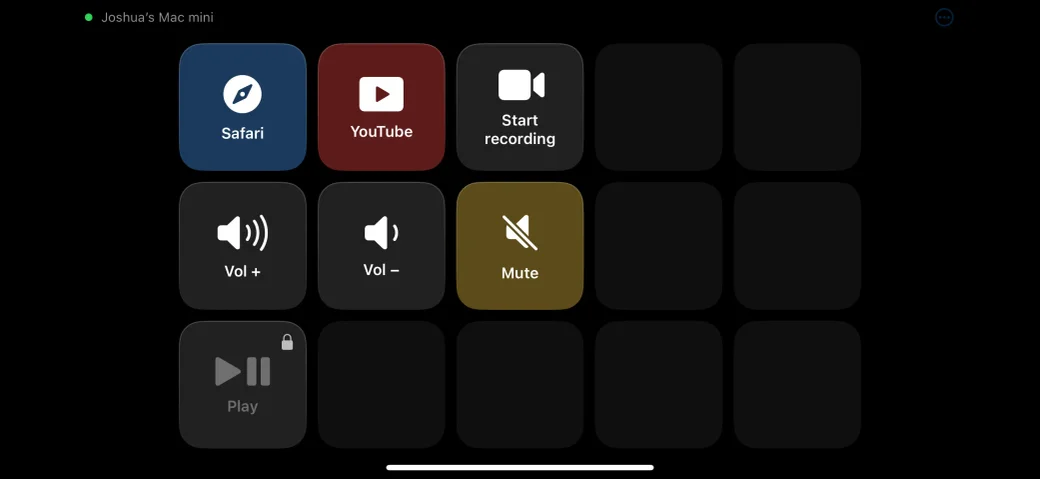
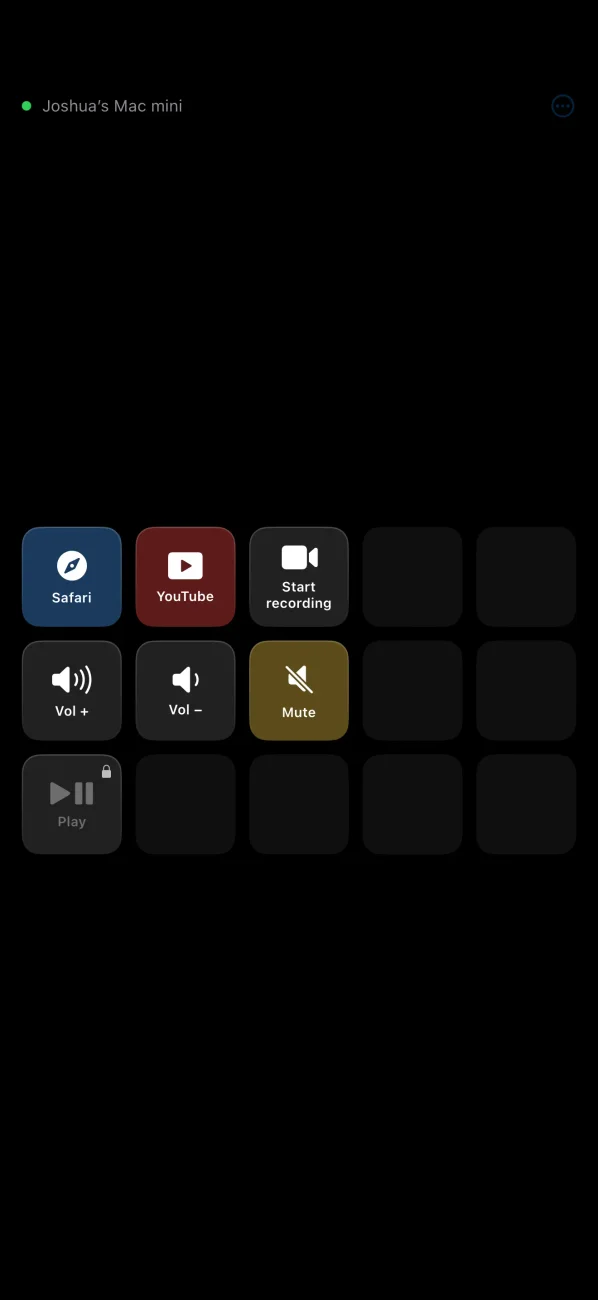
Ảnh chụp màn hình
Giới thiệu
Nhà phát triển chưa cung cấp nội dung này bằng ngôn ngữ của bạn.
Your iPhone or iPad becomes a wireless stream deck for your Mac: a full-screen grid of big, glowing buttons that switch OBS scenes, launch apps, fire keyboard shortcuts, run Apple Shortcuts, and more. Tap the phone — the Mac does it instantly, over your own Wi-Fi.
PAY ONCE, OWN IT No subscription. No account. No cloud. Try it free with six buttons, and unlock everything with a single one-time purchase.
BUILT FOR STREAMING • Native OBS Studio integration (OBS 28 or later) — no plugins to install • Switch scenes from your real scene list, start/stop streaming and recording, mute your mic • Live state on every button: the record button glows while you're recording, your current scene stays highlighted, your mic button shows its true mute state • Runs entirely on your local network — taps land in milliseconds
CONTROL YOUR WHOLE MAC • Send any keyboard shortcut to any app • Launch apps, open files and websites • Run any Apple Shortcut — if Shortcuts can do it, your deck can too • System controls: volume, mute, play/pause, next/previous track • Multi-actions: chain steps with delays into one button • Shell scripts for power users
FEELS LIKE HARDWARE • Pure black, edge-to-edge button grid with crisp haptics on every press • Pages you swipe between, folders that open sub-decks • Custom icons, colors, and labels for every button • Profiles that switch automatically when you change apps on the Mac • The screen stays awake while you're connected
PRIVATE BY DESIGN • Pair once with a 6-digit code shown on your Mac — like pairing AirPods • Every connection is end-to-end encrypted, and nothing ever leaves your network • No account, no analytics, no data collection. Ever.
GETTING STARTED
On your Mac, download the free companion app, Virtual Stream Deck Hub, from our website.
Open this app on your iPhone or iPad — your Mac appears automatically.
Type the 6-digit code. That's it: you're paired for good.
Design your layouts in the Mac editor — drag in actions, pick icons and colors — and watch every change appear on your device instantly.
REQUIRES • iOS/iPadOS 18 or later • A Mac running macOS 15 (Sequoia) or later with the free Virtual Stream Deck Hub app • Both devices on the same network • OBS features require OBS Studio 28+ with its WebSocket server enabled
Có gì mới
Phiên bản 1.0.2 · 02/09/2026
bug fixes
Quyền riêng tư của ứng dụng
Những gì Joshua Vucelich khai báo trên App Store về cách ứng dụng này xử lý dữ liệu.
-
Dữ liệu không được thu thập
Nhà phát triển không thu thập bất kỳ dữ liệu nào từ ứng dụng này.
Phương thức đảm bảo quyền riêng tư có thể khác nhau, chẳng hạn như tuỳ theo các tính năng bạn sử dụng hoặc độ tuổi của bạn.
Thông tin
- Người bán
- Joshua Vucelich
- Danh mục
- Tiện Ích
- Phiên bản
- 1.0.2
- Cập nhật
- 02/09/2026
- Phát hành
- 30/07/2026
- Kích thước
- 11,2 MB
- Yêu cầu
- iOS 18.0 trở lên
- Độ tuổi
- 4+
- Giá
- Miễn phí
- Mua hàng trong ứng dụng
- Có
- Ngôn ngữ
- Tiếng Anh
- Bản quyền
- © 2026 VWS Digital
Có thể bạn cũng thích
-
 DeskTap Stream DeckTiện Ích
-
 StreamPad - Audio & DeckTiện Ích
-
 Docksy: Macro DeckTiện Ích
-
 Macro Deck CompanionTiện Ích
-
 OBS Remote - Điều Khiển StreamĐiều khiển OBS từ điện thoại
-
 Sill – Mac StreamingTiện Ích
-
 OBS BladeTiện Ích
-
 NDI HX Camera - Stream CaptureTiện Ích
-
 ProPresenter RemoteTiện Ích
-
 Godox LightTiện Ích