Pars Color Waves
Pars Watch Faces- PEGI 3Yaş sınırı
- KişiselleştirmeKategori
- 04.10.2026Güncellendi
- ÜcretsizFiyat
com.watchfacestudio.parscolorwaves için resmi Google Play sayfasına bağlanır. Son kontrol: 25.11.2026.
Ekran görüntüleri

Bu uygulama hakkında
Google tarafından otomatik çeviri. Orijinal dil: İngilizce (Amerika Birleşik Devletleri).
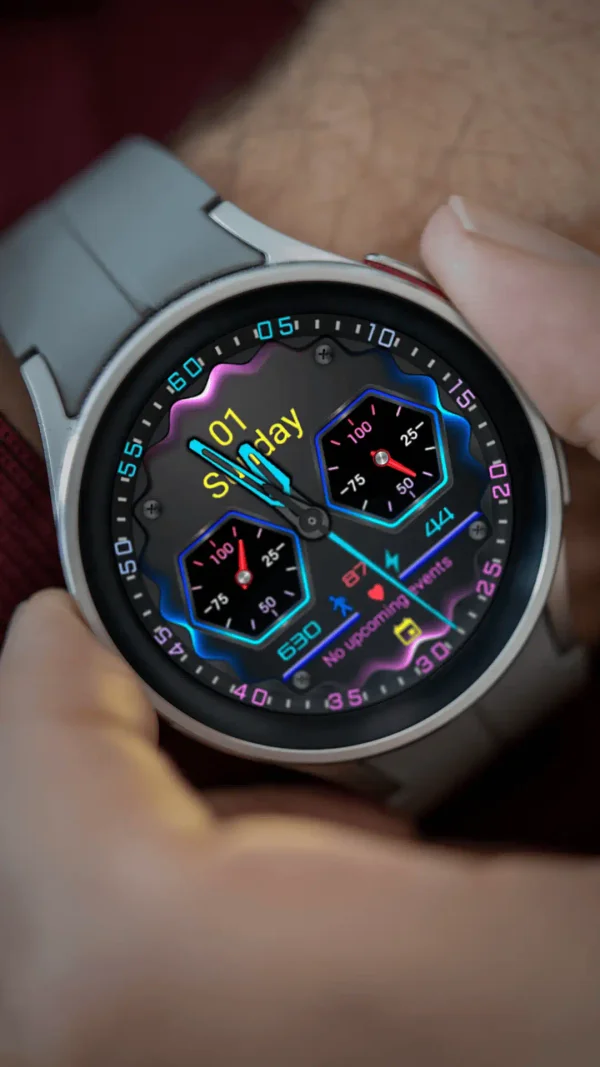
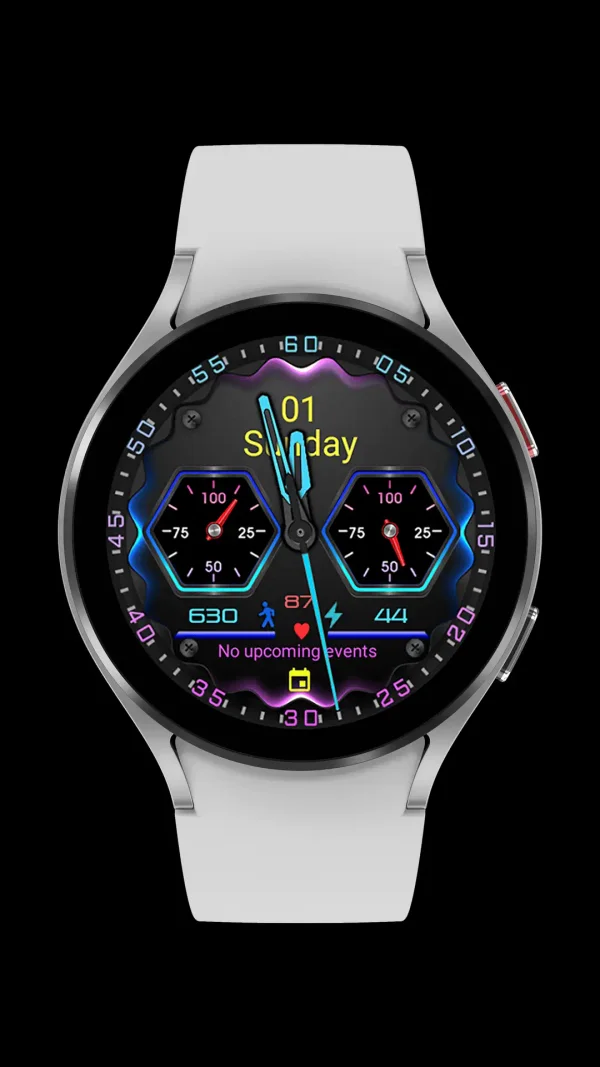
Modern bilgilendirici analog saat yüzü
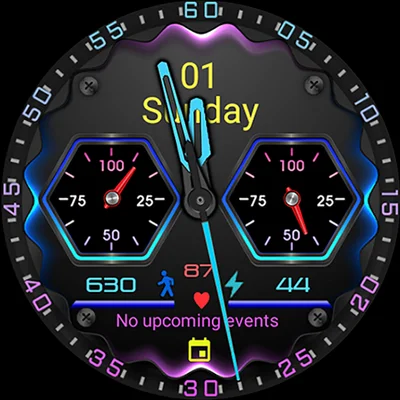
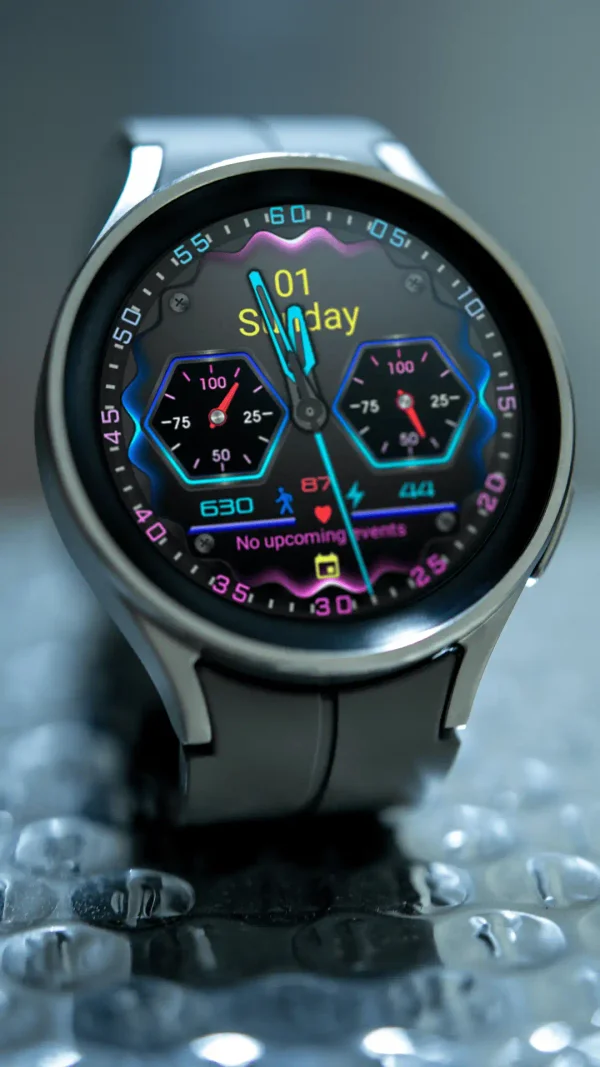
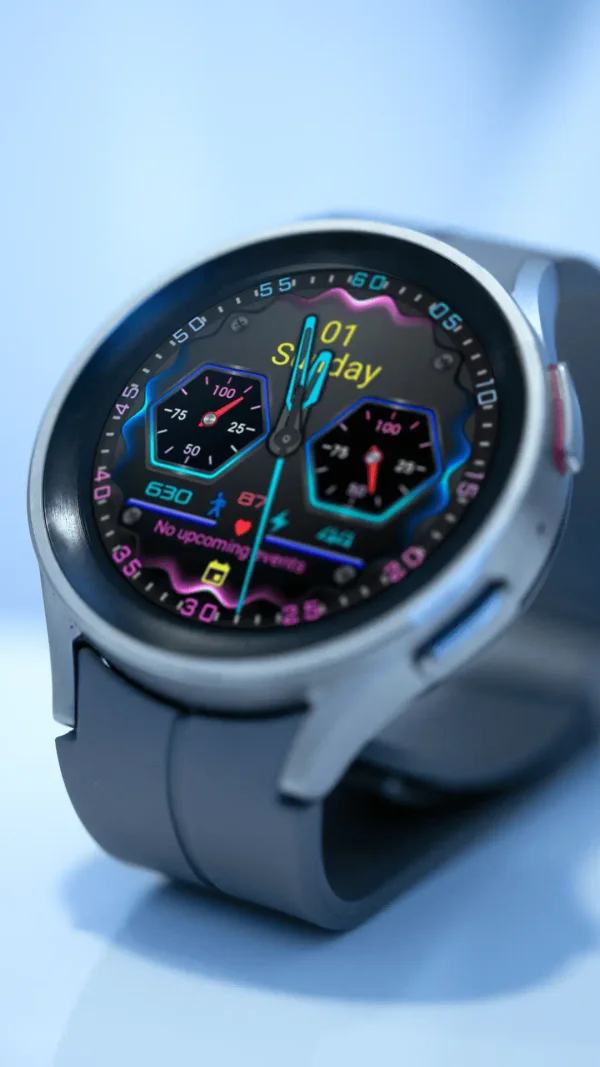
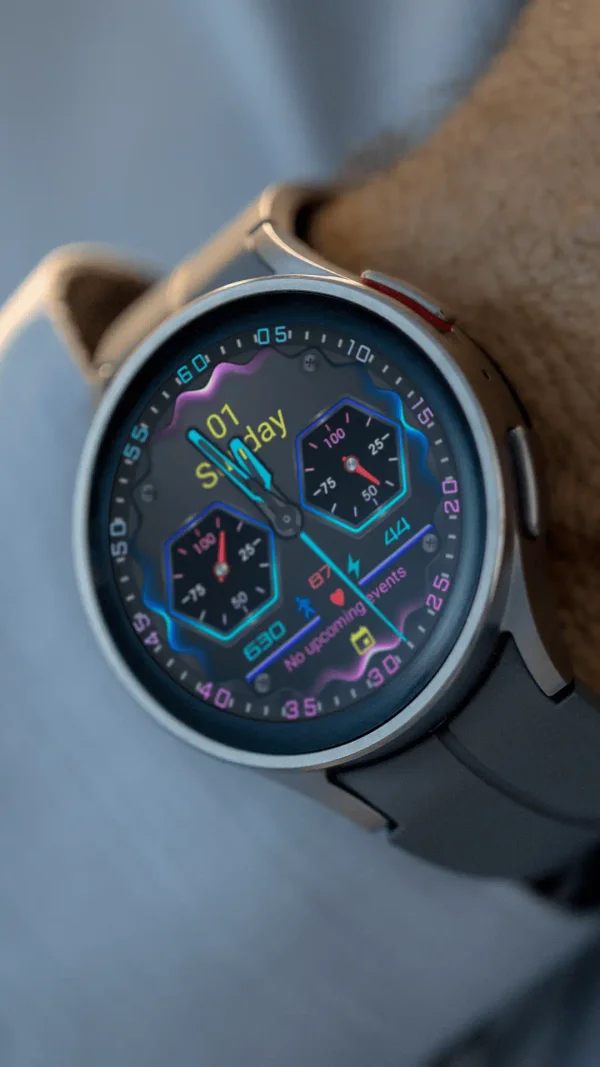
Pars Color Waves şık ve bilgilendirici bir analog saat yüzüdür.
Pars Color Waves Saat Yüzü, WearOs cihazları için tasarlanmıştır ve Wearos Api 34+ cihazlarıyla uyumludur.
ÖZELLİKLER
- Analog Tasarım
- Haftanın günü
- Ayın tarihi.
- Pil ve Adım Göstergeleri
- Pil durumu.
- Adım sayacı.
- Kalp Atış Hızı sayacı.
- Alarm, Pil Durumu ve Kalp Atış Hızı Uygulaması kısayolları.
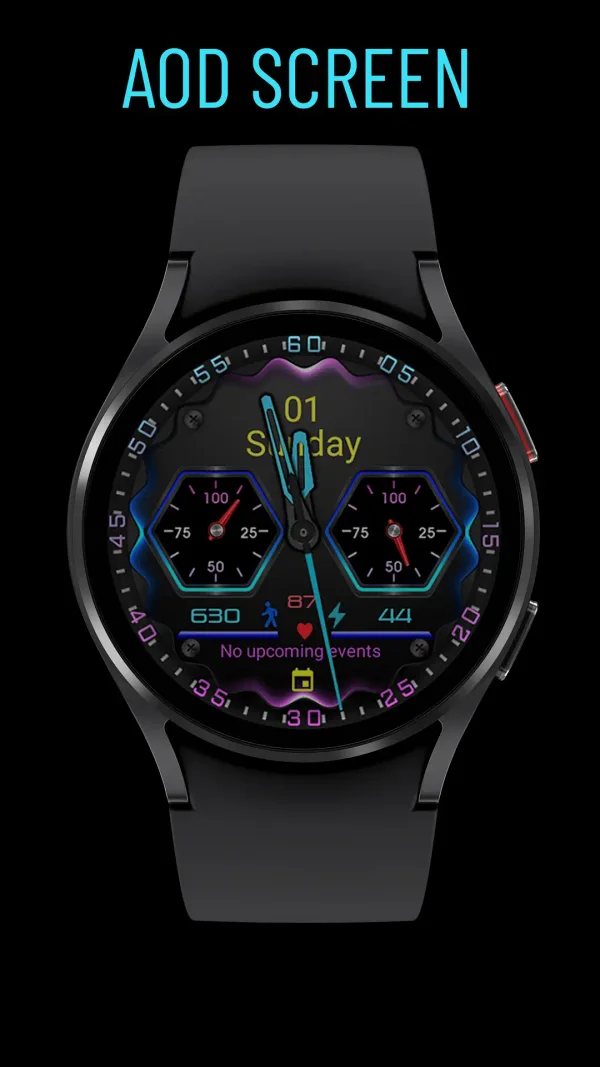
- Her zaman görüş alanında.
NOTLAR:
- Erişim sensörlerine izin verdiğinizden emin olun.
- Adım hedefi 10k olarak ayarlandı.
- Adımsayar yazısına tıklayarak adımsayarın açılması Samsung saat modelleri dışındaki bazı saat modellerinde çalışmayabilir.
- Bu saat yüzü Samsung Galaxy Watch 4, Galaxy Watch 5, Pixel Watch vb. ile uyumludur. API Seviyesi 30+ olan tüm Wear OS cihazlarını destekler.
KURULUM NOTLARI:
1 - Saatin telefona düzgün şekilde bağlandığından emin olun, telefonda Telefon Uygulamasını açın ve "İZLEMEK İÇİN İNDİR" seçeneğine dokunun ve saatteki talimatları izleyin.
Saati ayarla düğmesine dokunduktan birkaç dakika sonra saat yüzü kurulacaktır. Kurulu saat yüzünü seçebilirsiniz.
Telefon uygulaması, Wear OS saatinizde kurulumu ve saat kadranını bulmayı kolaylaştırmak için yalnızca bir yer tutucu görevi görür
Not: Ödeme döngüsünde takılıp kalırsanız endişelenmeyin, ikinci kez ödeme yapmanız istense bile yalnızca tek bir ödeme yapılacaktır. 5 dakika bekleyin veya saatinizi yeniden başlatıp tekrar deneyin.
Cihazınız ile Google sunucuları arasında bir senkronizasyon sorunu olabilir.
veya
2 - Alternatif olarak saat yüzünü web tarayıcınızdan bilgisayarınıza yüklemeyi deneyin.
Not: Saat yüzünü yüklerken geliştiricinin kurulumla ilgili herhangi bir kontrolü yoktur.
Olumsuz bir yorum yazmadan veya 1 yıldız derecelendirmesi vermeden önce lütfen aşağıdaki bağlantıdaki Kurulum Kılavuzunu dikkatlice okuyun ve başka bir sorunla karşılaşırsanız lütfen bizimle e-posta yoluyla iletişime geçin.
https://www.parswatchfaces.com/installation-guide/
NOT:Telefonunuzda uygulama yerine "Cihazlarınız uyumlu değil" mesajını alırsanız lütfen PC veya Laptop'tan WEB tarayıcısında Play Store'u kullanın.
ÖNEMLİ BİLDİRİM:
Kurulumdan sonra saat kadranı son kalp atış hızı ölçüm sonucunu yükleyebilir ancak bunu yapması zorunlu değildir.
Saat kadranı otomatik olarak ölçüm yapmaz ve kalp atış hızı sonucunu otomatik olarak görüntülemez.
Mevcut kalp atış hızı puanınızı görüntülemek için manuel ölçüm yapmanız gerekir.
Bunu yapmak için hareketsiz oturun, birkaç dakika bekleyin ve kalp atış hızı görüntüleme alanına tıklayın.
Birkaç saniye bekleyin. Saat yüzü bir ölçüm alacak ve mevcut sonucu gösterecektir.
Mevcut kalp atış hızınızı görmek istediğinizde bunu yapın.
SAAT YÜZLERİ KATALOĞUM
https://play.google.com/store/apps/dev?id=7655501335678734997
BİZİ TAKİP EDİN :
Facebook
https://www.facebook.com/profile.php?id=100078915463662
INSTAGRAM
https://www.instagram.com/parswf/
TELGRAF
https://t.me/parswatchfaces
Herhangi bir sorunuz varsa lütfen benimle iletişime geçin: wfpars@gmail.com
Mağazadaki fiyat ve inceleme için çok minnettar olurum.
Teşekkürler.
Orijinal metni göster
Pars Color Waves is a stylish and informative analog watch face.
Pars Color Waves Watch Face is designed for WearOs devices and compitable with Wearos Api 34+ devices.
FEATURES
- Analog Design
- Day of the week
- Date of the month.
- Battery & Steps Indicators
- Battery status.
- Steps counter.
- Heart Rate counter.
- Alarm, Battery Status and Heart Rate App shortcuts.
- Always on view.
NOTES:
- Make sure you have allowed the access sensors.
- Step target set to 10k.
- Turning on the pedometer by clicking on the Pedometer text may not work on some watch models other than Samsung watch models.
- This watch face is compatible with Samsung Galaxy Watch 4, Galaxy Watch 5, Pixel Watch etc.It supports all Wear OS devices with API Level 30+.
ISTALLING NOTES:
1 - Make sure the watch is properly connected to the phone, open the Phone App on the phone and tap "DOWNLOAD TO WATCH" and follow the instructions on the watch.
A few minutes after tapping the set watch button, the watch face will be installed. You can choose the installed watch face.
The Phone app just acts as a placeholder to make it easy to set up and find the watch face on your Wear OS watch
PS: If you get stuck in the payment cycle, don't worry, only one payment will be made even if you are asked to pay a second time. Wait 5 minutes or restart your watch and try again.
There may be a synchronization issue between your device and Google servers.
or
2 - Alternatively, try to install the watch face from the web browser on your PC.
PS: While installing the watch face, the developer has no any control about the installation.
Before writing a negative comment or giving 1 star rating please read the Installation Guide carefully in the link below and please contact us via e-mail if you get any other problem.
https://www.parswatchfaces.com/installation-guide/
NOTE :If you get the message "Your devices are not compatible" instead of app on phone, please use Play Store in WEB browser from PC or Laptop.
IMPORTANT NOTICE :
After installation, the watch face can load the last heart rate measurement result, but it doesn't have to.
The watch face does not automatically measure and does not automatically display the heart rate result.
To view your current heart rate score, you'll need to take a manual measurement.
To do this, sit still, wait a few minutes and click on the heart rate display area.
Wait a few seconds. The watch face will take a measurement and display the current result.
Do this whenever you want to see your current heart rate.
MY WATCH FACES CATALOG
https://play.google.com/store/apps/dev?id=7655501335678734997
FOLLOW US :
FACEBOOK
https://www.facebook.com/profile.php?id=100078915463662
INSTAGRAM
https://www.instagram.com/parswf/
TELEGRAM
https://t.me/parswatchfaces
if you have any question, please contact with me: wfpars@gmail.com
I would be very grateful for the rate and review in the Store.
Thanks.
Veri güvenliği
Bu uygulamanın topladığı ve paylaştığı veriler hakkında Pars Watch Faces tarafından Google Play üzerinde yapılan beyan.
- Üçüncü taraflarla veri paylaşımı yokGeliştiricilerin, veri paylaşımını nasıl beyan ettikleri hakkında daha fazla bilgi edinin
- Veri toplanamadıGeliştiricilerin, veri toplamayı nasıl beyan ettikleri hakkında daha fazla bilgi edinin
Yenilikler
04.10.2026
SDK Update
Geliştirici iletişim bilgileri
- Web sitesiparswatchfaces.com
- E-postainfo@parswatchfaces.com
- Gizlilik politikasıparswatchfaces.com
- AdresEsentepe Mah.Tuna Caddesi̇.Di̇nlendi̇ Sok. İçsezgi̇ Apt.K:3 D:8, 16120 Nilüfer/Bursa Türkiye
Bilgiler
- Sunan
- Pars Watch Faces
- Kategori
- Kişiselleştirme
- Güncellendi
- 04.10.2026
- Yayın tarihi
- 14.01.2024
- Yaş sınırı
- PEGI 3
- Fiyat
- Ücretsiz
- Paket adı
- com.watchfacestudio.parscolorwaves
Benzer uygulamalar
-
 ACTIVE 51 Futuristic Digital
Kişiselleştirme
-
 D385 Analog Watch face
Kişiselleştirme
-
 A385 Futuristic Face wear OS
Kişiselleştirme
-
 DIGI TRANSOMA WS19 Watch face
Kişiselleştirme
-
 DB053 Adaptive
Kişiselleştirme
-
 VIDAMOL WS27 Watch face
Kişiselleştirme
-
 WIN - Super Hybrid SP
Kişiselleştirme
-
 Mavi Doğrusal
Kişiselleştirme
-
 Hybrid Watch Face CUE176
Kişiselleştirme
-
 IA44 Hybrid Watchface
Kişiselleştirme
-
 Watch face M15
Kişiselleştirme
-
 KF160 Watch face
Kişiselleştirme