Satellite Director
Zekitez- PEGI 3Yaş sınırı
- AraçlarKategori
- 15.08.2025Güncellendi
- ÜcretsizFiyat
zekitez.com.satellitedirector için resmi Google Play sayfasına bağlanır. Son kontrol: 20.11.2026.
Ekran görüntüleri


Bu uygulama hakkında
Google tarafından otomatik çeviri. Orijinal dil: İngilizce (Amerika Birleşik Devletleri).
TV uydu bulma, azimut, zordur. Uydu Direktörü yardımcı olur.
Azimutta bir TV uydusu veya anten bulmak oldukça zor olabilir. Pusulayı bulmadan önce GPS konumunuzu, manyetik sapmayı, pusula azimutunu ve uydu konumunu kullanarak bazı hesaplamalar yapmanız gerekir.
Satellite Director tüm bunların yerini alır. Başarı için aşağıdaki ipuçlarına bakın.
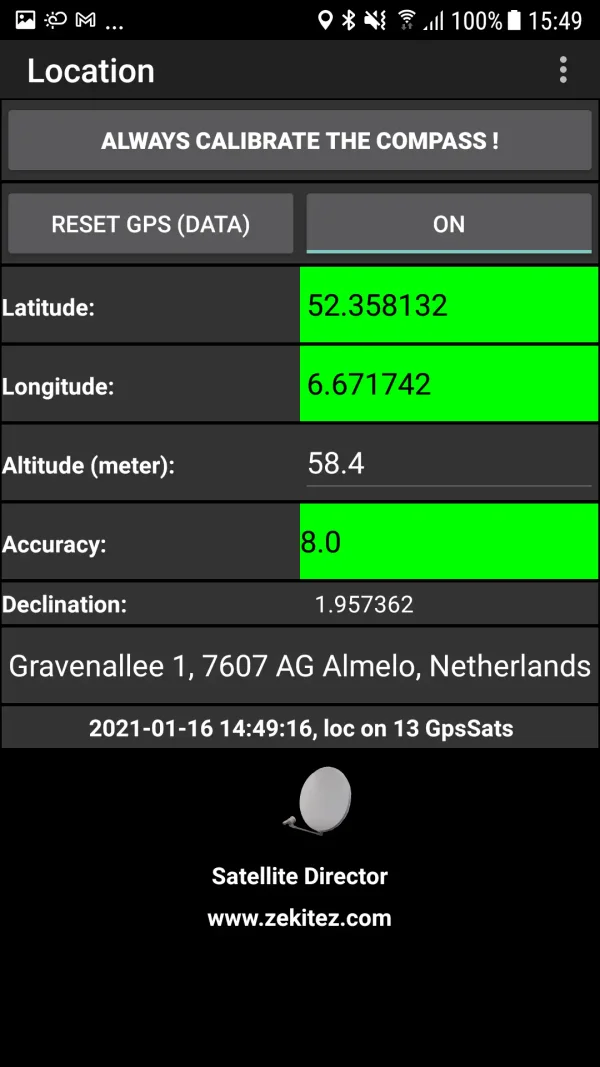
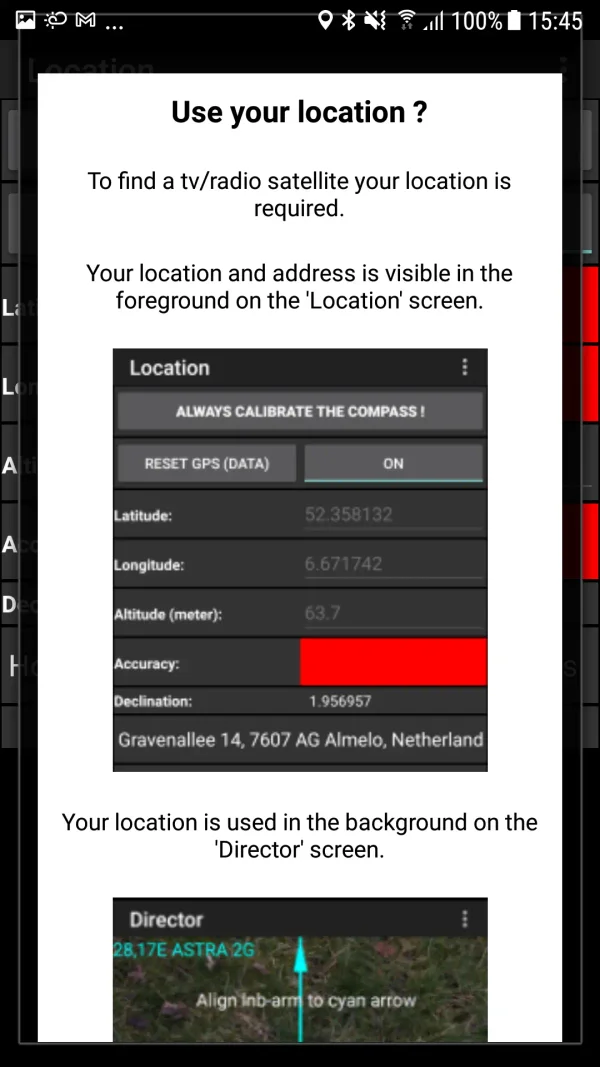
Uydunun gökyüzündeki konumunu hesaplamak için sensör verilerine (GPS konumu ve pusula) erişim gerekir.
Bir ekran görüntüsünü saklamak veya değiştirilmiş bir uydu listesini saklamak için dahili / harici depolamaya erişim gereklidir (uyduları silebilir / ekleyebilir / değiştirebilirsiniz).
Uydu çanağını (lnb kolu) görüntülenen okla hizalamaya olanak tanıyan bir 'görünümden bakma' veya 'ayna efekti' taklit etmek için bir kameraya erişim gereklidir.
Satellite Director kişisel veya kişisel olmayan verileri toplamaz veya paylaşmaz. Satellite Director hiçbir şekilde reklam kullanmaz.
Português: Telefones sem bússola não pode baixar este aplicativo.
UYARI: TELEFONUNUZUN veya TABLETİNİZİN PUSULA OLMALIDIR !!!!
PUSULA OLMADAN BU UYGULAMAYI İNDİREMEZSİNİZ.
Bir uydu bulmak için GPS konumlarını kullanan "Uydu Bulucu" yu işaretleyin.
Bazı telefon / tablet pusulaları gerçekten kötüdür, bu yüzden telefonunuzu / tabletinizin pusulasını gerçek bir pusula ile karşılaştırın !!
Maalesef kullanmadan önce pusulayı kalibre etmeniz gerekiyor.
Metal / manyetik kapamalı metal kapaklar / kılıflar veya kapaklar / kılıflar, telefonunuzun veya tabletinizin pusulasını etkileyecek / bozacaktır. Bu kapakları kullanmayın !! Telefonunuzun pusulası, diğer elektromanyetik alanlardan, demirden etkilendiği veya yaşla zayıfladığı için de hatalı olabilir. Pusulayı kalibre etmek artık yardımcı olmayabilir.
KESİNLİK, TELEFON DONANIMINIZIN KALİTESİNE BAĞLIDIR.
Uyarı: Cyanogenmod / Cymod kullanıyorsanız, Android uyumluluk sorunlarıyla karşılaşabilirsiniz ve uygulama çalışmayabilir. O zaman bana değil Cyanogenmod / Cymod'a şikayet etmelisiniz.
Bu uygulama eklentisizdir!
Bu uygulama üzerinde çalışmaya devam etmeme ve bazı videolarımı Youtube'da izlememe yardım et. Videolardaki reklamlar, gerekli parayı (çalışma saatleri, test edilecek telefonlar, uydu donanımı vb.) Sağlar.
O nasıl çalışır ?
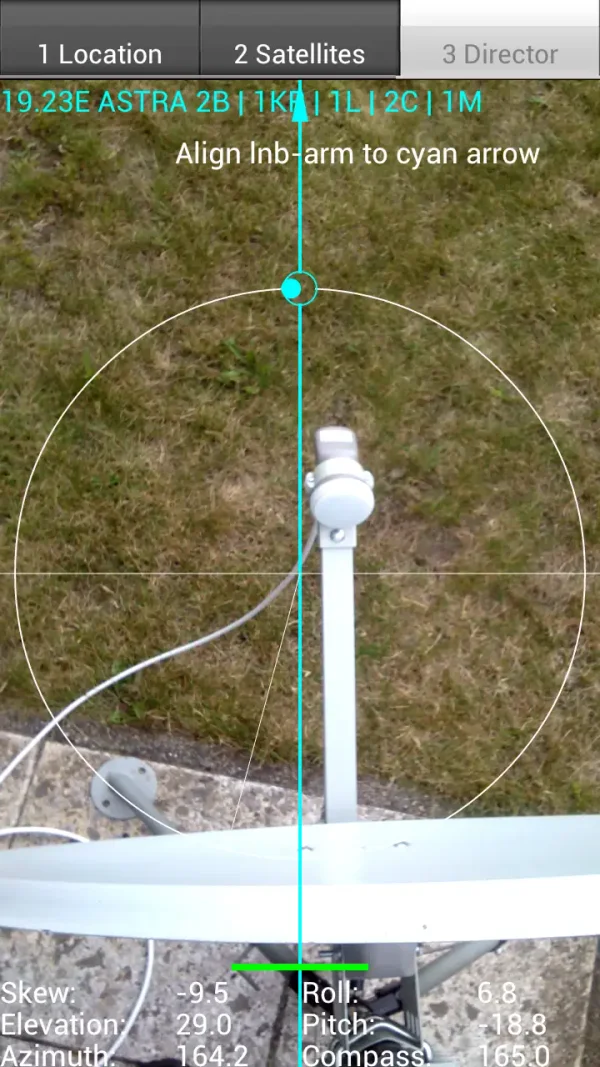
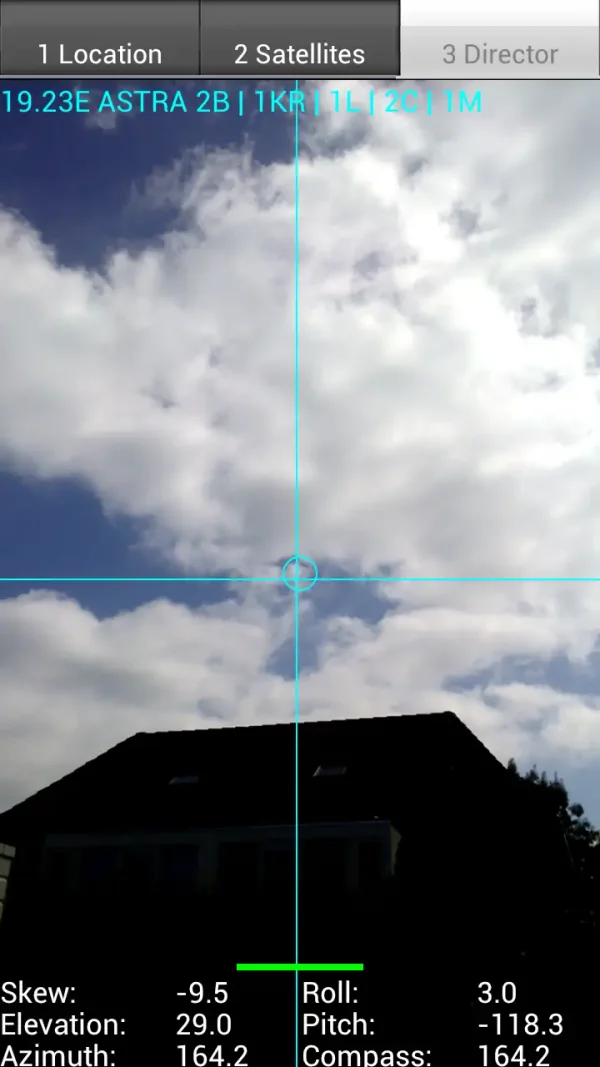
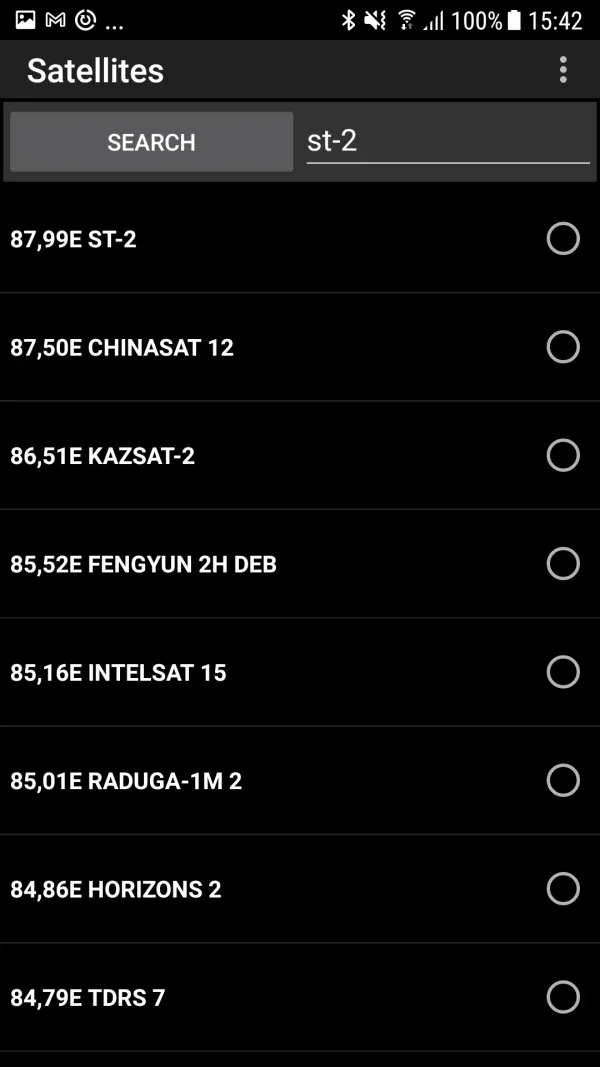
Telefonunuzda GPS'i etkinleştirmeniz veya GPS konumunuzu girmeniz, istediğiniz TV uydusunu veya anten konumunu seçmeniz ve TV uydusunu hedeflemek (bulmak) için telefonunuzu gökyüzüne çevirmeniz yeterlidir. Beyaz top beyaz daire içindeyken ve camgöbeği top camgöbeği daire içinde olduğunda uyduyu buldunuz. Azimutta, uydu çanağının ofset kolunu telefon ekranındaki camgöbeği oka hizalayın ve uydu çanağı uydu ile azimutta hizalanır.
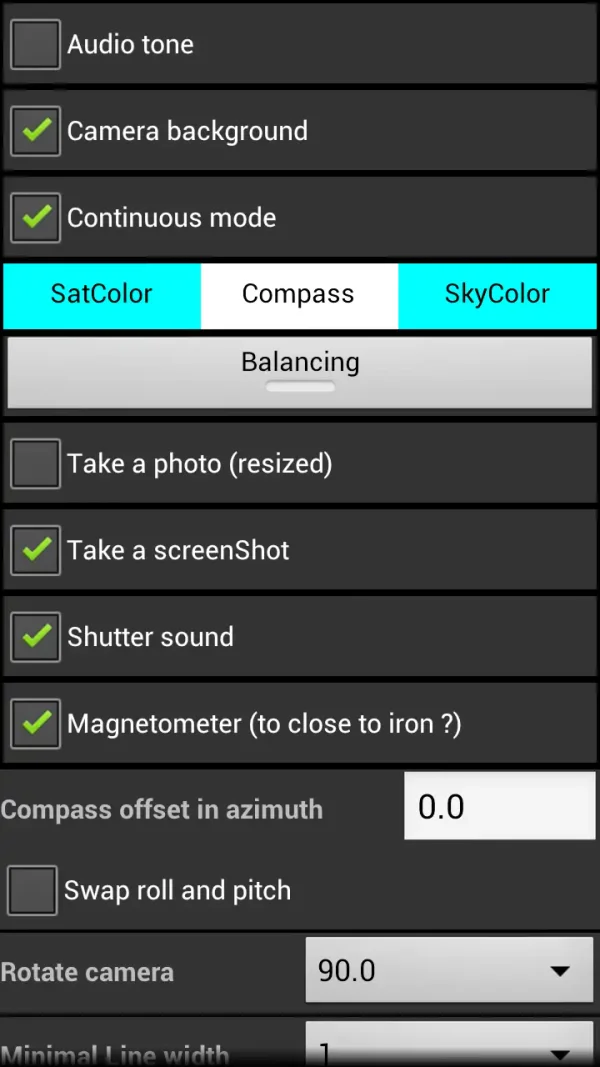
Seçilebilir ses tonu, kamera önizlemesi, sürekli mod (duraklama yok), renk seçiciler veya kullanıcı tanımlı bir uydu konumu, istediğiniz TV uydusunu bulmanızı kolaylaştırabilir. Uydu listesi 280 uydu içerir.
İsteğe bağlı olarak, yönetmen sekmesine dokunarak bir fotoğraf (yeniden boyutlandırılmış) / ekran görüntüsü çekebilirsiniz. Fotoğraf / ekran görüntüsü YALNIZCA telefonun hafıza kartında saklanır.
İsteğe bağlı: Yeşil / sarı / kırmızı çubuk şeklinde demire (çanak / direk) yaklaştığınızda bir gösterge alabilirsiniz.
Uydu konumları Agi'nin veri tabanından elde edilir. Bazı konumlar doğru görünmeyebilir (örnek: Hispasat 30 ° w, uydu listesinde 29.96 ° w'de) ancak çok doğrudur.
Android 4 ile yeni telefonlar: "Ayarlar" ekranını okuyan yanlış bir pusula durumunda, pusula okumalarını düzeltme seçenekleri vardır !!!!
Önceki sürümlere web sitemden ulaşılabilir.
Herhangi bir sorunuz, isteğiniz veya sorununuz varsa LÜTFEN bir e-posta yazın.
Google Translator tarafından yapılan tüm dil çevirileri.
Başarıya ulaşmak için 3 ipucu:
1- Demir tabağa, demir kola veya demir direğe yaklaşmayın (en az 30 cm mesafe bırakın)
2- Telefonun pusulasını başlamadan önce 8 şeklinde sallayarak kalibre edin
3- isteğe bağlı: Telefonunuzu uzunluk ekseni boyunca yaklaşık 2-3 tur döndürerek telefonun pusulasını kalibre edin (bazı telefonlarda çalışır)
Orijinal metni göster
Finding a TV satellite or an antenna, in azimuth, can be pretty difficult. Before you can find it with a compass you have to do some calculations using your GPS location, magnetic variation, compass azimuth and satellite position.
Satellite Director replaces all of that. See tips to success below.
Access to sensor data (GPS location and compass) is required to calculate the position of the satellite in the sky.
Access to internal/external storage is required to store a screenshot or to store a changed list of satellites (you can delete/add/change satellites).
Access to a camera is required to imitate a 'look through view' or 'mirror effect' which allows to align the satellite dish (lnb arm) with the displayed arrow.
Satellite Director does not collect or share any personal or non-personal data. Satellite Director does not use any form of advertising.
Português: Telefones sem bússola não pode baixar este aplicativo.
WARNING: YOUR PHONE or TABLET MUST HAVE A COMPASS !!!!
WITHOUT COMPASS YOU CANNOT DOWNLOAD THIS APP.
Check "Satellite Locator" which uses GPS locations to find a satellite.
Some phone/tablet compass are really bad so compare your phone/tablet compass with a real compass !!
Unfortunately you have to calibrate the compass before using it.
Metal covers/cases or covers/cases with metal/magnetic closure will influence/disrupt the compass of your phone or tablet. Do not use these covers !! The compass of your phone can also get inaccurate because it is affected by other electro - magnetic fields, iron or because it is weakened by age. Calibrating the compass may not help anymore.
PRECISION DEPENDS ON THE QUALITY OF YOUR PHONES HARDWARE.
Warning: If you use Cyanogenmod / Cymod then you may run into Android compatibility issues and the app may not work. You should then complain to Cyanogenmod / Cymod and not to me.
This app is add-free !
Help me to continue the work on this app and watch some of my videos on Youtube. The advertising in the videos provides some required money (houres of work, phones to test on, satellite equipment, etc.).
How does it work ?
Just enable the GPS in your phone or enter your GPS location, select the desired TV satellite or antenna location and point your phone to the sky to target (find) the TV satellite. You have found the satellite when the white ball is in the white circle and the cyan ball is in the cyan circle. Align, in azimuth, the offset arm of the satellite dish to the cyan arrow on the phones display and the satellite dish is aligned in azimuth with the satellite.
Selectable audio tone, camera preview, continuous mode (no pause), color pickers or a user defined satellite position may make it easier for you to find the desired TV satellite. The satellite list contains 280 satellites.
Optional you can take a photo (resized)/screenshot by touching on the director tab. The photo/screenshot is ONLY stored on the phones memory card.
Optional: you can get an indication when you are to close to iron (dish/pole) in the form of an green/yellow/red bar.
Satellite positions are derived from Agi's database. Some positions may seem not accurate (example: Hispasat 30°w is at 29.96°w in the satellite list) but they are very accurate.
New phones with Android 4: in case of a wrong compass reading the "Settings" screen has options to correct the compass readings !!!!
Previous versions are available from my website.
If you have any questions, requests or problems PLEASE write an email.
All language translations by Google Translator.
3 tips to success:
1- do NOT go to close to the iron dish, iron lnb arm or iron pole (keep at least 30 cm distance)
2- calibrate the compass of the phone by waving it in a figure 8 before you start
3- optional: calibrate the compass of the phone by rolling your phone along its length axis about 2-3 turns (works on some phones)
Veri güvenliği
Bu uygulamanın topladığı ve paylaştığı veriler hakkında Zekitez tarafından Google Play üzerinde yapılan beyan.
- Üçüncü taraflarla veri paylaşımı yokGeliştiricilerin, veri paylaşımını nasıl beyan ettikleri hakkında daha fazla bilgi edinin
- Veri toplanamadıGeliştiricilerin, veri toplamayı nasıl beyan ettikleri hakkında daha fazla bilgi edinin
Yenilikler
Sürüm 2.6.5 · 15.08.2025
Solved: change language not possible on some devices.
Geliştirici iletişim bilgileri
- Web sitesizekitez.com
- E-postazekitez@gmail.com
- Gizlilik politikasızekitez.github.io
- AdresDe Mees 53 7609 JT Almelo Netherlands
Bilgiler
- Sunan
- Zekitez
- Kategori
- Araçlar
- Sürüm
- 2.6.5
- Güncellendi
- 15.08.2025
- Yayın tarihi
- 03.11.2011
- Gereksinim
- Android 5.0 veya sonrası
- Yaş sınırı
- PEGI 3
- Fiyat
- Ücretsiz
- Paket adı
- zekitez.com.satellitedirector
Benzer uygulamalar
-
 SkyView® Lite
Eğitim
-
 Nokia WiFi
Yaşam Tarzı
-
 NetShare - rootsuz paylaşım
Haberleşme
-
 Ajax Security System
Araçlar
-
 Ses ölçer : dB metre
Araçlar
-
 ASUS Router
Araçlar
-
 XPENG
Araçlar
-
 Radio Garden
Müzik ve Ses
-
 Digital Compass
Araçlar
-
 Sky Tonight - Star Gazing App
Kitaplar ve Referans
-
 Frequency Sound Generator
Araçlar
-
 MarineRadar: Gemi Takipçisi
Haritalar ve Navigasyon