
360toSpatial
Create Spatial Art from Images
iPhone, iPad için tasarlandı
₺399,99
- Yaş sınırı4+
- KategoriFotoğraf ve Video
- GeliştiriciJUNJI IKEDA
- Dillerİngilizce
- Boyut36,9 MB
Resmi App Store sayfasına bağlanır
Download.org, 360toSpatial için hiçbir dosya barındırmaz. Düğme, uygulamanın App Store üzerindeki sayfasını açar; uygulamayı orada JUNJI IKEDA yayınlar. Sayfanın son kontrolü: 16.11.2026.
Ekran görüntüleri


Hakkında
Geliştirici bu metni dilinizde sunmamış.
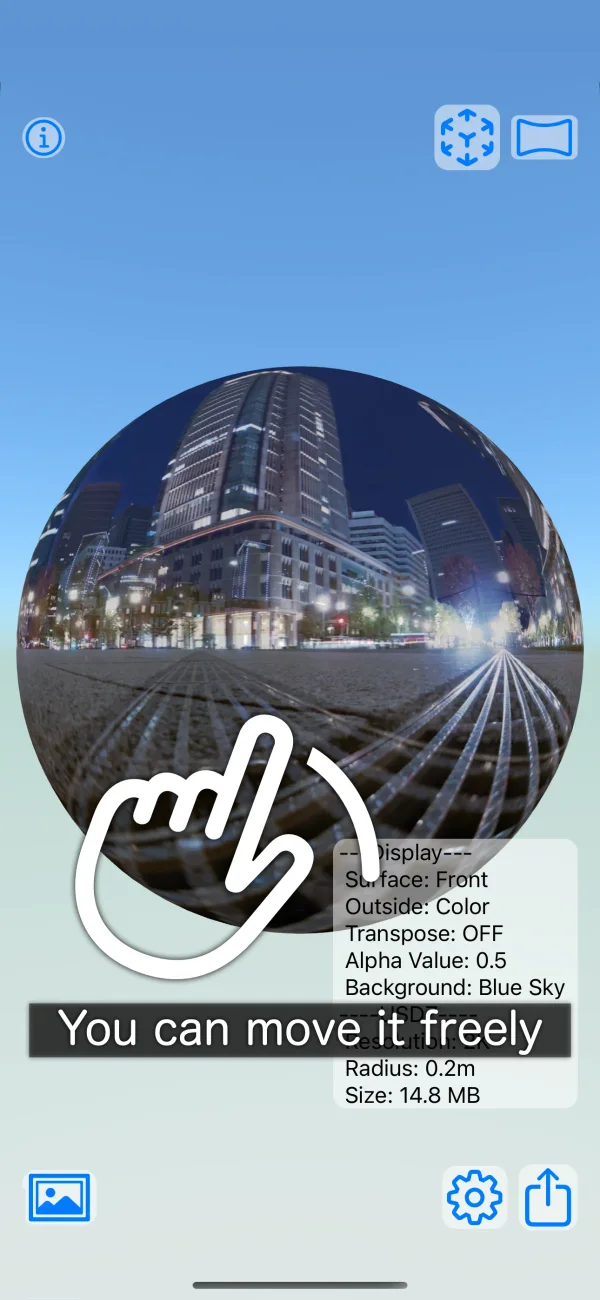
"360toSpatial" is an innovative application that transforms any image you choose into a semi-transparent 3D spherical object. The objects created appear translucent from the outside, yet offer a complete image from the inside, providing an instant understanding of the entire 360 image.
Within this app, you can take photos or videos, and experience it in AR. The app turns photos, illustrations, textures, and more, regardless of aspect ratio, into semi-transparent 3D spherical objects.
Specifically, images taken with a 360 camera (horizontal panorama: equirectangular format) will become a complete 3D spherical panorama.
Features
* Versatile Image Compatibility: Converts photos, illustrations, and other images of any aspect ratio into 3D spheres. This is particularly effective for full spherical panoramas from 360 images (equirectangular format). An option to rotate the upload by 90 degrees is available, which can be effective for portrait-oriented images.
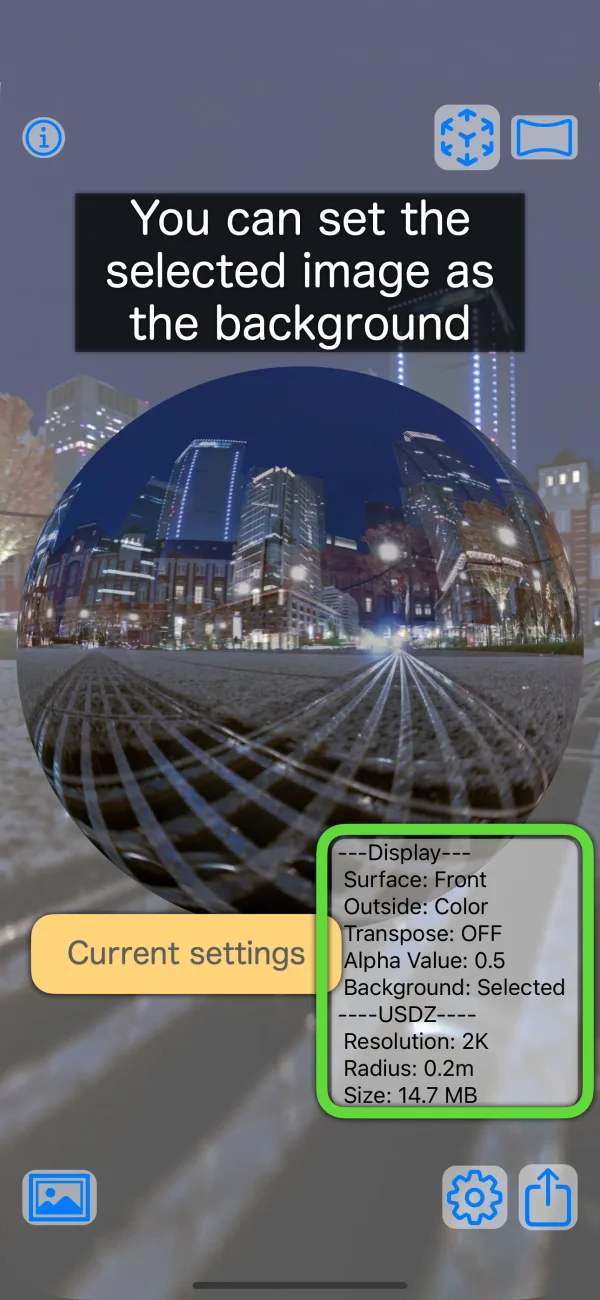
* Customizable: You can adjust the orientation, opacity, color or black and white, size, and resolution of the object's surface, creating unique pieces. There's also an option to rotate the uploaded image by 90 degrees to optimize portrait images for spherical transformation.
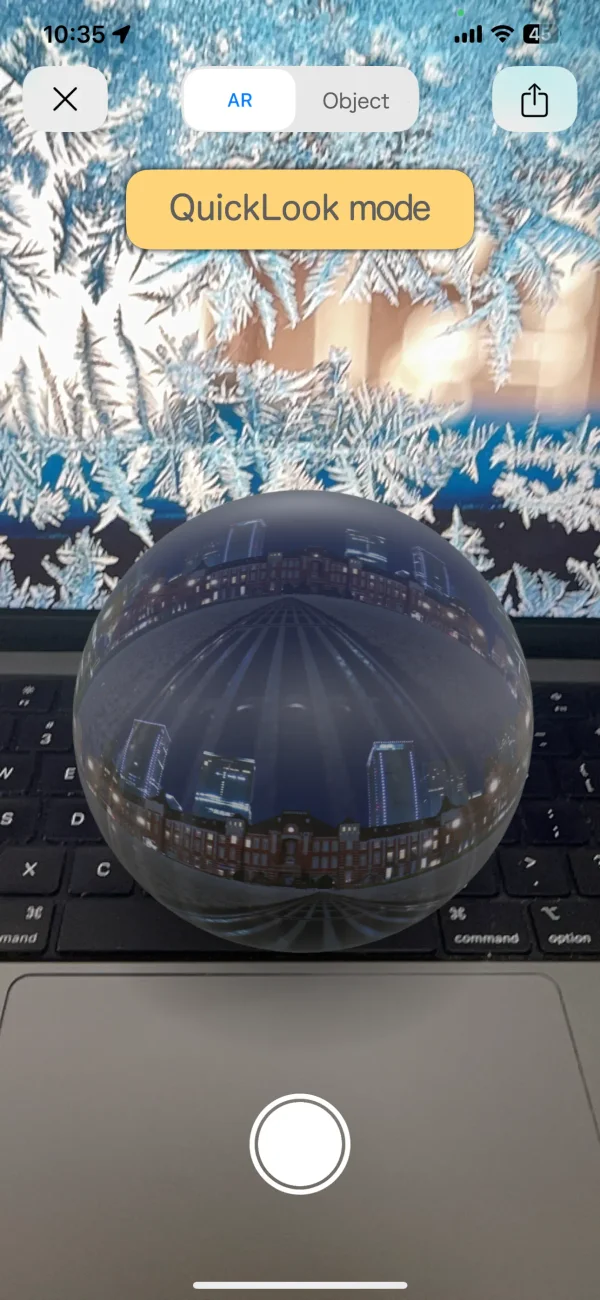
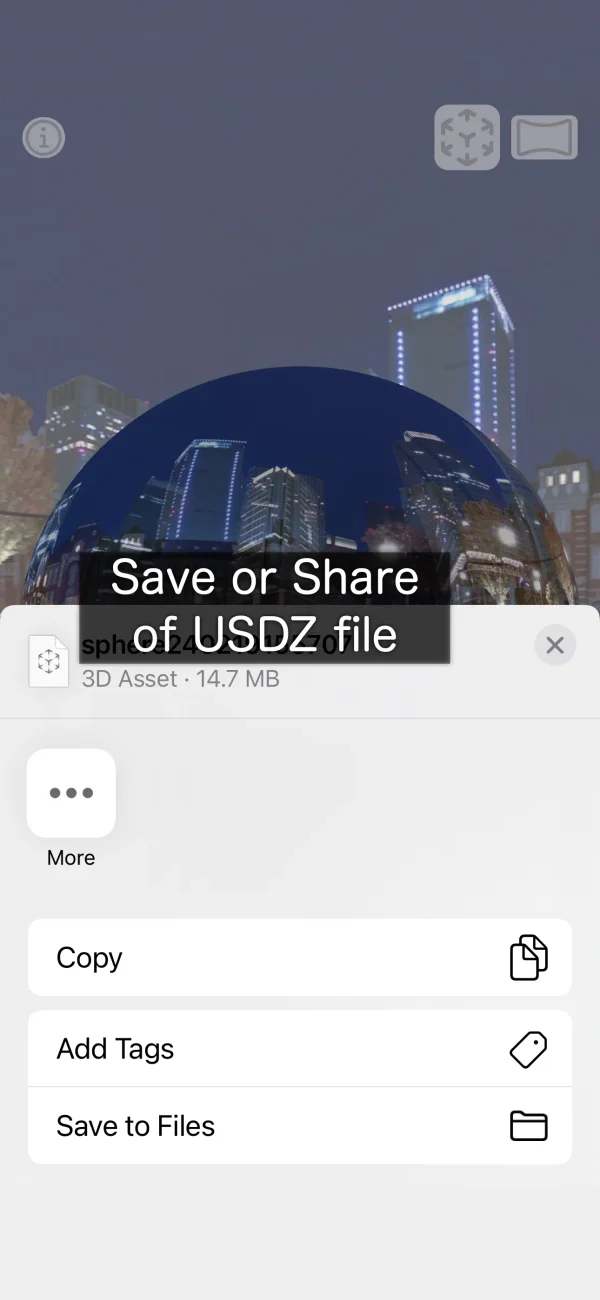
* AR Compatible: Objects created can be experienced in AR within the app's AR QuickLook mode. It's also possible to take photos or videos of the object appearing in real space. Objects made in this app can be saved and shared in the AR standard format, USDZ, allowing AR experiences on other users' iPhone/iPad.
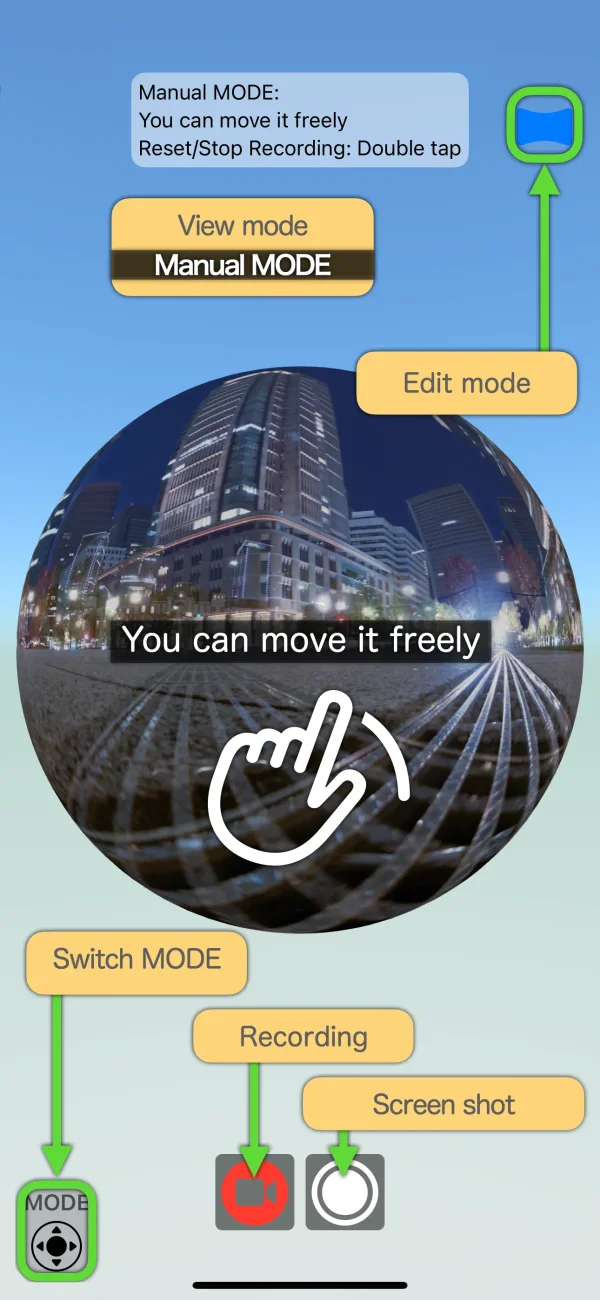
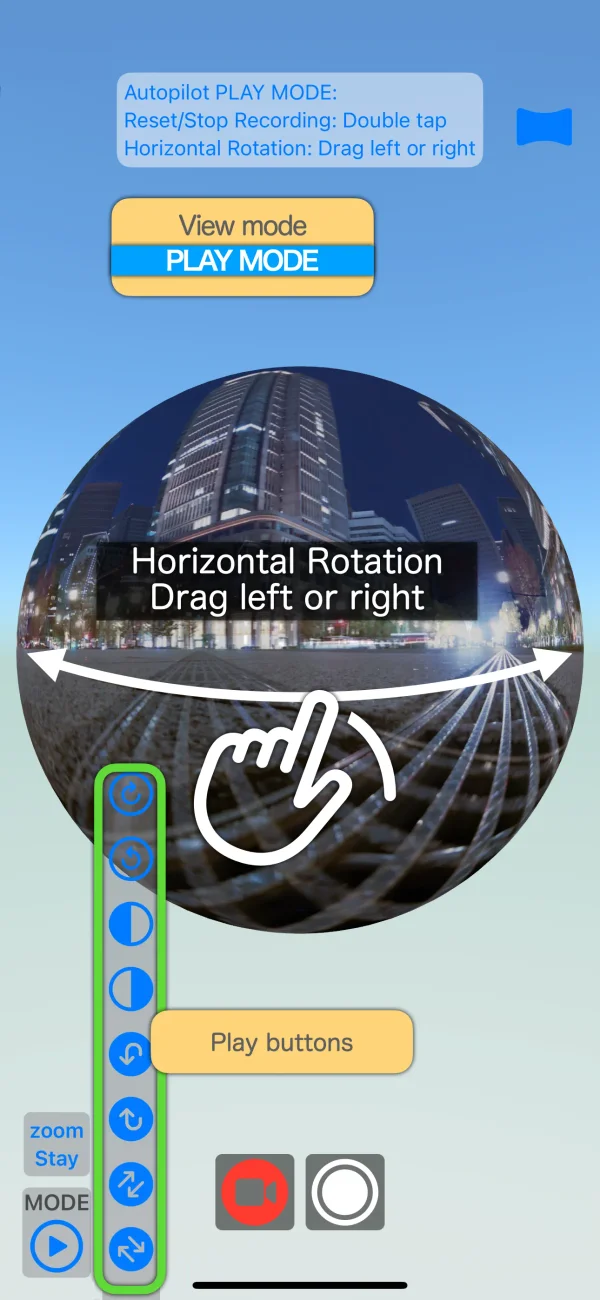
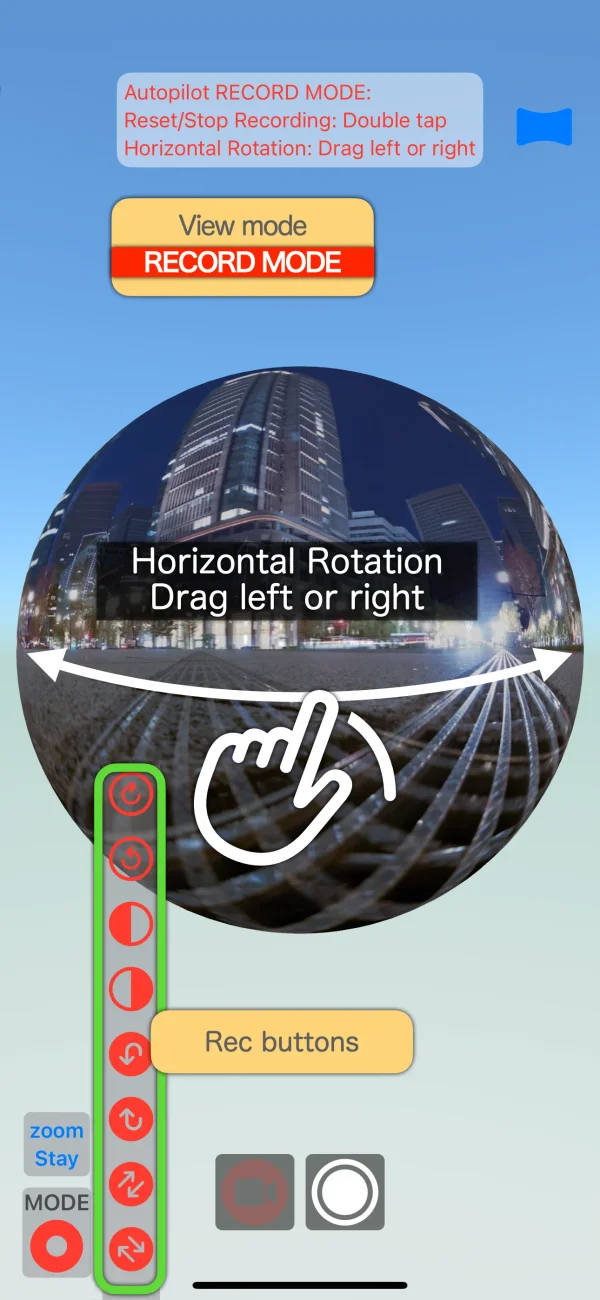
* Video and Still Image: The object's background can be one of the seven built-in types or the image itself loaded for the sphere. In VIEW mode, you can take photos or videos against these backgrounds. Videos can capture the object moving, either manually or through eight types of autopilot actions (horizontal, one-side up, vertical, cross) for 30 seconds. You can choose from three types of camera approach actions for the object. These combinations allow you to create movements suited to the object.
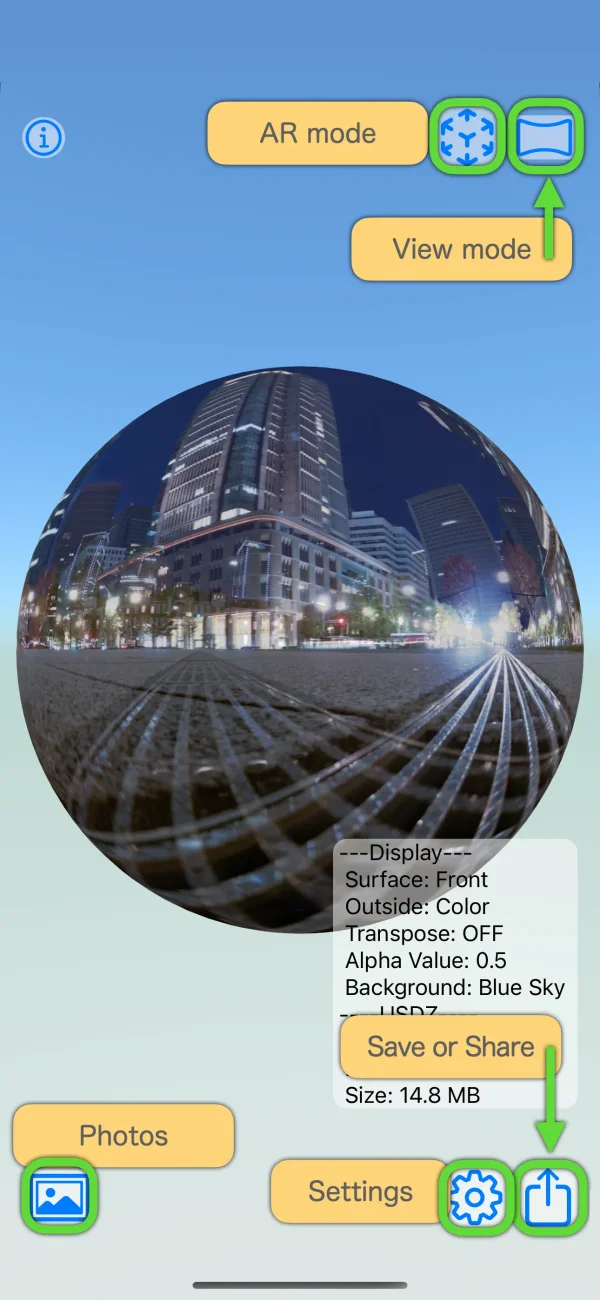
* Save and Share: The object can be exported, saved, and shared in USDZ format. The share button is located at the bottom right in EDIT mode.
About Settings (GEAR button)
* Surface Inversion (Halves the size of the USDZ): The object is created to look correct from the inside, making the outside appear inverted (mirrored). This option allows the outside to appear similar to the inside, reducing the object's size by half.
* Black and White Surface (Interior remains unchanged): Making the exterior black and white.
* Swap Width and Height (Portrait Photo Option): This app adapts images to the sphere regardless of aspect ratio, compressing portrait images vertically. This option compresses horizontally instead.
* Surface Opacity: Adjusts the exterior's opacity from fully opaque to fully transparent.
* Background: Choose from 7 built-in 360 images or the image loaded for the object itself as the background.
* USDZ Menu: Options for the USDZ file to be saved and shared.
* Resolution: Choose from 2K, 3K, 4K.
* Sphere Radius: The radius of the sphere when saved, shared, and displayed in AR. It does not apply to the in-app AR QuickLook mode and has a radius of 20 cm.
Simple Usage
The app starts in EDIT mode.
* Open the album with the PHOTO button on the bottom left and select an image.
* The object is created and can be freely moved. Double-tap to reset.
* Save and share the object with the SHARE button on the bottom right.
* Switch to AR mode or VIEW mode with the button on the top right.
In VIEW mode
* AR button: Enjoy AR experiences in AR QuickLook mode. Recording photos and videos is possible.
* VIEW button: Record photos and videos against built-in images as backgrounds.
* In VIEW mode, switch between play/recording with the mode button on the bottom left.
* Double-tap in view mode to reset (stop recording, stop animation).
* Switch back to VIEW mode with the button on the top right.
Yenilikler
Sürüm 1.1 · 21.06.2024
Version 1.1 Update:
Alpha value can now be selected from 0.0 to 1.0 in increments of 0.1.
The default diameter of the sphere is set to 0.1 m.
You can now set the resolution to higher values.
Various bug fixes have been implemented.
Uygulama gizliliği
Bu uygulamanın verileri nasıl işlediği hakkında JUNJI IKEDA tarafından App Store üzerinde yapılan beyan.
-
Veri toplanmıyor
Geliştirici bu uygulamadan hiçbir veri toplamıyor.
Gizlilik uygulamaları, örneğin kullandığınız özelliklere veya yaşınıza göre değişiklik gösterebilir.
Bilgiler
- Satıcı
- JUNJI IKEDA
- Kategori
- Fotoğraf ve Video
- Sürüm
- 1.1
- Güncellendi
- 21.06.2024
- Yayın tarihi
- 29.02.2024
- Boyut
- 36,9 MB
- Gereksinim
- iOS 16.0 veya sonrası
- Yaş sınırı
- 4+
- Fiyat
- ₺399,99
- Diller
- İngilizce
- Telif hakkı
- © Junji Ikeda
Bunları da beğenebilirsiniz
-
 ATOMxGALAXIESFotoğraf ve Video
-
 i3D360PlayerFotoğraf ve Video
-
 PanoMemo - Panorama ViewerFotoğraf ve Video
-
 360 ShutterFotoğraf ve Video
-
 Sonic Vision FX: SONAR CameraFotoğraf ve Video
-
 Circular Tiny Planet EditorFotoğraf ve Video
-
 PhotoRoute - Map Your JourneyFotoğraf ve Video
-
 SliceTimeCamFotoğraf ve Video
-
 Monet - photo to pastelFotoğraf ve Video
-
 Spherualizer360 Görüntüleyici ve Editör