
AO Office
Documents, Sheets & Slides
iPhone, iPad, Mac, iPod touch için tasarlandı
Ücretsiz · Uygulama içi satın alma
- Yaş sınırı4+
- KategoriÜretkenlik
- GeliştiriciAkikazu Yoshikawa
- Dillerİngilizce+ 40 dil daha
- Boyut236,8 MB
Resmi App Store sayfasına bağlanır
Download.org, AO Office için hiçbir dosya barındırmaz. Düğme, uygulamanın App Store üzerindeki sayfasını açar; uygulamayı orada Akikazu Yoshikawa yayınlar. Sayfanın son kontrolü: 22.11.2026.
Ekran görüntüleri

Hakkında
Geliştirici bu metni dilinizde sunmamış.
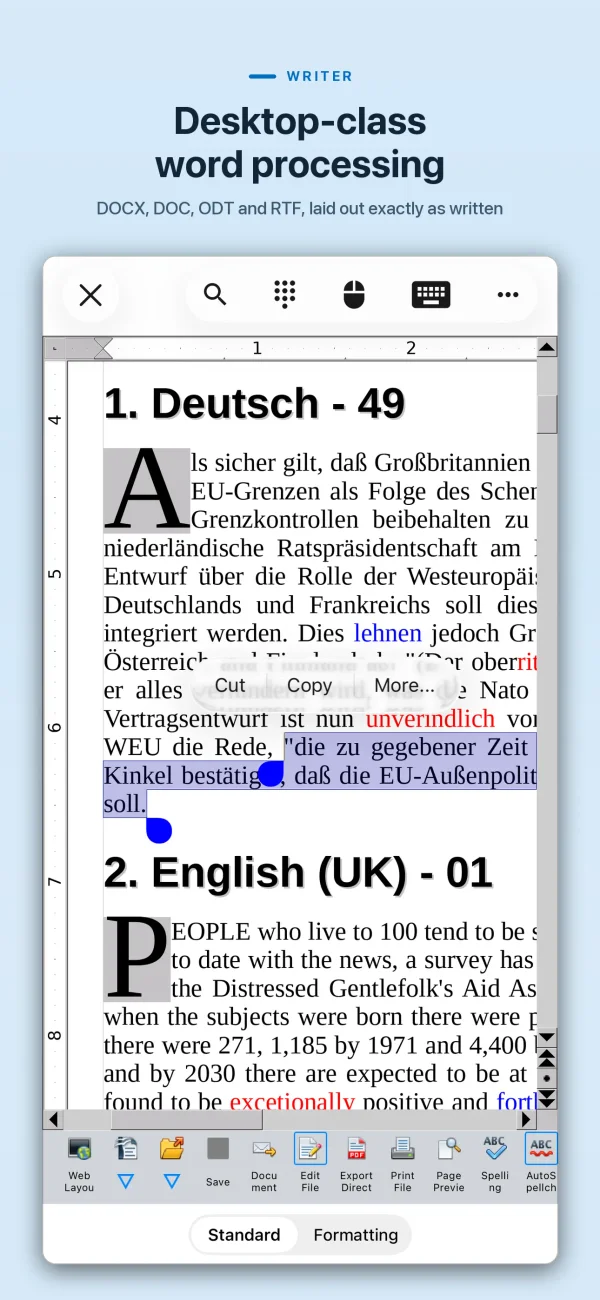
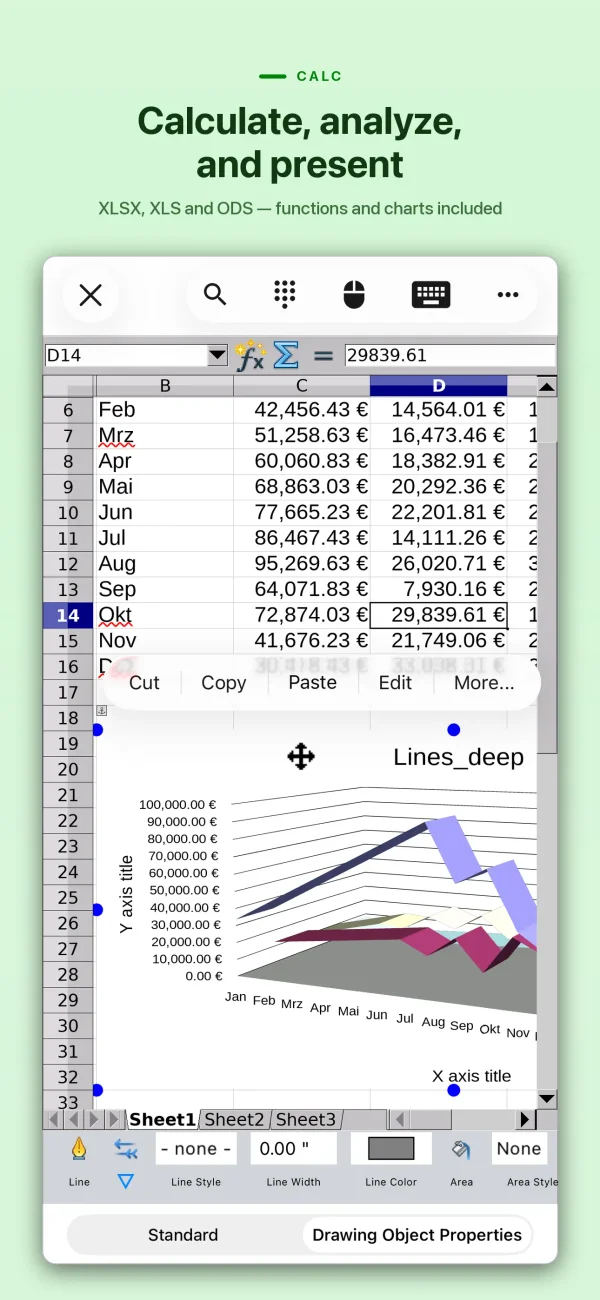
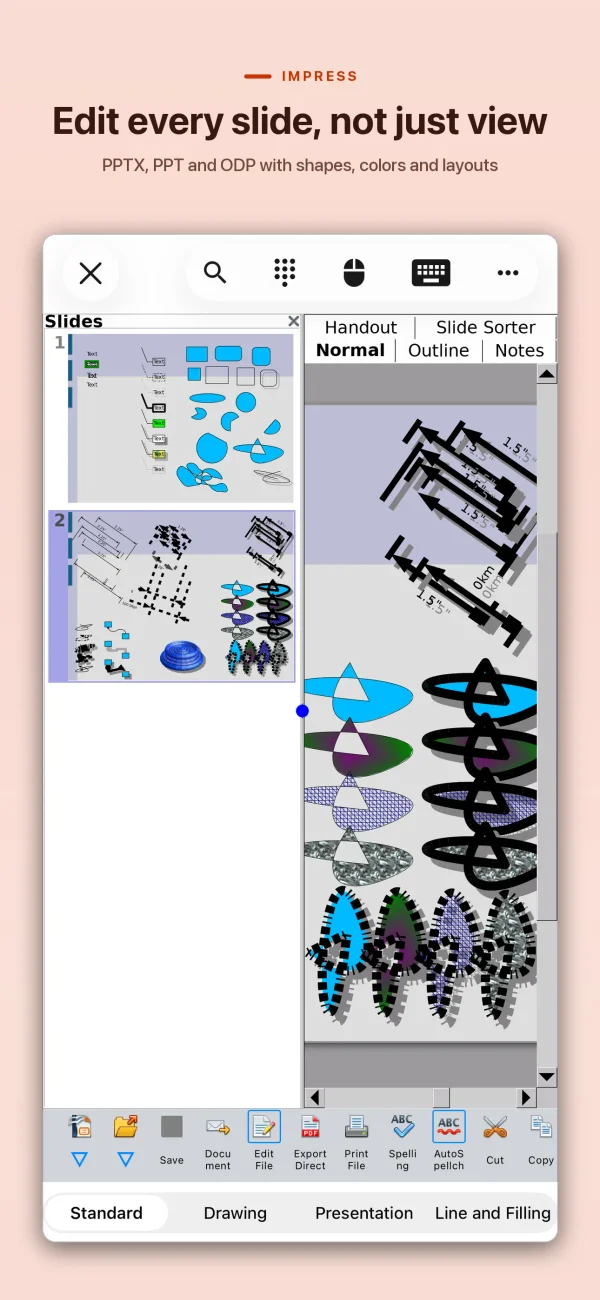
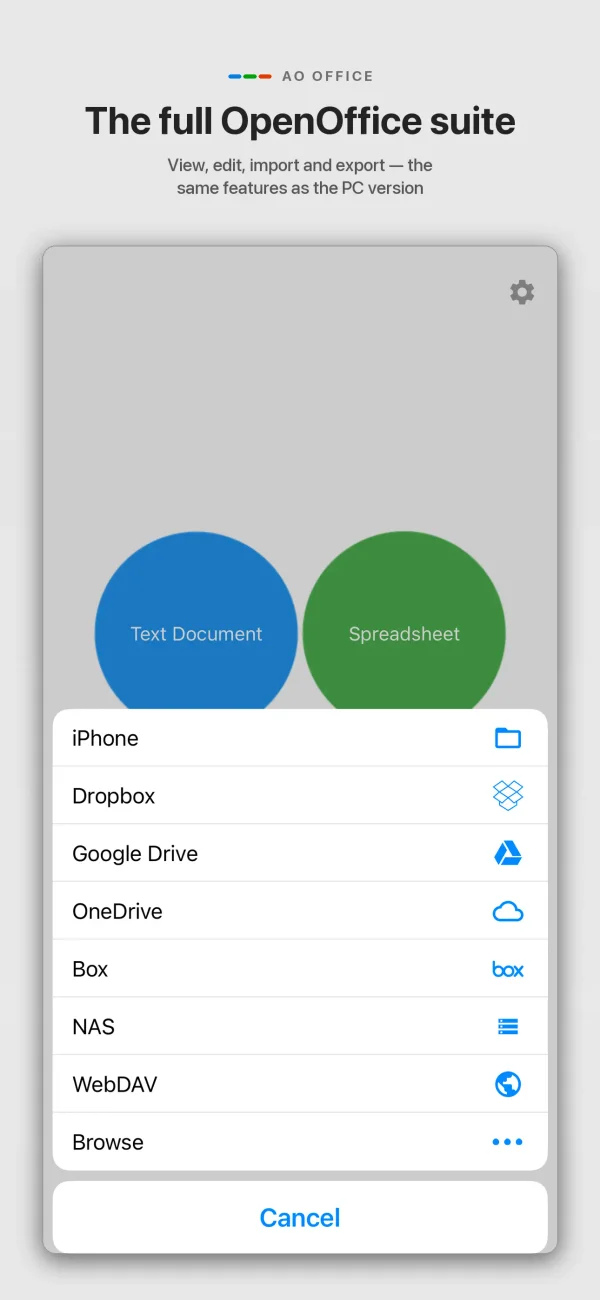
AO Office is the world's first porting of OpenOffice for iOS and it's a powerful and complete office suite for OpenOffice / LibreOffice documents.
You can view, edit, import, and export PDF, Word, Excel & PowerPoint documents using full features of the OpenOffice in the PC version.
AO Office has 5 components:
Writer: a word processor you can use for anything from writing a quick letter to producing an entire book.
Calc: a powerful spreadsheet with all the tools you need to calculate, analyze, and present your data in numerical reports or graphics.
Impress: the fastest, most powerful way to create effective multimedia presentations.
Draw: lets you produce everything from simple diagrams to dynamic 3D illustrations.
Math: lets you create mathematical equations with a graphic user interface or by directly typing your formulas into the equation editor.
* AO Office is a forked project from the Apache OpenOffice project.
AO Office is not affiliated with the Apache OpenOffice and LibreOffice projects.
■ Features ■
- View / edit / import / export documents
- High reproducibility for Open Document Format
- Export and import documents as PDF
- Formatting paragraphs
- Create stylized text with special effects
- Support for extensive file formats
- Support for embedded object
- Support for Dropbox / iCloud Drive / Google Drive / OneDrive / Box
- Support for NAS / WebDAV (Paid version only)
- Support for Audio and Video
- Support for recovering the unsaved work
- Support for modern encryption
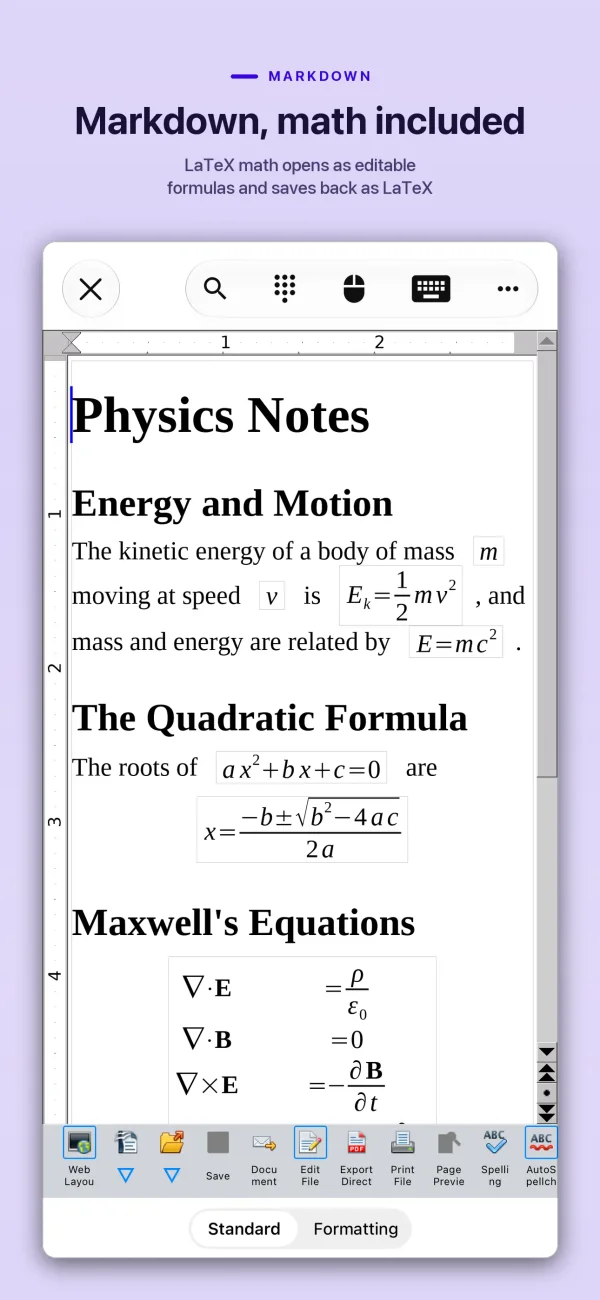
- Support for Markdown documents
- Support for LaTeX math in Markdown documents
■ Supported File Formats ■
AO Office can open and save to:
- Microsoft Word (DOC / DOT / RTF)
- Microsoft Word 2007 (DOCX / DOTX / DOCM)
- Microsoft Excel (XLS / XLT)
- Microsoft Excel 2007 (XLSX / XLTX / XLSM)
- Microsoft PowerPoint (PPT / POT)
- Microsoft PowerPoint 2007 (PPTX / POTX / PPTM)
- OpenDocument (ODT / ODS / ODP / ODG / ODF)
- Portable Document Format (PDF)
- OpenOffice.org1.0 / StarOffice6.0 (SXW / SXC / SXD / SXI / SXG / SXM)
- Text (TXT / CSV / XML)
- HyperText Markup Language (HTML)
- Markdown (MD / MARKDOWN)
- Adobe Photoshop (PSD)
- Scalable Vector Graphics (SVG)
- Windows Metafile (EMF / WMF)
- Tagged Image File Format (TIFF)
- Data Interchange Format (DIF)
- SYLK (SLK)
- Portable Anymap Format (PBM / PGM / PPM)
- OS/2 Metafile (MET)
- Sun Raster Image (RAS)
- Mac Pict (PCT)
- X PixMap (XPM)
- StarView Metafile (SVM)
AO Office can open:
- WordPerfect Document (WPD)
- AutoCAD (DXF)
- T602 Document (602)
- Computer Graphics Metafile (CGM)
- Truevision Targa (TGA)
- X Bitmap (XBM)
- Zsoft Paintbrush (PCX)
- Kodak Photo CD (PCD)
AO Office can save to:
- PlaceWare (PWP)
- Macromedia Flash (SWF)
- JPG / GIF / PNG / BMP
■ Gesture Assignments ■
- Hard Press or 2 Finger Tap = Context Menu
- Pinch In & Out = Zoom In & Out
- Drag = Scrolling
- Drag with Hard Press or 2 Finger Tap = Drag & Drop
■ Limitations ■
- Not supported for macro
■ Contact Us ■
Email: support-ios@aooffice.app
Twitter: @office700
The paid version includes the following functions.
· Access to cloud storages
· Printing
- Export as PDF
· Other useful functions
Yenilikler
Sürüm 5.6.9 · 10.11.2026
LaTeX math is now supported in Markdown.
LaTeX Math
- LaTeX math in Markdown files opens as editable formulas and is saved back as LaTeX.
- Supports common LaTeX commands and environments such as align and array.
Math
- The text cursor now appears in the formula command box, and no longer appears in the wrong place.
Text
- Improved display of emoji and Chinese, Japanese and Korean characters.
Stability
- Fix for a crash when closing the spelling dialog.
App
- Requires iOS 15.0 or macOS 12.0 or later.
Uygulama gizliliği
Bu uygulamanın verileri nasıl işlediği hakkında Akikazu Yoshikawa tarafından App Store üzerinde yapılan beyan.
-
Sizinle ilişkilendirilmeyen veriler
Toplanabilir ancak kimliğinizle ilişkilendirilmez.
- Satın alımlar
- Tanımlayıcılar
- Kullanım verileri
- Tanılama
Gizlilik uygulamaları, örneğin kullandığınız özelliklere veya yaşınıza göre değişiklik gösterebilir.
Bilgiler
- Satıcı
- Akikazu Yoshikawa
- Kategori
- Üretkenlik
- Sürüm
- 5.6.9
- Güncellendi
- 10.11.2026
- Yayın tarihi
- 21.11.2016
- Boyut
- 236,8 MB
- Gereksinim
- iOS 15.0 veya sonrası
- Yaş sınırı
- 4+
- Fiyat
- Ücretsiz
- Uygulama içi satın alma
- Evet
- Diller
- İngilizce, Arapça, Basque, Bengali, Bulgarian, Cambodian, Katalanca, Çekçe, Danca, Hollandaca, Fince, Fransızca + 29 dil daha
- Telif hakkı
- © 2016 Akikazu Yoshikawa
Bunları da beğenebilirsiniz
-
 Collabora OfficeÜretkenlik
-
 ONLYOFFICE DocumentsÜretkenlik
-
 OpenDocument Reader - view ODTLibreOffice, PDF belge okuyucu
-
 TextMakerKelime işlemci programı
-
 Polaris Office - PDF & DocsView & Edit all kinds of docs
-
 A1 Slides: AI Powerpoint MakerÜretkenlik
-
 PlanMakerElektronik tablo programı
-
 Office Suite: Word, Sheet, PDFÜretkenlik
-
 PDF Reader – PDFelementÜretkenlik
-
 Document Editor—Docs,Sheetsword,excel,pdf düzenleme