
Calculator: Edit Equations
Live Results, History & Voice
iPhone, iPad için tasarlandı
Ücretsiz · Uygulama içi satın alma
- Yaş sınırı4+
- KategoriYardımcılar
- Geliştirici深圳宝乐软件有限公司
- Dillerİngilizce+ 9 dil daha
- Boyut7,9 MB
Resmi App Store sayfasına bağlanır
Download.org, Calculator: Edit Equations için hiçbir dosya barındırmaz. Düğme, uygulamanın App Store üzerindeki sayfasını açar; uygulamayı orada 深圳宝乐软件有限公司 yayınlar. Sayfanın son kontrolü: 12.11.2026.
Ekran görüntüleri


Hakkında
Geliştirici bu metni dilinizde sunmamış.
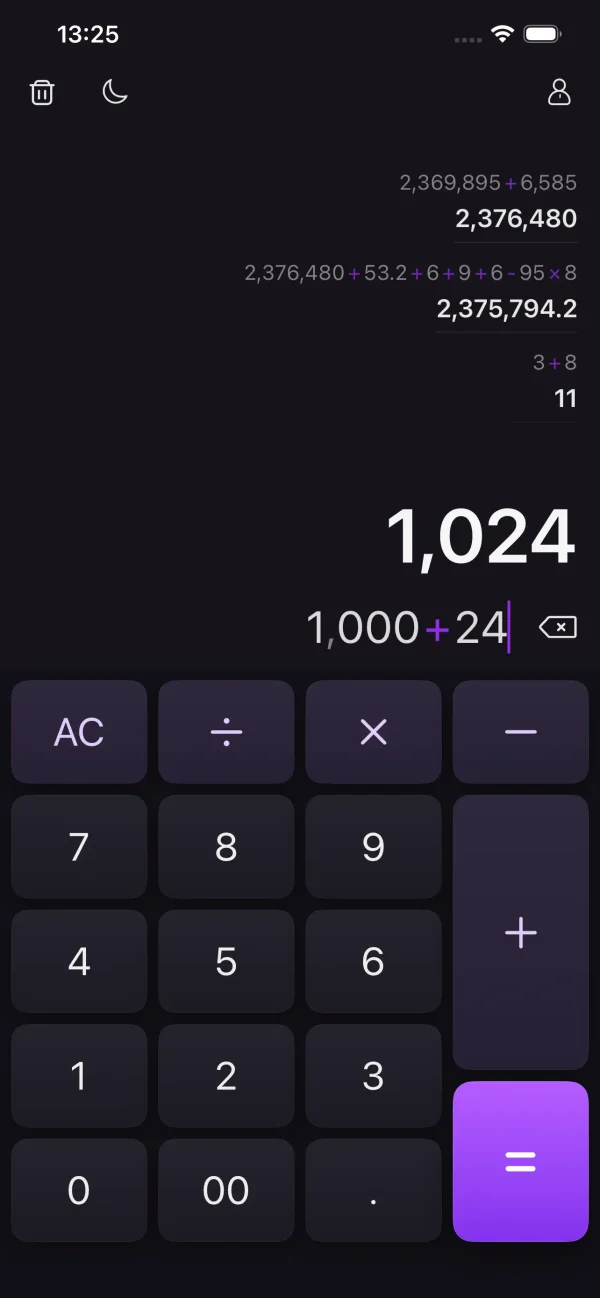
Designed for frequent calculations, making every input faster and smoother.
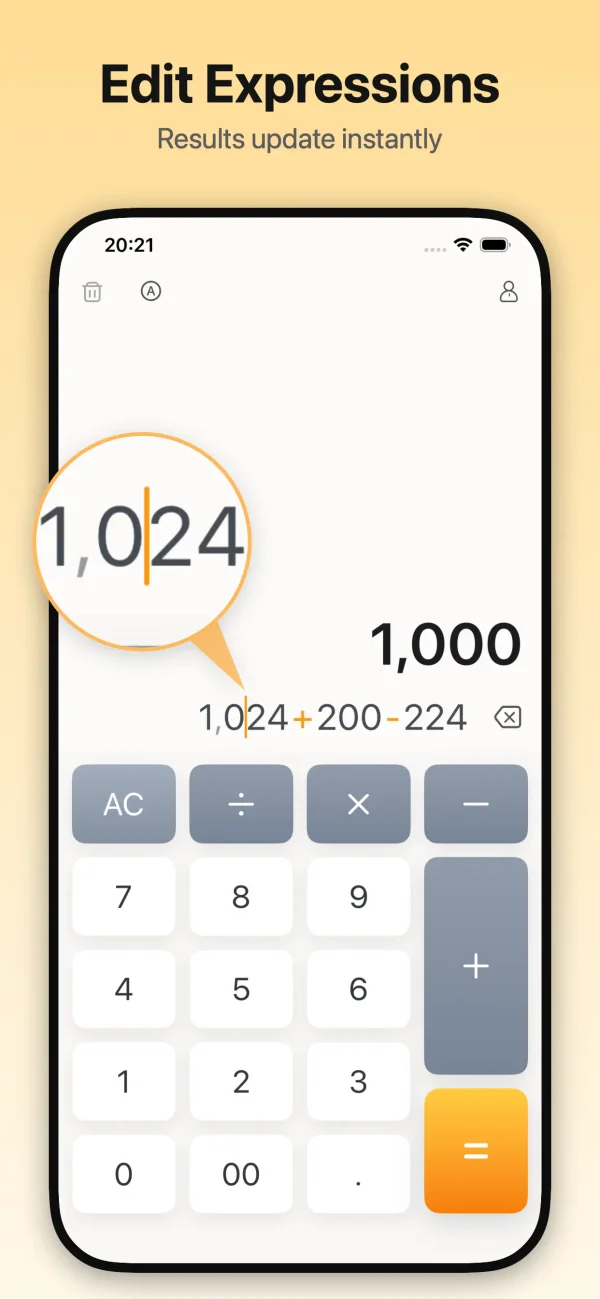
Entered one wrong digit? There is no need to start over. FastCalc lets you edit an expression directly, insert, delete, or change numbers and operators at any position, and see the result update as you type.
EDIT FREELY
• Insert, delete, or change any part of an expression
• Calculate and display results in real time as you type
• Smart input checks help reduce invalid expressions and input errors
FASTER INPUT
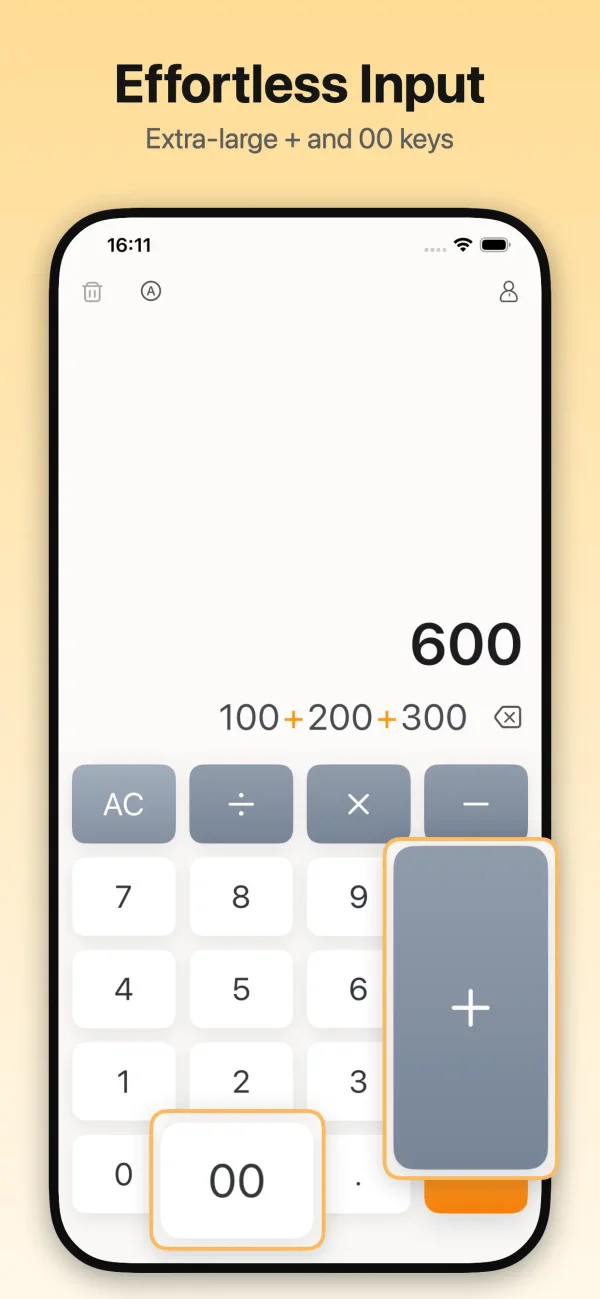
• A larger, more prominent “+” key for repeated calculations
• A dedicated “00” key for entering large numbers more efficiently
• Start with “.” and the leading zero is added automatically, saving one tap
CALCULATION HISTORY
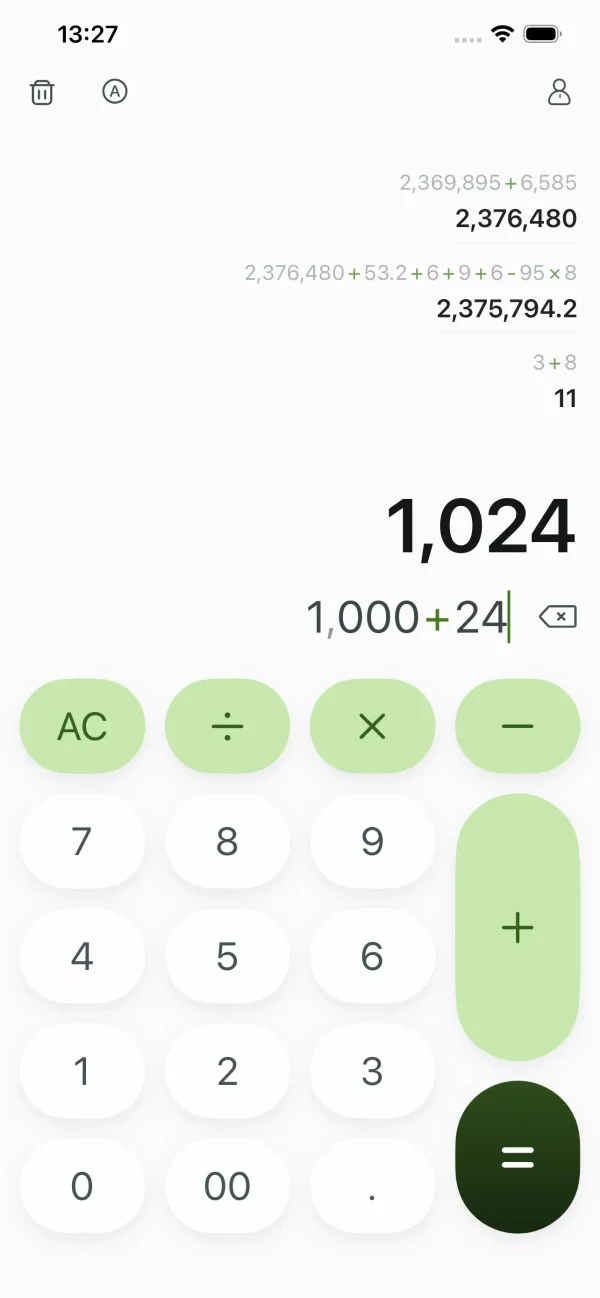
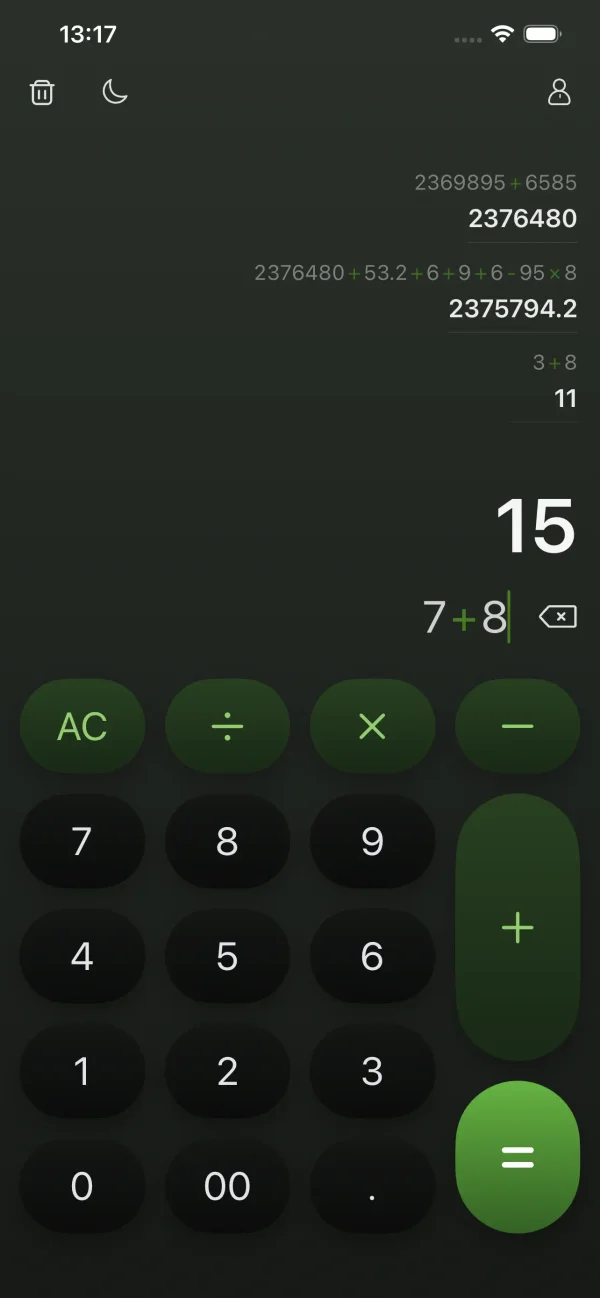
• View the current expression and calculation history on the same screen for easy comparison and reuse
• Double-tap a history item to use it again
• Copy a result, insert it, or replace the current expression
• Premium lets you add color tags and notes to important calculations
CLEAR DISPLAY
• Choose three-digit or four-digit number grouping
• Use a comma, space, or underscore as the separator to match different regional number formats
• Long expressions remain clear and easy to review or edit
CONVENIENT CONTROLS
• On supported system versions, open the calculator from Control Center or the Lock Screen
• Optionally clear the expression after pressing “=” so you can begin the next calculation immediately
PERSONALIZE YOUR EXPERIENCE
• Choose from multiple calculator themes
• Some themes support both light and dark appearances
• Select from several key sounds and spoken feedback options
• Refined sound and haptic feedback make every tap feel more responsive
PREMIUM
Make one lifetime purchase to unlock history colors and notes, every theme and sound option, and other Premium features.
FastCalc does more than display an answer. It is designed to make entering, editing, comparing, and reusing calculations more convenient.
Terms of Use:
https://www.apple.com/legal/internet-services/itunes/dev/stdeula/
Privacy Policy:
https://baolesoft.com/privacy/fast-calculator/
Yenilikler
Sürüm 2.3.3 · 20.10.2026
• New Oat Latte theme: Soft colors and a cat illustration bring a warmer feel to your calculator.
• New Silver theme: A clean metallic look with support for light and dark appearances.
• Redesigned theme browser: Swipe through previews of the actual interface to find your favorite style.
• Refined the default key sounds and responsiveness, and polished the theme preview layouts.
Uygulama gizliliği
Bu uygulamanın verileri nasıl işlediği hakkında 深圳宝乐软件有限公司 tarafından App Store üzerinde yapılan beyan.
-
Sizinle ilişkilendirilen veriler
Toplanabilir ve kimliğinizle ilişkilendirilebilir.
- Tanımlayıcılar
- Kullanım verileri
- Diğer veriler
Gizlilik uygulamaları, örneğin kullandığınız özelliklere veya yaşınıza göre değişiklik gösterebilir.
Bilgiler
- Satıcı
- Shenzhen Baole software Co.,Ltd.
- Kategori
- Yardımcılar
- Sürüm
- 2.3.3
- Güncellendi
- 20.10.2026
- Yayın tarihi
- 26.01.2023
- Boyut
- 7,9 MB
- Gereksinim
- iOS 16.0 veya sonrası
- Yaş sınırı
- 4+
- Fiyat
- Ücretsiz
- Uygulama içi satın alma
- Evet
- Diller
- İngilizce, Fransızca, Almanca, İtalyanca, Japonca, Korece, Portekizce, Basitleştirilmiş Çince, İspanyolca, Geleneksel Çince
- Telif hakkı
- © 2025 BaoleSoft
Bunları da beğenebilirsiniz
-
 Dino Voice Calculator:MathToolYardımcılar
-
 Desktop Calculator -Real VoiceYardımcılar
-
 Hesap Makinesi ٞEn Kullanışlı Hesap Makinası
-
 Hesap Makinesi%.Kullanışlı Ve Basit
-
 Calculator for All: SolvesYardımcılar
-
 Hesap Makinesi: Basit KlasikBüyük tuşlar ve temalar
-
 Calculator⁼Hesap Makinesi Plus Scientific
-
 Hesap Makinesi+ AppGeçmişi, Bilimsel ve Kesir
-
 Calculator‰Yardımcılar
-
 Hesap Makinesi·Yardımcılar