CalDown
Your calendar, counting down
iPhone, iPad için tasarlandı
Ücretsiz · Uygulama içi satın alma
- Yaş sınırı4+
- KategoriÜretkenlik
- GeliştiriciValentin Haberling
- Dillerİngilizce
- Boyut15,8 MB
Resmi App Store sayfasına bağlanır
Download.org, CalDown için hiçbir dosya barındırmaz. Düğme, uygulamanın App Store üzerindeki sayfasını açar; uygulamayı orada Valentin Haberling yayınlar. Sayfanın son kontrolü: 26.11.2026.
Ekran görüntüleri

Hakkında
Geliştirici bu metni dilinizde sunmamış.
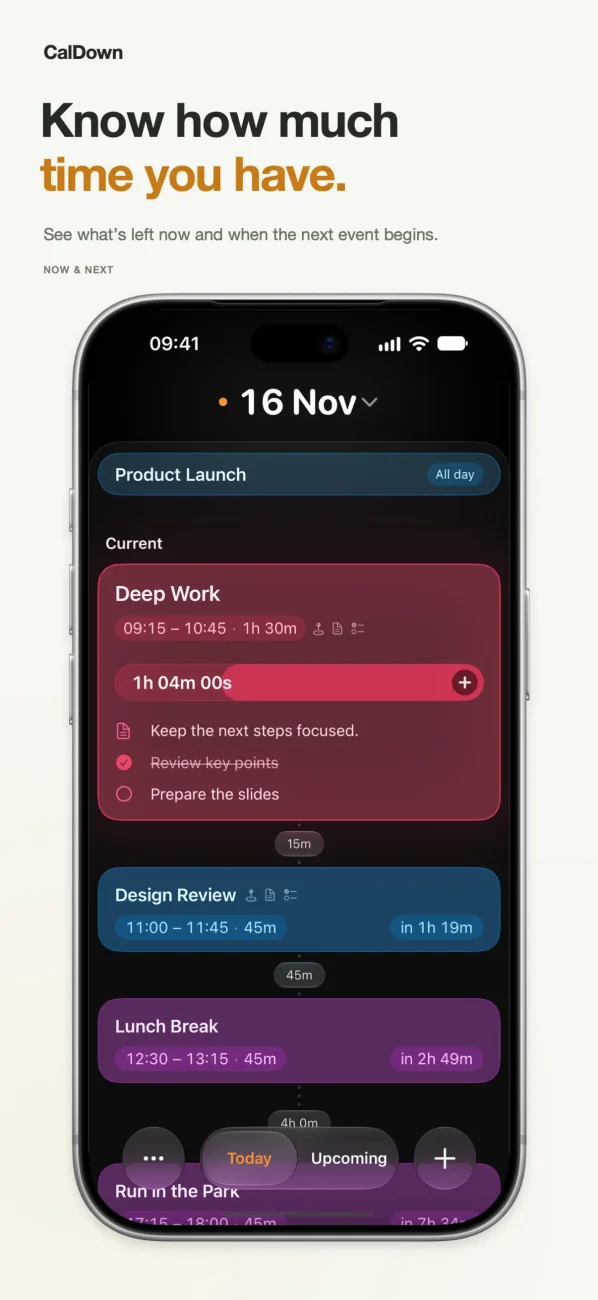
Know how much time you have.
How much time is left in your lesson, presentation, or work session? How long until your next event begins?
CalDown turns your Apple Calendar events into clear countdowns, so you can check the time you have at a glance.
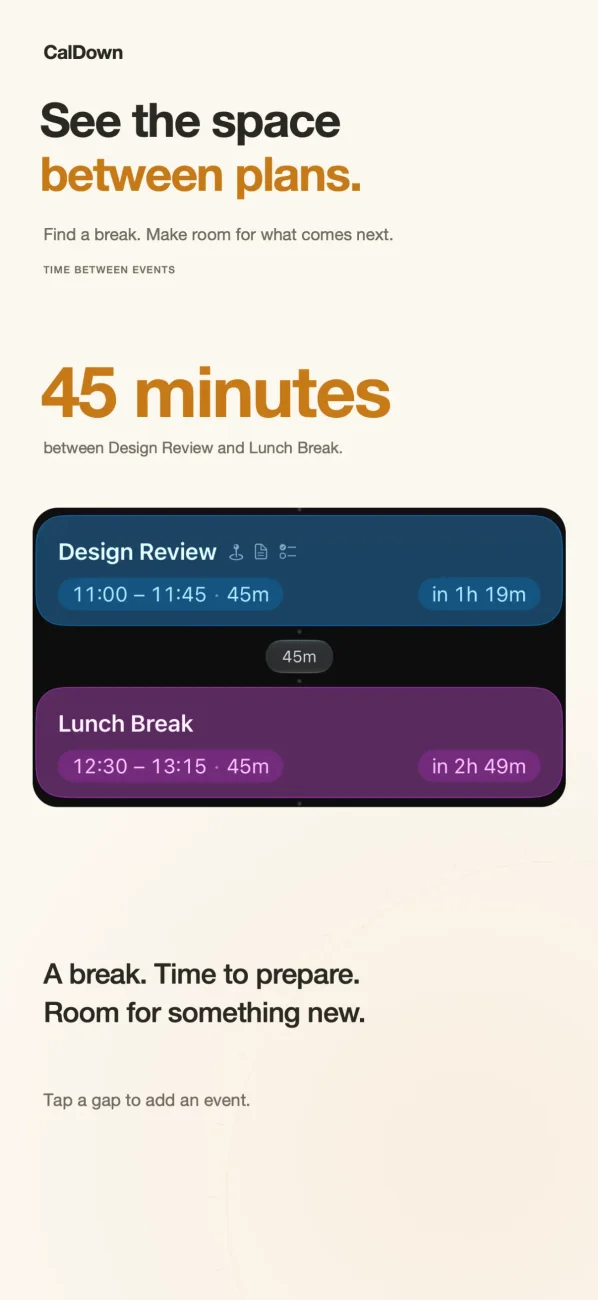
Those two questions were the idea behind CalDown. Today, its timeline also shows the space between your plans: room for a break, time to prepare, or an opening for something new.
SEE NOW. KNOW WHAT’S NEXT.
Follow your day in a clear, colorful timeline.
• See how much time remains with countdowns and progress bars.
• Keep current, upcoming, past, and all-day events in view.
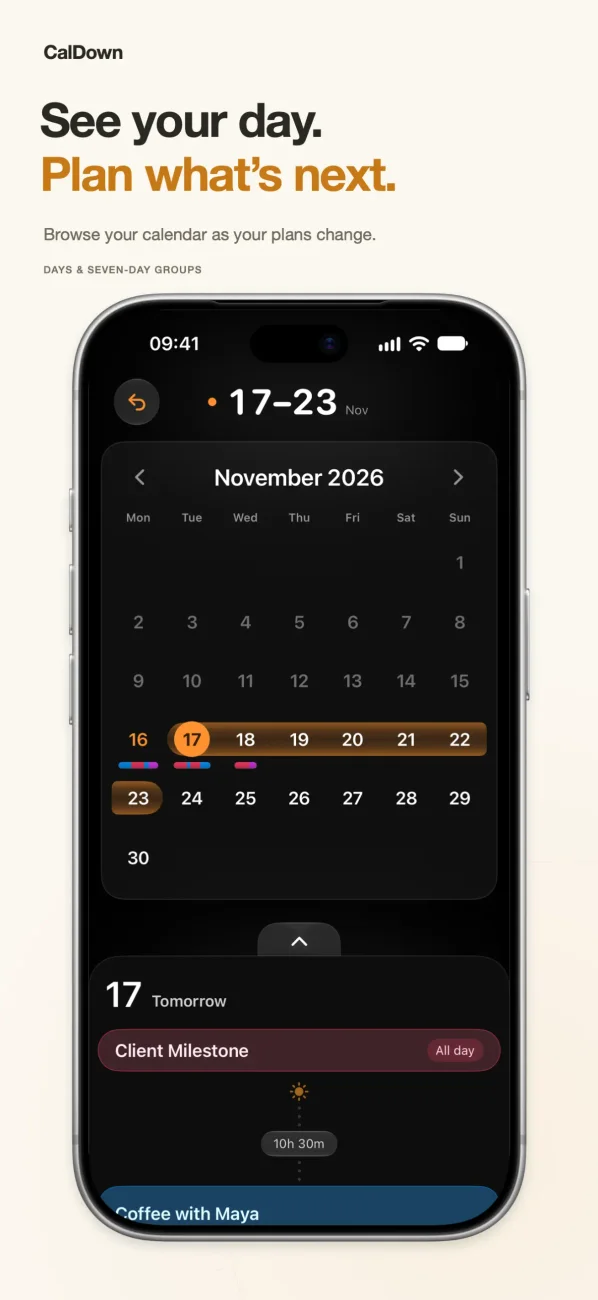
• Browse individual days or seven-day groups with an expandable month calendar.
• Open event cards to see notes, checklists, and alerts.
• Create and edit events in your Apple calendars.
• Hide individual event occurrences in CalDown without changing them in Apple Calendar.
USE THE TIME BETWEEN EVENTS
See the gaps between your events and how long they last. Add an event directly into free time. When plans overlap, preview a move to make room.
KEEP YOUR COUNTDOWN IN VIEW
Check the time without returning to your calendar.
• Home Screen and Lock Screen widgets show current and upcoming events, countdowns, and progress.
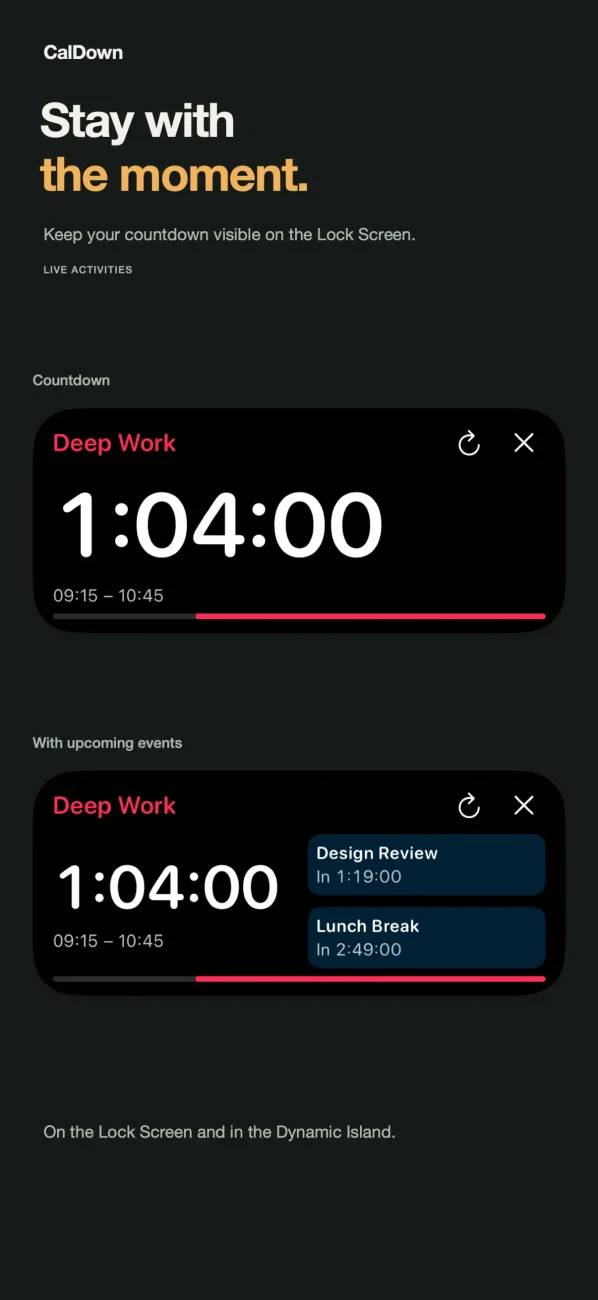
• Live Activities keep remaining time on your Lock Screen and in the Dynamic Island.
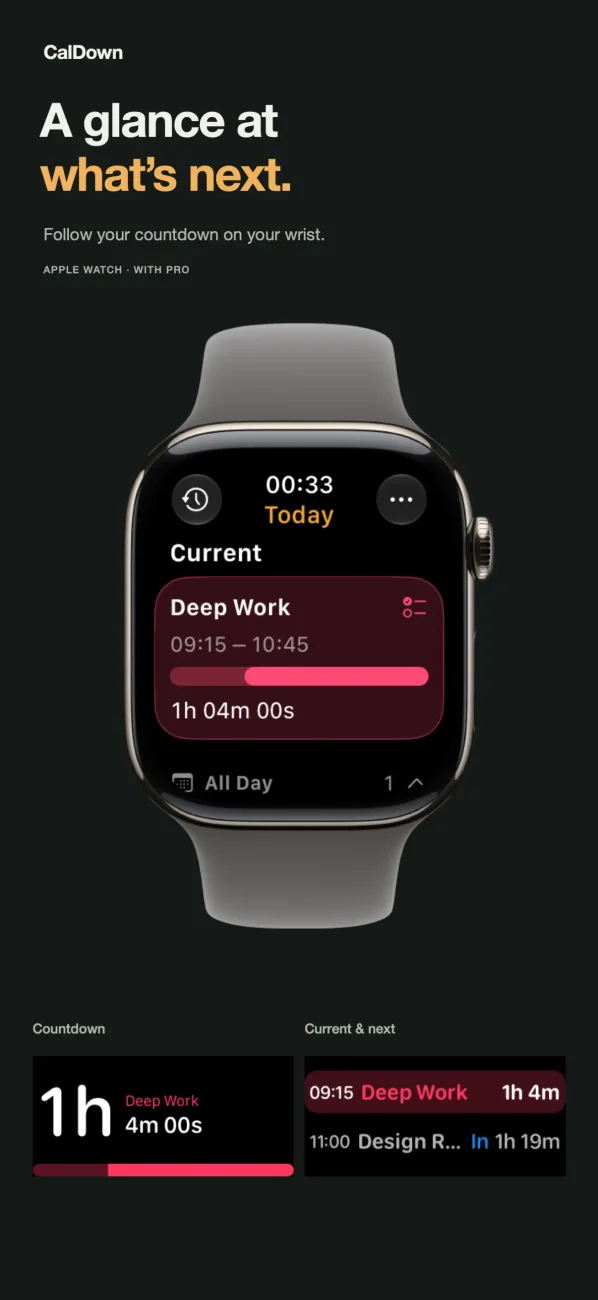
• Apple Watch puts your countdown and upcoming events on your wrist, with a dedicated timeline and a choice of complications.
CHOOSE WHEN YOU’RE REMINDED
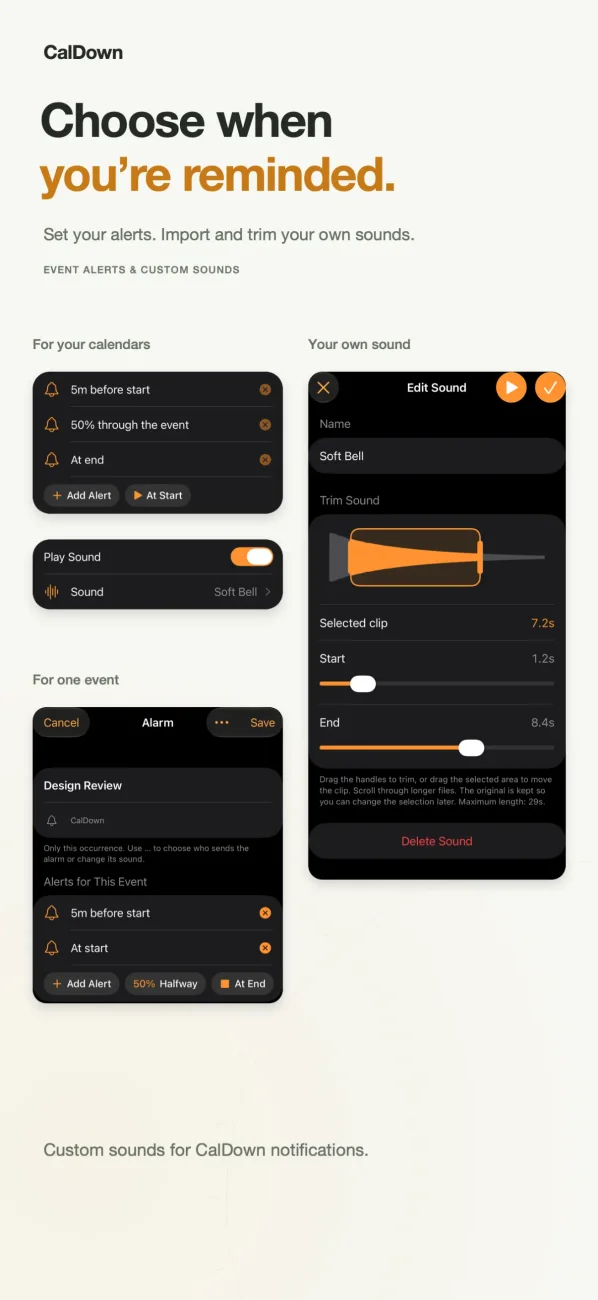
Set alerts for a single event or create rules for calendar groups. Get reminders before an event, at its start, partway through, before its end, or when it ends.
Import your own audio files, preview them, and trim the part you want to use as a CalDown notification sound.
Choose whether CalDown or Apple Calendar handles an individual event’s alerts. Custom sounds work with CalDown notifications.
MAKE TIME EASIER TO READ
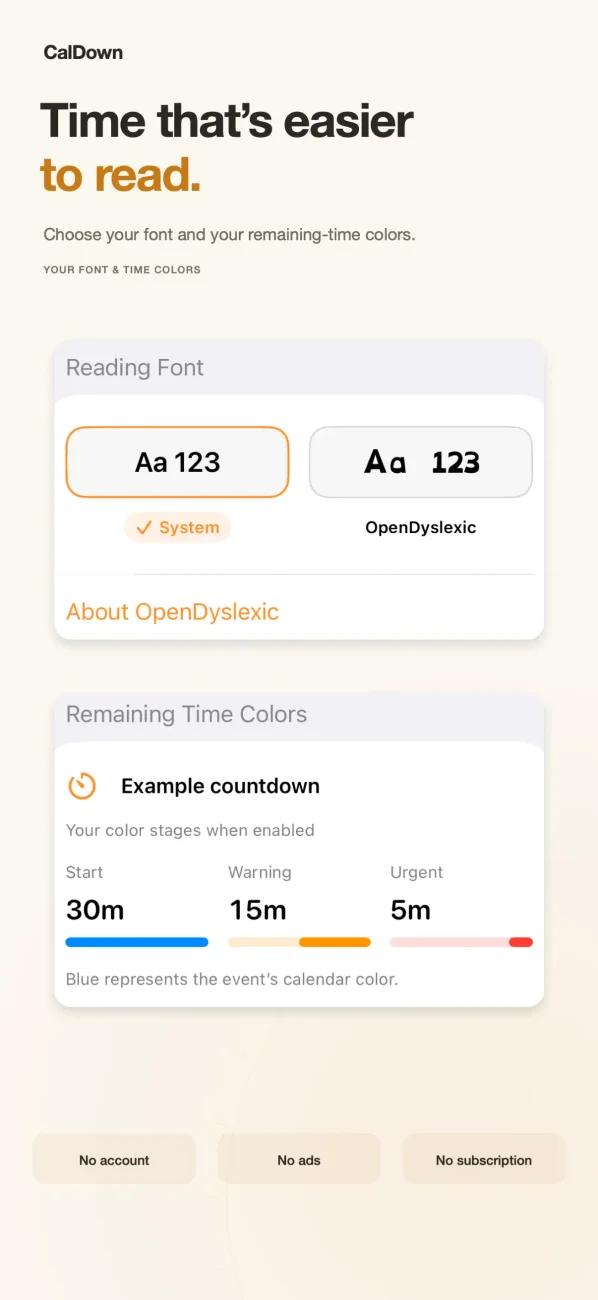
• Choose the system font or optional OpenDyslexic.
• Set your own colors and thresholds for remaining time.
• Apply time colors to the timeline, widgets, and Apple Watch independently.
• Follow your system’s time format or select 12-hour or 24-hour time.
• Use Light Mode or Dark Mode.
WORK WITH THE PLANS YOU ALREADY HAVE
CalDown uses your existing Apple calendars. Dated Apple Reminders can appear alongside your events and be marked complete in the timeline. Reminders integration is in beta.
Siri and Shortcuts let you check current and upcoming events or access selected CalDown features.
START SIMPLE
Use one calendar and basic widgets for free. A single, one-time Pro purchase unlocks multiple calendars, additional widgets, Apple Watch, and Apple Reminders integration.
• No CalDown account.
• No ads or analytics trackers.
• No external CalDown server.
• No subscription.
Your events. The time between them.
Yenilikler
Sürüm 2.0 · 25.11.2026
CalDown 2.0 brings a fresh look and more ways to see and use the time in your day.
• A redesigned timeline with refreshed event cards, clearer gaps and overlaps, and smoother transitions.
• An expandable month calendar and new date navigation. Browse individual days or seven-day groups, including past events.
• Add events directly into free time and resolve overlaps by moving an event with a preview.
• Updated time, duration, and move editors, with precise minute adjustments.
• Import your own notification sounds, preview them, and trim the part you want to use for CalDown alerts.
• Set alerts for individual events as well as calendar groups. Choose whether CalDown or Apple Calendar handles an event’s alerts; custom sounds work with CalDown notifications.
• A new Follow-Up Events complication for Apple Watch shows upcoming events without repeating the one in your countdown.
• Follow your system’s time format or choose 12-hour or 24-hour time in Settings.
• Refined Live Activity and Dynamic Island layouts, including a compact countdown when space is limited.
Also includes smoother reminder expansion and improved Pro recognition after redeeming an offer code.
Uygulama gizliliği
Bu uygulamanın verileri nasıl işlediği hakkında Valentin Haberling tarafından App Store üzerinde yapılan beyan.
-
Veri toplanmıyor
Geliştirici bu uygulamadan hiçbir veri toplamıyor.
Gizlilik uygulamaları, örneğin kullandığınız özelliklere veya yaşınıza göre değişiklik gösterebilir.
Bilgiler
- Satıcı
- Valentin Haberling
- Kategori
- Üretkenlik
- Sürüm
- 2.0
- Güncellendi
- 25.11.2026
- Yayın tarihi
- 14.04.2025
- Boyut
- 15,8 MB
- Gereksinim
- iOS 26.0 veya sonrası
- Yaş sınırı
- 4+
- Fiyat
- Ücretsiz
- Uygulama içi satın alma
- Evet
- Diller
- İngilizce
- Telif hakkı
- © 2026 CalDown
Bunları da beğenebilirsiniz
-
 HabitPace: Daily HabitsÜretkenlik
-
 LockCalÜretkenlik
-
 Cal CountdownÜretkenlik
-
 Ringround: Visual Day PlannerÜretkenlik
-
 Blurt: Wrist Voice NotesÜretkenlik
-
 TimeTiles: Visual Time TrackerÜretkenlik
-
 Not To Do - Break Bad HabitsÜretkenlik
-
 Today CountdownÜretkenlik
-
 TwinOutlook - Agenda controlÜretkenlik
-
 Agent Sonic: AI AssistantÜretkenlik