
Calendar+
Planner, events & widgets
iPhone, iPad için tasarlandı
Ücretsiz · Uygulama içi satın alma
- Yaş sınırı4+
- KategoriÜretkenlik
- GeliştiriciAlien Toes AB
- Dillerİngilizce+ 34 dil daha
- Boyut58,9 MB
Resmi App Store sayfasına bağlanır
Download.org, Calendar+ için hiçbir dosya barındırmaz. Düğme, uygulamanın App Store üzerindeki sayfasını açar; uygulamayı orada Alien Toes AB yayınlar. Sayfanın son kontrolü: 26.11.2026.
Ekran görüntüleri

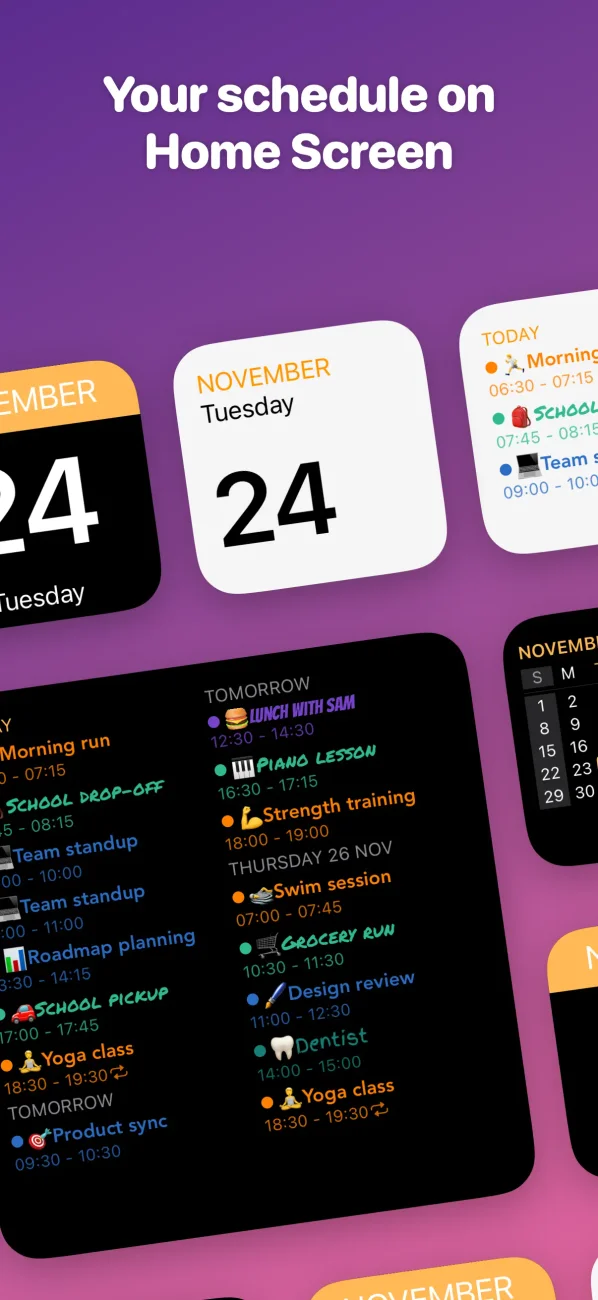
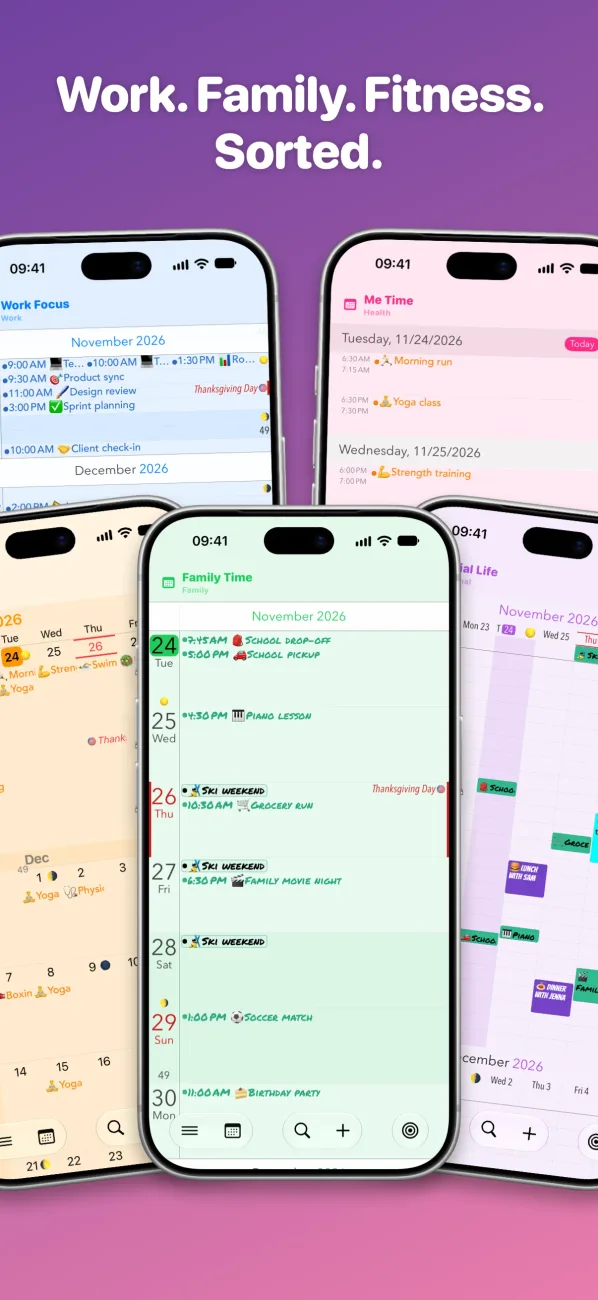
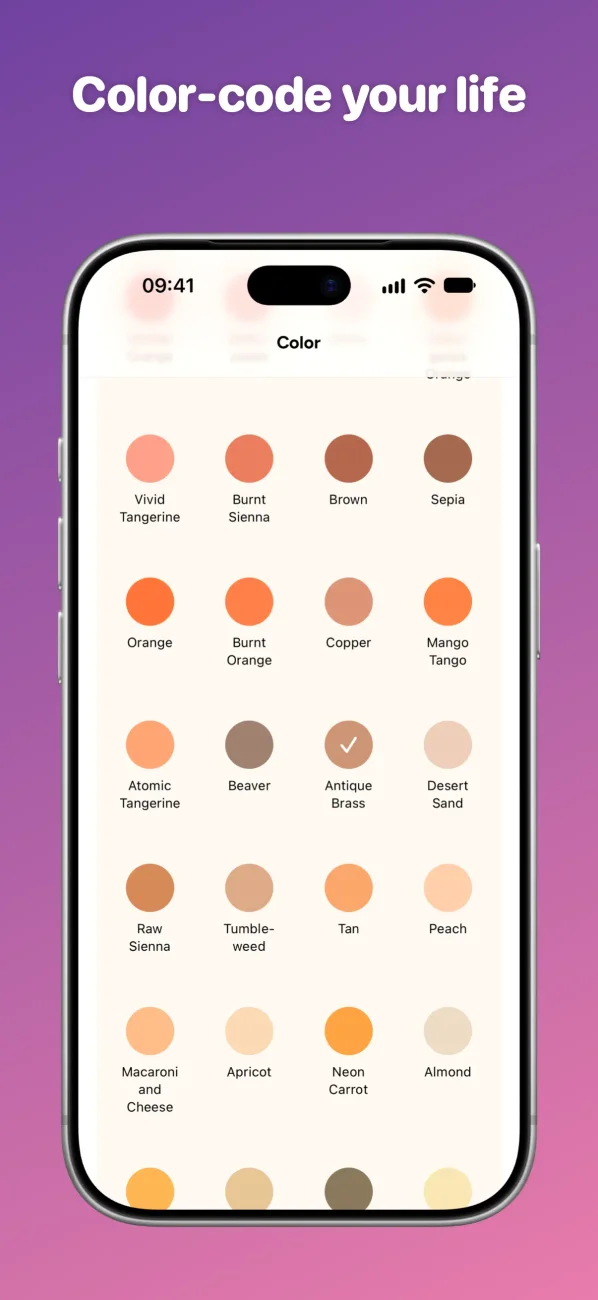
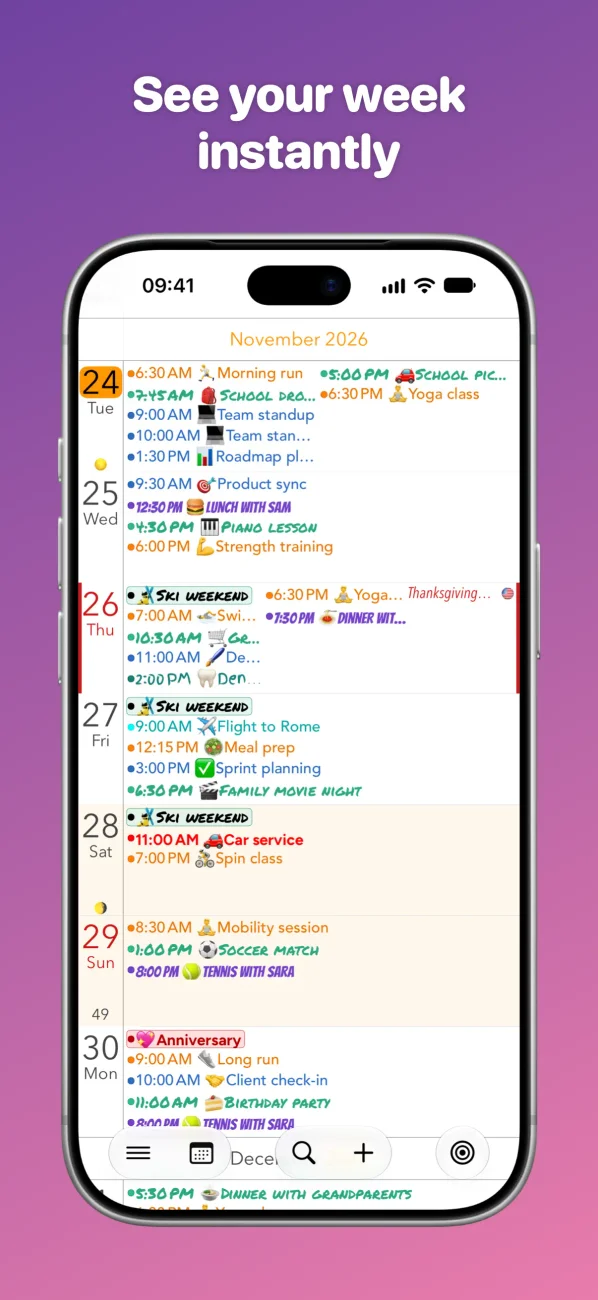
Hakkında
Geliştirici bu metni dilinizde sunmamış.
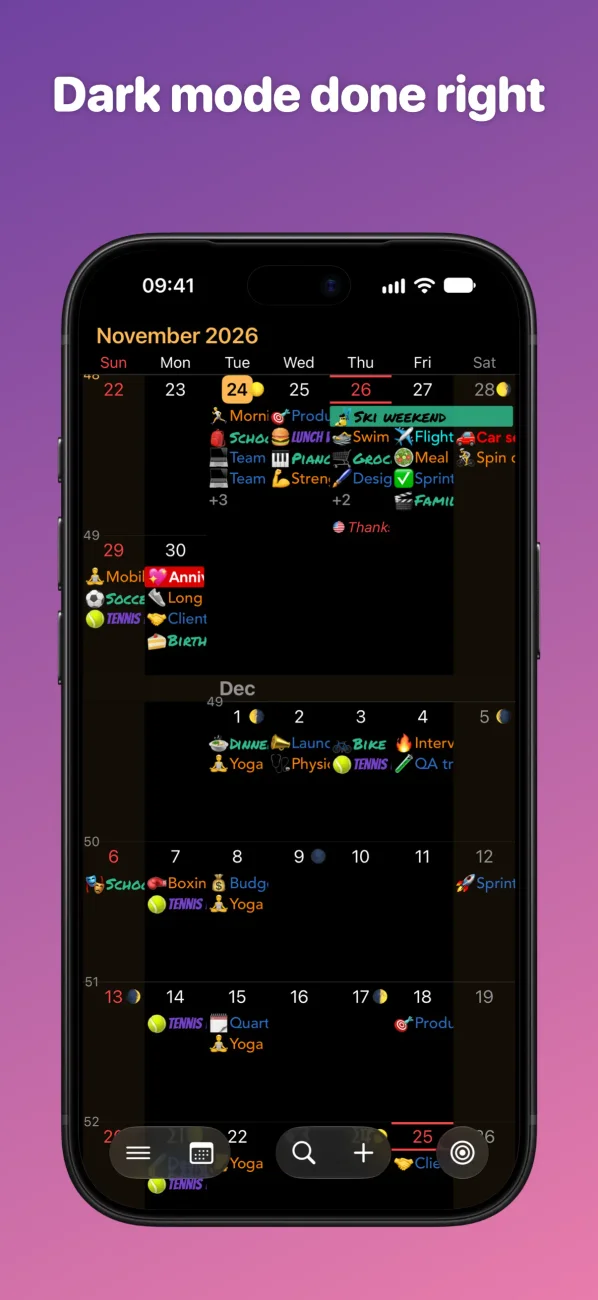
Scroll through your schedule like it’s a timeline — fast, fluid, and always in context. Calendar+ is built for people who want a clean overview, quick edits, and better-looking calendars without fighting the default app.
Why Calendar+?
• Seamless scrolling through days, weeks, and months
• Day / Week / Month views with great overview
• Add, edit, and delete events quickly
• Syncs with your existing calendars (iCloud, Google, Outlook/Exchange, CalDAV, ICS subscriptions, and more)
• Jump to any date instantly
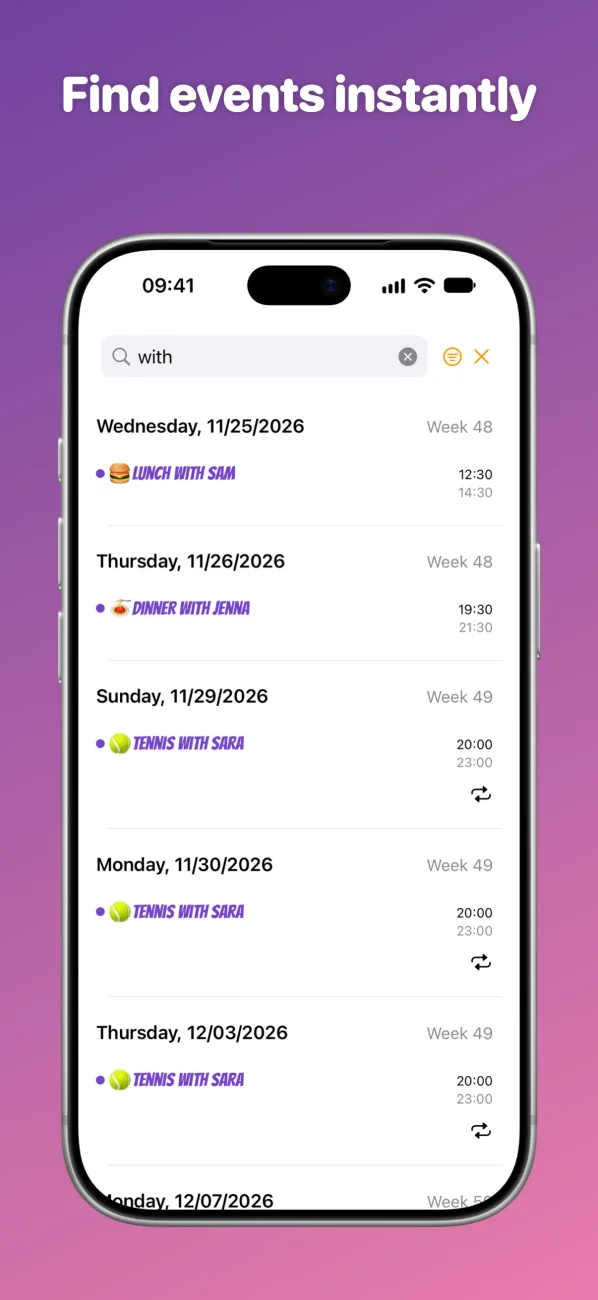
• Search your events from 1900 to 2100
• Week numbers
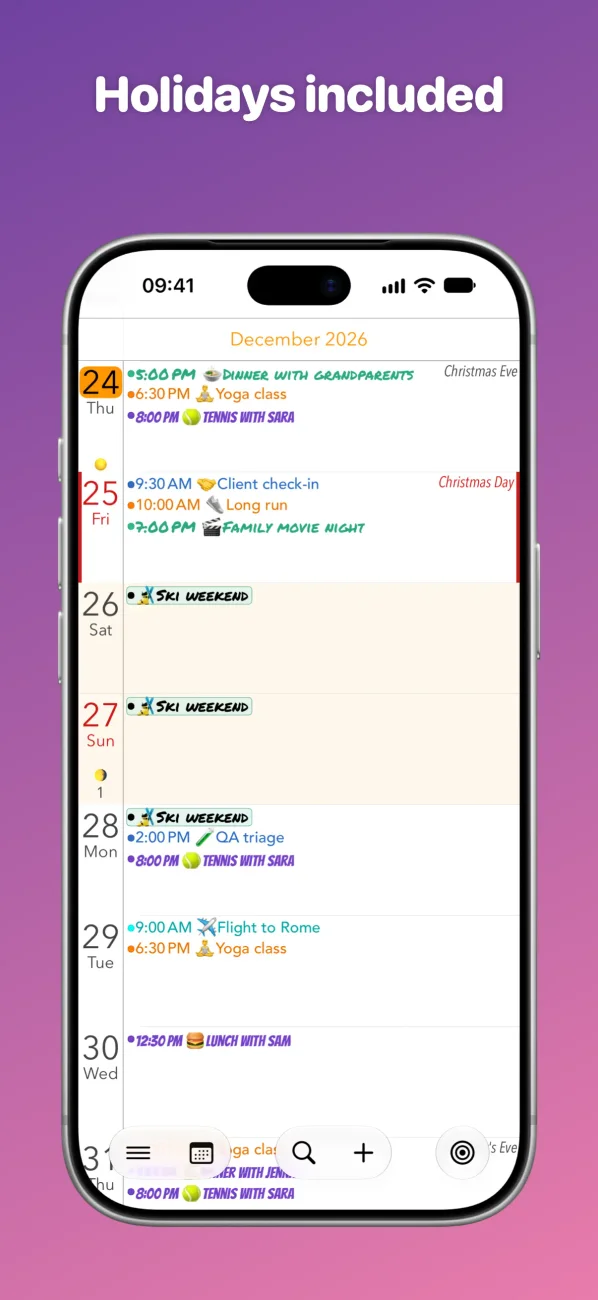
• Built-in holidays and flag days for 2021–2032: Australia (all states and territories), Austria, Canada, Denmark, Finland, France, Germany, Italy, Japan, Luxembourg, Netherlands, New Zealand, Norway, Russia, Sweden, Switzerland, United Kingdom, and United States
• Built-in name days: Austria, Bulgaria, Czech Republic, Estonia, Finland, France, Germany, Greece, Hungary, Ireland, Italy, Latvia, Lithuania, Poland, Slovakia, Spain, Sweden, Ukraine, United Kingdom, and United States
• Calendar selection & filtering – show only what you want
• Dedicated “Scroll to Today” button
• Portrait + landscape support
Personalize Everything (Pro)
• Calendar groups – put your calendars in groups like Work or Family and switch focus with one tap
• Custom views – build your own views with their own layout, theme and calendar group, then reorder or hide views to suit you
• Time Zone Override – show your calendar, event times and widgets in a time zone you pick
• Make calendars stand out with unique colors and fonts across all views
• App theme colors
• All widgets
• Moon phases for the full year
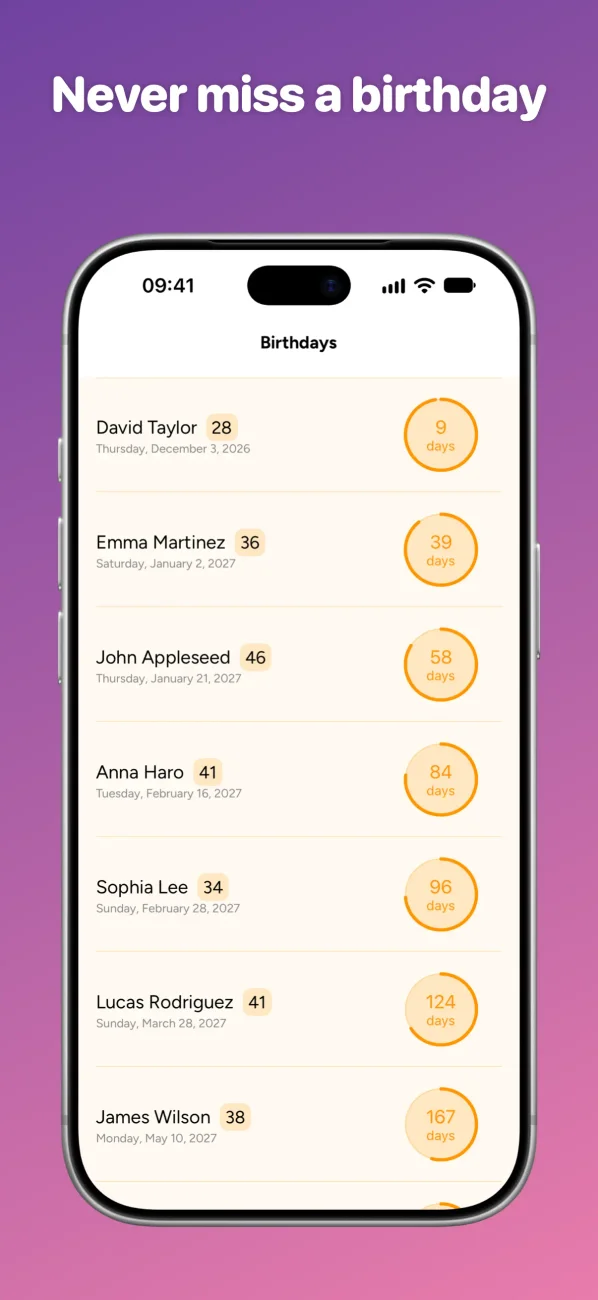
• Birthday + name day countdowns
• Support an indie developer (me)
Settings You’ll Actually Use
• Text size – use your device’s text size or pick your own, and set the font size of each list view
• Toggle holidays + name days on/off
• App icon badge options (day in month, day in year, or week number)
• Default event settings (reminders, calendar, etc.)
• Fine-grained event display options (dots, times, titles, weekend shading, contrast, truncation behavior)
Gestures
• Swipe left/right to switch views
• Pinch to zoom between month and week
• Tap & hold on a day to create an event
• Swipe to delete in day view
Support & Feedback
I’d genuinely love to hear from you.
• In Calendar+ → Ideas (submit and vote)
• In Calendar+ → Support/Feedback
• Email: support@alientoes.se
• Website: https://www.alientoes.se/en/support
Terms: https://www.alientoes.se/en/terms
Privacy: https://www.alientoes.se/en/privacy-policy
Yenilikler
Sürüm 8.4 · 25.11.2026
• Time Zone Override (Pro) – Show your calendar in a time zone you pick instead of your device's. Days, event times and widgets follow it, and events set in another time zone also show their time there. Turn it on under Time Zone in Settings.
• Rebuilt calendar views – The calendar views are rebuilt for smoother scrolling, and all of them now grow with your text size. Rows get taller and events get more room as your text gets bigger, and at the largest sizes each event in the Month List and Week List gets a line of its own. Week Overview and Month Grid grow up to XXX Large, so all seven days still fit side by side.
• Day List – The Day List now has the Event dot, Spacing and Display override settings that the Month and Week Lists have. Find them under Calendar Views in Settings.
• Text Size – Calendar+ uses the text size from the Settings app. To pick a different size just for Calendar+, turn off Match System under Text Size in Theme and choose from Extra Small to XXX Large.
• New font – The menu, Settings and the screens you open from them now use the Figtree font. The calendar views keep their fonts.
• Search – Search now finds events from 1900 to 2100, up from five years back and six ahead. Results open on your next event, or on the latest one when they're all in the past, and each day shows its week number. Touch and hold a result to show it in the calendar, or to view, edit, duplicate or delete it. Open search again within 10 minutes of Show in Calendar to pick up where you left off.
• Birthdays – If you've shared only some of your contacts with Calendar+, Birthdays now says so and lets you share more. The list also updates as soon as your contacts change.
• Bug fixes – Fixed all-day events in the Event List widget, today in the month widgets and the month in the Icon widget going blank on tinted and clear Home Screens, events that end at midnight also showing on the next day in the day's event list and the Event List widget, search sometimes crashing as it scrolled to its results, search showing “No results” before it had finished searching, the app crashing during setup on some devices with iOS 17, and iOS sometimes closing the app in the background right after it opened.
Uygulama gizliliği
Bu uygulamanın verileri nasıl işlediği hakkında Alien Toes AB tarafından App Store üzerinde yapılan beyan.
-
Sizinle ilişkilendirilmeyen veriler
Toplanabilir ancak kimliğinizle ilişkilendirilmez.
- Satın alımlar
- Kullanım verileri
Gizlilik uygulamaları, örneğin kullandığınız özelliklere veya yaşınıza göre değişiklik gösterebilir.
Bilgiler
- Satıcı
- Alien Toes AB
- Kategori
- Üretkenlik
- Sürüm
- 8.4
- Güncellendi
- 25.11.2026
- Yayın tarihi
- 08.07.2011
- Boyut
- 58,9 MB
- Gereksinim
- iOS 17.6 veya sonrası
- Yaş sınırı
- 4+
- Fiyat
- Ücretsiz
- Uygulama içi satın alma
- Evet
- Diller
- İngilizce, Bulgarian, Hırvatça, Çekçe, Danca, Hollandaca, Fince, Fransızca, Almanca, Yunanca, Macarca, İzlandaca + 23 dil daha
- Telif hakkı
- © 2011 Alien Toes AB
Bunları da beğenebilirsiniz
-
 Still: simple listsÜretkenlik
-
 Calvetica CalendarÜretkenlik
-
 SumNote - Notes with SumsÜretkenlik
-
 Sticky Tasks: Snap it, Do itÜretkenlik
-
 ScrollBump: Reduce Screen TimeÜretkenlik
-
 HEIC JPG Foto Dönüştürücü+JPEG PNG PDF toplu çevrimdışı
-
 TapCal: Takvim ve Araç TakımıAylık görünüm ve anımsatıcılar
-
 Supercal CalendarÜretkenlik
-
 MoleculistÜretkenlik
-
 Just20MinutesÜretkenlik