Calendar+
Planner, events & widgets
Designed for iPhone, iPad
Free · In-app purchases
- Age rating4+
- CategoryProductivity
- DeveloperAlien Toes AB
- LanguagesEnglish+ 34 more
- Size57.2 MB
Links to the official App Store page
Download.org hosts no file of Calendar+. The button opens its official App Store page, published by Alien Toes AB. Listing last checked on Nov 21, 2026.
Screenshots


About
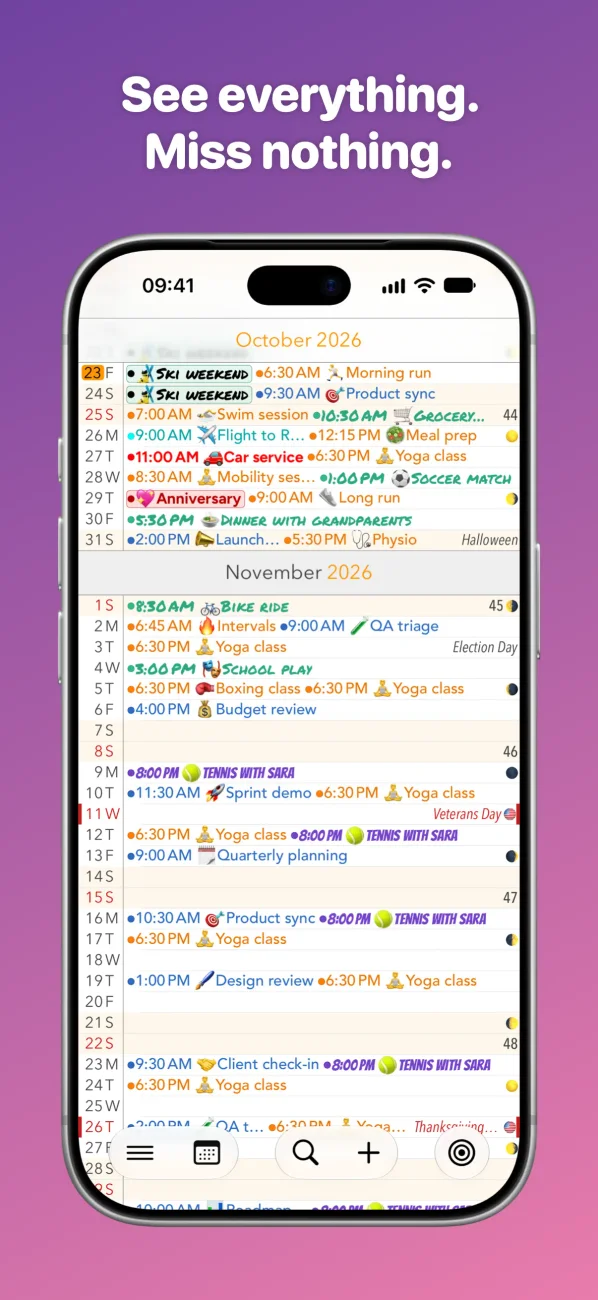
Scroll through your schedule like it’s a timeline — fast, fluid, and always in context. Calendar+ is built for people who want a clean overview, quick edits, and better-looking calendars without fighting the default app.
Why Calendar+?
• Seamless scrolling through days, weeks, and months
• Day / Week / Month views with great overview
• Add, edit, and delete events quickly
• Syncs with your existing calendars (iCloud, Google, Outlook/Exchange, CalDAV, ICS subscriptions, and more)
• Jump to any date instantly
• Week numbers
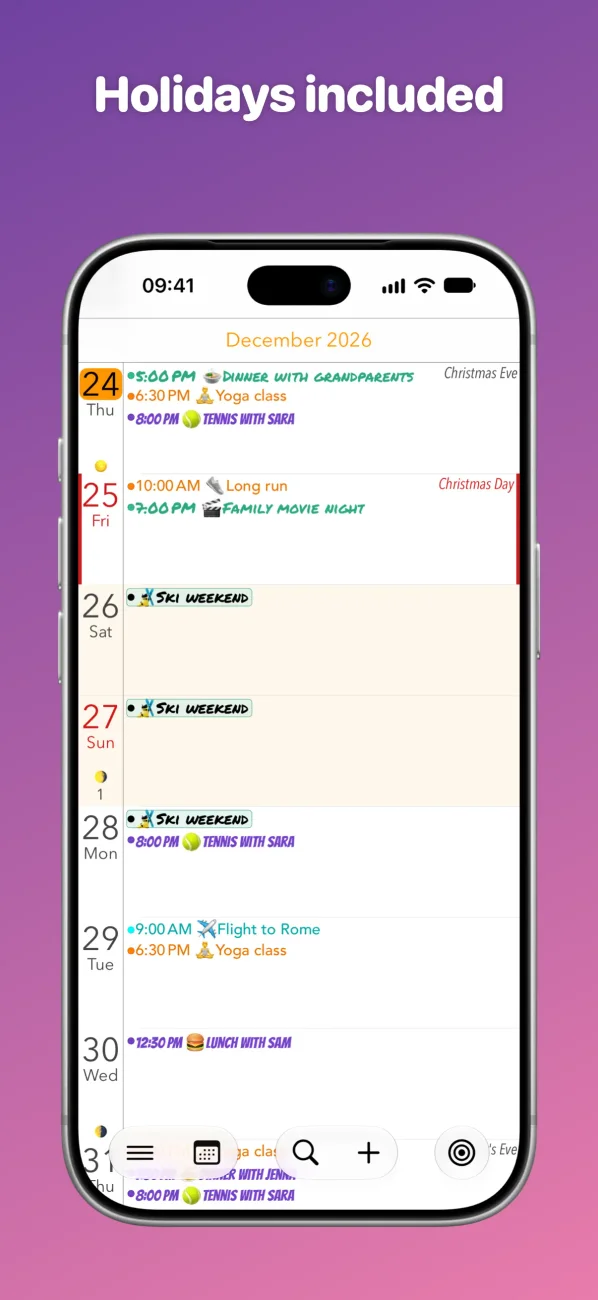
• Built-in holidays and flag days for 2021–2032: Australia (all states and territories), Austria, Canada, Denmark, Finland, France, Germany, Italy, Japan, Luxembourg, Netherlands, New Zealand, Norway, Russia, Sweden, Switzerland, United Kingdom, and United States
• Built-in name days: Austria, Bulgaria, Czech Republic, Estonia, Finland, France, Germany, Greece, Hungary, Ireland, Italy, Latvia, Lithuania, Poland, Slovakia, Spain, Sweden, Ukraine, United Kingdom, and United States
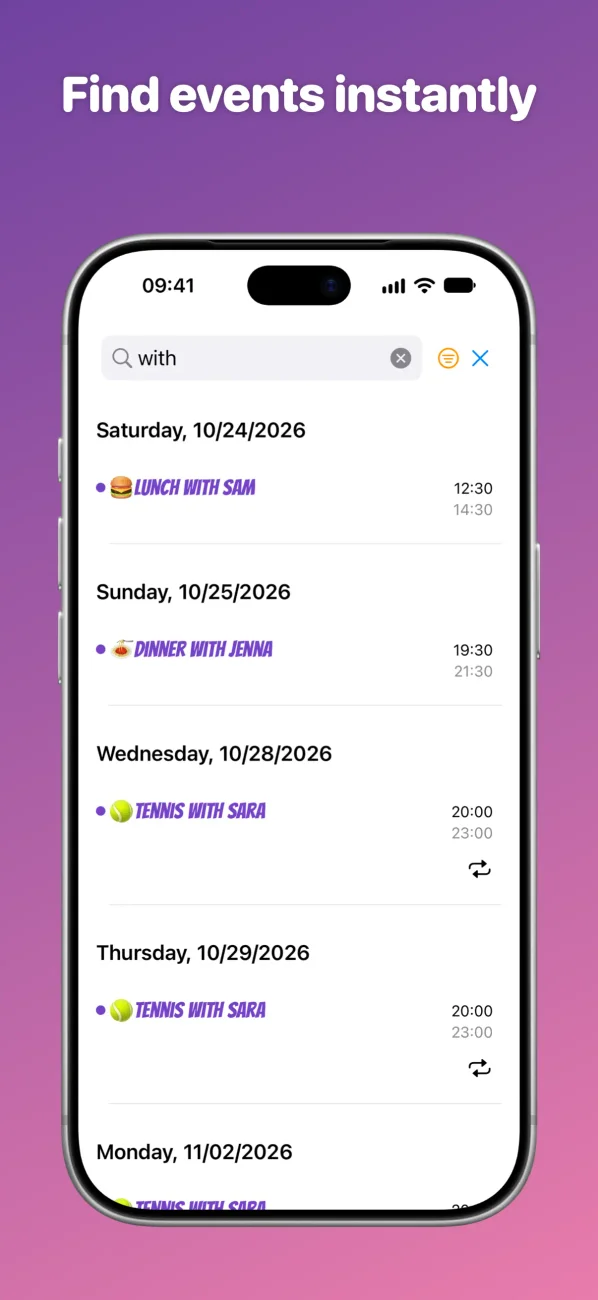
• Calendar selection & filtering – show only what you want
• Dedicated “Scroll to Today” button
• Portrait + landscape support
Personalize Everything (Pro)
• Calendar groups – put your calendars in groups like Work or Family and switch focus with one tap
• Custom views – build your own views with their own layout, theme and calendar group, then reorder or hide views to suit you
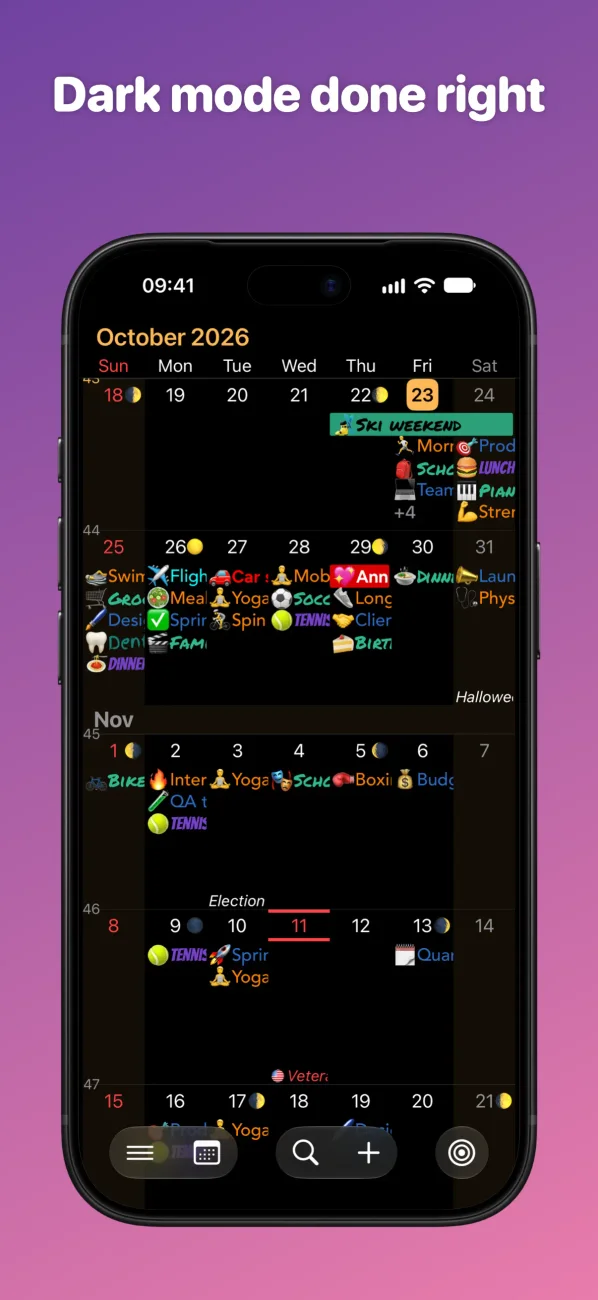
• Make calendars stand out with unique colors and fonts across all views
• App theme colors
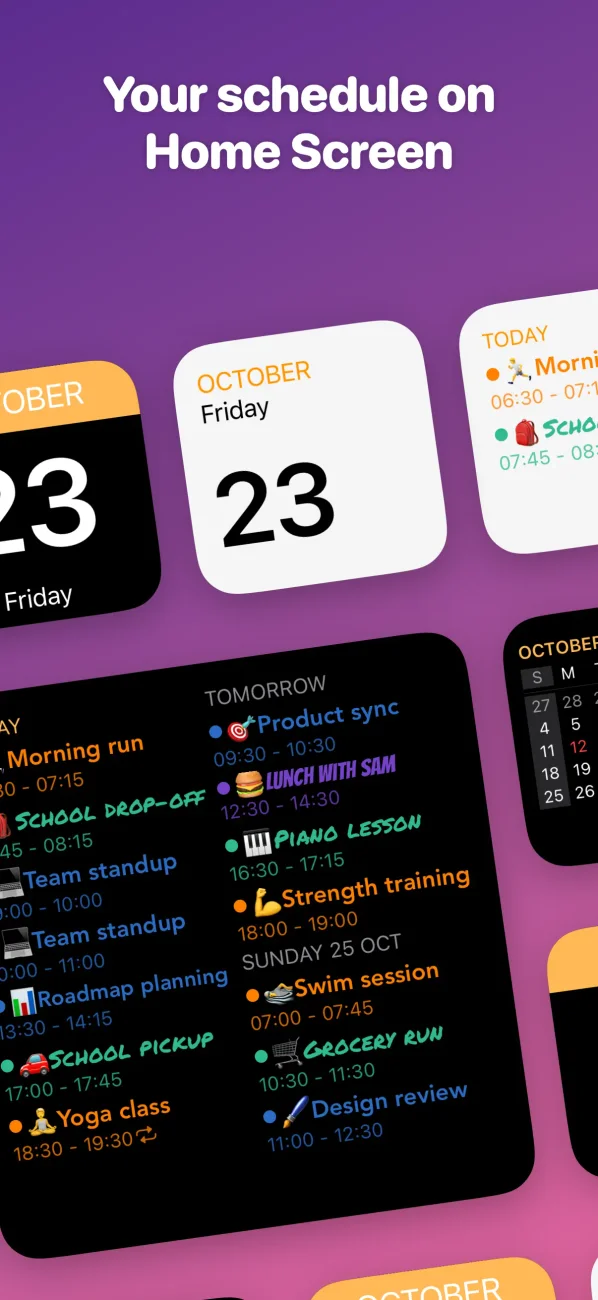
• All widgets
• Moon phases for the full year
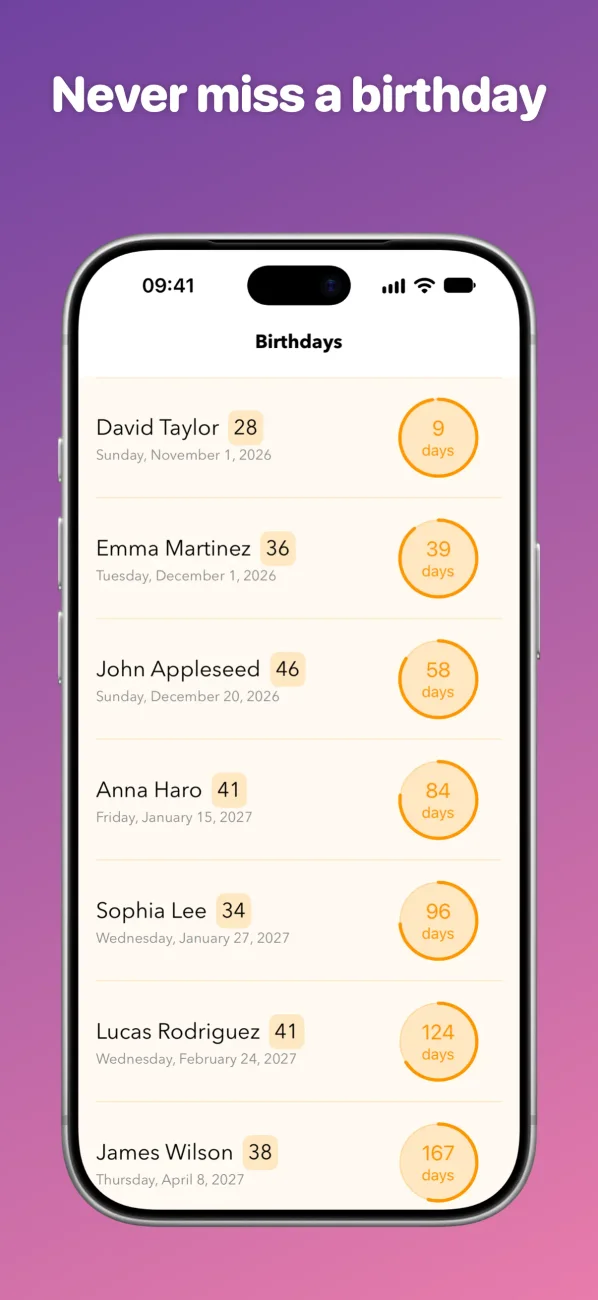
• Birthday + name day countdowns
• Support an indie developer (me)
Settings You’ll Actually Use
• Text size control (month/week independently)
• Toggle holidays + name days on/off
• App icon badge options (day in month, day in year, or week number)
• Default event settings (reminders, calendar, etc.)
• Fine-grained event display options (dots, times, titles, weekend shading, contrast, truncation behavior)
Gestures
• Swipe left/right to switch views
• Pinch to zoom between month and week
• Tap & hold on a day to create an event
• Swipe to delete in day view
Support & Feedback
I’d genuinely love to hear from you.
• In Calendar+ → Ideas (submit and vote)
• In Calendar+ → Support/Feedback
• Email: support@alientoes.se
• Website: https://www.alientoes.se/en/support
Terms: https://www.alientoes.se/en/terms
Privacy: https://www.alientoes.se/en/privacy-policy
What’s new
Version 8.3 · Oct 23, 2026
• 1900 to 2100 – Browse your calendar all the way from 1900 to 2100, up from 2021 to 2032. Events now load as you scroll instead of all at once when the app starts.
• Full-screen widgets (Pro) – The Month, Date + Month and Event List widgets now fill the full-screen widget on iPhone with iOS 27 and the extra-large widget on iPad. Event List now shows events up to a month ahead instead of a week.
• Classic colors – The calendar views have their classic colors back. With Pro, choose Classic under Theme to keep that look while the rest of the app uses your theme color.
• Event colors – With Standard text color, all-day events in light calendar colors such as yellow now use black text so they're easier to read. The event popover, the day's event list and search now show events in the colors of the view you open them from.
• Calendar groups (Pro) – Hiding a calendar now only affects All Calendars, so your groups and custom views show every calendar you add to them. Search and the day's event list start on the current group and can switch to another. Groups are now sorted by name.
• Default start time – Choose what time new events start under Defaults for new events in Settings. Events added for today still start at the next full hour.
• View banner switches – Turn off the view banner for switching views, switching calendar group, or both, under Customize Views in the menu.
• Bug fixes – Fixed tapping an event notification not opening the event, deleting events on read-only calendars such as some Outlook calendars failing without a message, the “On date of event” alert going off at midnight instead of 9:00, several Japanese public holidays, Northern Ireland showing no holidays and some UK bank holidays missing, the current week not being highlighted with the Buddhist calendar, the calendar flashing light when opening in dark mode, and switching views sometimes getting stuck.
App privacy
What Alien Toes AB declares on the App Store about how this app handles data.
-
Data not linked to you
May be collected but is not linked to your identity.
- Purchases
- Usage data
Privacy practices may vary, for example with the features you use or your age.
Information
- Seller
- Alien Toes AB
- Category
- Productivity
- Version
- 8.3
- Updated
- Oct 23, 2026
- Released
- Jul 8, 2011
- Size
- 57.2 MB
- Requires
- iOS 17.6 or later
- Age rating
- 4+
- Price
- Free
- In-app purchases
- Yes
- Languages
- English, Bulgarian, Croatian, Czech, Danish, Dutch, Finnish, French, German, Greek, Hungarian, Icelandic + 23 more
- Copyright
- © 2011 Alien Toes AB
You might also like
-
 Still: simple listsCollect, plan, arrange
-
 Calvetica CalendarProductivity
-
 SumNote - Notes with SumsAdd it up. Save it.
-
 Sticky Tasks: Snap it, Do itPhoto reminders that stick
-
 ScrollBump: Reduce Screen TimeStop Scrolling Less Screentime
-
 HEIC to JPG Photo Converter+JPEG PNG PDF Batch Offline
-
 TapCal: Calendar & WidgetsMonth Widgets & Reminders
-
 Supercal CalendarClear and easy to navigate
-
 MoleculistTrack Book, Movie, Recipe ...
-
 Just20MinutesWork, Study, or Relax in 20Min