Cura Display
AI-curated photos, any screen
iPhone, iPad için tasarlandı
Ücretsiz
- Yaş sınırı17+
- KategoriFotoğraf ve Video
- GeliştiriciCurator Technologies Inc
- Dillerİngilizce
- Boyut136,8 MB
Resmi App Store sayfasına bağlanır
Download.org, Cura Display için hiçbir dosya barındırmaz. Düğme, uygulamanın App Store üzerindeki sayfasını açar; uygulamayı orada Curator Technologies Inc yayınlar. Sayfanın son kontrolü: 12.11.2026.
Ekran görüntüleri




Hakkında
Geliştirici bu metni dilinizde sunmamış.
Your best photos, from your iPhone and your family's, on every screen you own. Now with Cura AI.
Most of us have thousands of photos on our phones, and so do our partners and families. The best moments rarely make it off them. CURA finds them and shows them on the TVs, iPads and screens around your home.
CURA AI: THE BEST OF YOUR PHOTOS, PICKED FOR YOU
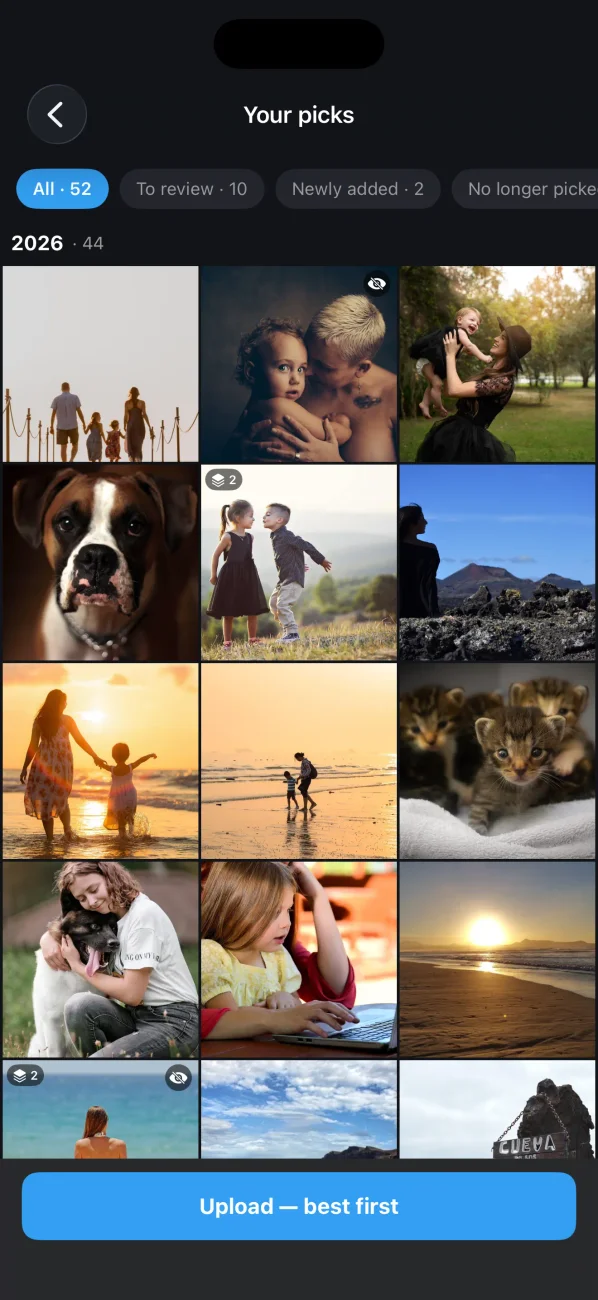
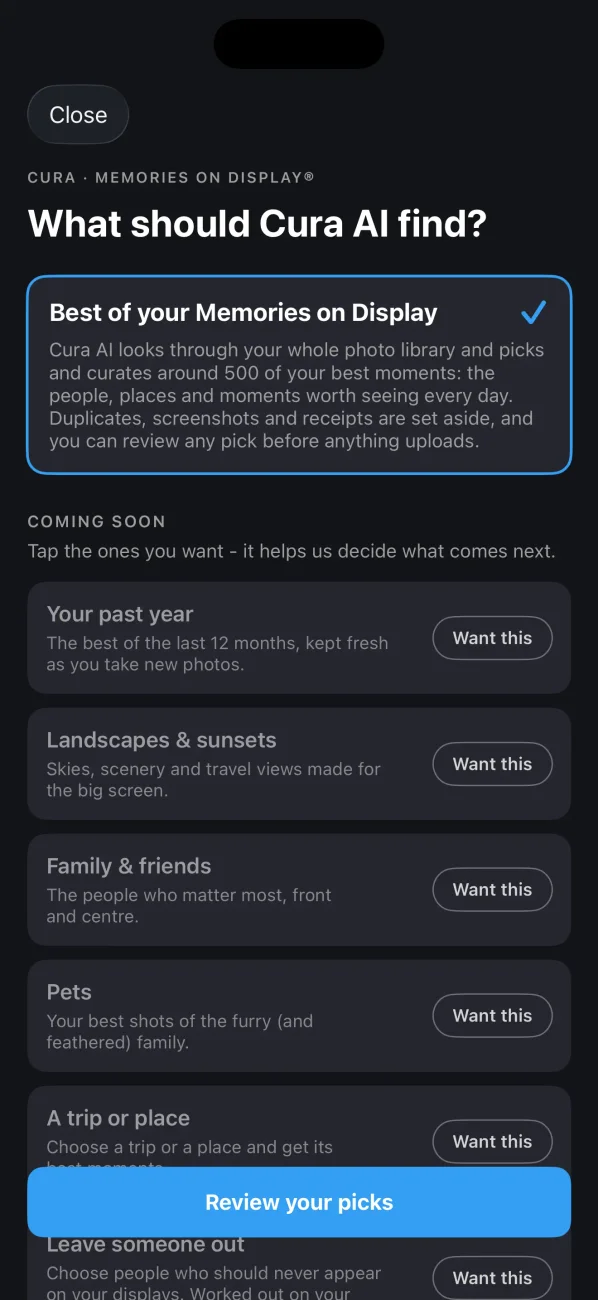
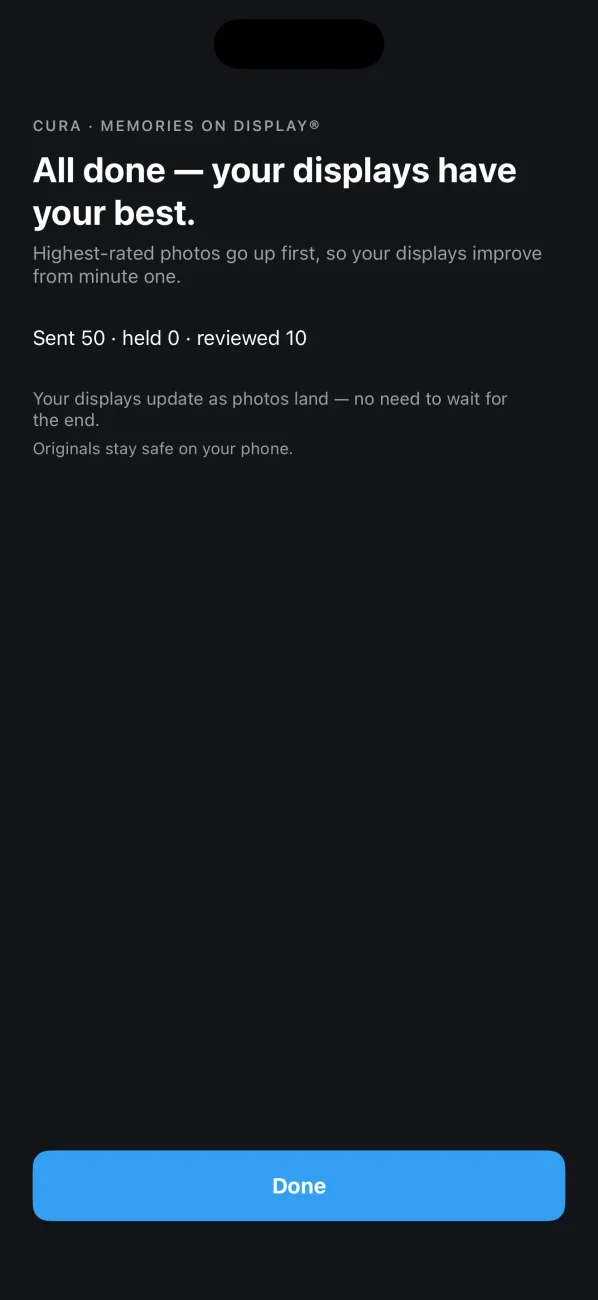
Thousands of photos, and no time to choose? Cura AI looks through your photo library and picks and curates your best moments: the people, places and occasions worth seeing every day.
• Built for big libraries: Cura AI works through thousands of photos and picks around 500 of your best for your displays.
• The whole family: run Cura AI on each iPhone and iPad on your account, and everyone's best moments come together on the same screens.
• Private by design: Cura AI runs on your iPhone or iPad. Nothing is uploaded while it works.
• You're in control: review any pick before anything uploads. Remove photos, swap in a better shot of the same moment, or add favourites it set aside.
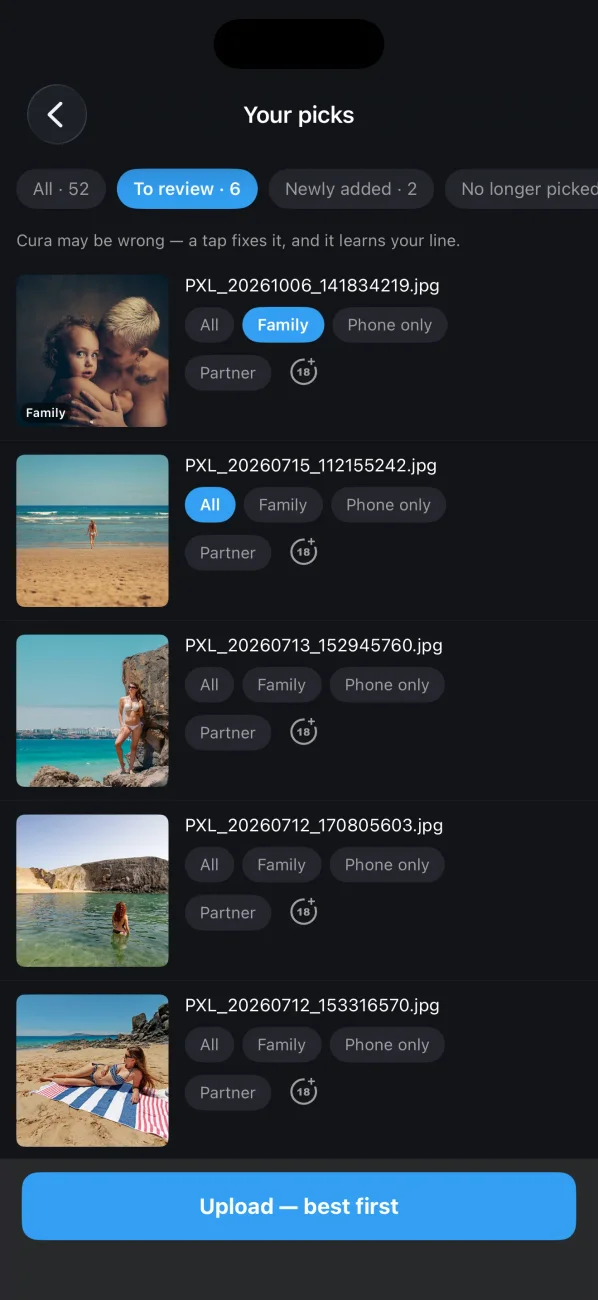
• Choose who sees what: set each photo for everyone, family, a partner, or keep it on your phone only. Sensitive photos are flagged for you to decide.
• Smart clean-up: duplicates, screenshots, receipts and messaging-app images are set aside automatically.
• Picks stay put: once your picks are on your TV, they stay there. Run Cura AI again any time and your newest best moments join in, and a clearly better photo can replace your weakest pick.
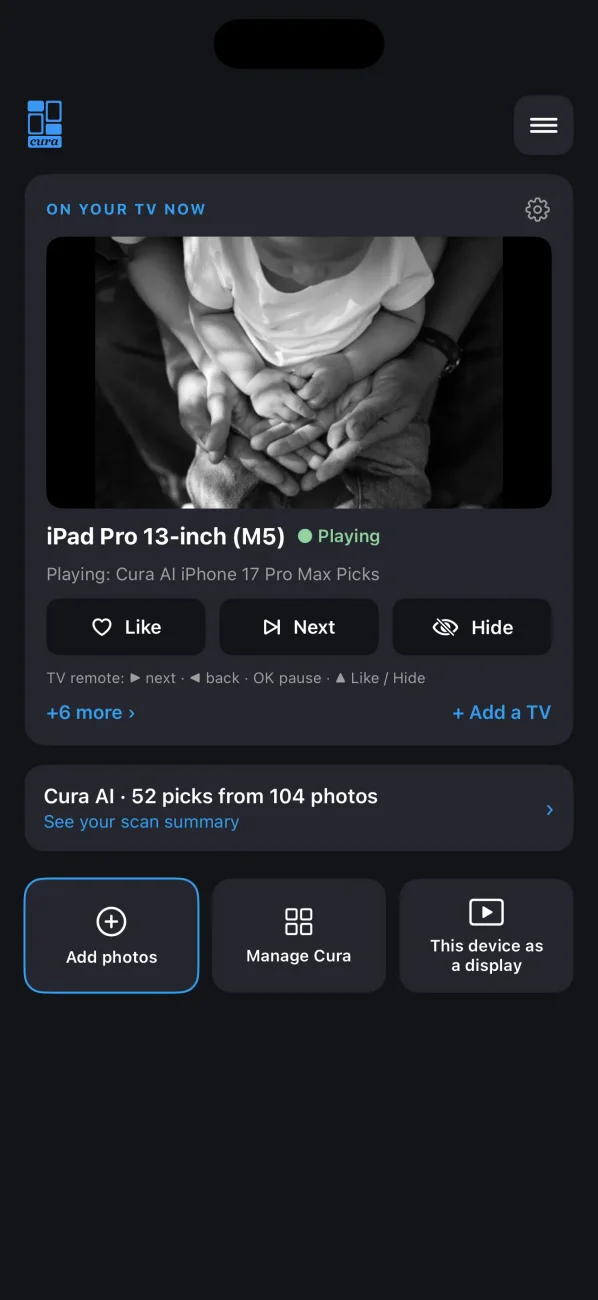
• See what's on your TV: the home screen shows your new picks, what's already on your TV, and every TV on your account.
BEST-OF COLLECTIONS
CURA also builds Best-Of collections from everything in your CURA library, such as Latest & Best and Best of my Favorites, refreshed every week and ready to show on any display.
YOUR PHOTOS, YOUR SCREENS
• Sync your iCloud photo albums, including iCloud Shared Albums, kept up to date automatically
• Upload photos and videos straight from your library, or connect Flickr
• Organize everything into Collections and assign them to any display
• Use this iPhone or iPad as a CURA smart frame, or send collections to Apple TV and other TVs
• Manage it all from the app, or from any browser at curapp.io
• Sign in fast with Apple, Google or Facebook
FOR BUSINESSES AND SHARED SPACES
The same app gives offices, lobbies, shops, hospitality and galleries robust display management:
• Run many displays from one account, grouped into rooms
• Spread a collection across a room's displays, matched to each screen's orientation, landscape or portrait
• Content filters per display or room keep only suitable images on screens in shared spaces
• Set how long each image shows, from seconds to days
• Manage every display remotely from any browser
• Works across Apple TV, Google TV, Android TV, Fire TV, Roku and Samsung TVs
More: https://curatortec.com/cura-for-business/
GET STARTED
1. Open CURA and register this device to your account (create one for free if you don't have one). You'll see the CURA Welcome collection appear.
2. Tap Sync Albums & CURA AI. Let Cura AI scan and pick your best photos, or choose an iCloud album to keep updated automatically. You can also Upload Photos straight from your library.
3. Optionally connect Flickr to pull in your Flickr favorites and albums.
4. Create Collections and assign them to your displays — this device, or your TV.
5. Press Start to play, or turn on Auto Start so your display comes to life on its own.
Getting started is free — 4 of your phones and 1 display are included.
Help and how-to videos: https://curatortec.com/support
Questions: info@curatortec.com · Support: support@curatortec.com
Yenilikler
Sürüm 1.14.1 · 07.11.2026
• Picks stay put: once your Cura AI picks are on your TV, they no longer reshuffle when Cura AI learns your taste. New photos can still join, and a clearly better photo can replace your weakest pick. In a burst of similar shots, the one already on your TV stays.
• If you gave CURA access to only some of your photos, Cura AI now explains it and shows how to allow all photos.
• Clearer upload progress.
• Fixes and improvements.
Uygulama gizliliği
Bu uygulamanın verileri nasıl işlediği hakkında Curator Technologies Inc tarafından App Store üzerinde yapılan beyan.
-
Sizinle ilişkilendirilen veriler
Toplanabilir ve kimliğinizle ilişkilendirilebilir.
- Konum
- İletişim bilgileri
- Kullanıcı içeriği
- Tanımlayıcılar
- Kullanım verileri
- Tanılama
Gizlilik uygulamaları, örneğin kullandığınız özelliklere veya yaşınıza göre değişiklik gösterebilir.
Bilgiler
- Satıcı
- Curator Technologies Inc
- Kategori
- Fotoğraf ve Video
- Sürüm
- 1.14.1
- Güncellendi
- 07.11.2026
- Yayın tarihi
- 15.08.2022
- Boyut
- 136,8 MB
- Gereksinim
- iOS 16.0 veya sonrası
- Yaş sınırı
- 17+
- Fiyat
- Ücretsiz
- Diller
- İngilizce
- Telif hakkı
- © Curator Technologies Inc
Bunları da beğenebilirsiniz
-
 KIRI Engine:3D Scanner & LiDARFotoğraf ve Video
-
 RealityScan MobileFotoğraf ve Video
-
 CamX - USB CameraFotoğraf ve Video
-
 Scaniverse - 3D ScannerFotoğraf ve Video
-
 Luminar: Fotoğraf DüzenleyiciYZ Resim Düzenleme ve Rötuş
-
 Luma 3D CaptureFotoğraf ve Video
-
 Procreate DreamsDüzenle. Canlandır. Yarat.
-
 FlickrFotoğraf ve Video
-
 VeeCarFotoğraf ve Video
-
 Adobe Lightroom for iPadVideolar için Filtre & Efekt