
- Yaş sınırı4+
- KategoriYardımcılar
- GeliştiriciDaisuke Minami
- DillerJaponca+ 8 dil daha
- Boyut8,4 MB
Resmi App Store sayfasına bağlanır
Download.org, Dimemo için hiçbir dosya barındırmaz. Düğme, uygulamanın App Store üzerindeki sayfasını açar; uygulamayı orada Daisuke Minami yayınlar. Sayfanın son kontrolü: 12.11.2026.
Ekran görüntüleri
Hakkında
Geliştirici bu metni dilinizde sunmamış.
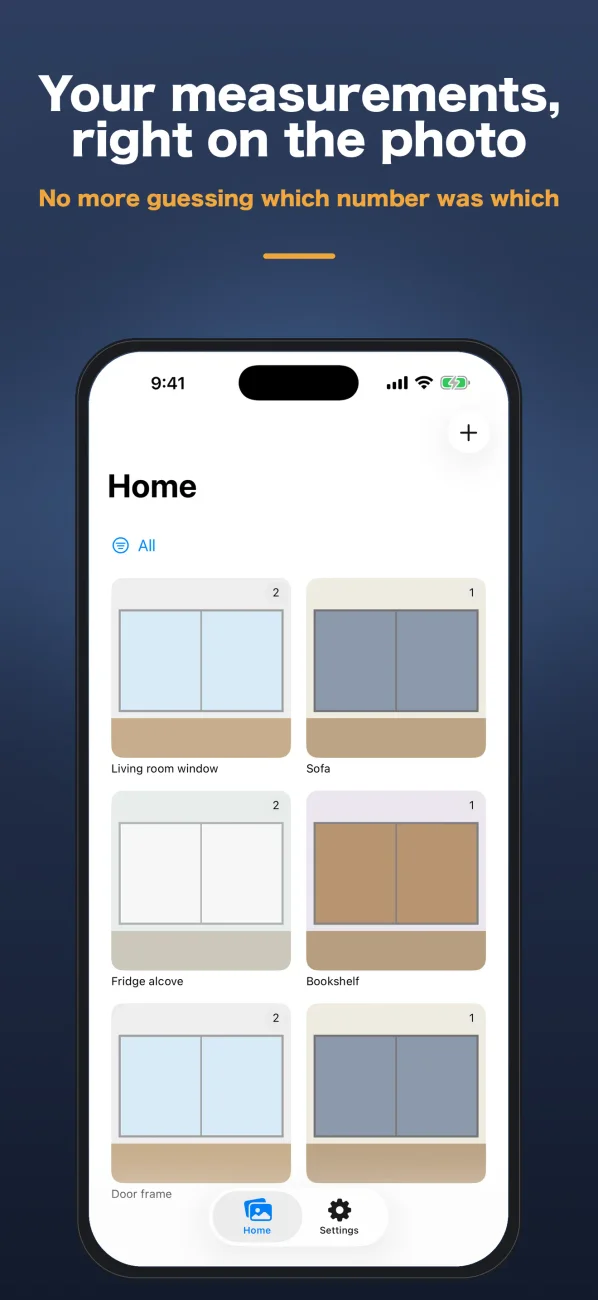
Dimemo lets you write measured dimensions directly on a photo and keep them there.
Jotting numbers alone in a notepad often leaves you wondering which measurement was which. Photos and numbers get separated — that’s the problem. Dimemo keeps both on one sheet from the start.
■ Snap, draw, and enter
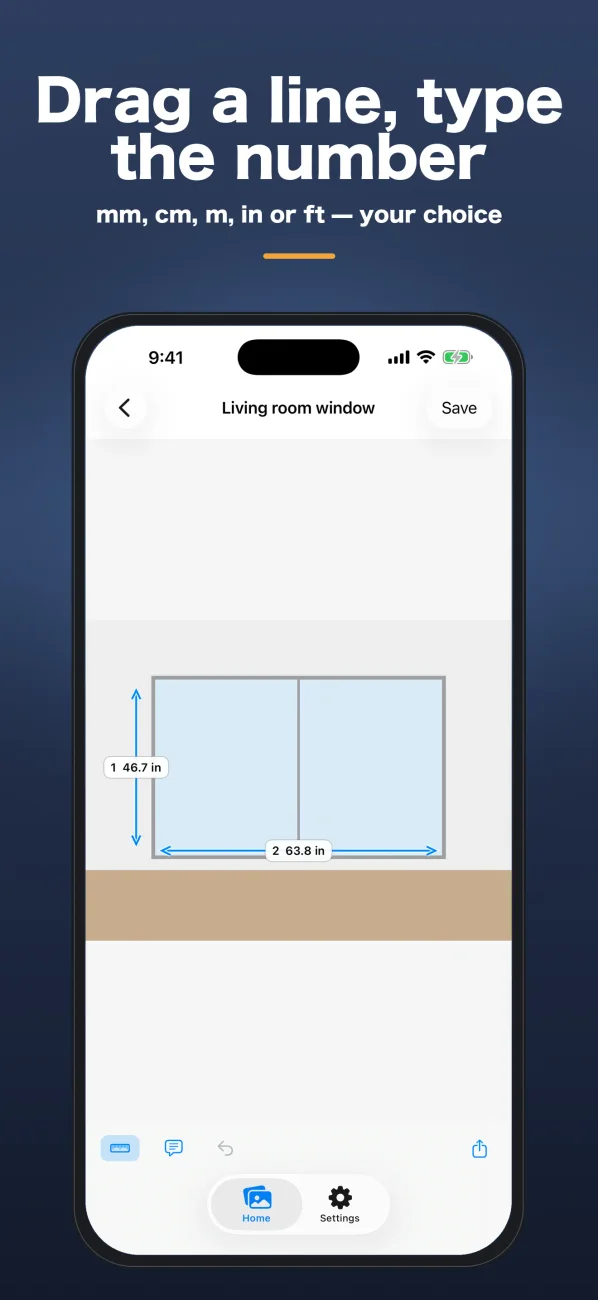
Photograph furniture, a window, or a wall on the spot (or pick from your library) and you’re in the annotation screen. Trace on the photo to draw a dimension line with arrows at both ends, then enter the value you actually measured and its unit. Choose from mm / cm / m / in / ft — your last-used unit is preselected.
■ Auto numbering keeps photo and list in sync
Each dimension line gets a sequential number: ①, ②, …. Delete a line in the middle and numbers renumber automatically, so labels on the photo never drift from rows in the list.
■ Share photo + dimension list as one page
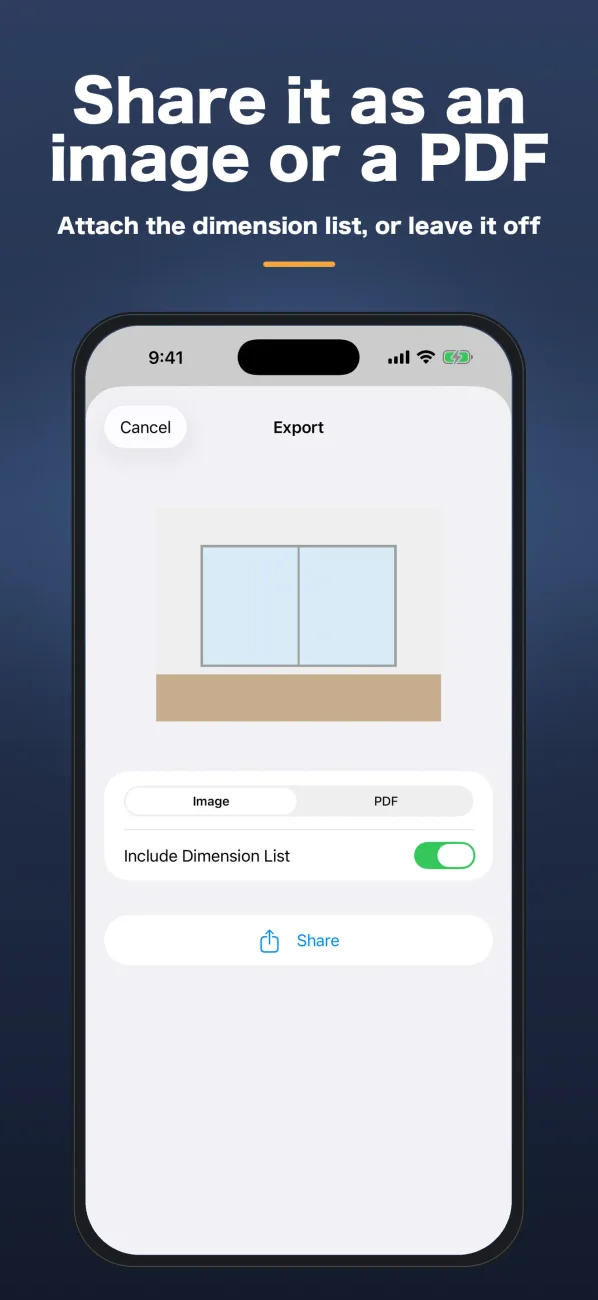
Export the photo and the numbered dimension list as a single image or PDF. Send it to family, share it on site, or print it to take along — recipients can see which dimension is which without extra explanation.
■ Organize with folders
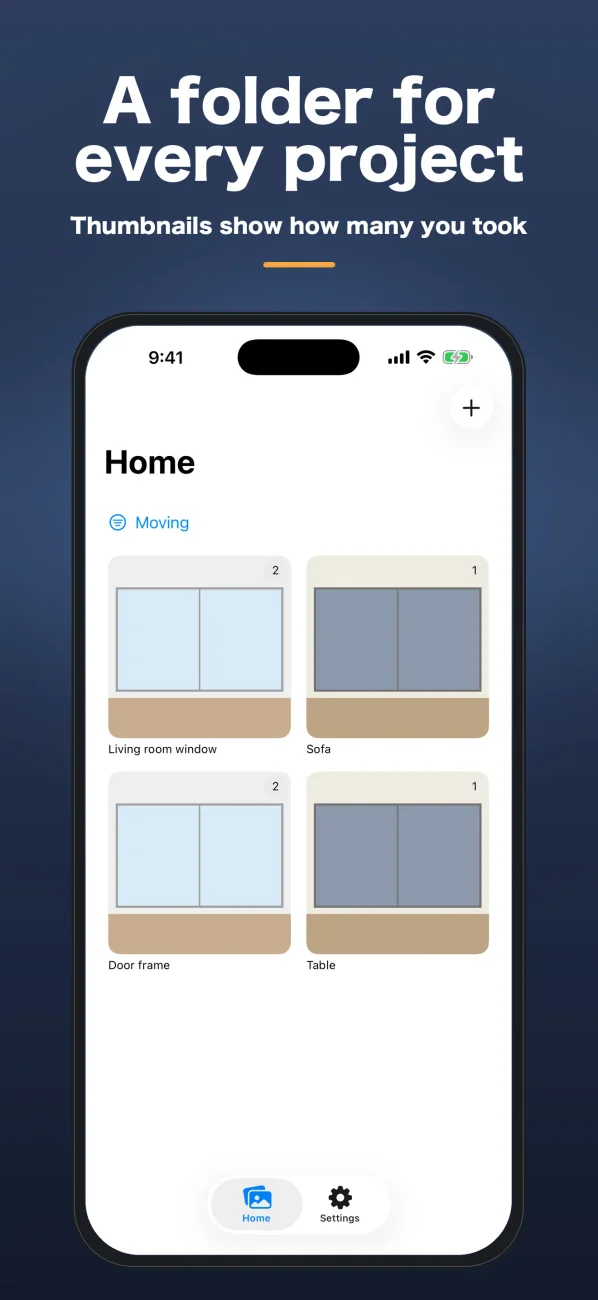
Create folders such as “Moving,” “Kitchen DIY,” or “Site survey” to sort photos. Thumbnails show a badge with how many dimensions are on each shot, so the right one is easy to find.
■ Edit later
Drag endpoints to fine-tune, move whole lines, edit values, delete, and undo. Pinch to zoom for fine detail. Besides dimensions, you can add text notes on the photo.
■ No automatic measuring
Dimemo does not use AR auto-measure or scale conversion that infers other lengths from one dimension. Only values you actually measured with a tape (or similar) are recorded — so the source of every number stays clear.
■ Stays on your device
Photos and dimensions are stored on-device and leave it only when you choose to export and share them. No account or sign-in is required. Beyond that, the network is used to show ads and to send anonymous usage and crash data for quality improvement. No personally identifying information is collected.
Available in Japanese, English, Chinese (Simplified / Traditional), Korean, Spanish, Portuguese (Brazil), German, and French.
Uygulama gizliliği
Bu uygulamanın verileri nasıl işlediği hakkında Daisuke Minami tarafından App Store üzerinde yapılan beyan.
-
Sizinle ilişkilendirilmeyen veriler
Toplanabilir ancak kimliğinizle ilişkilendirilmez.
- Tanımlayıcılar
- Kullanım verileri
- Tanılama
Gizlilik uygulamaları, örneğin kullandığınız özelliklere veya yaşınıza göre değişiklik gösterebilir.
Bilgiler
- Satıcı
- Daisuke Minami
- Kategori
- Yardımcılar
- Sürüm
- 1.0.0
- Güncellendi
- 26.08.2026
- Yayın tarihi
- 26.08.2026
- Boyut
- 8,4 MB
- Gereksinim
- iOS 17.0 veya sonrası
- Yaş sınırı
- 4+
- Fiyat
- Ücretsiz
- Diller
- Japonca, İspanyolca, Almanca, Fransızca, Portekizce, Basitleştirilmiş Çince, Geleneksel Çince, İngilizce, Korece
- Telif hakkı
- © 2026 Daisuke Minami
Bunları da beğenebilirsiniz
-
 Inchmark: Tape Measure & RulerYardımcılar
-
 即メモ | 書き捨てロック画面メモYardımcılar
-
 MeasureMark - Photo RulerYardımcılar
-
 AchromatorYardımcılar
-
 Shopping SupporterYardımcılar
-
 Desibel Ölçer - Ses ÖlçümGürültüyü dB olarak ölç
-
 Boy ÖlçerFotoğraftan AI ile boy ve ölçü
-
 Whois MasterYardımcılar
-
 Not defteri notlar listelerYapılacaklar listesi günlük
-
 Nasta Interphone 2Yardımcılar