
- Độ tuổi4+
- Danh mụcTiện Ích
- Nhà phát triểnDaisuke Minami
- Ngôn ngữTiếng Nhật+ 8 ngôn ngữ khác
- Kích thước8,4 MB
Liên kết đến trang App Store chính thức
Download.org không lưu trữ tệp nào của Dimemo. Nút này mở trang ứng dụng trên App Store, nơi Daisuke Minami phát hành ứng dụng. Trang được kiểm tra lần cuối: 12/11/2026.
Ảnh chụp màn hình
Giới thiệu
Nhà phát triển chưa cung cấp nội dung này bằng ngôn ngữ của bạn.
Dimemo lets you write measured dimensions directly on a photo and keep them there.
Jotting numbers alone in a notepad often leaves you wondering which measurement was which. Photos and numbers get separated — that’s the problem. Dimemo keeps both on one sheet from the start.
■ Snap, draw, and enter
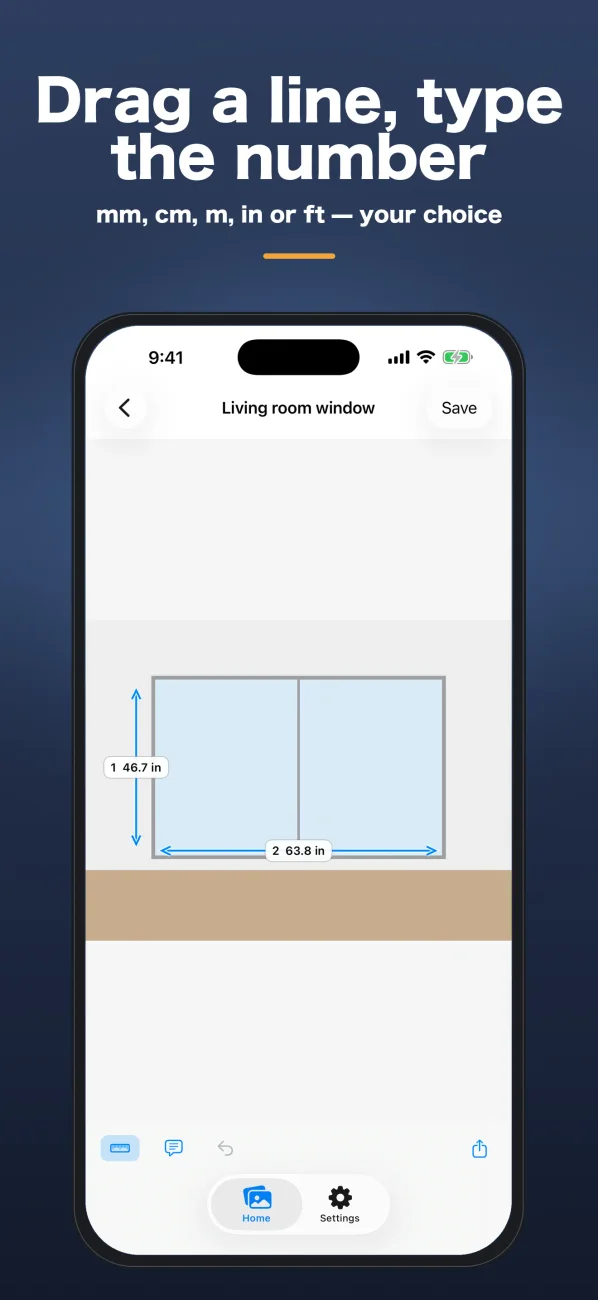
Photograph furniture, a window, or a wall on the spot (or pick from your library) and you’re in the annotation screen. Trace on the photo to draw a dimension line with arrows at both ends, then enter the value you actually measured and its unit. Choose from mm / cm / m / in / ft — your last-used unit is preselected.
■ Auto numbering keeps photo and list in sync
Each dimension line gets a sequential number: ①, ②, …. Delete a line in the middle and numbers renumber automatically, so labels on the photo never drift from rows in the list.
■ Share photo + dimension list as one page
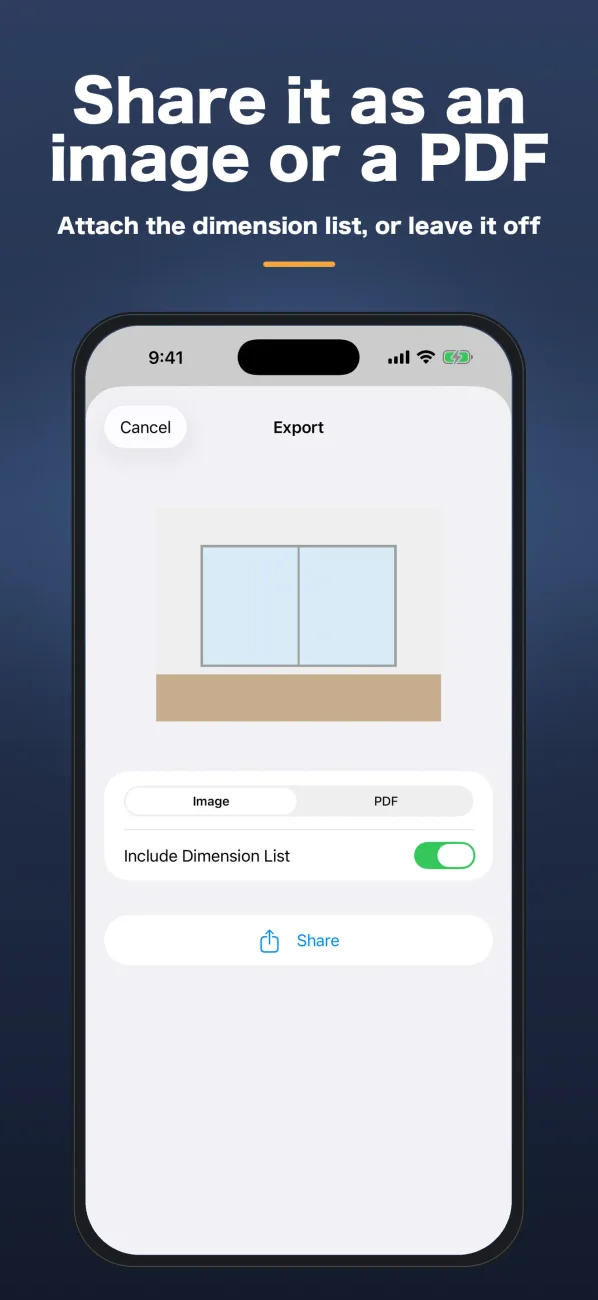
Export the photo and the numbered dimension list as a single image or PDF. Send it to family, share it on site, or print it to take along — recipients can see which dimension is which without extra explanation.
■ Organize with folders
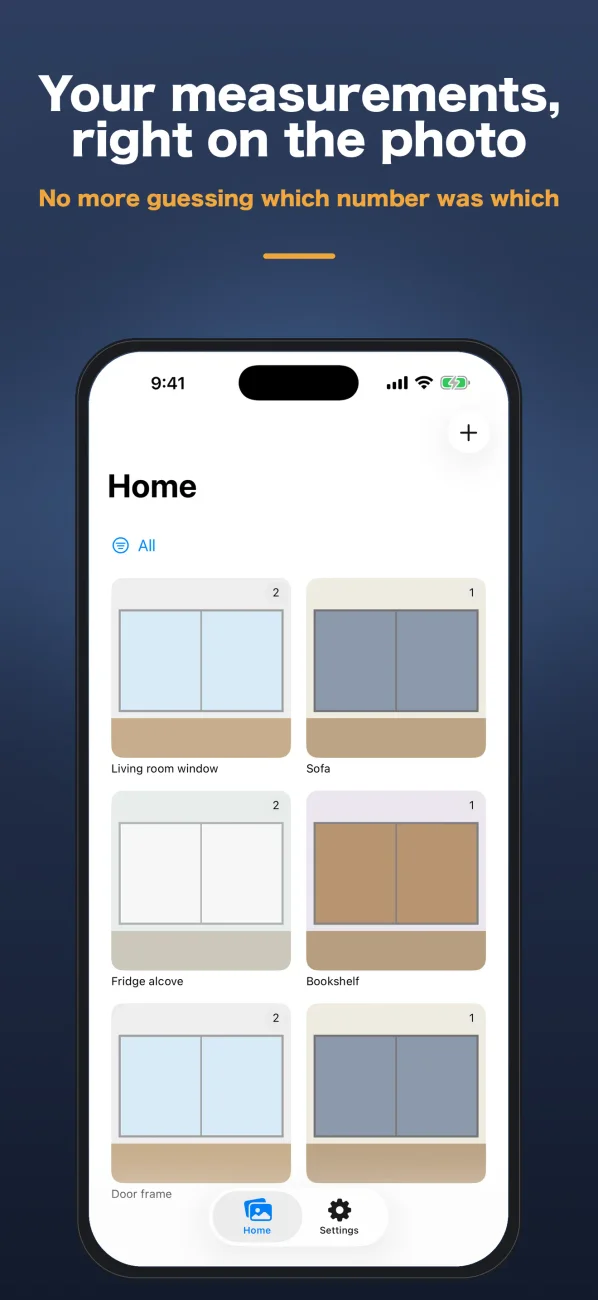
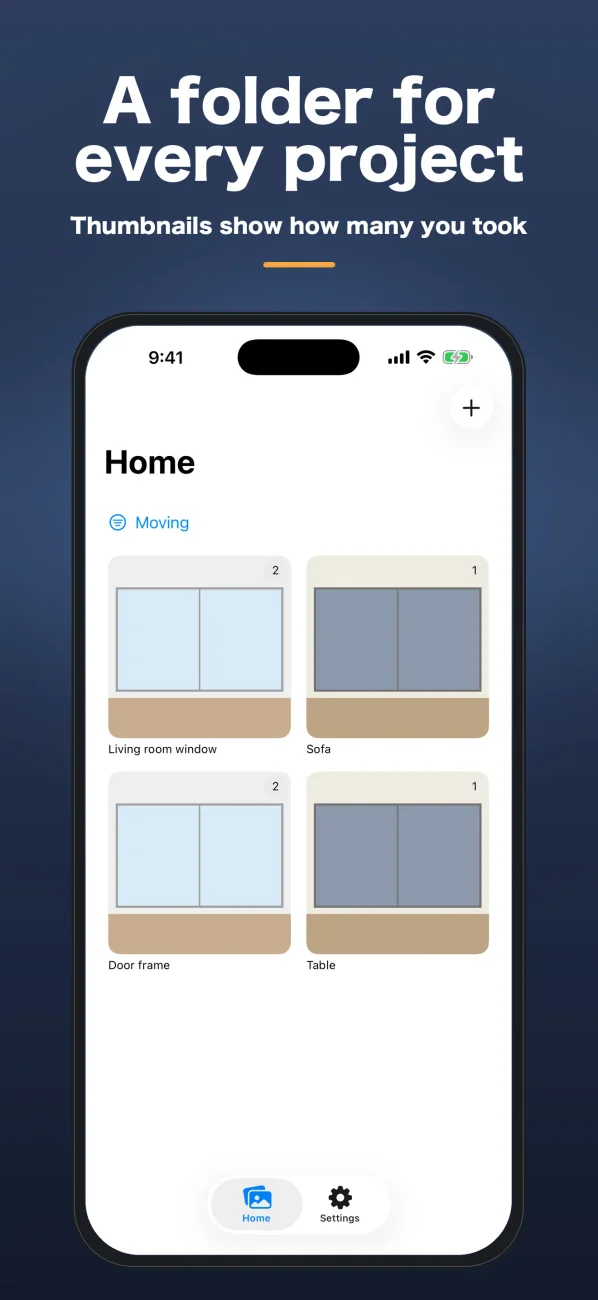
Create folders such as “Moving,” “Kitchen DIY,” or “Site survey” to sort photos. Thumbnails show a badge with how many dimensions are on each shot, so the right one is easy to find.
■ Edit later
Drag endpoints to fine-tune, move whole lines, edit values, delete, and undo. Pinch to zoom for fine detail. Besides dimensions, you can add text notes on the photo.
■ No automatic measuring
Dimemo does not use AR auto-measure or scale conversion that infers other lengths from one dimension. Only values you actually measured with a tape (or similar) are recorded — so the source of every number stays clear.
■ Stays on your device
Photos and dimensions are stored on-device and leave it only when you choose to export and share them. No account or sign-in is required. Beyond that, the network is used to show ads and to send anonymous usage and crash data for quality improvement. No personally identifying information is collected.
Available in Japanese, English, Chinese (Simplified / Traditional), Korean, Spanish, Portuguese (Brazil), German, and French.
Quyền riêng tư của ứng dụng
Những gì Daisuke Minami khai báo trên App Store về cách ứng dụng này xử lý dữ liệu.
-
Dữ liệu không liên kết với bạn
Có thể được thu thập nhưng không liên kết với danh tính của bạn.
- Mã định danh
- Dữ liệu sử dụng
- Chẩn đoán
Phương thức đảm bảo quyền riêng tư có thể khác nhau, chẳng hạn như tuỳ theo các tính năng bạn sử dụng hoặc độ tuổi của bạn.
Thông tin
- Người bán
- Daisuke Minami
- Danh mục
- Tiện Ích
- Phiên bản
- 1.0.0
- Cập nhật
- 26/08/2026
- Phát hành
- 26/08/2026
- Kích thước
- 8,4 MB
- Yêu cầu
- iOS 17.0 trở lên
- Độ tuổi
- 4+
- Giá
- Miễn phí
- Ngôn ngữ
- Tiếng Nhật, Tiếng Tây Ban Nha, Tiếng Đức, Tiếng Pháp, Tiếng Bồ Đào Nha, Tiếng Trung Giản thể, Tiếng Trung Phồn thể, Tiếng Anh, Tiếng Hàn
- Bản quyền
- © 2026 Daisuke Minami
Có thể bạn cũng thích
-
 Inchmark: Tape Measure & RulerTiện Ích
-
 即メモ | 書き捨てロック画面メモTiện Ích
-
 MeasureMark - Photo RulerTiện Ích
-
 AchromatorTiện Ích
-
 Shopping SupporterTiện Ích
-
 Đo Decibel - Đo tiếng ồnĐo tiếng ồn theo dB
-
 Ứng Dụng Đo Chiều CaoAI đo chiều cao và kích thước
-
 Whois MasterTiện Ích
-
 Notepad Notes Memo ChecklistTiện Ích
-
 Nasta Interphone 2Tiện Ích