
Diple - Markdown Notes
Journal, Notepad & Plain Text
iPhone, iPad için tasarlandı
Ücretsiz · Uygulama içi satın alma
- Yaş sınırı4+
- KategoriÜretkenlik
- Geliştirici云强 林
- Dillerİngilizce+ 31 dil daha
- Boyut42,6 MB
Resmi App Store sayfasına bağlanır
Download.org, Diple - Markdown Notes için hiçbir dosya barındırmaz. Düğme, uygulamanın App Store üzerindeki sayfasını açar; uygulamayı orada 云强 林 yayınlar. Sayfanın son kontrolü: 17.11.2026.
Ekran görüntüleri


Hakkında
Geliştirici bu metni dilinizde sunmamış.
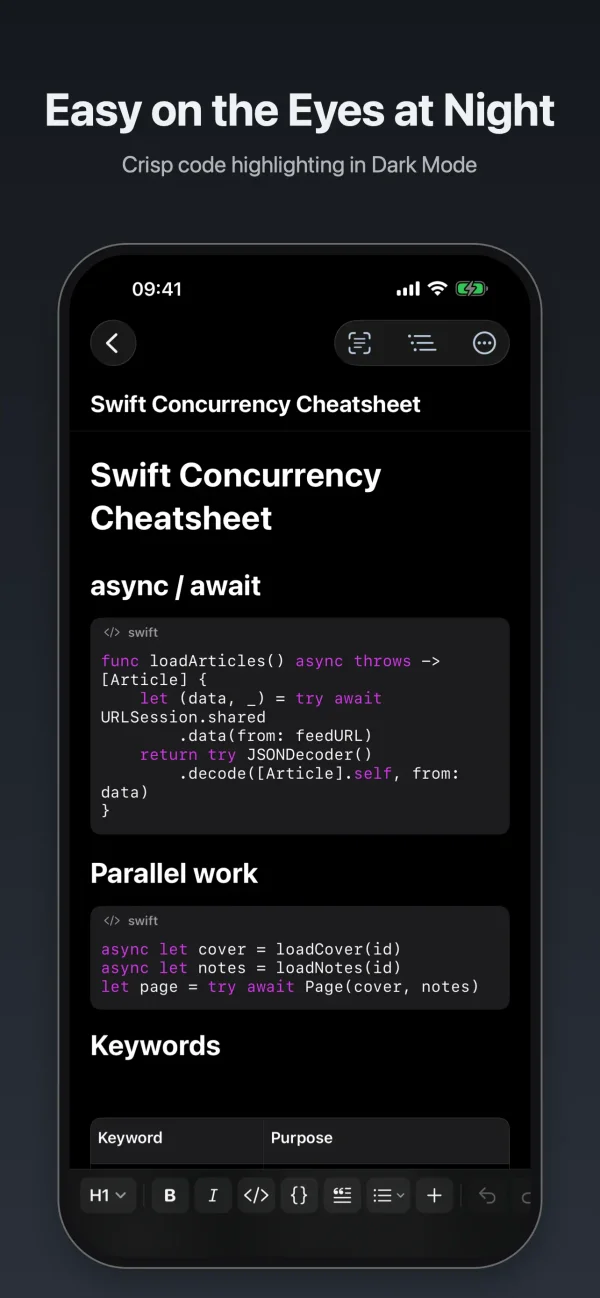
Diple brings your notes, writing, and reading together. Capture an idea, keep a journal, or work on a longer draft in Markdown or plain text, then gather your documents into Collections and shape them into a work of your own.
Markdown and Plain Text
• Switch between Live, Immersive, Preview, and Source modes for writing and reading
• Use Markdown headings, lists, to-do lists, tables, links, code blocks, and more
• Sum values, add or delete rows and columns, and scroll wide tables
• Insert images from Photos or Files to bring words and pictures together
• Jot down ideas in plain text or capture them with Speech to Text
Collections and Reading
• Organize related documents with covers, chapters, numbering, and your own reading order
• Browse the table of contents, read across documents, and pick up where you left off
Document Links
• Type [[Document Name]] to link documents and jump between them with a tap
• See which documents mention the current one in Backlinks
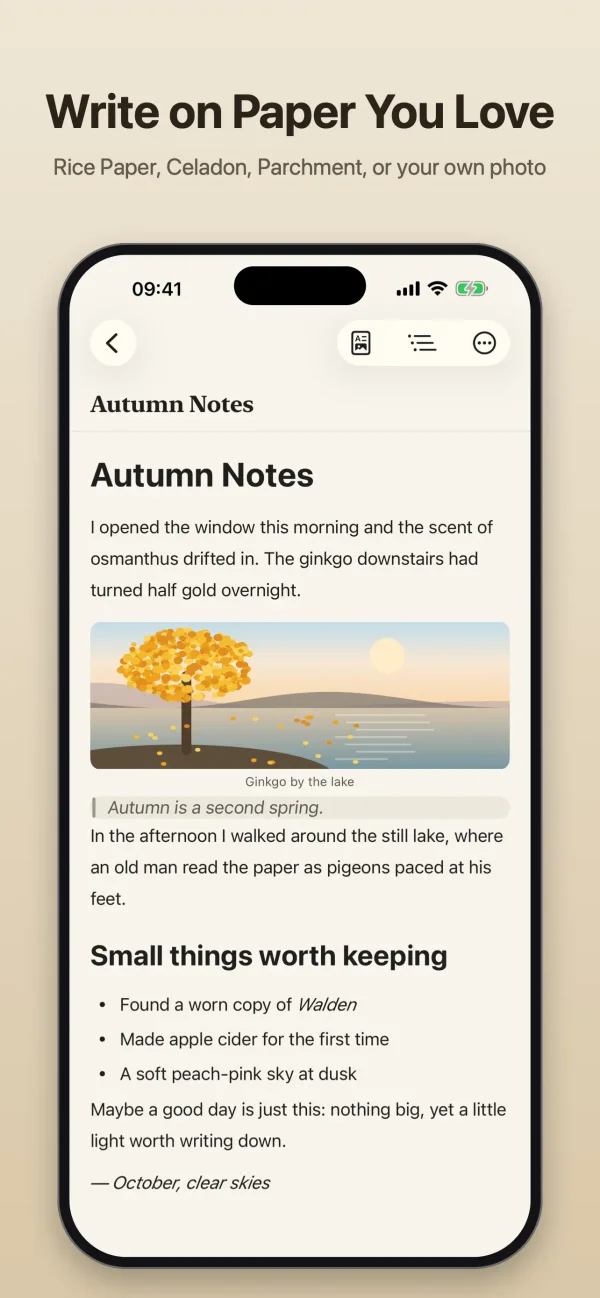
Themes, Fonts, and Writing Paper
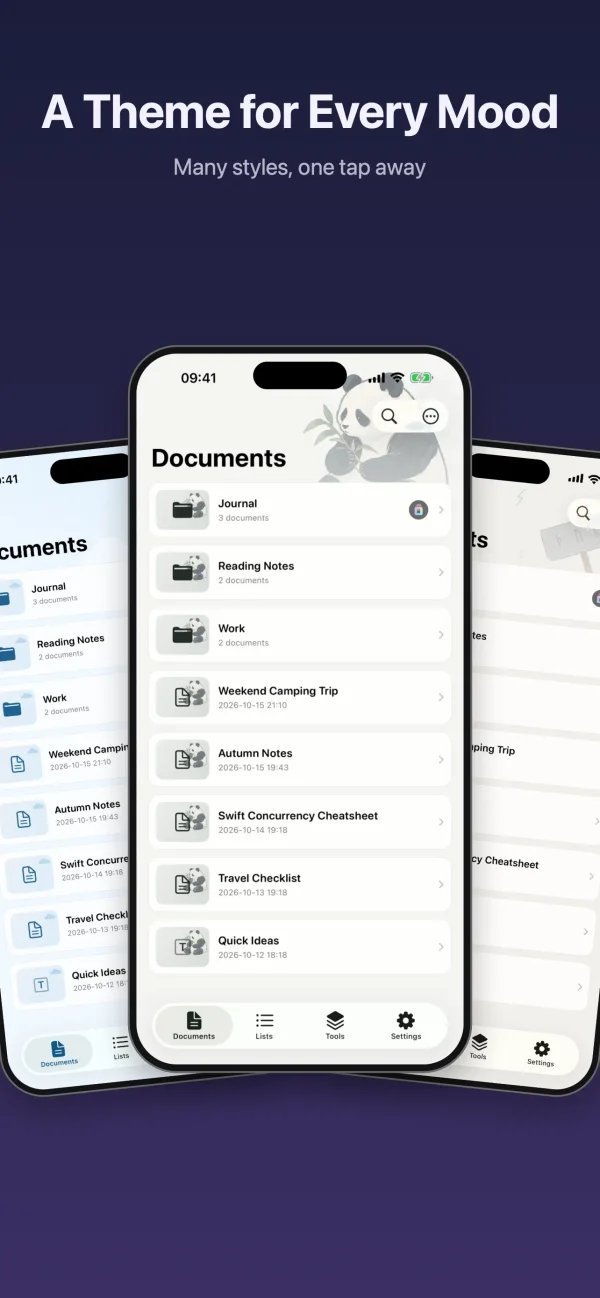
• Explore ink-inspired, classic, and other themes with Light or Dark appearance
• Write and read in a variety of fonts, and keep the same font in PDF, Word, HTML, and image exports
• Choose Writing Paper for editing and reading, or create your own from images
• Change the app icon to make your writing space your own
Export and Share
• Export to Markdown, TXT, Word, PDF, HTML, or reading-layout images, and save images to Photos
• Export a Diple Document to import on another device with images and videos intact
• Export documents in batches or as whole folders, or combine a collection into one file
Version History
• Revisit your edits, compare changes, and restore the content you need
• Lock important versions to preserve milestones and prevent automatic cleanup
Organization and Search
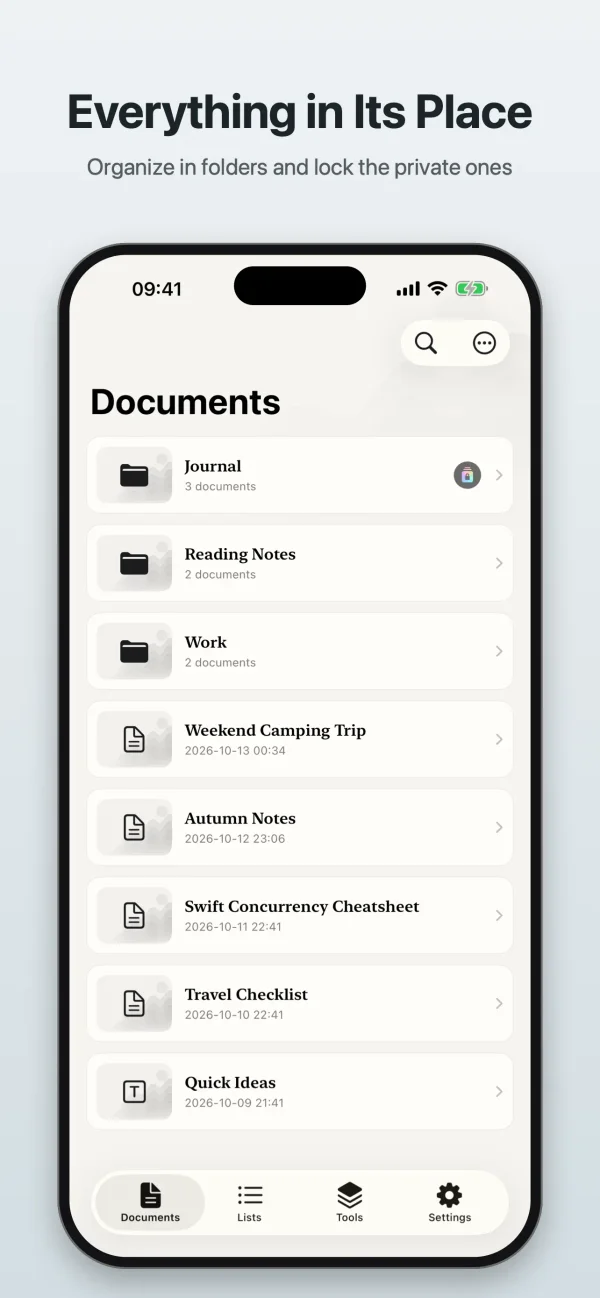
• Create folders and nested folders to organize notes, journals, and drafts
• Search document titles and content to find what you need
• Use find and replace to update repeated text
• Recover deleted documents from Trash
Access Protection
• Add password, Face ID, or Touch ID verification to folders or Collections
• Enable Trash protection to require biometrics for documents from protected folders
Biometric verification is handled by the system. Diple never accesses or stores face or fingerprint data.
Data Backup
• Back up documents, folders, Collections, and version history, then restore on this or another device
• Add a password and hint, or export backups for storage and device transfers
• Merge on restore with restore rules, and lock backups against accidental deletion
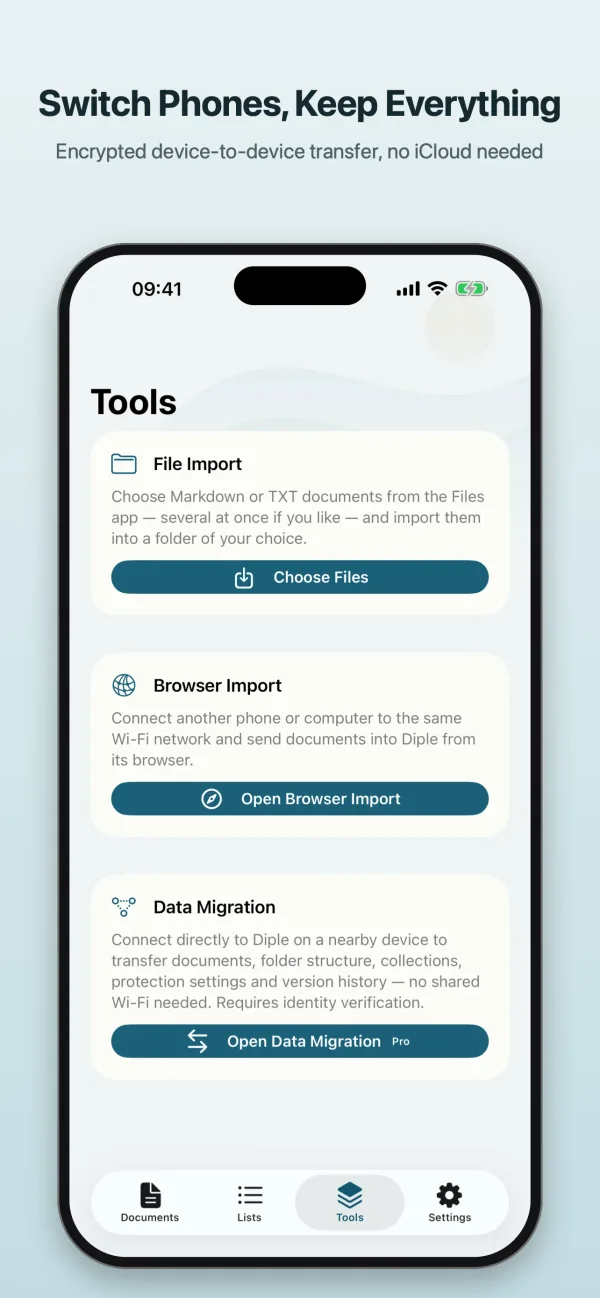
Data Migration
• Move everything or just what you select to Diple on a nearby device, keeping local images, notes, version history, and folder protection
• After Face ID or Touch ID verification, data is encrypted and sent device to device, never via our servers
• Migration doesn't use iCloud or take up iCloud storage
Spotlight Search, Siri, and Shortcuts
• Search document titles, content, and Collection names with Spotlight
• Use Siri and Shortcuts to create or open documents, append text, or open Collections
• Manage access in Settings; protected content stays hidden from Spotlight and Siri
Available in 32 interface languages.
Diple Pro offers monthly and yearly subscriptions and a one-time lifetime purchase. Prices and available trial offers are shown on the purchase screen. Payment is charged to your Apple Account. If you receive a free trial, the subscription renews at the displayed price when it ends. Subscriptions renew automatically unless canceled at least 24 hours before the current period ends; renewal is charged within 24 hours before the end of that period. Manage or cancel subscriptions in your Apple Account settings. Lifetime purchases do not renew.
Terms of Use: https://michaelsilvester.github.io/journal/diple-terms-of-use/?lang=en
Privacy Policy: https://michaelsilvester.github.io/journal/diple-privacy-policy/?lang=en
Yenilikler
Sürüm 3.3.2 · 01.11.2026
• Improved document editing and display
• Bug fixes
Uygulama gizliliği
Bu uygulamanın verileri nasıl işlediği hakkında 云强 林 tarafından App Store üzerinde yapılan beyan.
-
Veri toplanmıyor
Geliştirici bu uygulamadan hiçbir veri toplamıyor.
Gizlilik uygulamaları, örneğin kullandığınız özelliklere veya yaşınıza göre değişiklik gösterebilir.
Bilgiler
- Satıcı
- 云强 林
- Kategori
- Üretkenlik
- Sürüm
- 3.3.2
- Güncellendi
- 01.11.2026
- Yayın tarihi
- 05.09.2026
- Boyut
- 42,6 MB
- Gereksinim
- iOS 17.0 veya sonrası
- Yaş sınırı
- 4+
- Fiyat
- Ücretsiz
- Uygulama içi satın alma
- Evet
- Diller
- İngilizce, Arapça, Bengali, Çekçe, Danca, Hollandaca, Fince, Fransızca, Almanca, Yunanca, İbranice, Hindi + 20 dil daha
- Telif hakkı
- © 2026 Michael Silvester
Bunları da beğenebilirsiniz
-
 Dai - AI Voice DiaryÜretkenlik
-
 BarPad MobileÜretkenlik
-
 Write- Focused NotesÜretkenlik
-
 Drypoint - Markdown NotesÜretkenlik
-
 AI Markdown Notes - WASHINOTEÜretkenlik
-
 Ekimori: Train Focus TimerÜretkenlik
-
 openote: Markdown Notes & SyncÜretkenlik
-
 Inner Focus: Zen Sleep IncenseÜretkenlik
-
 Noteline - Markdown NotesÜretkenlik
-
 Vanta — Markdown NotesÜretkenlik