
Diple - Markdown Notes
Journal, Notepad & Plain Text
Entwickelt für iPhone, iPad
Kostenlos · In-App-Käufe
- Altersfreigabe4+
- KategorieProduktivität
- Entwickler云强 林
- SprachenEnglisch+ 31 weitere
- Größe42,6 MB
Verlinkt auf die offizielle App Store-Seite
Download.org hostet keine Datei von Diple - Markdown Notes. Die Schaltfläche öffnet die App-Seite bei App Store, wo 云强 林 die App veröffentlicht. Eintrag zuletzt geprüft am 17.11.2026.
Screenshots


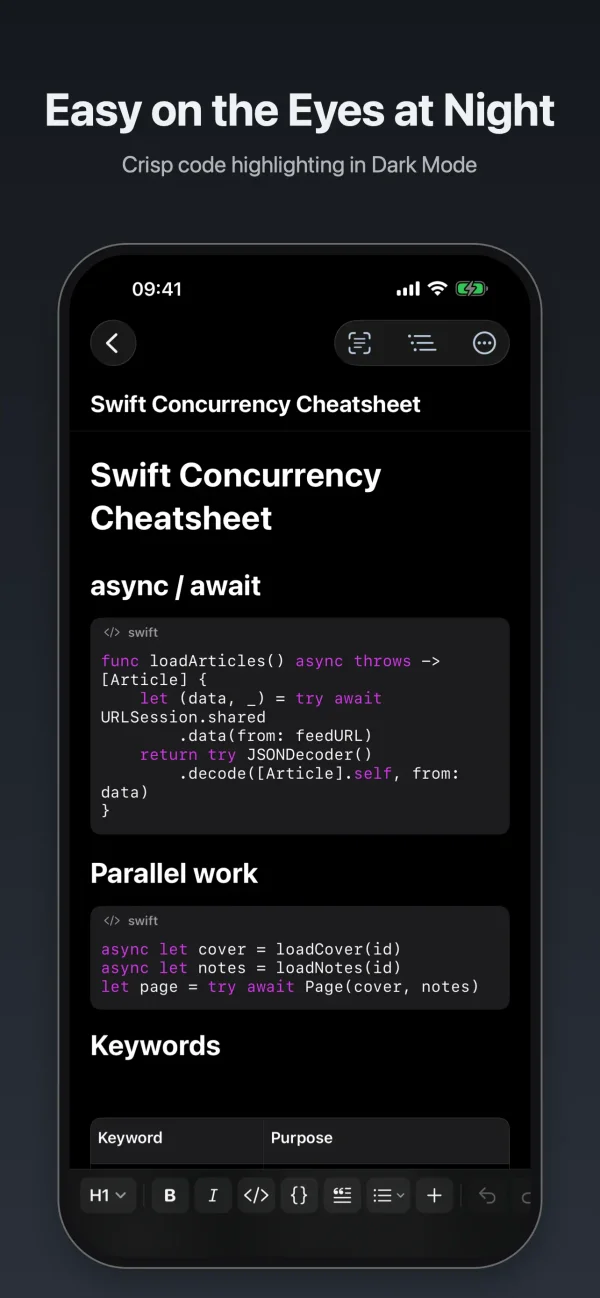
Info
Der Entwickler hat diesen Text nicht in Ihrer Sprache bereitgestellt.
Diple brings your notes, writing, and reading together. Capture an idea, keep a journal, or work on a longer draft in Markdown or plain text, then gather your documents into Collections and shape them into a work of your own.
Markdown and Plain Text
• Switch between Live, Immersive, Preview, and Source modes for writing and reading
• Use Markdown headings, lists, to-do lists, tables, links, code blocks, and more
• Sum values, add or delete rows and columns, and scroll wide tables
• Insert images from Photos or Files to bring words and pictures together
• Jot down ideas in plain text or capture them with Speech to Text
Collections and Reading
• Organize related documents with covers, chapters, numbering, and your own reading order
• Browse the table of contents, read across documents, and pick up where you left off
Document Links
• Type [[Document Name]] to link documents and jump between them with a tap
• See which documents mention the current one in Backlinks
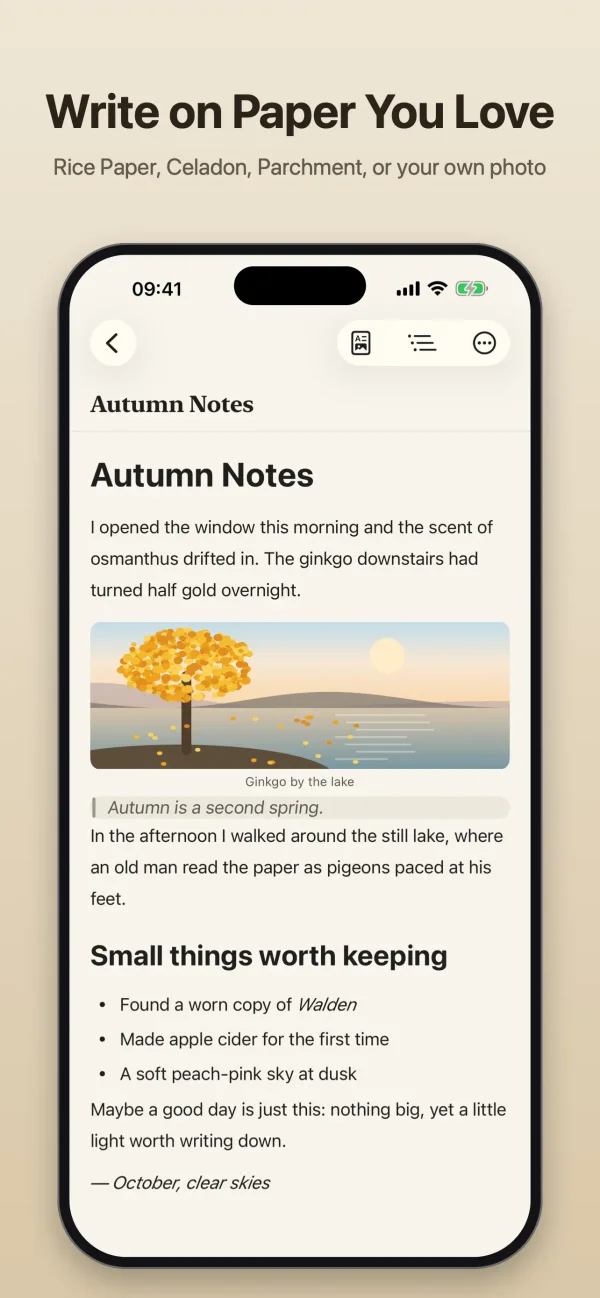
Themes, Fonts, and Writing Paper
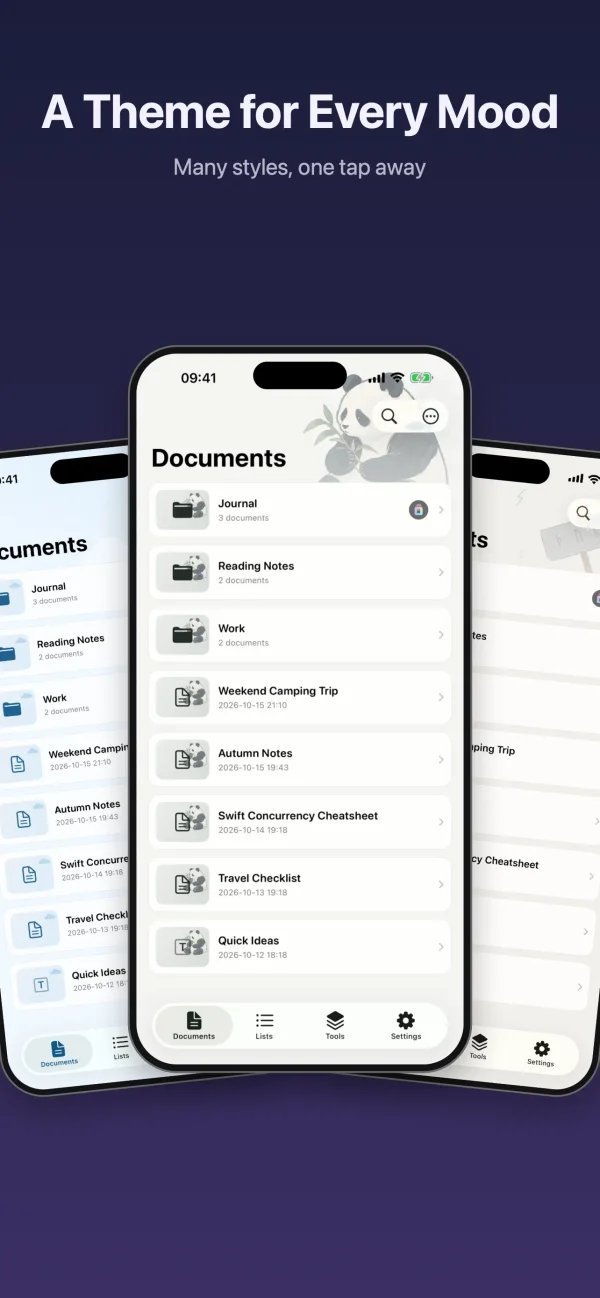
• Explore ink-inspired, classic, and other themes with Light or Dark appearance
• Write and read in a variety of fonts, and keep the same font in PDF, Word, HTML, and image exports
• Choose Writing Paper for editing and reading, or create your own from images
• Change the app icon to make your writing space your own
Export and Share
• Export to Markdown, TXT, Word, PDF, HTML, or reading-layout images, and save images to Photos
• Export a Diple Document to import on another device with images and videos intact
• Export documents in batches or as whole folders, or combine a collection into one file
Version History
• Revisit your edits, compare changes, and restore the content you need
• Lock important versions to preserve milestones and prevent automatic cleanup
Organization and Search
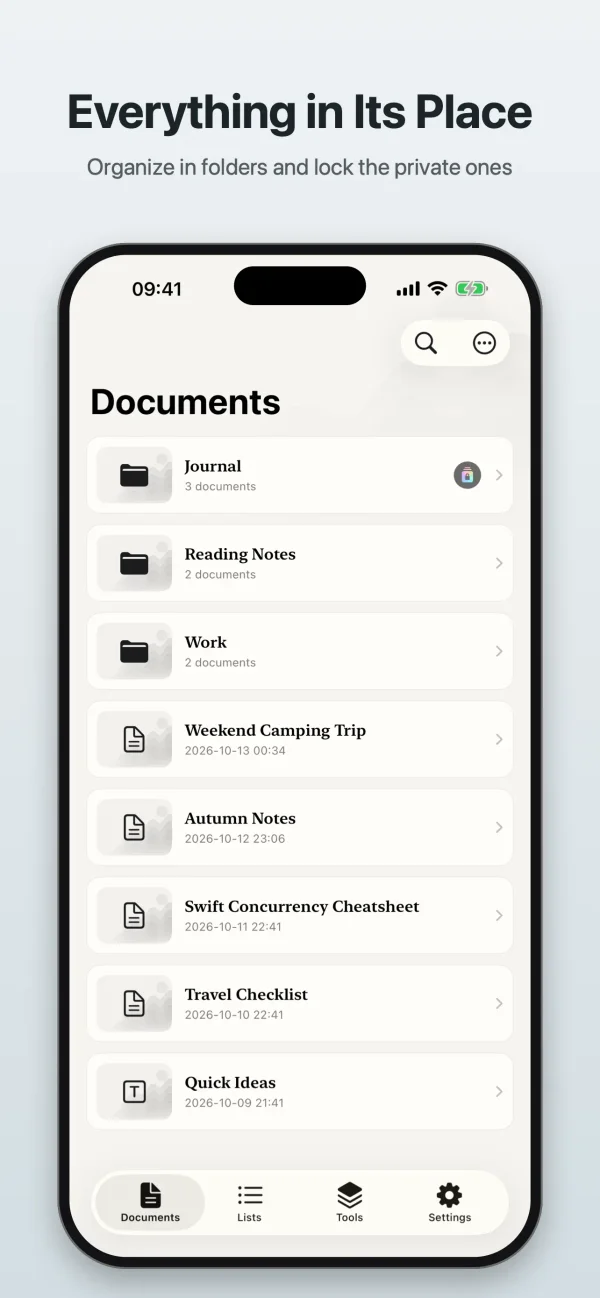
• Create folders and nested folders to organize notes, journals, and drafts
• Search document titles and content to find what you need
• Use find and replace to update repeated text
• Recover deleted documents from Trash
Access Protection
• Add password, Face ID, or Touch ID verification to folders or Collections
• Enable Trash protection to require biometrics for documents from protected folders
Biometric verification is handled by the system. Diple never accesses or stores face or fingerprint data.
Data Backup
• Back up documents, folders, Collections, and version history, then restore on this or another device
• Add a password and hint, or export backups for storage and device transfers
• Merge on restore with restore rules, and lock backups against accidental deletion
Data Migration
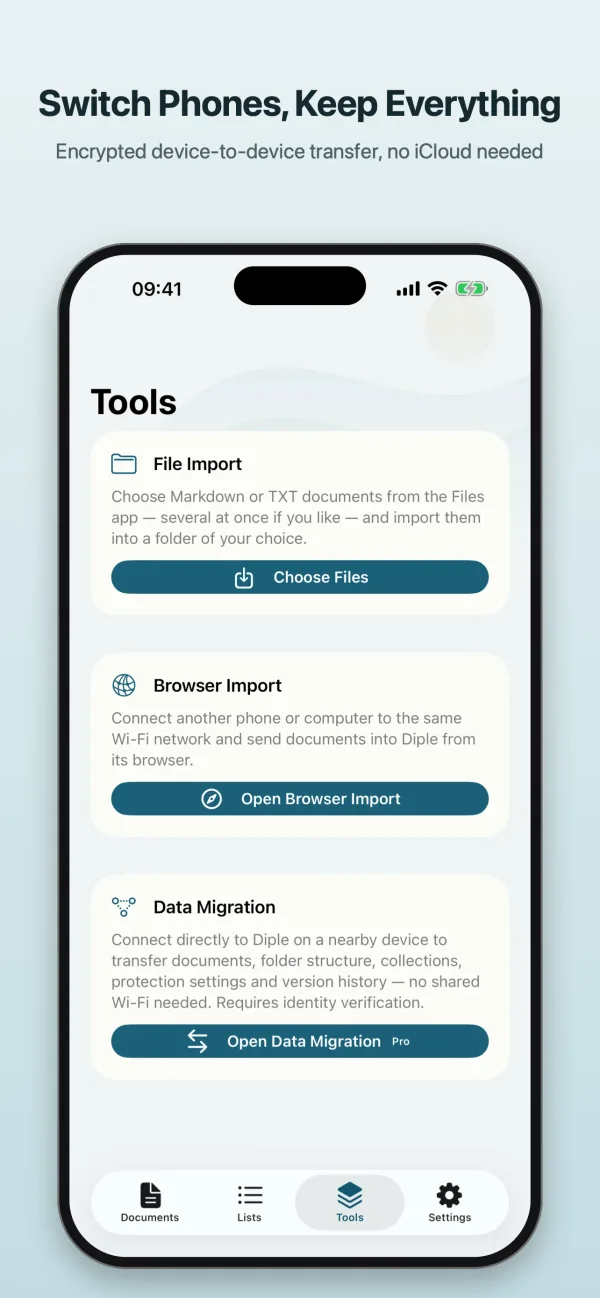
• Move everything or just what you select to Diple on a nearby device, keeping local images, notes, version history, and folder protection
• After Face ID or Touch ID verification, data is encrypted and sent device to device, never via our servers
• Migration doesn't use iCloud or take up iCloud storage
Spotlight Search, Siri, and Shortcuts
• Search document titles, content, and Collection names with Spotlight
• Use Siri and Shortcuts to create or open documents, append text, or open Collections
• Manage access in Settings; protected content stays hidden from Spotlight and Siri
Available in 32 interface languages.
Diple Pro offers monthly and yearly subscriptions and a one-time lifetime purchase. Prices and available trial offers are shown on the purchase screen. Payment is charged to your Apple Account. If you receive a free trial, the subscription renews at the displayed price when it ends. Subscriptions renew automatically unless canceled at least 24 hours before the current period ends; renewal is charged within 24 hours before the end of that period. Manage or cancel subscriptions in your Apple Account settings. Lifetime purchases do not renew.
Terms of Use: https://michaelsilvester.github.io/journal/diple-terms-of-use/?lang=en
Privacy Policy: https://michaelsilvester.github.io/journal/diple-privacy-policy/?lang=en
Neue Funktionen
Version 3.3.2 · 01.11.2026
• Improved document editing and display
• Bug fixes
App-Datenschutz
Was 云强 林 im App Store zum Umgang dieser App mit Daten angibt.
-
Keine Daten erfasst
Der Entwickler erfasst keine Daten von dieser App.
Die Datenschutzpraktiken können variieren, zum Beispiel je nach den von Ihnen verwendeten Funktionen oder Ihrem Alter.
Informationen
- Anbieter
- 云强 林
- Kategorie
- Produktivität
- Version
- 3.3.2
- Aktualisiert
- 01.11.2026
- Veröffentlicht
- 05.09.2026
- Größe
- 42,6 MB
- Erfordert
- iOS 17.0 oder neuer
- Altersfreigabe
- 4+
- Preis
- Kostenlos
- In-App-Käufe
- Ja
- Sprachen
- Englisch, Arabisch, Bengalisch, Tschechisch, Dänisch, Niederländisch, Finnisch, Französisch, Deutsch, Griechisch, Hebräisch, Hindi + 20 weitere
- Copyright
- © 2026 Michael Silvester
Das könnte Ihnen auch gefallen
-
 Dai - AI Voice DiaryProduktivität
-
 BarPad MobileProduktivität
-
 Write- Focused NotesProduktivität
-
 Drypoint - Markdown NotesProduktivität
-
 AI Markdown Notes - WASHINOTEProduktivität
-
 Ekimori: Train Focus TimerProduktivität
-
 openote: Markdown Notes & SyncProduktivität
-
 Inner Focus - Zen & SchlafMeditation, Stress Entspannung
-
 Noteline - Markdown NotesProduktivität
-
 Vanta — Markdown NotesProduktivität