Easy Clock - Calendar Widgets
Analog & digital desk clock
iPhone, iPad için tasarlandı
Ücretsiz
- Yaş sınırı4+
- KategoriYardımcılar
- GeliştiriciJONG CHAN BAE
- Dillerİngilizce+ 5 dil daha
- Boyut1,3 MB
Resmi App Store sayfasına bağlanır
Download.org, Easy Clock - Calendar Widgets için hiçbir dosya barındırmaz. Düğme, uygulamanın App Store üzerindeki sayfasını açar; uygulamayı orada JONG CHAN BAE yayınlar. Sayfanın son kontrolü: 17.11.2026.
Ekran görüntüleri

Hakkında
Geliştirici bu metni dilinizde sunmamış.
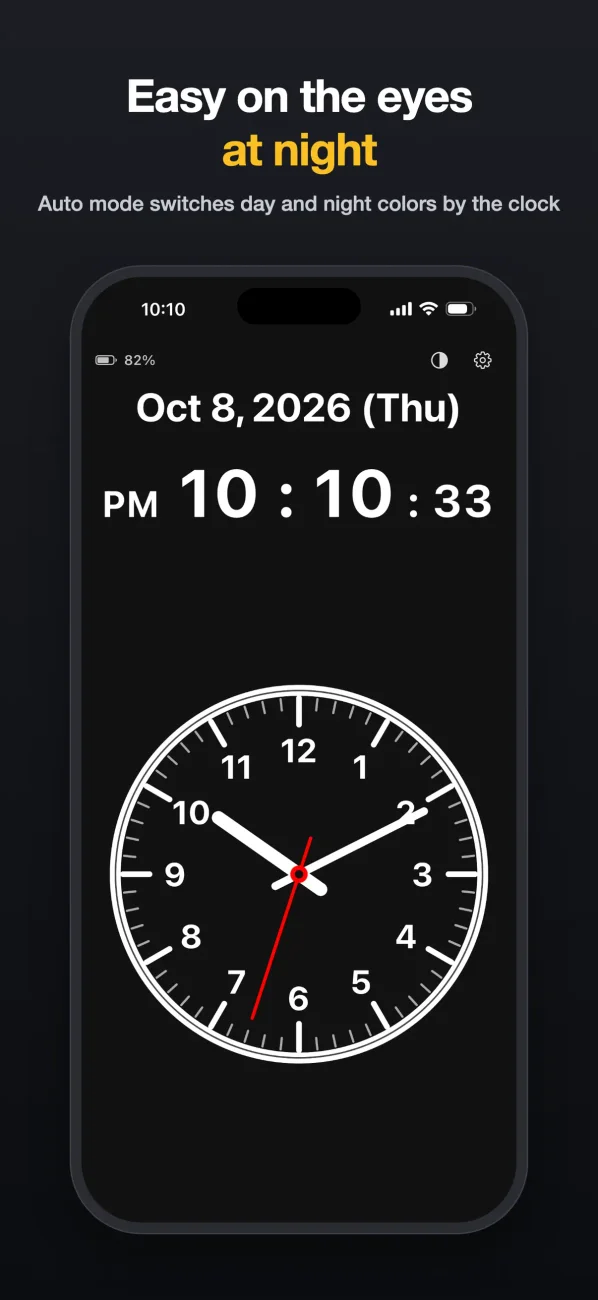
Easy Clock is the simplest way to check the time and today's date.
Only what you need, nothing more. Put a widget on your Home Screen and see the time and today's date without opening the app.
■ A big clock
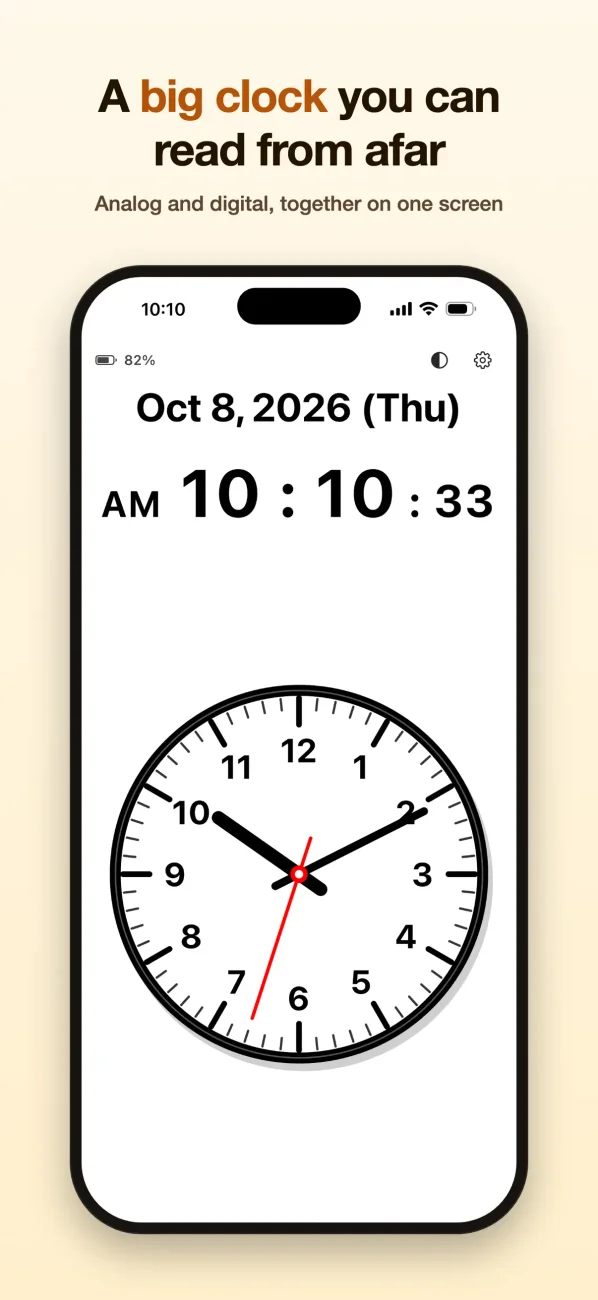
· Analog and digital clocks together on one screen
· Date, weekday and seconds in large type — easy to read from across the room
· Battery level shown at the top of the screen
■ A calendar with holidays
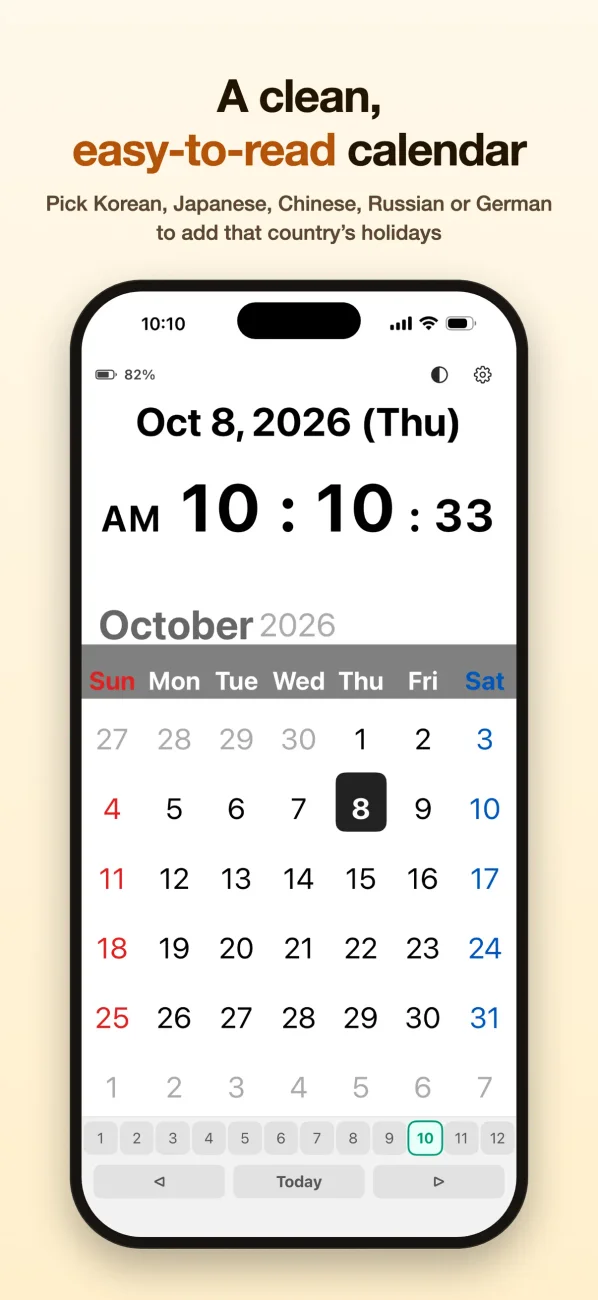
· English shows a plain calendar. Choose another language and that country's calendar comes with it — Korean adds public and substitute holidays, lunar dates and the 24 solar terms; Japanese adds Japan's national holidays; Chinese adds statutory holidays, lunar dates and solar terms; Russian adds Russia's public holidays; German adds Germany's nationwide holidays
· Days off in red, solar terms in gray, lunar dates in olive
· Jump to any month with the 1–12 buttons, or back to today with one tap
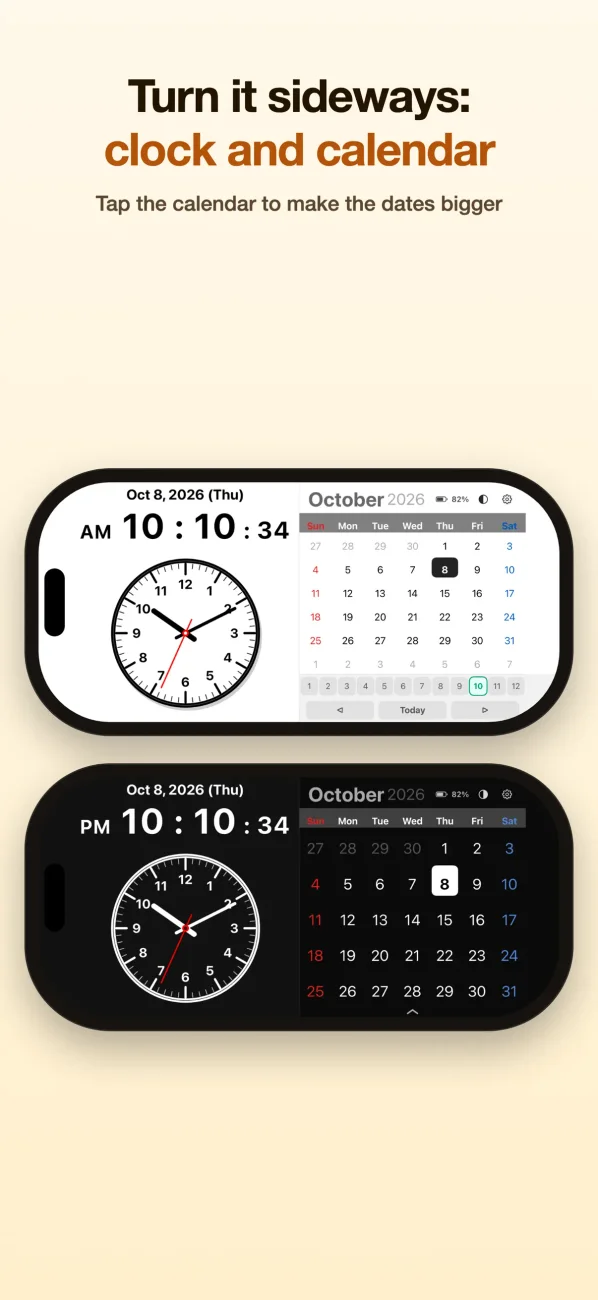
· Swipe the clock sideways for the calendar — the date and time stay on screen
■ 3 Home Screen widgets
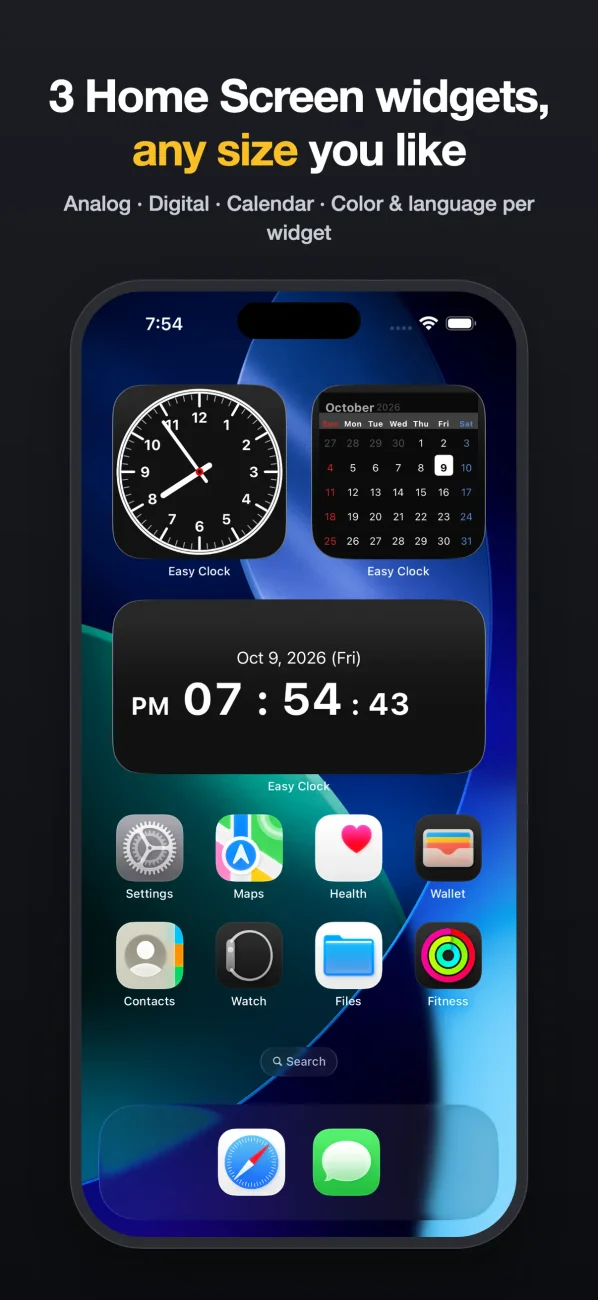
· Analog clock (small, large), date and digital clock (medium), calendar (small, large)
· The digital clock widget ticks every second
· The large calendar widget also shows holiday names, and lunar dates and solar terms in Korean and Chinese
· Choose the appearance (Automatic, Light, Dark) and the language for each widget
■ Day and night colors
· One button cycles Auto → Light → Dark
· Auto switches between day (6 AM–6 PM) and night colors by the clock
■ A desk clock
· Turn it sideways and the clock and calendar sit side by side, like a desk clock
· In landscape, tap the calendar to fold away its buttons and enlarge the dates
· Keep Screen On lets it stay on your desk or nightstand
■ 6 languages
English · 한국어 · 日本語 · 中文 · Русский · Deutsch
Follows your device language at first (English for any other language); change it anytime in Settings.
■ Privacy
· The app has no internet features and collects or sends no information
· No ads, no analytics
· No sign-up required
Holidays are for reference. Adjustments that governments set separately each year (temporary holidays in Korea, tiaoxiu in China, moved days off in Russia) cannot be calculated by rule and are not shown.
Uygulama gizliliği
Bu uygulamanın verileri nasıl işlediği hakkında JONG CHAN BAE tarafından App Store üzerinde yapılan beyan.
-
Veri toplanmıyor
Geliştirici bu uygulamadan hiçbir veri toplamıyor.
Gizlilik uygulamaları, örneğin kullandığınız özelliklere veya yaşınıza göre değişiklik gösterebilir.
Bilgiler
- Satıcı
- JONG CHAN BAE
- Kategori
- Yardımcılar
- Sürüm
- 1.0.1
- Güncellendi
- 23.10.2026
- Yayın tarihi
- 23.10.2026
- Boyut
- 1,3 MB
- Gereksinim
- iOS 18.0 veya sonrası
- Yaş sınırı
- 4+
- Fiyat
- Ücretsiz
- Diller
- İngilizce, Almanca, Japonca, Korece, Rusça, Basitleştirilmiş Çince
- Telif hakkı
- © 2026 ONECONNECT
Bunları da beğenebilirsiniz
-
 Clock Widgets - デザイン時計ウィジェットYardımcılar
-
 Date & Time - WidgetsYardımcılar
-
 Dialshade: Clock WidgetsYardımcılar
-
 QRリーダー PlusYardımcılar
-
 알람톡: 목소리 알람 시계Yardımcılar
-
 Auto ArchitectYardımcılar
-
 SimpleSkipAlarmYardımcılar
-
 Silkoon: Safe Private BrowserYardımcılar
-
 Shiba QR Code Reader & ScannerYardımcılar
-
 Car Auto Play: Widgets & MusicYardımcılar